# tzf-rs: a fast timezone finder for Rust. [](https://github.com/ringsaturn/tzf-rs/actions/workflows/rust.yml) [](https://docs.rs/tzf-rs) [](https://crates.io/crates/tzf-rs) [](https://app.fossa.com/projects/git%2Bgithub.com%2Fringsaturn%2Ftzf-rs?ref=badge_shield)
> [!NOTE]
>
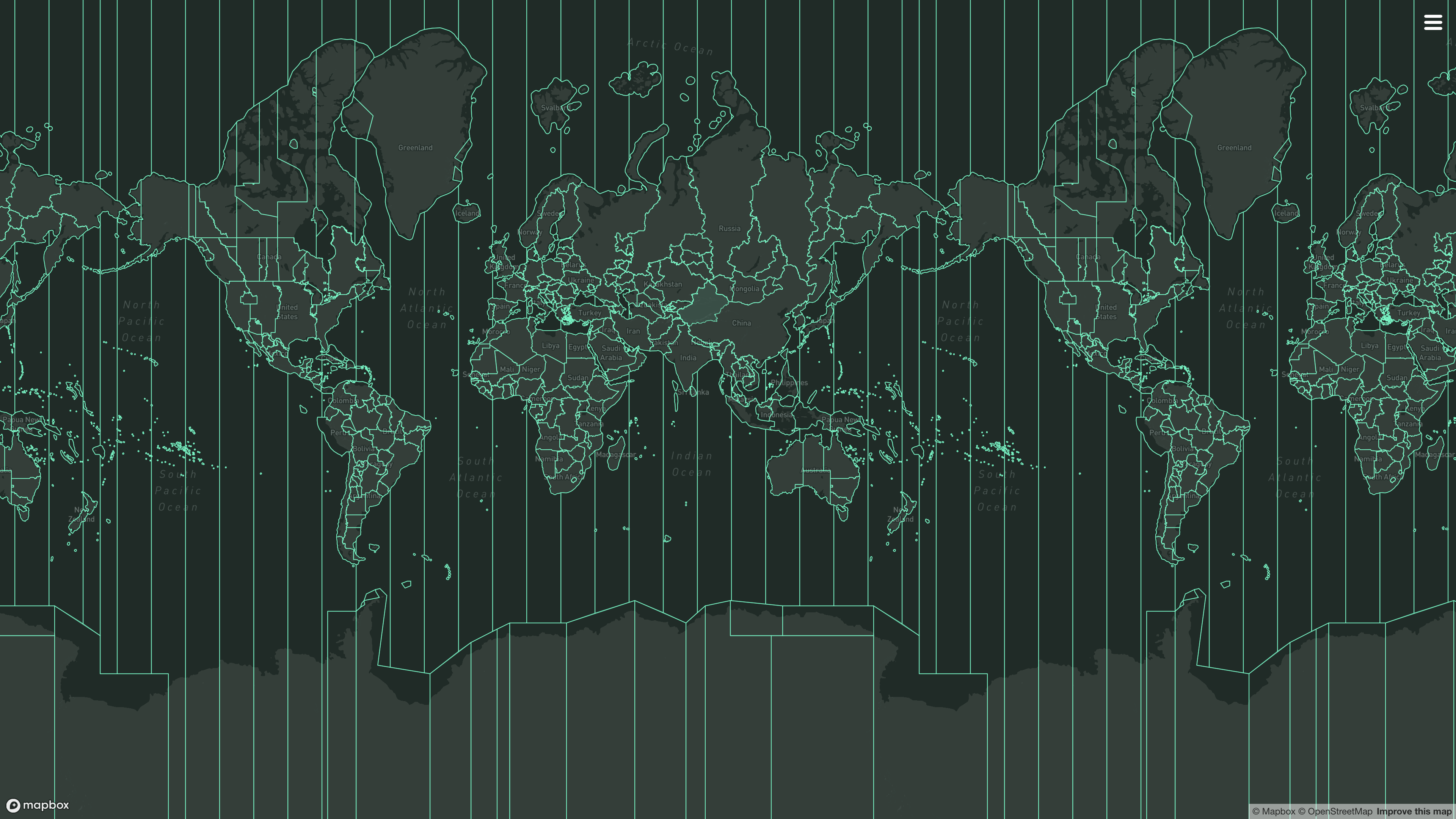
> This package uses simplified shape data so it is not entirely accurate around
> the border.
- Released documentation: [docs.rs/tzf-rs](https://docs.rs/tzf-rs)
- Latest documentation(not released yet):
[ringsaturn.github.io/tzf-rs](https://ringsaturn.github.io/tzf-rs/tzf_rs/)
- Try it online: [tzf-web](https://ringsaturn.github.io/tzf-web/)
## Build options
By default, the binary is built as well. If you don't want/need it, you can omit
the default features and build like this:
```bash
cargo build --no-default-features
```
Or add in the below way:
```bash
cargo add tzf-rs --no-default-features
```
## Best Practices
It's expensive to init tzf-rs's `Finder`/`FuzzyFinder`/`DefaultFinder`, so
please consider reusing instances or creating one as a global variable. Below is
a global variable example:
```rust
use lazy_static::lazy_static;
use tzf_rs::DefaultFinder;
lazy_static! {
static ref FINDER: DefaultFinder = DefaultFinder::new();
}
fn main() {
// Please note coords are lng-lat.
print!("{:?}\n", FINDER.get_tz_name(116.3883, 39.9289));
print!("{:?}\n", FINDER.get_tz_names(116.3883, 39.9289));
}
```
For reuse,
[`racemap/rust-tz-service`](https://github.com/racemap/rust-tz-service) provides
a good example.
A Redis protocol demo could be used here:
[`ringsaturn/redizone`](https://github.com/ringsaturn/redizone).
### Setup 100% Accurate Lookup
By default, tzf-rs uses a simplified shape data. If you need 100% accurate
lookup, you can use the following code to setup.
1. Download
[full data set](https://github.com/ringsaturn/tzf-rel/blob/main/combined-with-oceans.bin),
about 90MB.
2. Use the following code to setup.
```rust,ignore
use tzf_rs::Finder;
use tzf_rs::pbgen::tzf::v1::Timezones;
pub fn load_full() -> Vec<u8> {
include_bytes!("./combined-with-oceans.bin").to_vec()
}
fn main() {
println!("Hello, world!");
let file_bytes: Vec<u8> = load_full();
let finder = Finder::from_pb(Timezones::try_from(file_bytes).unwrap_or_default());
let tz_name = finder.get_tz_name(139.767125, 35.681236);
println!("tz_name: {}", tz_name);
}
```
A full example can be found
[here](https://github.com/ringsaturn/tzf-rs/pull/170).
## Advanced Usage - Toggle YStripes Index
> [!NOTE]
>
> This feature is introduced `v1.2.0` and is **enabled by default**, since the
> build time is not significantly increased, but the query time is significantly
> decreased. If you want to disable it, please use `FinderOptions::NoIndex`
> explicitly. Below is the code example to disable it:
>
> ```rust
> use tzf_rs::{DefaultFinder, FinderOptions};
>
> fn main() {
> let default_finder = DefaultFinder::new_with_options(FinderOptions::no_index());
> println!("{}", default_finder.get_tz_name(139.767125, 35.681236));
> }
> ```
YStripes needs more time and memory than NoIndex, below is data from my machine
to build the `DefaultFinder` with currently supported index modes:
| Index mode | Build time (ms) | Memory usage (MiB) |
| ------------- | --------------: | -----------------: |
| No index | ~40 | ~70 |
| YStripes only | ~50 | ~110 |
For the performance comparison of different index modes, please see the
[Performance](#performance) section below.
## Advanced Usage - Export GeoJSON
> [!NOTE]
>
> This feature is designed for **data visualization purposes** and I can't
> guarantee the performance when using it in high-performance scenarios. Please
> do proper performance tests and necessary optimizations before using it in
> high performace production, for example caching the exported GeoJSON data or
> push to CDN.
It's a common use case make some visualization of timezone boundaries. For this
purpose, tzf-rs provides methods to export the preindex tile data or specific
timezone polygons as GeoJSON format.
To enable this feature, you need to build tzf-rs with `export-geojson` feature:
```toml
# Please note that >= 1.1.1 is required to have full GeoJSON functionality.
tzf-rs = { version = "{version}", features = ["export-geojson"]}
```
Then you can use the following methods:
```rust
// examples/query_tokyo.rs
use tzf_rs::DefaultFinder;
fn main() {
let default_finder = DefaultFinder::new();
let lng = 139.6917;
let lat = 35.6895;
let tz_name = default_finder.get_tz_name(lng, lat).to_owned();
println!(
"The timezone at longitude {}, latitude {} is: {}",
lng, lat, tz_name
);
// Get the Polygon boundary for the timezone
if let Some(boundary_file) = default_finder.finder.get_tz_geojson(&tz_name) {
// It's GeoJSON Feature Collection, and the features contains "MultiPolygon" geometry for the timezone.
println!("Found GeoJSON feature for timezone: {}", tz_name);
let mut polygons: usize = 0;
for feature in boundary_file.features {
polygons += feature.geometry.coordinates.len();
}
println!(
"Total number of polygons in feature collection: {}",
polygons
);
}
// Get the Index polygon boundary for the timezone
if let Some(index_boundary_file) = default_finder.fuzzy_finder.get_tz_geojson(&tz_name) {
// It's GeoJSON Feature, and the geometry contains "MultiPolygon" for the timezone index.
// But the Polygons are actually map tiles.
println!("Found Index GeoJSON feature for timezone: {}", tz_name);
let mut polygons: usize = 0;
for polygon in index_boundary_file.geometry.coordinates {
polygons += polygon.len();
}
println!(
"Total number of tile polygons in index feature: {}",
polygons
);
}
}
```
```bash
cargo run --example query_tokyo --features export-geojson
```
```console
The timezone at longitude 139.6917, latitude 35.6895 is: Asia/Tokyo
Found GeoJSON feature for timezone: Asia/Tokyo
Total number of polygons in feature collection: 24
Found Index GeoJSON feature for timezone: Asia/Tokyo
```
For now, tzf-rs' binding in Wasm, named
[tzf-wasm](https://github.com/ringsaturn/tzf-wasm), has exported this feature
and it has been deployed to the [tzf-web](https://ringsaturn.github.io/tzf-web/)
for online usage.
## Performance
The tzf-rs package is intended for high-performance geospatial query services,
such as weather forecasting APIs. Most queries can be returned within a very
short time, averaging around 1,500 nanoseconds.
Here is what has been done to improve performance:
1. Using pre-indexing to handle most queries takes approximately 500
nanoseconds.
2. Using a finely-tuned Ray Casting algorithm package
[`ringsaturn/geometry-rs`](https://github.com/ringsaturn/geometry-rs) to
verify whether a polygon contains a point.
- Using YStripes to accerate polygon queries. This polygon index works when
the pre-indexing missing, especially for queries around the border.
That's all. There are no black magic tricks inside the tzf-rs.
Below is a benchmark run on my MacBook Pro with Apple M3 Max:
```bash
make bench
cat benchmark_report.md
```
| Target | Scenario | Median estimate (µs) | Approx throughput (ops/s) | Avg peak RSS (MiB) |
| ------------- | ------------- | -------------------: | ------------------------: | -----------------: |
| Finder | YStripes only | 2.4286 | 411,760 | 89.75 |
| Finder | No index | 6.0933 | 164,115 | 53.03 |
| DefaultFinder | YStripes only | 0.9726 | 1,028,172 | 111.58 |
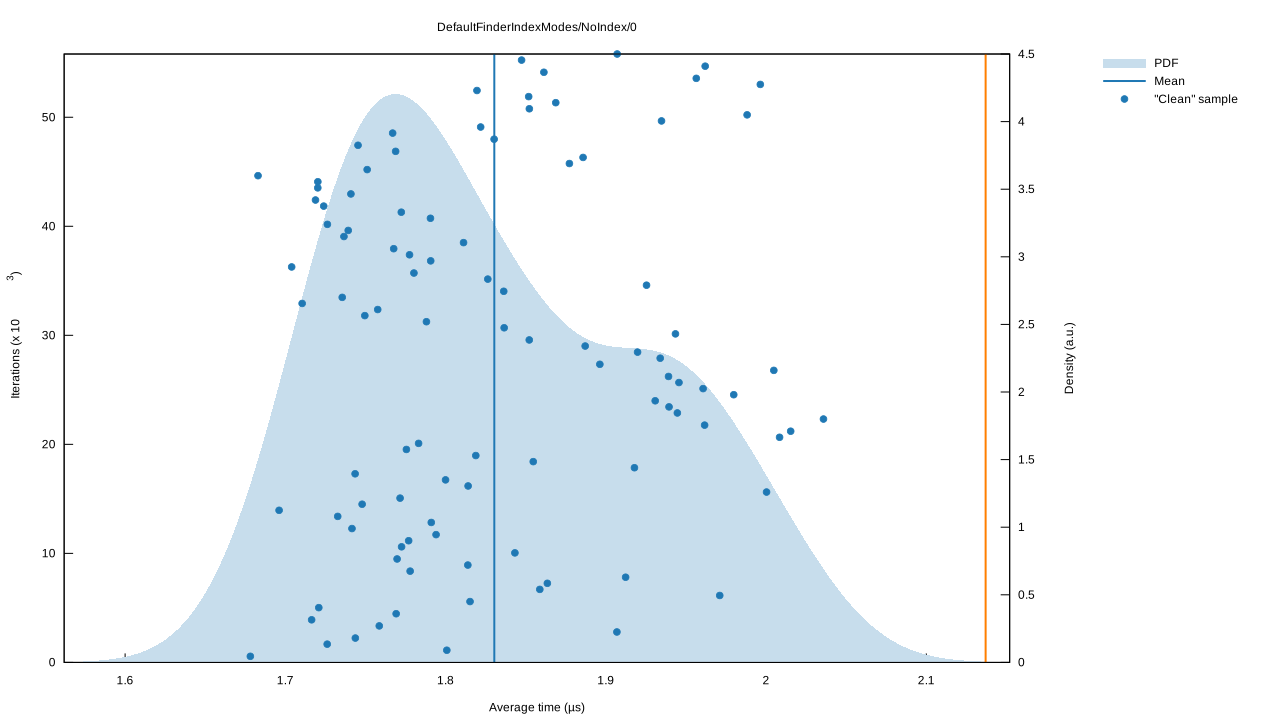
| DefaultFinder | No index | 1.8955 | 527,565 | 74.01 |
The `FuzzyFinder` is not included in the benchmark, since it's query time is
consistent.
<details>
<summary>DefaultFinder's Benchmark charts (click to expand)</summary>
Violin plot:

No Index:
YStripes only:
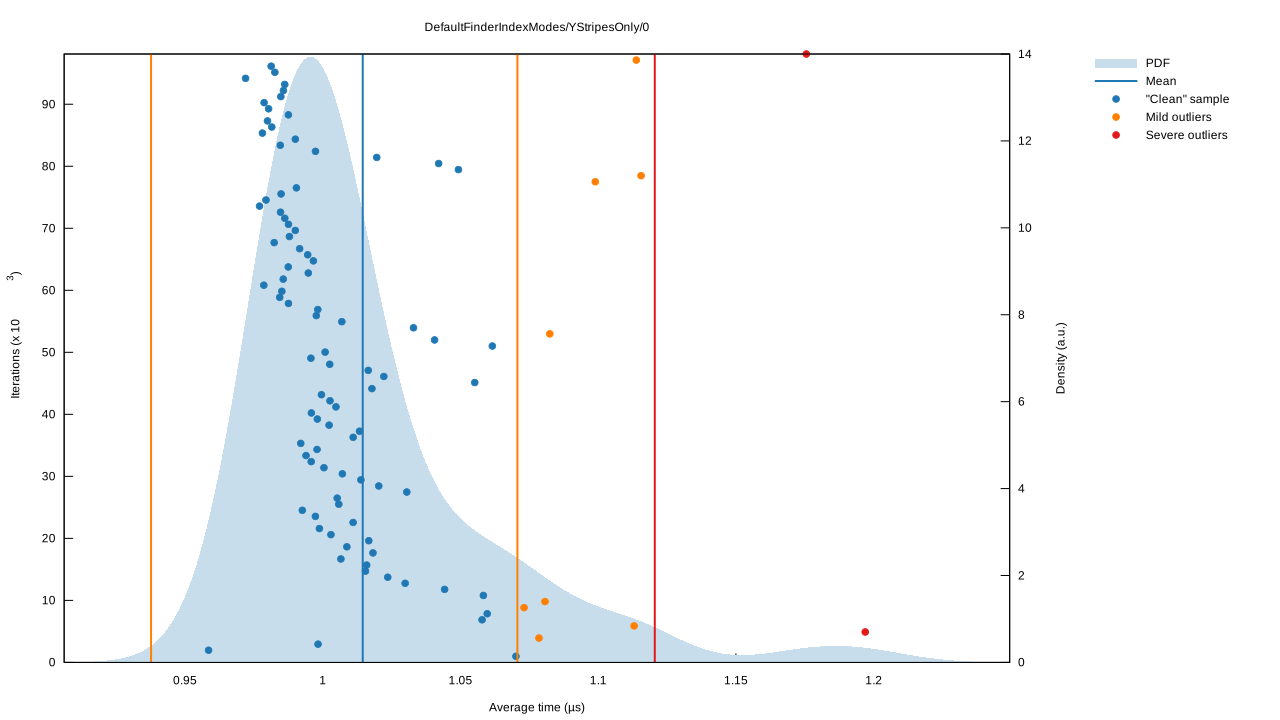
</details>
You can view more details from latest benchmark from
[GitHub Actions logs](https://github.com/ringsaturn/tzf-rs/actions/workflows/rust.yml).
## References
I have written an article about the history of `tzf`, its Rust port, and its
Rust port's Python binding; you can view it
[here](https://blog.ringsaturn.me/en/posts/2023-01-31-history-of-tzf/).
- Original Go repo: [`ringsaturn/tzf`](https://github.com/ringsaturn/tzf)
- Binary timezone data:
[`ringsaturn/tzf-rel`](https://github.com/ringsaturn/tzf-rel)
- Geometry: use
[`ringsaturn/geometry-rs`](https://github.com/ringsaturn/geometry-rs) which is
[`tidwall/geometry`](https://github.com/tidwall/geometry)'s Rust port.
- Continuous Benchmark compared with other packages:
[`ringsaturn/tz-benchmark`](https://github.com/ringsaturn/tz-benchmark)
### Bindings
- Ruby, see [`HarlemSquirrel/tzf-rb`](https://github.com/HarlemSquirrel/tzf-rb)
- Python, see [`ringsaturn/tzfpy`](https://github.com/ringsaturn/tzfpy)
- Wasm, see [`ringsaturn/tzf-wasm`](https://github.com/ringsaturn/tzf-wasm)
- PostgreSQL extension, see
[`ringsaturn/pg-tzf`](https://github.com/ringsaturn/pg-tzf)
## Command line
The binary helps in debugging tzf-rs and using it in (scripting) languages
without bindings. Either specify the coordinates as parameters to get a single
time zone, or to look up multiple coordinates efficiently specify the ordering
and pipe them to the binary one pair of coordinates per line.
```shell
tzf --lng 116.3883 --lat 39.9289
echo -e "116.3883 39.9289\n116.3883, 39.9289" | tzf --stdin-order lng-lat
```
If you are using Nixpkgs, you can install the `tzf` command line tool, please
see more in
[Nixpkgs](https://search.nixos.org/packages?channel=unstable&type=packages&query=tzf-rs).
## LICENSE
This project is licensed under the [MIT license](./LICENSE) and
[Anti CSDN License](./LICENSE_ANTI_CSDN.md)[^anti_csdn]. The data is licensed
under the
[ODbL license](https://github.com/ringsaturn/tzf-rel/blob/main/LICENSE), same as
[`evansiroky/timezone-boundary-builder`](https://github.com/evansiroky/timezone-boundary-builder)
[^anti_csdn]: This license is to prevent the use of this project by CSDN, has no
effect on other use cases.
[](https://app.fossa.com/projects/git%2Bgithub.com%2Fringsaturn%2Ftzf-rs?ref=badge_large)