tuika-html 0.1.1

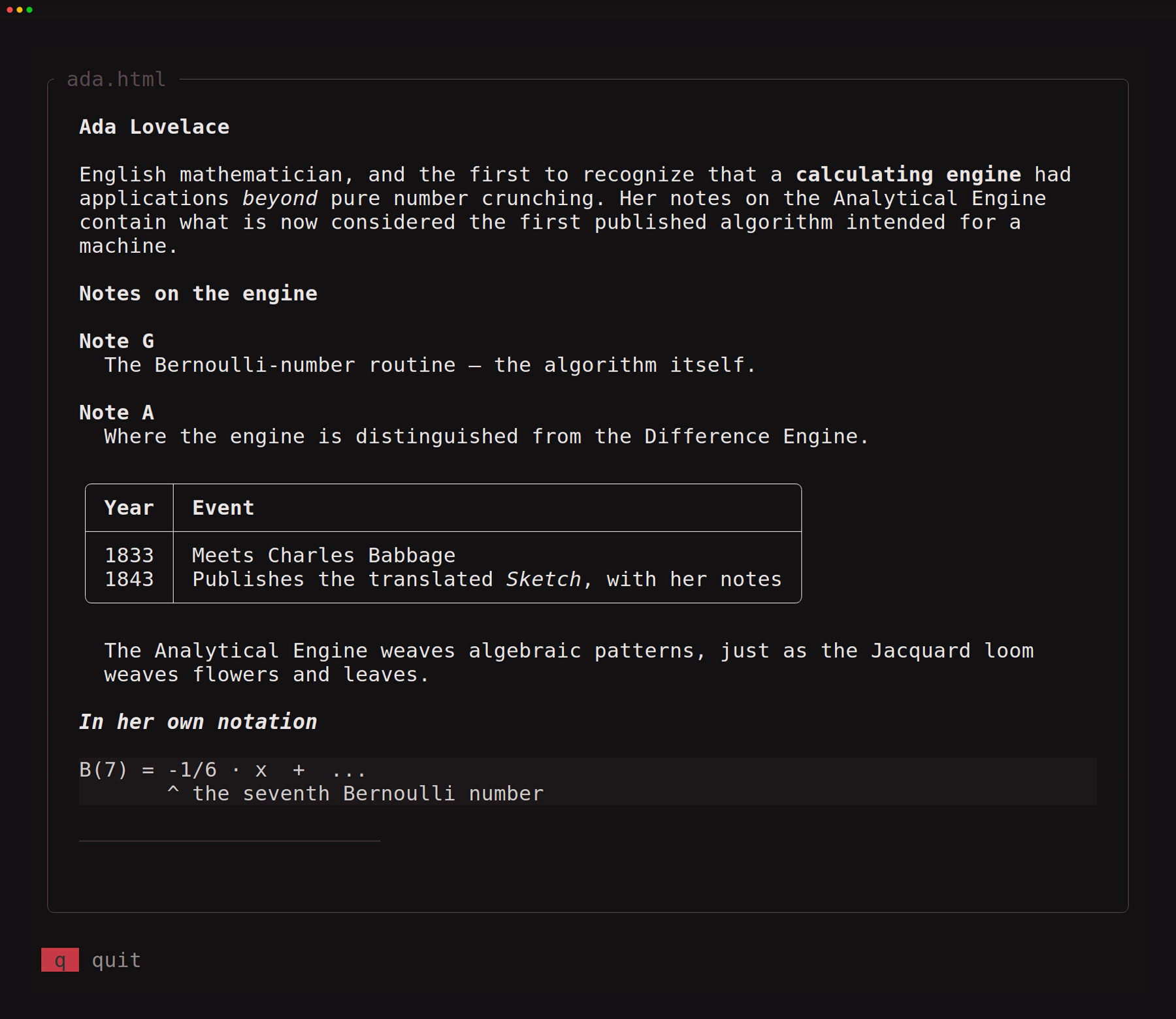
Terminal-native HTML rendering for tuika: a Markdown block seam and a standalone Html view.
Documentation
//! The [`Html`] view on its own: a whole HTML fragment as the screen.
//!
//! ```bash
//! cargo run -p tuika-html --example html_view            # a real terminal (q quits)
//! cargo run -p tuika-html --example html_view -- --dump  # one frame as text
//! ```
//!
//! The companion example, `html_markdown`, shows the *seam* — HTML blocks
//! inside a markdown document. This one shows the **component**: no markdown
//! anywhere, `Html` placed in a layout exactly like `Markdown` would be, fitting
//! its content to whatever width the pane gives it.

use tuika::prelude::*;
use tuika::testing::{grid, render};
use tuika_html::Html;

/// Shared with the demo generator so the recording cannot drift from the app.
const PAGE: &str = include_str!("page.html");

fn scene() -> Element {
    let page = Boxed::new(element(Html::new(PAGE)))
        .title(" ada.html ")
        .padding(Padding::symmetric(2, 1));
    let hints = KeyHints::new([("q", "quit")]);
    view! {
        col(padding = Padding::all(1), gap = 1) {
            grow(1) { node(page) }
            fixed(1) { node(hints) }
        }
    }
}

fn main() -> std::io::Result<()> {
    let theme = Theme::default();
    if std::env::args().any(|a| a == "--dump") {
        for line in grid(&render(scene().as_ref(), 78, 44, &theme)).lines() {
            println!("{}", line.trim_end());
        }
        return Ok(());
    }

    let runner = Runner::new(RunnerConfig::default());
    runner.run(
        &theme,
        &mut (),
        |(), _frame| scene(),
        |(), signal| match signal {
            Signal::Event(Event::Key(key))
                if matches!(key.code, KeyCode::Char('q') | KeyCode::Esc) =>
            {
                UpdateResult::Exit
            }
            _ => UpdateResult::Clean,
        },
    )
}