1
2
3
4
5
6
7
8
9
10
11
12
13
14
15
16
17
18
19
20
21
22
23
24
25
26
27
28
29
30
31
32
33
34
35
36
37
38
39
40
41
42
43
44
45
46
47
48
49
50
51
52
53
54
55
56
57
58
59
60
61
62
63
64
65
66
67
68
69
70
71
72
73
74
75
76
77
78
79
80
81
82
83
84
85
86
87
88
89
90
91
92
93
94
95
96
97
98
99
100
101
102
103
104
105
106
107
108
109
110
111
112
113
114
115
116
117
118
119
120
121
122
123
124
125
126
127
128
129
130
131
132
133
134
135
136
137
138
139
140
141
142
143
144
145
146
147
148
149
150
151
152
153
154
155
156
157
158
159
160
161
162
163
164
165
166
167
168
169
170
171
172
173
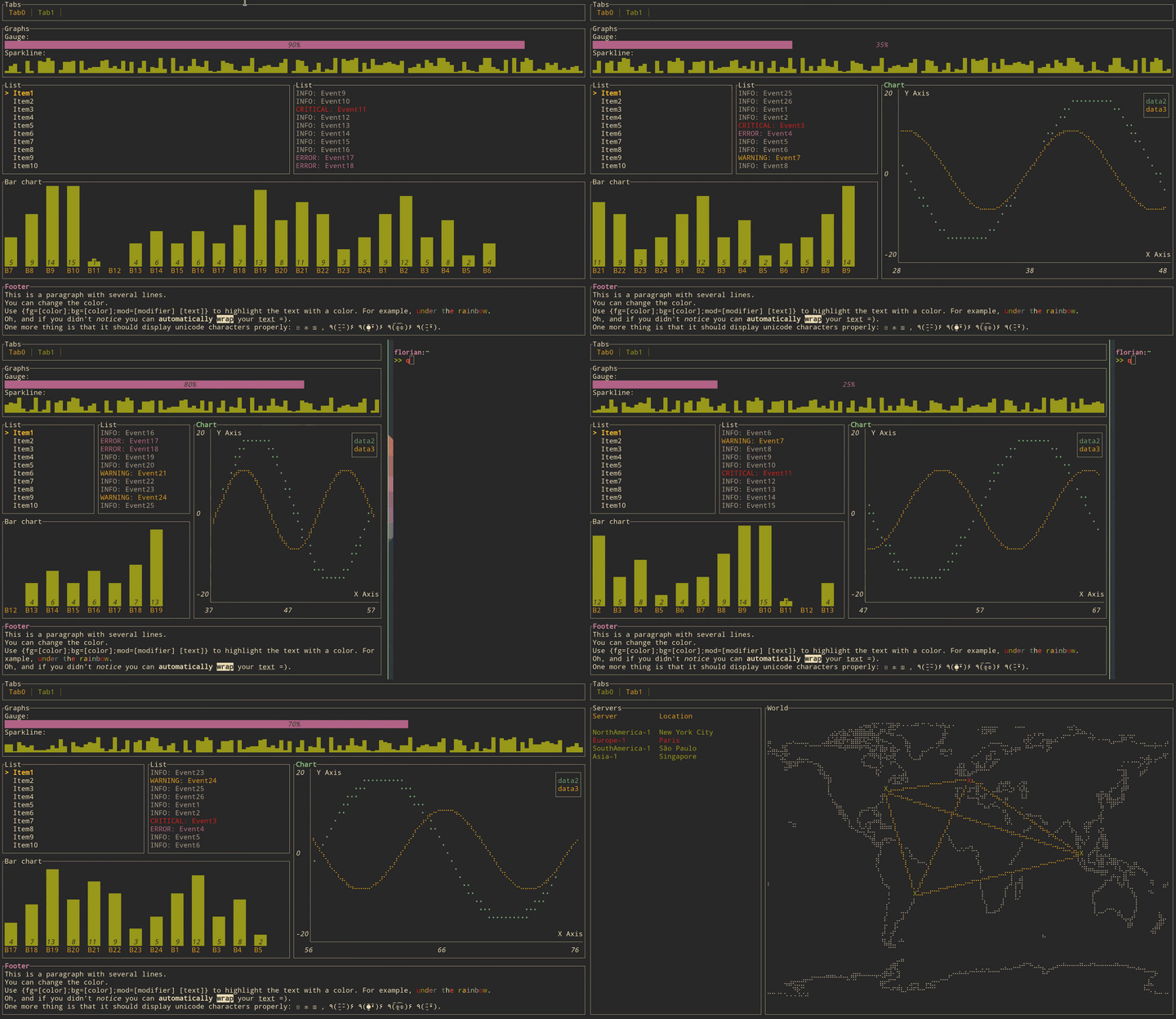
//! [tui](https://github.com/fdehau/tui-rs) is a library used to build rich
//! terminal users interfaces and dashboards.
//!
//! 
//!
//! # Get started
//!
//! ## Adding `tui` as a dependency
//!
//! ```toml
//! [dependencies]
//! tui = "0.19"
//! crossterm = "0.25"
//! ```
//!
//! The crate is using the `crossterm` backend by default that works on most platforms. But if for
//! example you want to use the `termion` backend instead. This can be done by changing your
//! dependencies specification to the following:
//!
//! ```toml
//! [dependencies]
//! termion = "1.5"
//! tui = { version = "0.19", default-features = false, features = ['termion'] }
//!
//! ```
//!
//! The same logic applies for all other available backends.
//!
//! ## Creating a `Terminal`
//!
//! Every application using `tui` should start by instantiating a `Terminal`. It is a light
//! abstraction over available backends that provides basic functionalities such as clearing the
//! screen, hiding the cursor, etc.
//!
//! ```rust,no_run
//! use std::io;
//! use tui::{backend::CrosstermBackend, Terminal};
//!
//! fn main() -> Result<(), io::Error> {
//! let stdout = io::stdout();
//! let backend = CrosstermBackend::new(stdout);
//! let mut terminal = Terminal::new(backend)?;
//! Ok(())
//! }
//! ```
//!
//! If you had previously chosen `termion` as a backend, the terminal can be created in a similar
//! way:
//!
//! ```rust,ignore
//! use std::io;
//! use tui::{backend::TermionBackend, Terminal};
//! use termion::raw::IntoRawMode;
//!
//! fn main() -> Result<(), io::Error> {
//! let stdout = io::stdout().into_raw_mode()?;
//! let backend = TermionBackend::new(stdout);
//! let mut terminal = Terminal::new(backend)?;
//! Ok(())
//! }
//! ```
//!
//! You may also refer to the examples to find out how to create a `Terminal` for each available
//! backend.
//!
//! ## Building a User Interface (UI)
//!
//! Every component of your interface will be implementing the `Widget` trait. The library comes
//! with a predefined set of widgets that should meet most of your use cases. You are also free to
//! implement your own.
//!
//! Each widget follows a builder pattern API providing a default configuration along with methods
//! to customize them. The widget is then rendered using [`Frame::render_widget`] which takes
//! your widget instance and an area to draw to.
//!
//! The following example renders a block of the size of the terminal:
//!
//! ```rust,no_run
//! use std::{io, thread, time::Duration};
//! use tui::{
//! backend::CrosstermBackend,
//! widgets::{Widget, Block, Borders},
//! layout::{Layout, Constraint, Direction},
//! Terminal
//! };
//! use crossterm::{
//! event::{self, DisableMouseCapture, EnableMouseCapture, Event, KeyCode},
//! execute,
//! terminal::{disable_raw_mode, enable_raw_mode, EnterAlternateScreen, LeaveAlternateScreen},
//! };
//!
//! fn main() -> Result<(), io::Error> {
//! // setup terminal
//! enable_raw_mode()?;
//! let mut stdout = io::stdout();
//! execute!(stdout, EnterAlternateScreen, EnableMouseCapture)?;
//! let backend = CrosstermBackend::new(stdout);
//! let mut terminal = Terminal::new(backend)?;
//!
//! terminal.draw(|f| {
//! let size = f.size();
//! let block = Block::default()
//! .title("Block")
//! .borders(Borders::ALL);
//! f.render_widget(block, size);
//! })?;
//!
//! thread::sleep(Duration::from_millis(5000));
//!
//! // restore terminal
//! disable_raw_mode()?;
//! execute!(
//! terminal.backend_mut(),
//! LeaveAlternateScreen,
//! DisableMouseCapture
//! )?;
//! terminal.show_cursor()?;
//!
//! Ok(())
//! }
//! ```
//!
//! ## Layout
//!
//! The library comes with a basic yet useful layout management object called `Layout`. As you may
//! see below and in the examples, the library makes heavy use of the builder pattern to provide
//! full customization. And `Layout` is no exception:
//!
//! ```rust,no_run
//! use tui::{
//! backend::Backend,
//! layout::{Constraint, Direction, Layout},
//! widgets::{Block, Borders},
//! Frame,
//! };
//! fn ui<B: Backend>(f: &mut Frame<B>) {
//! let chunks = Layout::default()
//! .direction(Direction::Vertical)
//! .margin(1)
//! .constraints(
//! [
//! Constraint::Percentage(10),
//! Constraint::Percentage(80),
//! Constraint::Percentage(10)
//! ].as_ref()
//! )
//! .split(f.size());
//! let block = Block::default()
//! .title("Block")
//! .borders(Borders::ALL);
//! f.render_widget(block, chunks[0]);
//! let block = Block::default()
//! .title("Block 2")
//! .borders(Borders::ALL);
//! f.render_widget(block, chunks[1]);
//! }
//! ```
//!
//! This let you describe responsive terminal UI by nesting layouts. You should note that by
//! default the computed layout tries to fill the available space completely. So if for any reason
//! you might need a blank space somewhere, try to pass an additional constraint and don't use the
//! corresponding area.
pub use ;