# tui-skeleton
Animated skeleton loading widgets for [Ratatui](https://ratatui.rs).
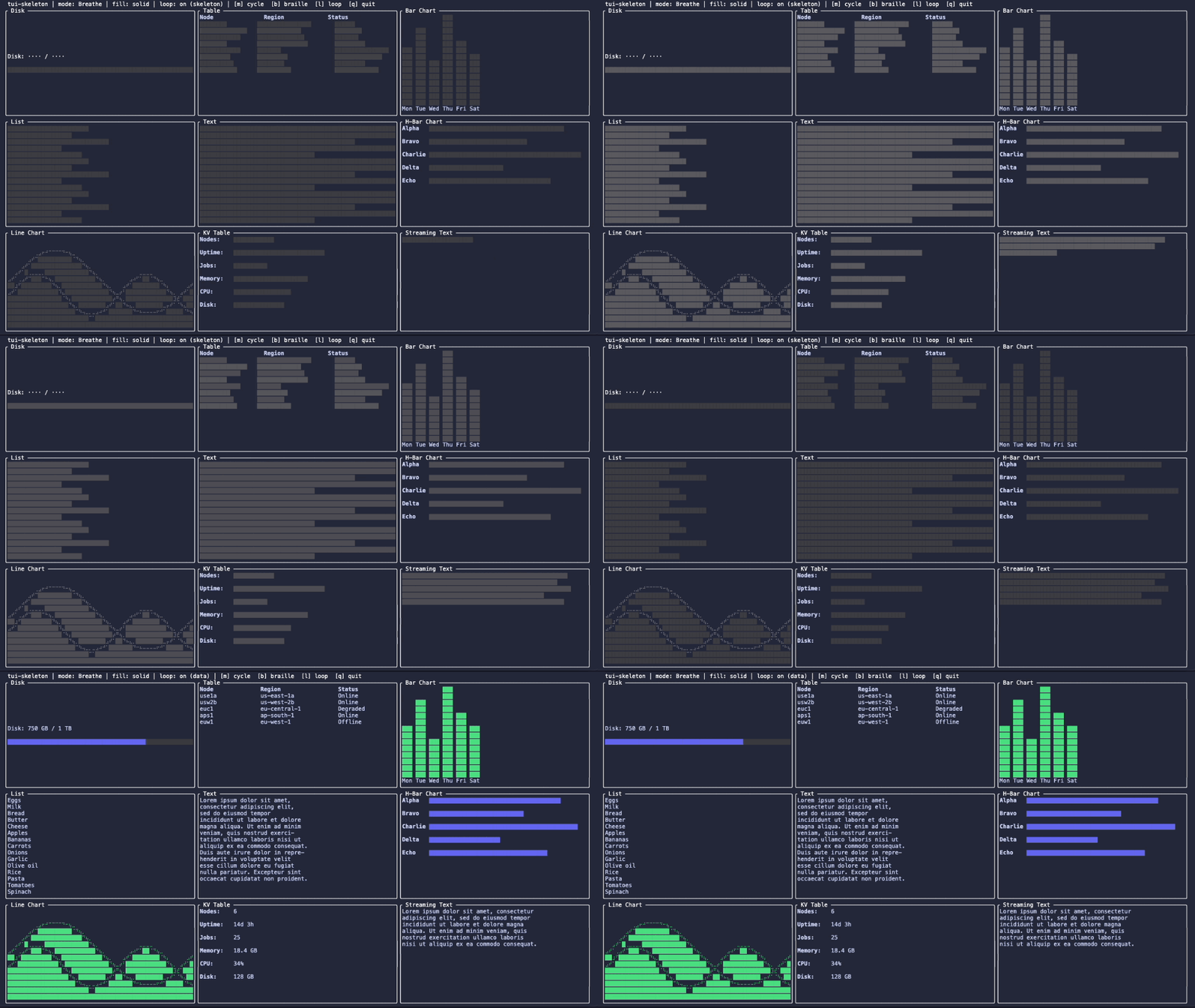
Placeholder widgets that pulse, sweep, or shimmer while data loads. All widgets are stateless — pass `elapsed_ms` from your event loop and the animation state is computed purely from the timestamp.
## Widgets
| `SkeletonBlock` | Filled rectangle — the atomic unit |
| `SkeletonTable` | Rows with column separators, ragged cell widths, and zebra striping |
| `SkeletonList` | Short spaced items with ragged edges (menu/sidebar) |
| `SkeletonText` | Paragraph simulation with varying line widths |
| `SkeletonBarChart` | Vertical bars of varying height |
| `SkeletonHBarChart` | Horizontal bars of varying length |
| `SkeletonBrailleBar` | Braille progress bars with rounded caps and peak marker |
| `SkeletonKvTable` | Key-value pairs (properties/detail panel) |
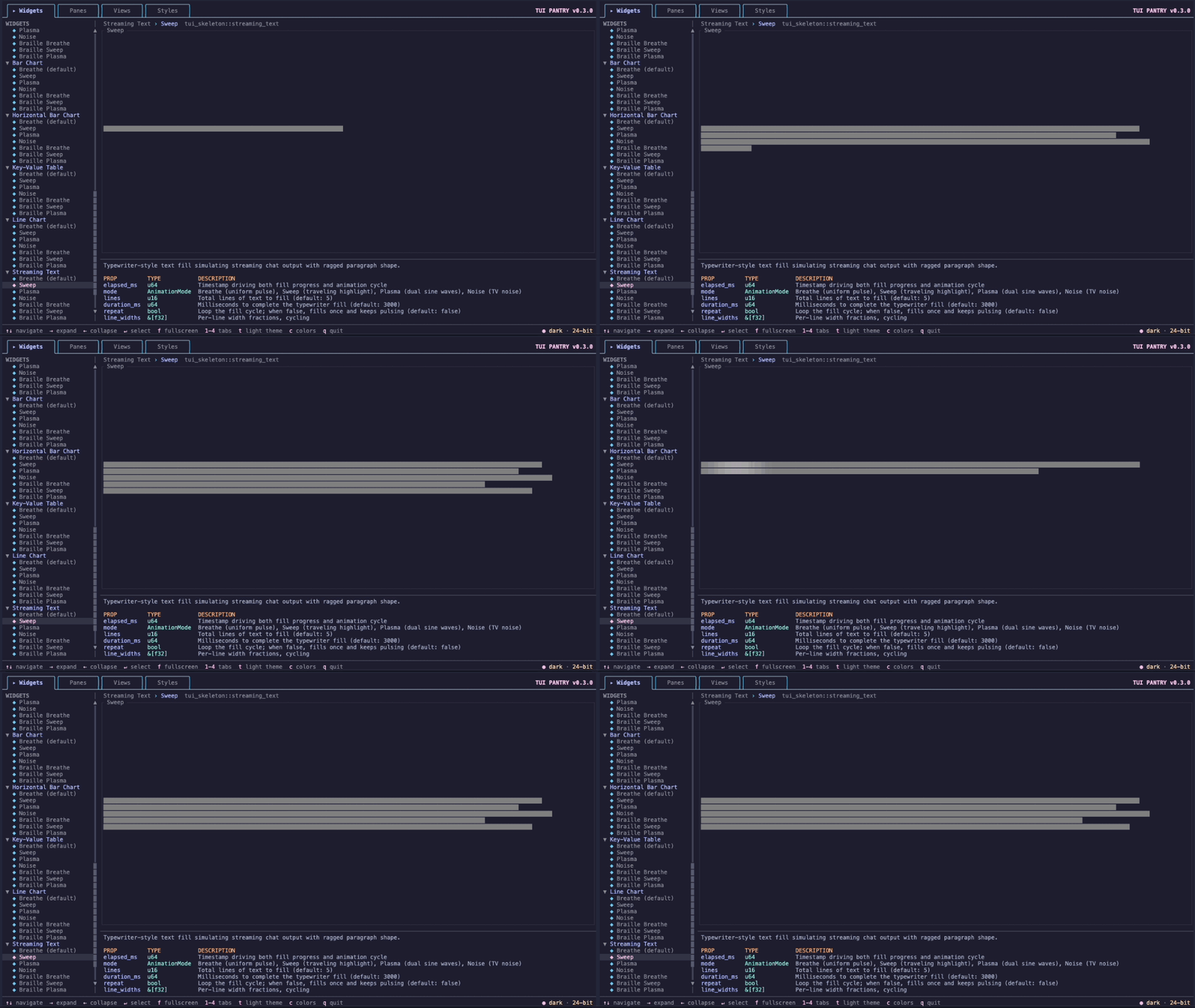
| `SkeletonStreamingText` | Typewriter-style chat text filling over time |
| `SkeletonLineChart` | Braille line chart with overlapping wave traces |
## Installation
```sh
cargo add tui-skeleton
```
## Usage
```rust
use ratatui_core::style::Color;
use tui_skeleton::{SkeletonBlock, AnimationMode};
// Solid fill with sweep animation
let solid = SkeletonBlock::new(elapsed_ms)
.mode(AnimationMode::Sweep)
.base(Color::Rgb(30, 22, 58))
.highlight(Color::Rgb(49, 40, 78));
// Braille fill (⣿) with breathe animation
let braille = SkeletonBlock::new(elapsed_ms)
.braille(true)
.base(Color::Rgb(30, 22, 58))
.highlight(Color::Rgb(49, 40, 78));
// TV noise — random braille glyphs changing every frame
let noise = SkeletonBlock::new(elapsed_ms)
.mode(AnimationMode::Noise);
```
All widgets share the same builder pattern:
```rust
use ratatui_core::layout::Constraint;
use tui_skeleton::{SkeletonTable, SkeletonList, SkeletonText};
// Table with 3 columns
let table = SkeletonTable::new(elapsed_ms)
.columns(&[Constraint::Percentage(30), Constraint::Percentage(40), Constraint::Percentage(30)])
.rows(8)
.zebra(true);
// List (short spaced items)
let list = SkeletonList::new(elapsed_ms)
.items(8);
// Paragraph placeholder
let text = SkeletonText::new(elapsed_ms)
.line_widths(&[1.0, 1.0, 0.8, 1.0, 0.6]);
```
Render conditionally based on your application state:
```rust,ignore
if data.is_loading() {
SkeletonTable::new(elapsed_ms)
.columns(&col_constraints)
.rows(8)
.render(area, buf);
} else {
my_table.render(area, buf);
}
```
## Animation Modes
| **Breathe** (default) | 5s | Uniform pulse — subtle, passive loading indicator |
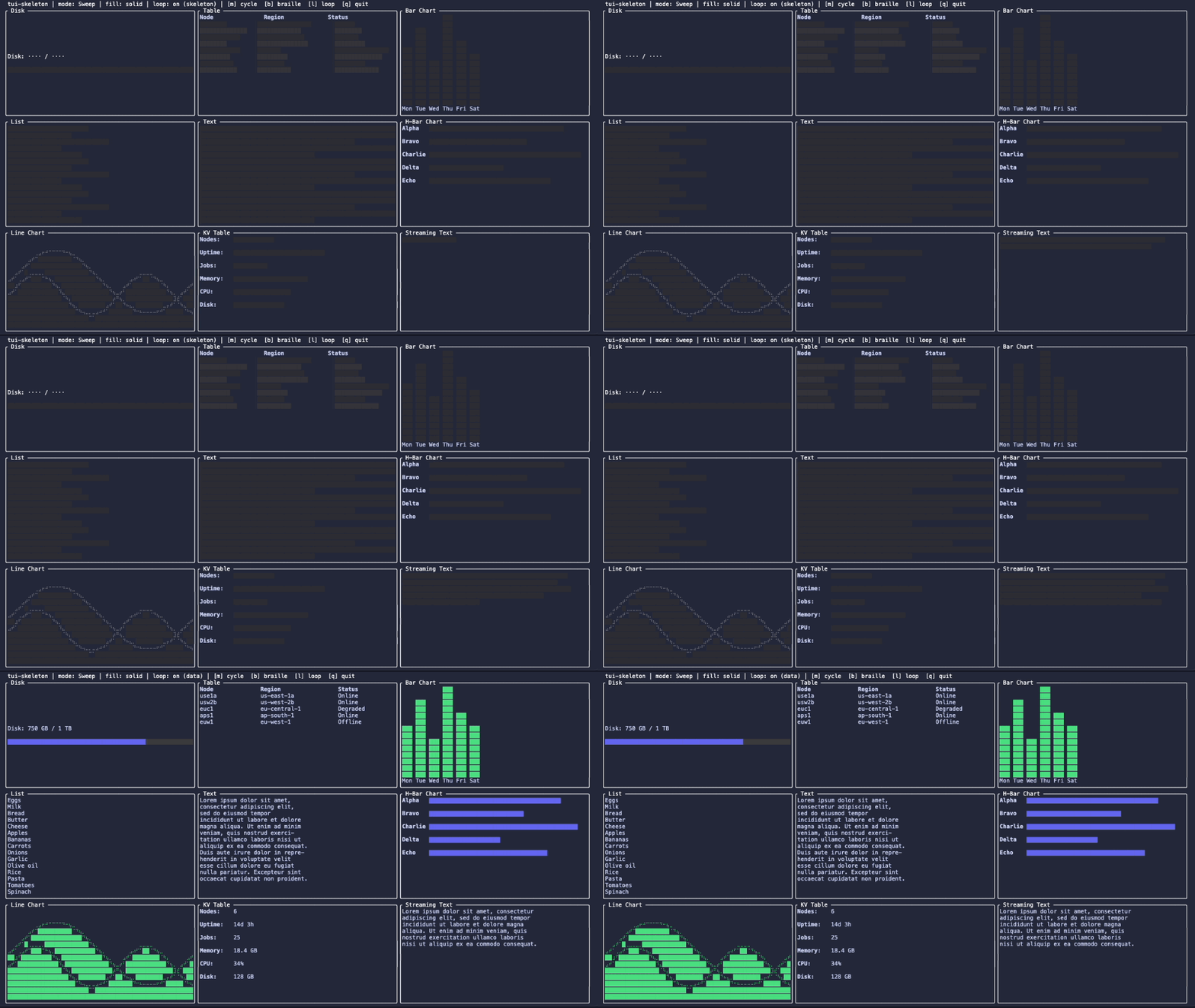
| **Sweep** | 2.8s | Traveling highlight left-to-right with cosine falloff |
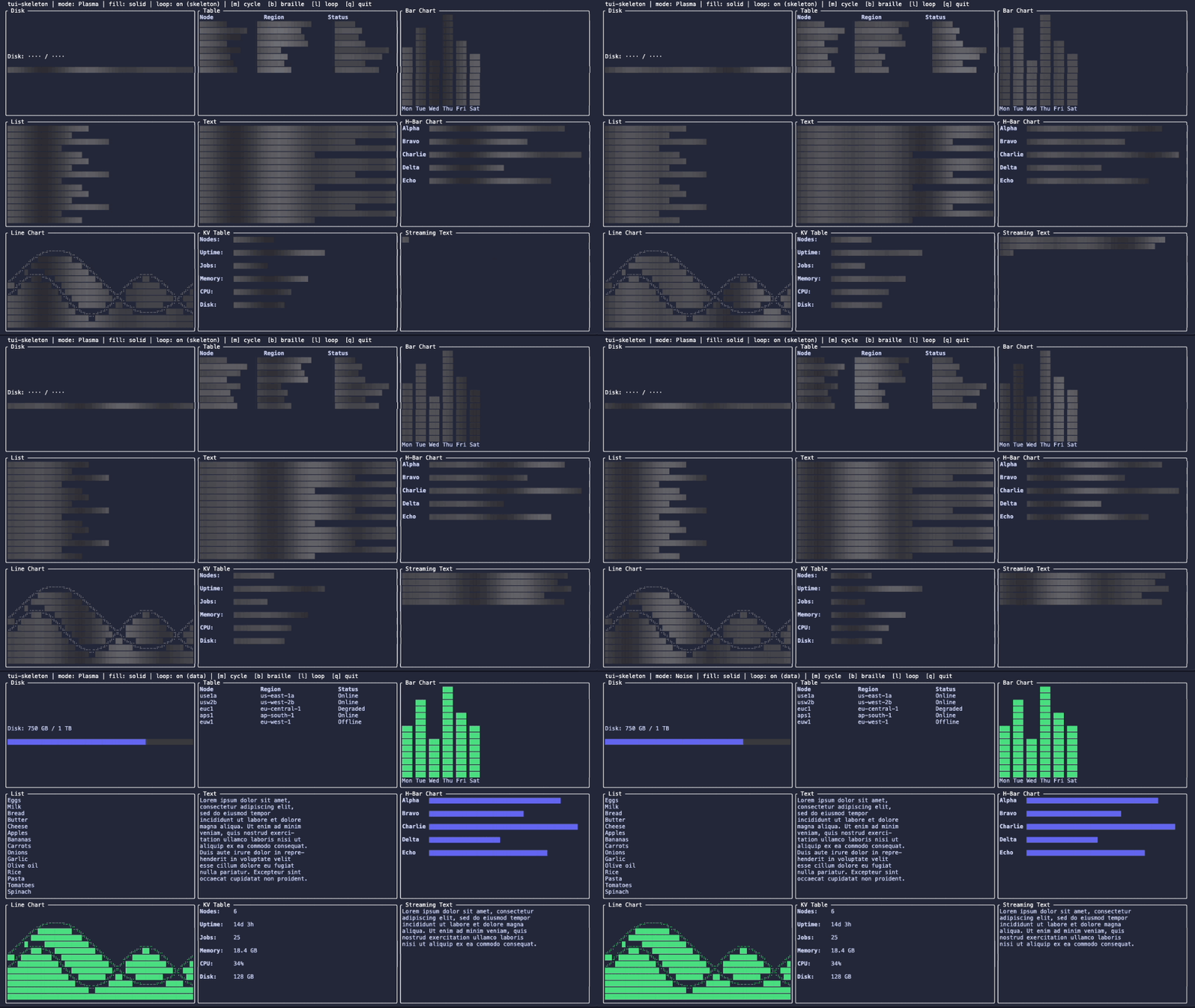
| **Plasma** | 4s | Dual sine-wave interference for organic shifting patterns |
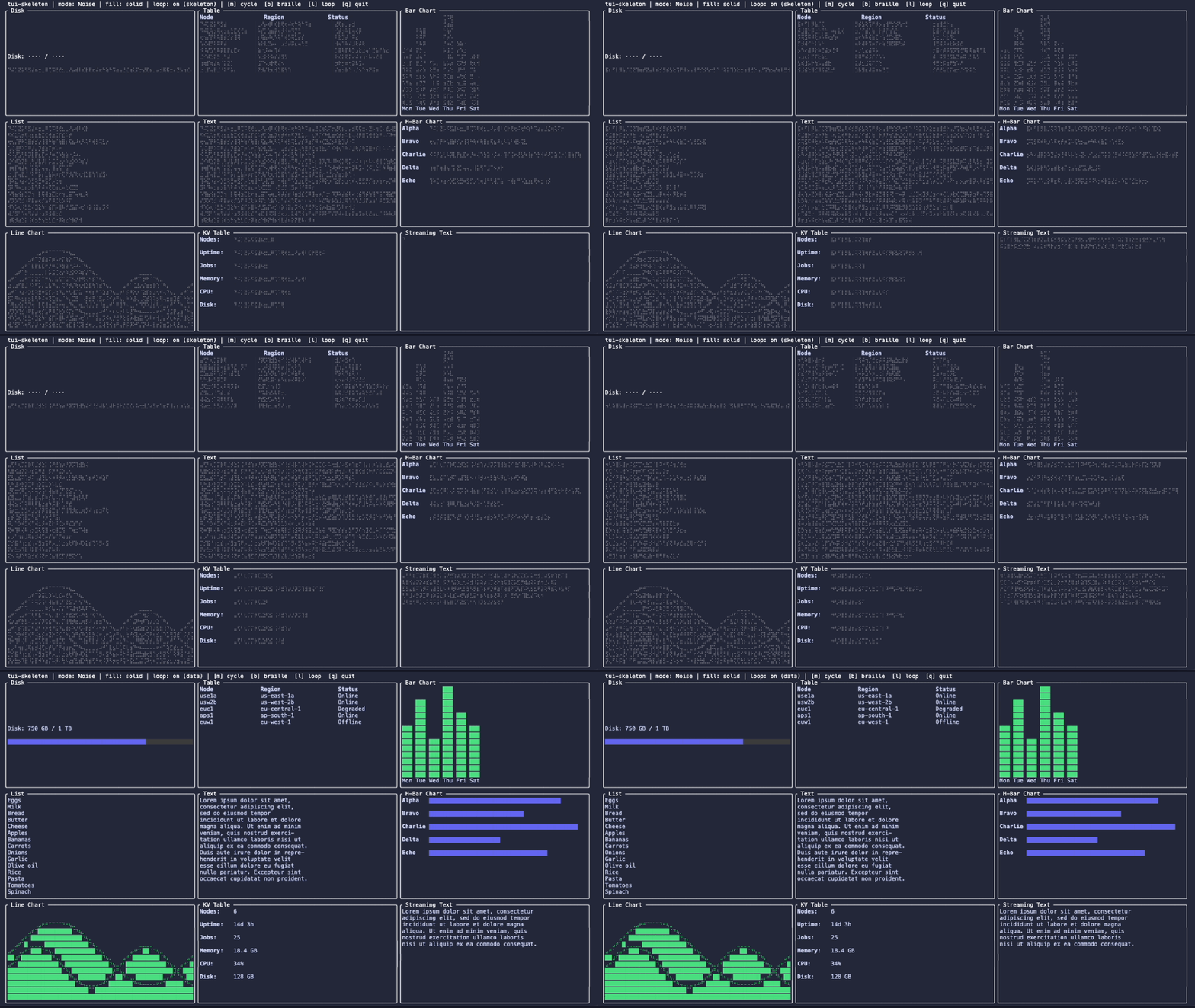
| **Noise** | — | Constant color; random braille glyphs change every frame (TV noise) |
### Breathe

### Sweep
### Plasma
### Noise
## Colors
All widgets accept `base` and `highlight` colors for the interpolation endpoints:
- **`base`** — dim resting state (default: `DarkGray`)
- **`highlight`** — peak brightness (default: `Gray`)
Defaults work on both dark and light terminals. Override to match your theme:
```rust
use ratatui_core::style::Color;
use tui_skeleton::SkeletonBlock;
// Dark theme
let dark = SkeletonBlock::new(elapsed_ms)
.base(Color::Rgb(30, 22, 58))
.highlight(Color::Rgb(49, 40, 78));
// Light theme
let light = SkeletonBlock::new(elapsed_ms)
.base(Color::Rgb(250, 249, 253))
.highlight(Color::Rgb(232, 230, 240));
```
## Adaptive Tick Rate
Skeleton animations look best at ~20 FPS. The crate exports recommended intervals:
```rust
use tui_skeleton::{TICK_ANIMATED, TICK_IDLE};
// TICK_ANIMATED = 50ms (20 FPS)
// TICK_IDLE = 200ms (5 FPS)
```
The recommended pattern:
1. Track whether any skeleton is currently visible
2. Use `TICK_ANIMATED` when skeletons are on screen
3. Revert to `TICK_IDLE` when all data has loaded
## Builder Methods
All widgets support:
| `mode(AnimationMode)` | `Breathe` | Animation style |
| `braille(bool)` | `false` | Solid braille `⣿` fill instead of `█` |
| `base(impl Into<Color>)` | `DarkGray` | Dim resting color |
| `highlight(impl Into<Color>)` | `Gray` | Peak brightness color |
| `block(Block)` | `None` | Optional border container |
Shape-specific:
| `SkeletonTable` | `rows(u16)` | `5` | Number of visible rows |
| `SkeletonTable` | `columns(&[Constraint])` | `[]` | Column width constraints |
| `SkeletonTable` | `cell_widths(&[f32])` | built-in pattern | Per-cell fill fractions, cycling across (row, col) |
| `SkeletonTable` | `zebra(bool)` | `true` | Alternating row brightness |
| `SkeletonList` | `items(u16)` | `5` | Number of list items |
| `SkeletonList` | `widths(&[f32])` | built-in pattern | Per-item width fractions (cycles) |
| `SkeletonText` | `line_widths(&[f32])` | `[1.0, 1.0, 0.8, 1.0, 0.6]` | Per-line width fractions (cycles) |
| `SkeletonBarChart` | `bars(u16)` | `6` | Number of vertical bars |
| `SkeletonBarChart` | `bar_width(u16)` | `3` | Width of each bar in cells |
| `SkeletonBarChart` | `heights(&[f32])` | built-in pattern | Per-bar height fractions (cycles) |
| `SkeletonHBarChart` | `bars(u16)` | `5` | Number of horizontal bars |
| `SkeletonHBarChart` | `bar_height(u16)` | `1` | Height of each bar in rows |
| `SkeletonHBarChart` | `widths(&[f32])` | built-in pattern | Per-bar width fractions (cycles) |
| `SkeletonBrailleBar` | `bars(u16)` | `3` | Number of stacked braille bars |
| `SkeletonBrailleBar` | `fills(&[f32])` | built-in pattern | Per-bar fill fractions (cycles) |
| `SkeletonBrailleBar` | `peak(f32)` | `None` | Peak marker position (0.0..=1.0) |
| `SkeletonBrailleBar` | `peak_color(Color)` | highlight | Color for the peak marker cell |
| `SkeletonBrailleBar` | `empty(Color)` | `Rgb(60,60,60)` | Color for unfilled cells |
| `SkeletonKvTable` | `pairs(u16)` | `5` | Number of key-value pairs |
| `SkeletonKvTable` | `key_width(u16)` | `12` | Fixed width of the key column |
| `SkeletonKvTable` | `value_widths(&[f32])` | built-in pattern | Per-pair value width fractions (cycles) |
| `SkeletonStreamingText` | `lines(u16)` | `5` | Total lines to fill |
| `SkeletonStreamingText` | `duration_ms(u64)` | `3000` | Milliseconds to complete the fill |
| `SkeletonStreamingText` | `repeat(bool)` | `false` | Loop the fill cycle |
| `SkeletonStreamingText` | `line_widths(&[f32])` | built-in pattern | Per-line width fractions (cycles, capped at 95%) |
| `SkeletonLineChart` | `lines(u16)` | `2` | Number of overlapping wave traces |
| `SkeletonLineChart` | `filled(bool)` | `true` | Fill area below each wave |
| `SkeletonLineChart` | `drift_ms(u64)` | `None` | Override wave drift timestamp (freeze shape with `0`) |
## Examples
### Interactive demo
```sh
cargo run --example demo
```
All widget types in a 3×3 grid. `[m]` cycle animation modes, `[b]` toggle braille fill, `[l]` toggle skeleton↔data loop, `[q]` quit.
### Widget pantry
This repo ships with [tui-pantry](https://crates.io/crates/tui-pantry) integration — a widget isolation tool for ratatui. Browse every skeleton widget, all animation modes and fill variants, realistic use-case panes, and their props in an interactive viewer:
```sh
cargo pantry
```
Or without `cargo-pantry` installed:
```sh
cargo run --example widget_preview --features pantry
```
## License
Dual licensed under [MIT](LICENSE-MIT) or [Apache 2.0](LICENSE-APACHE).
## Contributing
Contributions are welcome. Unless you explicitly state otherwise, any contribution intentionally submitted for inclusion in this work by you shall be dual licensed as above, without any additional terms or conditions.
See [CONTRIBUTING.md](CONTRIBUTING.md) for guidelines.