# tui-popup
[![Crates.io badge]][tui-popup crate]
[![License badge]](./LICENSE)
[![Docs.rs badge]][tui-popup docs]
[![Deps.rs badge]][Deps.rs Dependency status]
[![Discord badge]][Ratatui Discord]
A popup widget for [Ratatui](https://ratatui.rs)
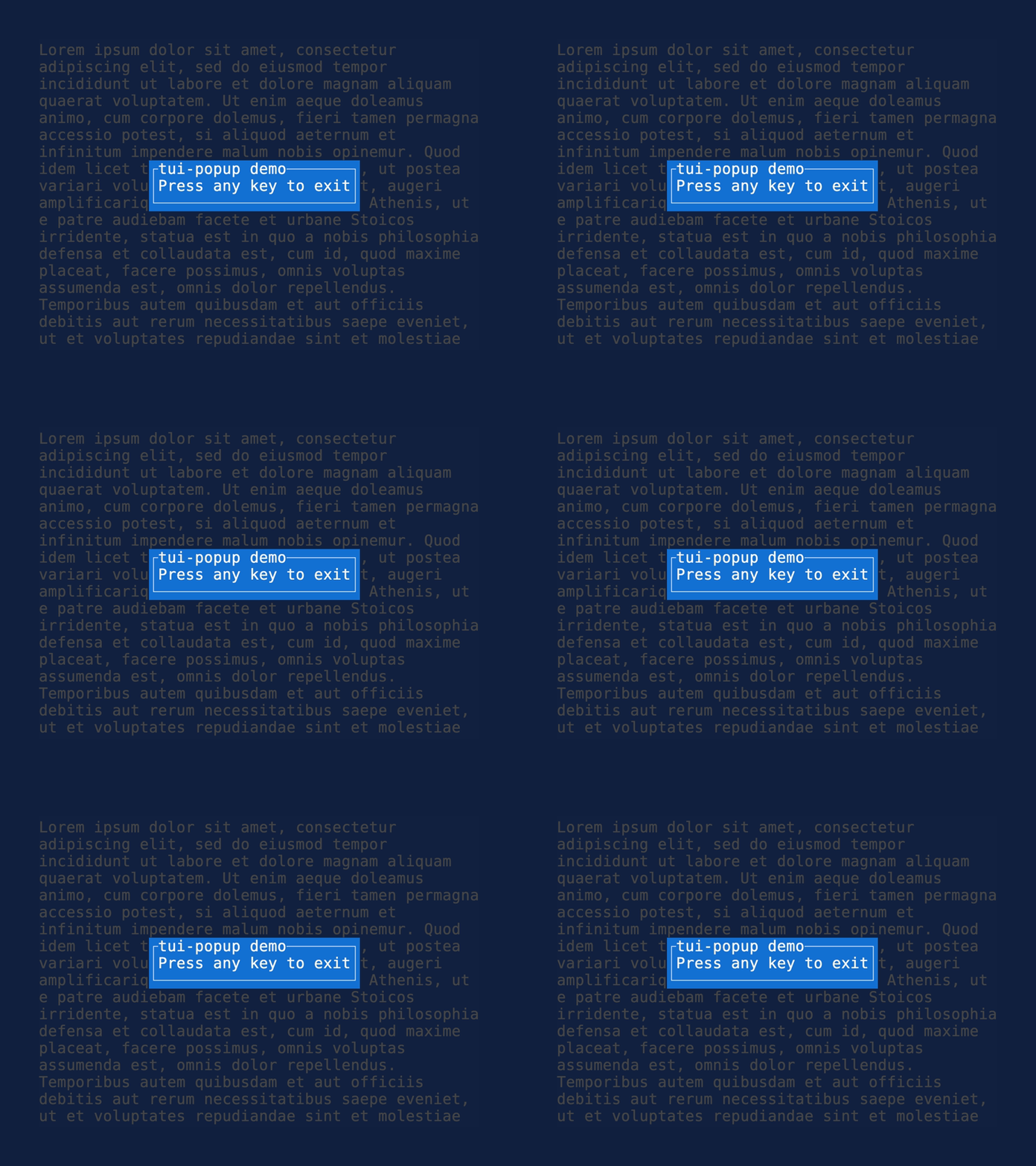
The popup widget is a simple widget that renders a popup in the center of the screen.
## Example
```rust
use ratatui::prelude::*;
use tui_popup::Popup;
fn render_popup(frame: &mut Frame) {
let popup = Popup::new("tui-popup demo", "Press any key to exit")
.style(Style::new().white().on_blue());
frame.render_widget(&popup, frame.size());
}
```
## State
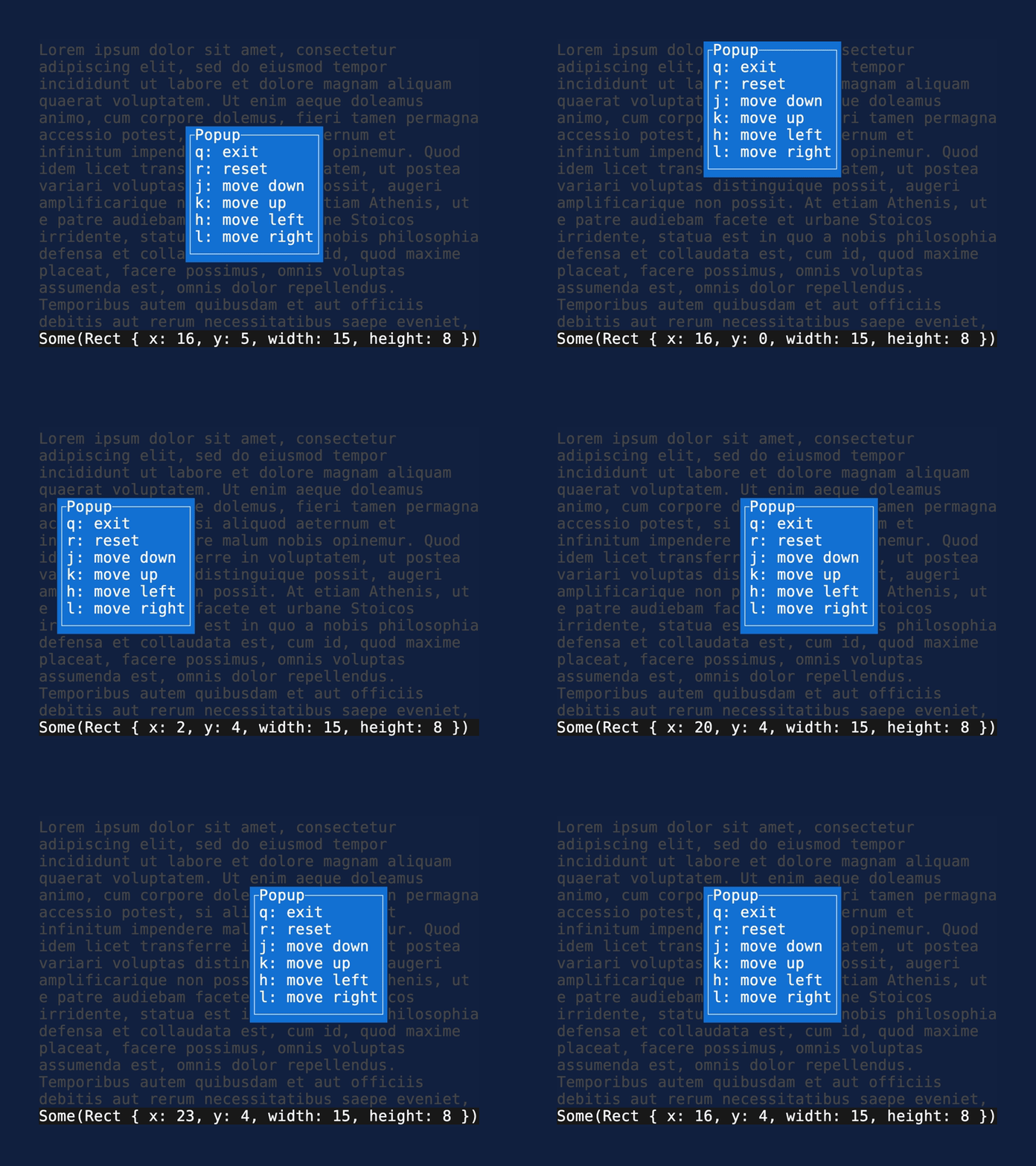
The widget supports storing the position of the popup in PopupState. This is experimental and the
exact api for this will likely change.
```rust
use ratatui::prelude::*;
use tui_popup::Popup;
fn render_stateful_popup(frame: &mut Frame, popup_state: &mut PopupState) {
let popup = Popup::new("tui-popup demo", "Press any key to exit")
.style(Style::new().white().on_blue());
frame.render_stateful_widget_ref(popup, frame.size(), popup_state);
}
fn move_up(popup_state: &mut PopupState) {
popup_state.move_by(0, -1);
}
```
The popup can automatically handle being moved around by the mouse, by passing in the column and
row of Mouse Up / Down / Drag events. The current implemntation of this checks whether the click is
in the first row of the popup, otherwise ignores the event.
```rust
match event.read()? {
Event::Mouse(event) => {
match event.kind {
event::MouseEventKind::Down(MouseButton::Left) => {
popup_state.mouse_down(event.column, event.row)
}
event::MouseEventKind::Up(MouseButton::Left) => {
popup_state.mouse_up(event.column, event.row);
}
event::MouseEventKind::Drag(MouseButton::Left) => {
popup_state.mouse_drag(event.column, event.row);
}
_ => {}
};
}
// -- snip --
}
```
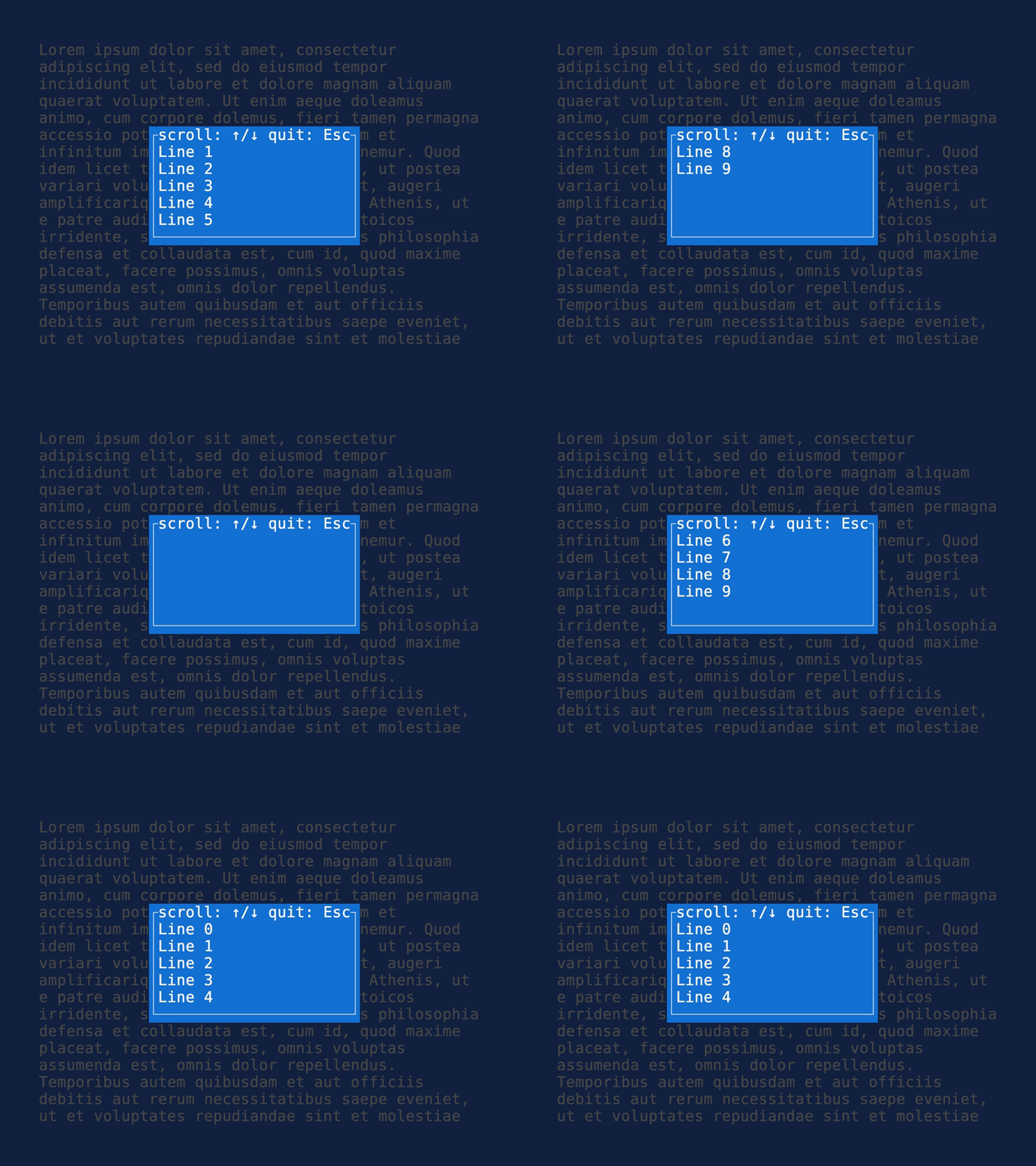
The popup also supports rendering arbitrary widgets by implementing SizedWidgetRef (or wrapping them
with the provided SizedWrapper). This makes it possible to support wrapping and scrolling in using a
`Paragraph` widget, or scrolling any amount of widgets using
[tui-scrollview](https://github.com/joshka/tui-scrollview/).
```rust
let sized_paragraph = SizedWrapper {
inner: paragraph,
width: 21,
height: 5,
};
let popup = Popup::new("scroll: ↑/↓ quit: Esc", sized_paragraph)
.style(Style::new().white().on_blue());
frame.render_widget_ref(popup, area);
```
## Features
- [x] automatically centers
- [x] automatically sizes to content
- [x] style popup
- [x] move the popup (using state)
- [x] handle mouse events for dragging
- [x] move to position
- [ ] resize
- [ ] set border set / style
- [ ] add close button
- [ ] add nicer styling of header etc.
- [ ] configure text wrapping in body to conform to a specific size
[Crates.io badge]: https://img.shields.io/crates/v/tui-popup?logo=rust&style=for-the-badge
[tui-popup crate]: https://crates.io/crates/tui-popup
[License badge]: https://img.shields.io/crates/l/tui-popup?style=for-the-badge
[Docs.rs badge]: https://img.shields.io/docsrs/tui-popup?logo=rust&style=for-the-badge
[Deps.rs badge]: https://deps.rs/repo/github/joshka/tui-popup/status.svg?style=for-the-badge
[Discord badge]: https://img.shields.io/discord/1070692720437383208?label=ratatui+discord&logo=discord&style=for-the-badge
[tui-popup docs]: https://docs.rs/crate/tui-popup/
[Deps.rs Dependency status]: https://deps.rs/repo/github/joshka/tui-popup
[Ratatui Discord]: https://discord.gg/pMCEU9hNEj