
tui-overlay





A composable overlay widget for Ratatui: drawers, modals, popovers, and toasts from a single configurable primitive.
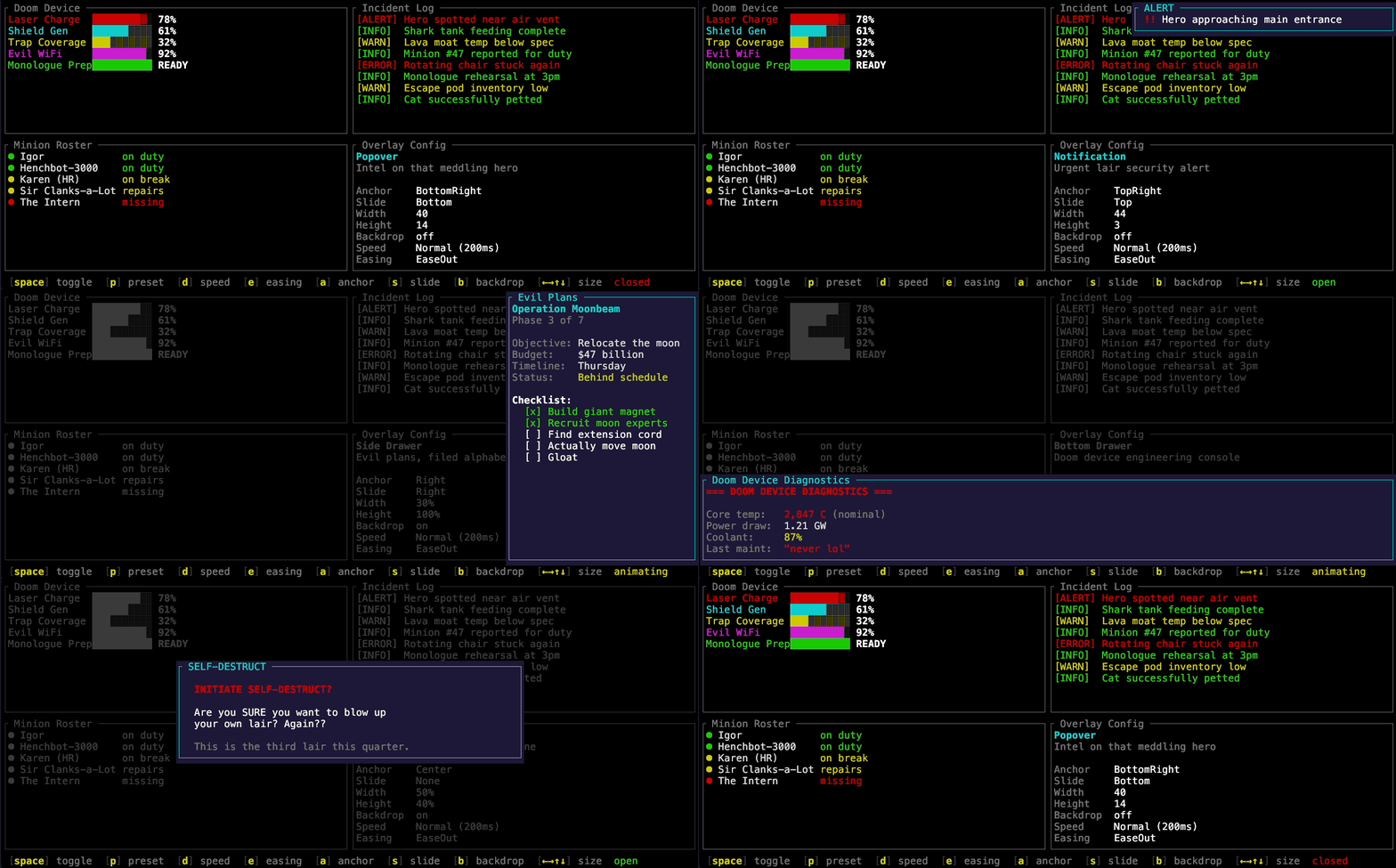
Features
- 9-point anchor grid — position overlays at any corner, edge, or center
- Directional slide animation — enter from any edge with configurable easing
- Backdrop dimming — flatten underlying UI to a ghost while preserving structure
- Independent width/height — partial drawers, compact notifications, full-screen modals
- Block integration — wrap the overlay in a ratatui
Blockfor titled borders - Hit testing —
overlay_rect()enables click-outside-to-dismiss and mouse interaction - No content ownership — the overlay dims, draws chrome, and exposes inner area for you to render into
Installation
Usage
use Duration;
use Constraint;
use Color;
use ;
let overlay = new
.anchor
.slide
.width
.backdrop;
let mut state = new
.with_duration
.with_easing;
state.open;
Call state.tick(elapsed) every frame iteration (not just on tick events) for smooth animation, then render:
// 1. Main UI
frame.render_widget;
// 2. Overlay (backdrop + chrome)
frame.render_stateful_widget;
// 3. Body content into the overlay
if let Some = state.inner_area
Configuration Recipes
| Pattern | Anchor | Slide | Width | Height | Backdrop |
|---|---|---|---|---|---|
| Side drawer | Right |
Right |
30% |
100% |
yes |
| Bottom drawer | Bottom |
Bottom |
100% |
40% |
yes |
| Partial bottom drawer | BottomLeft |
Bottom |
60% |
40% |
yes |
| Modal | Center |
— | 60% |
50% |
yes |
| Popover | BottomRight |
Bottom |
Length(40) |
Length(20) |
no |
| Notification | TopRight |
Top |
Length(40) |
Length(3) |
no |
| Toast | BottomRight |
Bottom |
Length(40) |
Length(3) |
no |
Animation
Slide animations support four easing curves:
| Curve | Effect |
|---|---|
Linear |
Constant speed |
EaseIn |
Slow start, fast end |
EaseOut |
Fast start, slow end (default) |
EaseInOut |
Slow start, slow end |
Interrupting an animation (e.g. closing while opening) reverses from the current position — no snap.
Examples
Interactive demo
Keys: [space] toggle · [p] preset · [d] speed · [e] easing · [a] anchor · [s] slide · [b] backdrop · [←→] width · [↑↓] height · [q] quit
License
Dual licensed under MIT or Apache 2.0.
Contributing
Contributions are welcome. Unless you explicitly state otherwise, any contribution intentionally submitted for inclusion in this work by you shall be dual licensed as above, without any additional terms or conditions.