
tui markup
This crate provides a markup language to quickly write colorful and styled terminal text in plain text.
Examples
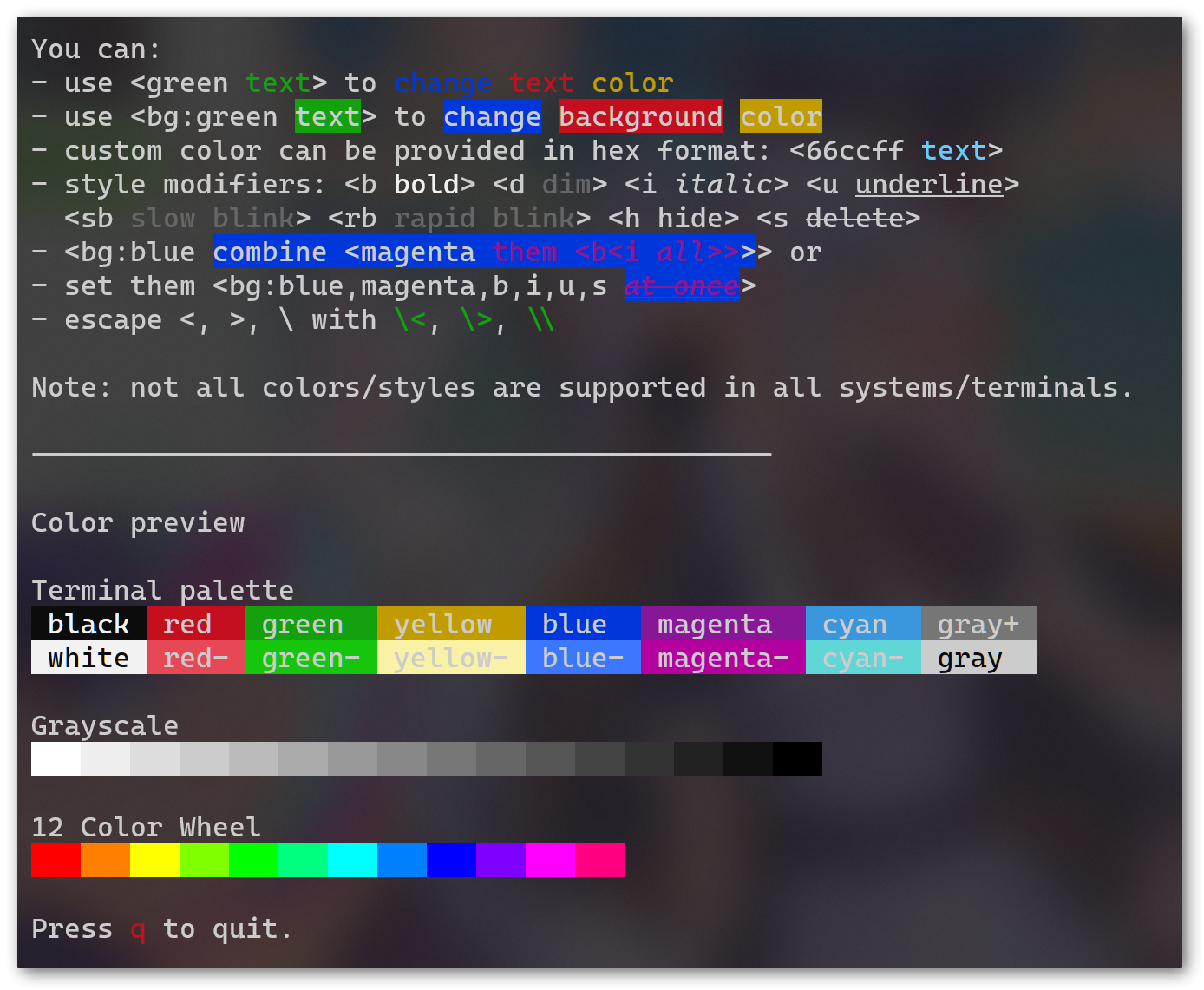
The example is shown in Windows Terminal, using the following command:
cargo run --example tui --features tui -- examples/help.txt
The source markup text of this article can be found in examples/help.txt.
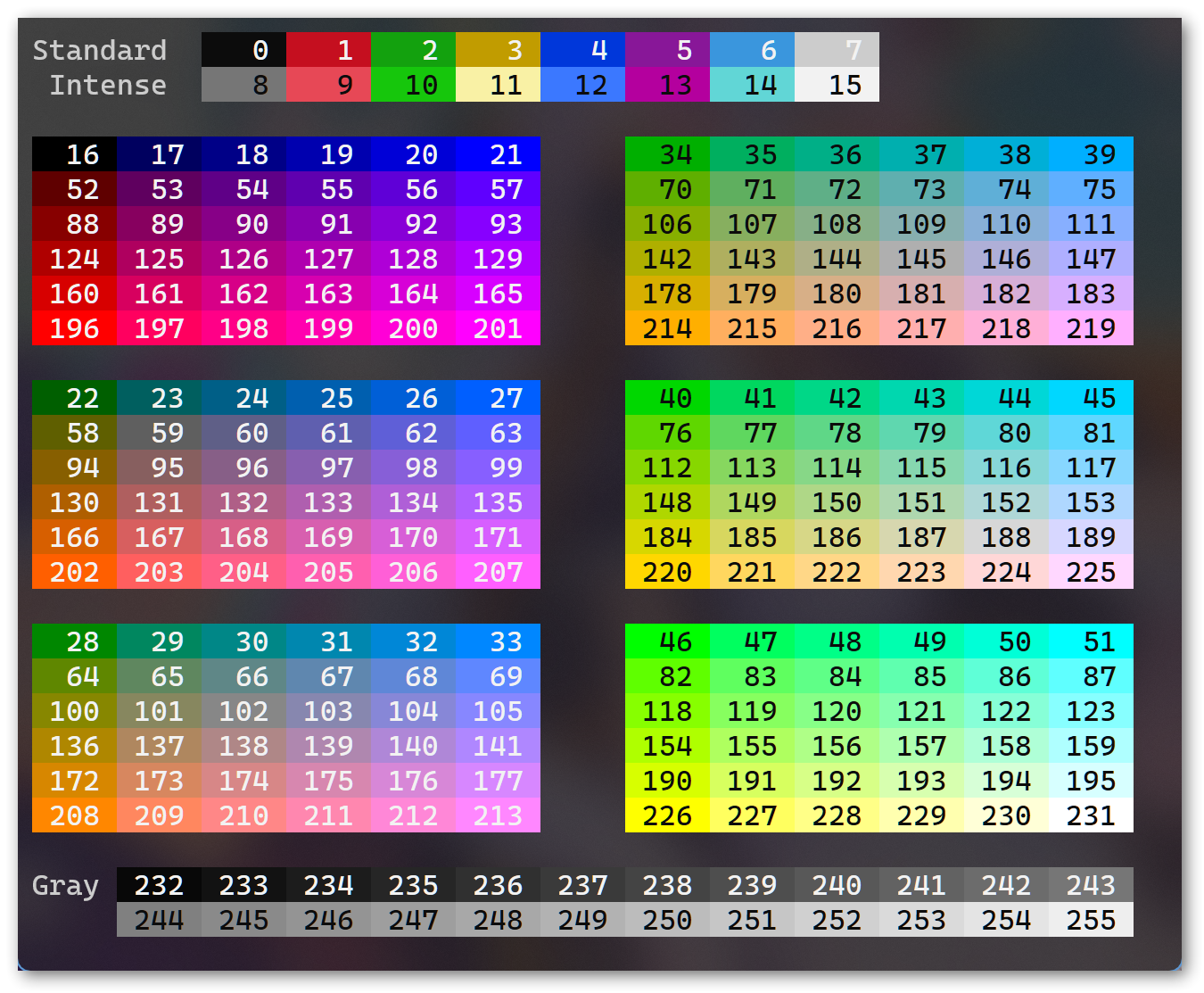
you can change the last argument to your file to render other article, for example examples/indexed for a full xterm256 color chart:
Generators
Besides the markup syntax and parser, this crate defined a standard compilation process for you to add this language support for your host application easily.
We provide some builtin implementation for popular crates, See Builtin generators.
All examples above uses tui generator, but others like ansi will work fine too, just change all tui in that command to ansi too see it.
Markup syntax
Only one syntax <tag content> to add style to content.
tag is a style list sep by ,.
style has format of mode:value, available mode are:
fg:for foreground color.bg:for background color.mod:for modifiers.
Mode and : is optional except bg, so fg:66ccf = 66ccff, and mod:b = b.
Some examples:
<green text>for a green color text,<66ccff text>for a #66ccff color text.<bg:blue text>for a blue background text,<bg:66ccff text>for a #66ccff background text.<b text>for a bold text,<i text>for a italic/slant text.<bg:blue one<green two>>, is a blue background one followed by a blue background and green foreground two.<bg:blue,green,b,i text>is a blue background, green foreground, bold, italic text.
The forma syntax spec can be found in docs/syntax.ebnf.
Color and modifier supports vary by generator you want to use, see their document for details.
TODO
- Generator for
tuicrate -
Generatorabstract trait - Generator for ansi terminal
- Generator for Corssterm
- Generator for Termion
LICENSE
BSD-3-Clause-Clear, See LICENSE.