
Torudo

A terminal-based todo.txt viewer and manager written in Rust with TUI interface.
Features
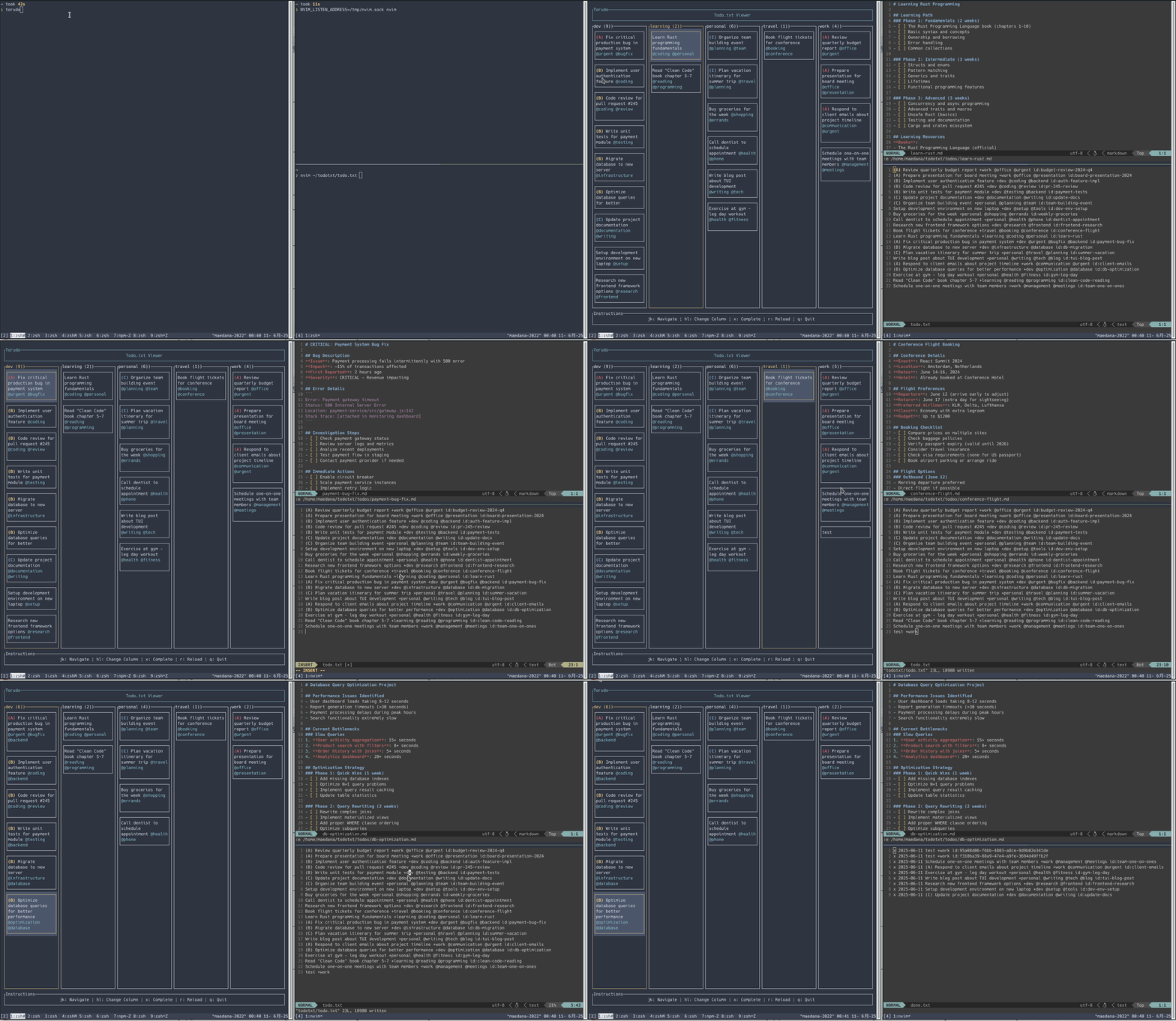
- Interactive TUI interface for browsing todo.txt files
- Project-based column view for organized task management
- Priority-based sorting: Todos are automatically sorted by priority (A, B, C) then by file line number
- Dynamic text wrapping: Long todo titles automatically wrap to multiple lines for full visibility
- Smart setup: Prompts to create missing directories and files on first run
- Vim integration for editing individual todo items
- Real-time file watching for automatic updates
- Support for todo.txt format with priorities, projects, and contexts
- Task completion with automatic archiving to done.txt
- crmux integration: Send plan/implement prompts to Claude Code sessions via crmux (>= 0.10.0)
- Plan import: Browse and import plans as todo items via crmux (>= 0.11.0)
- Claude launch: Launch claude in tmux windows with per-todo working directory via frontmatter
cwd
Demo
Installation
Quick install
|
From crates.io
Build from source
Configuration
Environment Variables
TODOTXT_DIR: Directory containing your todo.txt file (default:~/todotxt)
Command Line Options
--nvim-listen <PATH>: Neovim socket path set bynvim --listen(default:/tmp/nvim.sock, fallback:NVIM_LISTEN_ADDRESSenv var)
Usage
First Time Setup
When you run Torudo for the first time, it will check for the required directory and files:
- If
~/todotxtdirectory doesn't exist, it will ask permission to create it - If
todo.txtdoesn't exist, it will ask permission to create an empty file - If you decline either creation, the application will exit
This ensures you have control over where your todo files are stored.
Basic Usage
# Run torudo (looks for todo.txt in $TODOTXT_DIR or ~/todotxt)
# Run with debug mode for detailed logging
# Specify Neovim socket path
Keyboard Controls
Press ? in the TUI or run torudo -h to see all keyboard shortcuts.
Todo.txt Format
Torudo supports the standard todo.txt format:
(A) Call Mom +family @phone
x 2024-01-15 2024-01-10 (B) Review quarterly report +work @office
(C) Buy groceries +personal @errands
Learn Rust programming +learning @coding id:abc123
Features supported:
- Priority levels:
(A),(B),(C) - Completion status:
xprefix with completion date - Creation date:
YYYY-MM-DDformat - Projects:
+project_name - Contexts:
@context_name - Unique IDs:
id:unique_identifier(automatically added if missing)
Todo Sorting
Todos are automatically sorted within each project column using the following priority:
- Priority level: (A) items first, then (B), then (C)
- File line number: Within the same priority level, todos maintain their original file order
This ensures high-priority items are always visible at the top while preserving your intended ordering for items of the same priority.
Display Features
Dynamic Text Wrapping: Todo titles and descriptions automatically wrap to multiple lines based on the terminal width. This ensures that long todo items are fully visible without truncation, making it easy to read comprehensive task descriptions.
Smart Height Calculation: Each todo item's display height is calculated dynamically based on its content length, with a reasonable maximum to prevent excessive screen usage.
Vim Integration
If you have Neovim running with a socket, Torudo can automatically open todo detail files when navigating. Each todo item can have an associated markdown file in $TODOTXT_DIR/todos/{id}.md.
Todo Detail Frontmatter
Todo detail files (todos/{id}.md) support YAML frontmatter with a cwd field to specify the working directory for clp/cli claude launch:
cwd: /home/user/src/my-project
The cwd field is required for clp/cli — an error is shown if it is not set.
File Structure
~/todotxt/
├── todo.txt          # Main todo file
├── done.txt          # Completed todos
└── todos/            # Individual todo detail files
    ├── abc123.md
    └── def456.md
Development
Running in Development
# With debug mode
Running Tests
Code Quality
License
This project is licensed under the MIT License - see the LICENSE file for details.
Contributing
- Fork the repository
- Create a feature branch
- Make your changes
- Run tests and linting
- Submit a pull request