
Todo Tree
A command-line tool to find and display TODO-style comments in your codebase, similar to the VS Code "Todo Tree" extension.
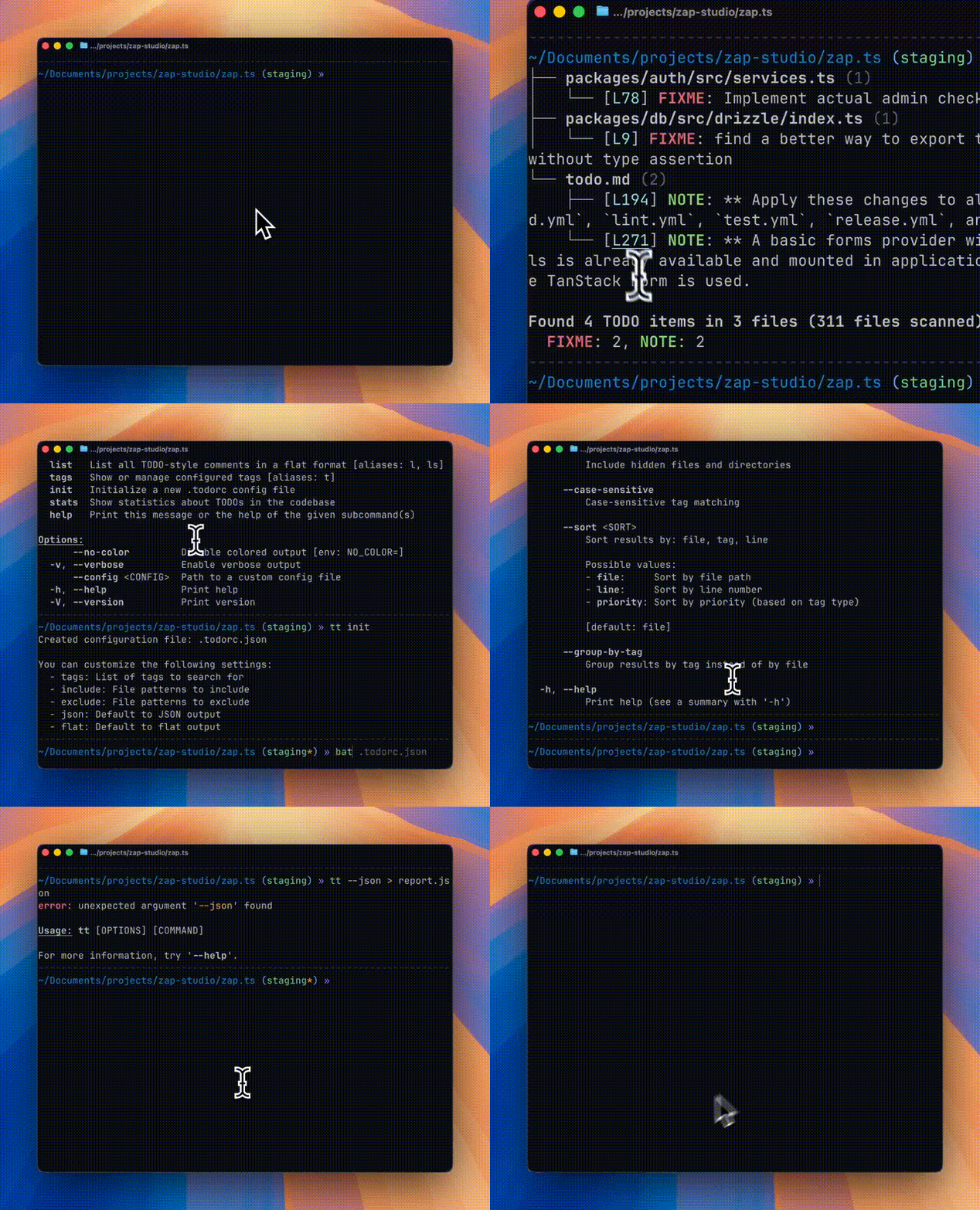
Features
- 🔍 Recursive directory scanning - Respects
.gitignorerules automatically - 🏷️ Configurable tags - TODO, FIXME, BUG, NOTE, HACK, WARN, PERF, and more (and custom tags)
- 🌳 Tree view output - Beautiful hierarchical display grouped by file
- 📋 Multiple output formats - Tree, flat list, and JSON
- ⚙️ Configuration file support -
.todorcin JSON or YAML format - 🎨 Colored output - Priority-based coloring for different tag types
- 🔗 Clickable links - Terminal hyperlinks to file locations (where supported)
- 🤖 GitHub Action - Automatically scan PRs and post TODO summaries as comments
Installation
Using Cargo (Recommended)
From Source
# Clone the repository
# Build and install
Using Homebrew (macOS/Linux)
NixOS (Flakes)
Try before you install
# runs the default todo-tree command
# create a shell with the command available (with nix-output-monitor)
# or, just normal nix
Note: If you haven't enabled the experimental Nix command and flakes features, you need to pass --extra-experimental-features "nix-command flakes" to the command. See the Nix command wiki for more details.
Install for your system
# flake.nix
{
  inputs = {
    nixpkgs.url = "github:nixos/nixpkgs/nixos-unstable";
    todo-tree.url = "github:alexandretrotel/todo-tree";
  };

  outputs = { self, nixpkgs, todo-tree, ... }: {
    nixosConfigurations.my-host = nixpkgs.lib.nixosSystem {
      system = "x86_64-linux";
      modules = [ ./configuration.nix ];
      specialArgs = { inherit todo-tree; };
    };
  };
}

# configuration.nix
{ pkgs, todo-tree, ... }:

{
  environment.systemPackages = [
    todo-tree.packages.${pkgs.stdenv.hostPlatform.system}.todo-tree
  ];
}
Usage
The tool provides two binary names: todo-tree and tt (alias for quick access).
Basic Commands
# Scan current directory (default command)
# Scan a specific directory
# Scan with specific tags
# List all TODOs in flat format
# Show configured tags
# Show statistics
# Create a GitHub Actions workflow
Configuration
Create a .todorc.json or .todorc.yaml file in your project root:
JSON Format (.todorc.json)
YAML Format (.todorc.yaml)
tags:
  - TODO
  - FIXME
  - BUG
  - NOTE
  - HACK

include:
  - "*.rs"
  - "*.py"

exclude:
  - "target/**"
  - "node_modules/**"

json: false
flat: false
no_color: false
Configuration Search Order
.todorcin the current directory.todorc.jsonin the current directory.todorc.yamlor.todorc.ymlin the current directory- Parent directories (recursive)
~/.config/todo-tree/config.json(global config)
Tag Matching Rules
By default, todo-tree requires tags to be UPPERCASE and followed by a colon:
// TODO: This will be found ✓
// FIXME: This will be found ✓
// BUG: This will be found ✓

// todo: This will NOT be found (lowercase) ✗
// TODO This will NOT be found (no colon) ✗
// Todo: This will NOT be found (mixed case) ✗
Optional author/assignee syntax (still works with colon):
// TODO(john): Assigned to john ✓
// FIXME(team): Needs team review ✓
Flexible Matching Options
You can customize the matching behavior with CLI flags:
# Ignore case when matching (matches TODO, todo, Todo, etc.)
# Allow tags without colon (matches "TODO something")
# Use both options together (most flexible, like v0.2.x behavior)
Or set these options in your .todorc.json:
Why These Defaults?
The strict defaults (uppercase + colon required) significantly reduce false positives.
These defaults align with most coding conventions and help you find intentional TODO comments, not accidental matches.
GitHub Actions
Generate a workflow file at .github/workflows/todo-tree.yml:
This creates a pull request workflow that checks out the repository and runs alexandretrotel/todo-tree-action@v1.0.3 by default.
Use --force to overwrite an existing workflow, --path to write the template elsewhere, or --action to override the generated action ref:
Terminal Support
Clickable Links
The tool generates clickable hyperlinks (OSC 8) in supported terminals:
- iTerm2
- WezTerm
- Hyper
- VS Code Terminal
- GNOME Terminal (VTE 0.50+)
- Konsole
- Alacritty
- Ghostty
Color Support
Colors are automatically enabled when outputting to a terminal. Use --no-color or set the NO_COLOR environment variable to disable.
Related Projects
todo-tree-action
A GitHub Action that automatically scans your pull requests for TODO comments and posts a summary as a PR comment. Features include:
- Scan only changed files in PRs
- Filter to show only NEW TODOs (not in base branch)
- Automatic PR comment with formatted results
- Full configuration support
Contributing
Contributions are welcome! Please feel free to submit a Pull Request.
Acknowledgments
Inspired by the Todo Tree VS Code extension
License
GPL-3.0-or-later