
Todo Tree
A command-line tool to find and display TODO-style comments in your codebase, similar to the VS Code "Todo Tree" extension.
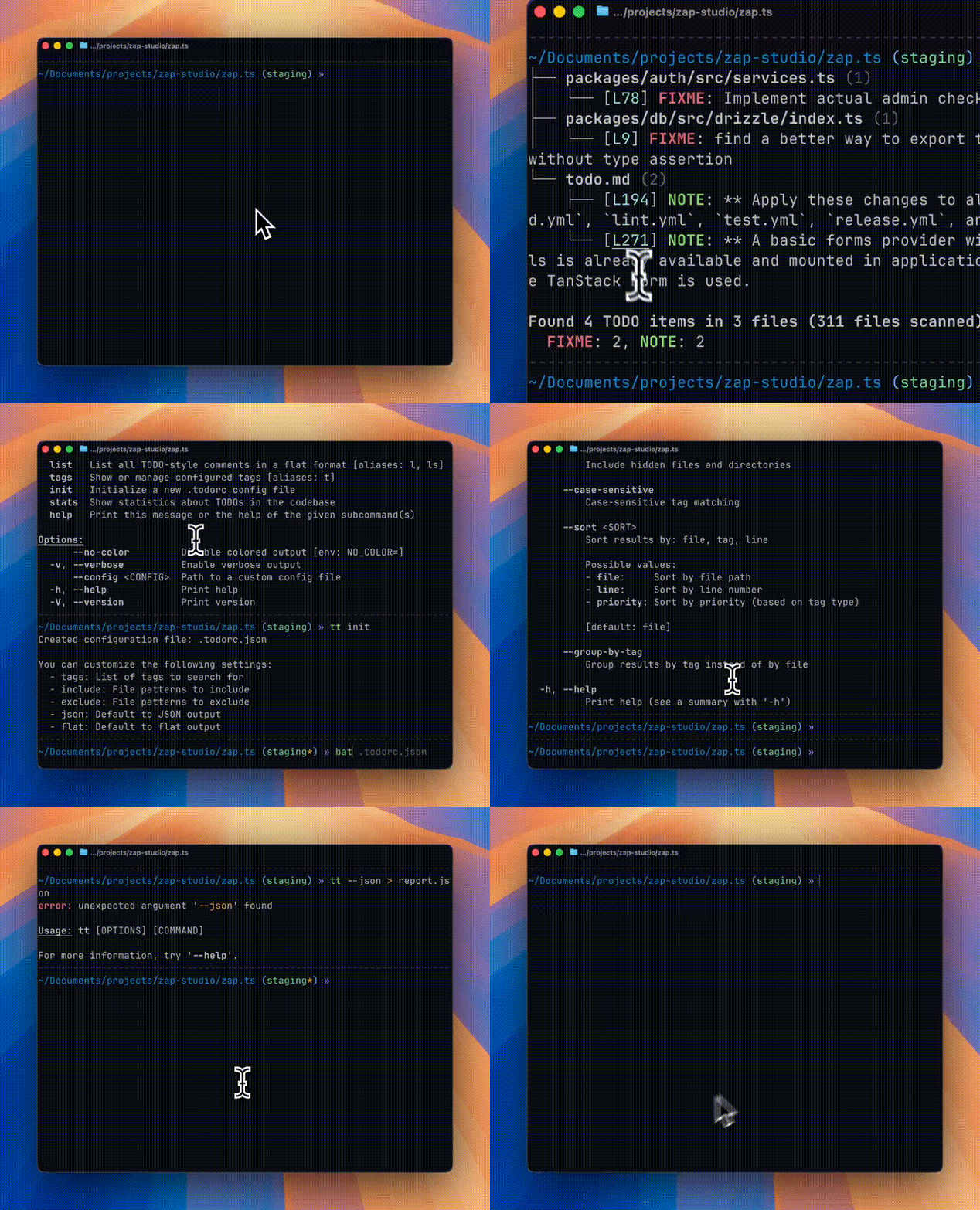
Features
- 🔍 Recursive directory scanning - Respects
.gitignorerules automatically, walked in parallel across CPU cores - 👀 Watch mode -
tt watchre-scans automatically as files change - 🏷️ Configurable tags - TODO, FIXME, BUG, NOTE, HACK, WARN, PERF, and more (and custom tags)
- 🌳 Tree view output - Beautiful hierarchical display grouped by file
- 📋 Multiple output formats - Tree, flat list, and JSON
- ⚙️ Configuration file support -
.todorcin JSON or TOML format - 🎨 Colored output - Priority-based coloring for different tag types
- 🔗 Clickable links - Terminal hyperlinks to file locations (where supported)
- 🤖 GitHub Action - Automatically scan PRs and post TODO summaries as comments
Installation
Using Cargo (Recommended)
From Source
# Clone the repository
# Build and install
Using Homebrew (macOS/Linux)
NixOS (Flakes)
Try before you install
# runs the default todo-tree command
# create a shell with the command available (with nix-output-monitor)
# or, just normal nix
Note: If you haven't enabled the experimental Nix command and flakes features, you need to pass --extra-experimental-features "nix-command flakes" to the command. See the Nix command wiki for more details.
Install for your system
# flake.nix
{
  inputs = {
    nixpkgs.url = "github:nixos/nixpkgs/nixos-unstable";
    todo-tree.url = "github:alexandretrotel/todo-tree";
  };

  outputs = { self, nixpkgs, todo-tree, ... }: {
    nixosConfigurations.my-host = nixpkgs.lib.nixosSystem {
      system = "x86_64-linux";
      modules = [ ./configuration.nix ];
      specialArgs = { inherit todo-tree; };
    };
  };
}

# configuration.nix
{ pkgs, todo-tree, ... }:

{
  environment.systemPackages = [
    todo-tree.packages.${pkgs.stdenv.hostPlatform.system}.todo-tree
  ];
}
Usage
The tool provides two binary names: todo-tree and tt (alias for quick access).
Basic Commands
# Scan current directory (default command)
# Scan a specific directory
# Scan with specific tags
# Watch for file changes and re-scan automatically
# Tune the debounce window (default 250ms) for bursty saves
# List all TODOs in flat format
# Show configured tags
# Show statistics
# Generate a shell completion script
# Generate a man page
Watch Mode
tt watch (alias tt w) accepts the same filter and output flags as tt scan (--tags, --include, --exclude, --json, --flat, --hidden, etc.), re-scanning and reprinting on every relevant file change:
File-system events are filtered through the same .gitignore and --include/--exclude rules as a normal scan before a re-scan is triggered, so noise from ignored directories (target/, node_modules/, ...) doesn't cause unnecessary re-scans.
Output Formats
tt scan/tt (default), tt list, tt watch, and tt stats render human-oriented output locally: a colored tree (or flat list for tt list), plus a summary block. Pass --json to switch any of them to machine-readable JSON, --flat (tt scan/tt watch only) for a flat, ungrouped list, or --plain for uncolored, unlinked, script-friendly text (implies --flat unless --json is also set).
Scans that take over a second print a "Scanning..." indicator to stderr (only when stderr is a terminal and outside CI), so a large tree doesn't look hung.
Exit Codes
todo-tree/tt return 0 on success and a specific non-zero code otherwise, so scripts can branch on failure mode without parsing stderr: 1 for an unclassified error, 2 for a command-line usage error (from argument parsing itself), 3 for a config file that exists but couldn't be parsed, and 4 for a filesystem error (bad path, permissions, ...).
CI auto-detection: when a CI environment variable is set — as GitHub Actions, GitLab CI, CircleCI, Travis CI, and most other providers do by default — these commands default to JSON output instead of the local tree/flat/text output, so CI logs and downstream tooling get structured data without needing --json on every invocation. An explicit --json or --flat flag always overrides this auto-detection.
Configuration
Create a .todorc.json or .todorc.toml file in your project root, either by hand or with tt init (--format toml for TOML). If the file already exists, tt init asks before overwriting it when running interactively; pass --force to overwrite unconditionally, or --no-input (global flag) to fail instead of prompting, e.g. in CI:
JSON Format (.todorc.json)
TOML Format (.todorc.toml)
= ["TODO", "FIXME", "BUG", "NOTE", "HACK"]
= ["*.rs", "*.py"]
= ["target/**", "node_modules/**"]
= false
= false
= false
Configuration Search Order
.todorcin the current directory.todorc.jsonin the current directory.todorc.tomlin the current directory- Parent directories (recursive)
$XDG_CONFIG_HOME/todo-tree/config.jsonorconfig.toml(global config); falls back to the platform config directory (e.g.~/.configon Linux,~/Library/Application Supporton macOS) ifXDG_CONFIG_HOMEisn't set
Environment Variables
TODO_TREE_TAGS, TODO_TREE_INCLUDE, and TODO_TREE_EXCLUDE (comma-separated) and TODO_TREE_JSON/TODO_TREE_FLAT/TODO_TREE_NO_COLOR/TODO_TREE_IGNORE_CASE/TODO_TREE_REQUIRE_COLON (booleans) override the loaded config file. Full precedence, highest first: CLI flags > environment variables > project/user .todorc file > built-in defaults.
TODO_TREE_TAGS=TODO,FIXME TODO_TREE_NO_COLOR=1
Tag Matching Rules
By default, todo-tree requires tags to be UPPERCASE and followed by a colon:
// TODO: This will be found ✓
// FIXME: This will be found ✓
// BUG: This will be found ✓

// todo: This will NOT be found (lowercase) ✗
// TODO This will NOT be found (no colon) ✗
// Todo: This will NOT be found (mixed case) ✗
Optional author/assignee syntax (still works with colon):
// TODO(john): Assigned to john ✓
// FIXME(team): Needs team review ✓
Flexible Matching Options
You can customize the matching behavior with CLI flags:
# Ignore case when matching (matches TODO, todo, Todo, etc.)
# Allow tags without colon (matches "TODO something")
# Use both options together (most flexible)
Or set these options in your .todorc.json:
Why These Defaults?
The strict defaults (uppercase + colon required) significantly reduce false positives.
These defaults align with most coding conventions and help you find intentional TODO comments, not accidental matches.
Terminal Support
Clickable Links
The tool generates clickable hyperlinks (OSC 8) in supported terminals:
- iTerm2
- WezTerm
- Hyper
- VS Code Terminal
- GNOME Terminal (VTE 0.50+)
- Konsole
- Alacritty
- Ghostty
Color Support
Colors are automatically enabled when outputting to a terminal. Use --no-color or set the NO_COLOR environment variable to disable.
GitHub Actions
todo-tree-action is a GitHub Action that automatically scans your pull requests for TODO comments and posts a summary as a PR comment. Features include:
- Scan only changed files in PRs
- Filter to show only NEW TODOs (not in base branch)
- Automatic PR comment with formatted results
- Full configuration support
Contributing
Contributions are welcome! Please feel free to submit a Pull Request.
Acknowledgments
Inspired by the Todo Tree VS Code extension
License
GPL-3.0-or-later