# Event Loop
At the end of the last chapter, we explained how to use a progressbar to provide
feedback to users about long-running operations. The progressbar itself was
simple: call it's `start` method, perform your operation, and then call it's
stop method. Unfortunately, you learned that if you tried this, your application
will most likely appear completely frozen.
To understand why, we need to revisit our discussion of event handling, way back
in the Tk Concepts chapter. As we've seen, after we construct an application's
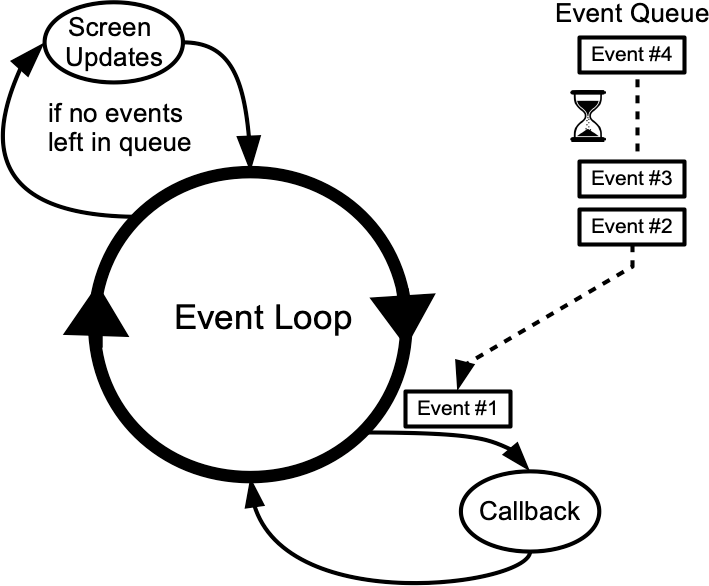
initial user interface, it enters the Tk event loop. In the event loop, it
continually processes events, pulled from the system event queue, usually dozens
of times a second. It watches for mouse or keyboard events, invoking command
callbacks and event bindings as needed.
Less obviously, all screen updates are processed only in the event loop. For
example, you may change the text of a label widget. However, that change doesn't
appear onscreen immediately. Instead, the widget notifies Tk that it needs to be
redrawn. Later on, in between processing other events, Tk's event loop will ask
the widget to redraw itself. All drawing occurs only in the event loop. The
change appears to happen immediately because the time between making the change
to the widget and the actual redraw in the event loop is so small.
|  |