<p align="center"><a href="https://crates.io/crates/timesplit"><img src="https://raw.githubusercontent.com/ImShyMike/timesplit/refs/heads/main/assets/text.svg" alt="timesplit"></a></p>
<p align="center">The easy way to use multiple WakaTime compatible instances at once!</p>
<p align="center">
<a href="https://github.com/ImShyMike/timesplit/actions/workflows/build.yaml"><img alt="GitHub Actions Workflow Status" src="https://img.shields.io/github/actions/workflow/status/ImShyMike/timesplit/build.yaml?style=flat-square"></a>
<a href="https://crates.io/crates/timesplit"><img alt="GitHub last commit" src="https://img.shields.io/github/last-commit/ImShyMike/timesplit?style=flat-square&color=green"></a>
<a href="https://crates.io/crates/timesplit"><img alt="Crates.io Version" src="https://img.shields.io/crates/v/timesplit?style=flat-square&color=yellow"></a>
<a href="https://crates.io/crates/timesplit"><img alt="Crates.io License" src="https://img.shields.io/crates/l/timesplit?style=flat-square&color=orange"></a>
<a href="https://crates.io/crates/timesplit"><img alt="Crates.io Size" src="https://img.shields.io/crates/size/timesplit?style=flat-square&color=red"></a>
</p>
---
## Installation
Prebuilt binaries can be found for all platforms in the [releases section](https://github.com/ImShyMike/timesplit/releases) of the repository.
## Quick installation
The installation manager scripts will download the latest version and keep `timesplit run` always running in the background. They can also uninstall the program, check the installation status and update the installed version.
### Linux
#### Requirements
- curl
- systemctl
One liner:
```bash
Download the install script and run it:
```bash
$ curl -s -o install.sh https://raw.githubusercontent.com/ImShyMike/timesplit/refs/heads/main/install.sh
$ ./install.sh
Usage: ./install.sh [COMMAND]
Commands:
install Install timesplit and set up autorun
uninstall Remove timesplit and stop autorun
update Update timesplit to the latest version
status Check installation and service status
help Show this help message
```
### Windows/MacOS
This will need manual installation for now :(
## Usage
In your `~/.wakatime.cfg` file, set the API url to `timesplit`'s addresss.
```cfg
[settings]
api_key = 39949664-5a5f-4c7d-95b2-44a864f67b6a
api_url = http://localhost:25893
```
<sup>(This snippet uses `timesplit`'s default port)</sup>
## Configuration
```bash
$ timesplit config
Change the configuration
Usage:
Commands:
list List configured servers
add Add a new server
remove Remove a server by its index (use `config list` to find indexes)
main Make a server the main server by its index
help Print this message or the help of the given subcommand(s)
Options:
-h, --help Print help
```
## Known compatible backends
This program is know to be compatible with the following backend servers:
- [WakaTime](https://github.com/wakatime)
- [Wakapi](https://github.com/muety/wakapi)
- [Rustytime](https://github.com/ImShyMike/rustytime)
<br><sup>you should check this one out ;)</sup>
- [Hackatime](https://github.com/hackclub/hackatime)
- [Hackatime (old)](https://github.com/hackclub/archived-hacktime)
- [OtterTime](https://github.com/SkyfallWasTaken/ottertime)
<sub>(all of the above servers were tested using the vscode extension)</sub>
Others will likely work, this is just a list of verified working servers.
## Issues
Please feel free to [open an issue](https://github.com/ImShyMike/timesplit/issues/new) on the github if you come across a bug.
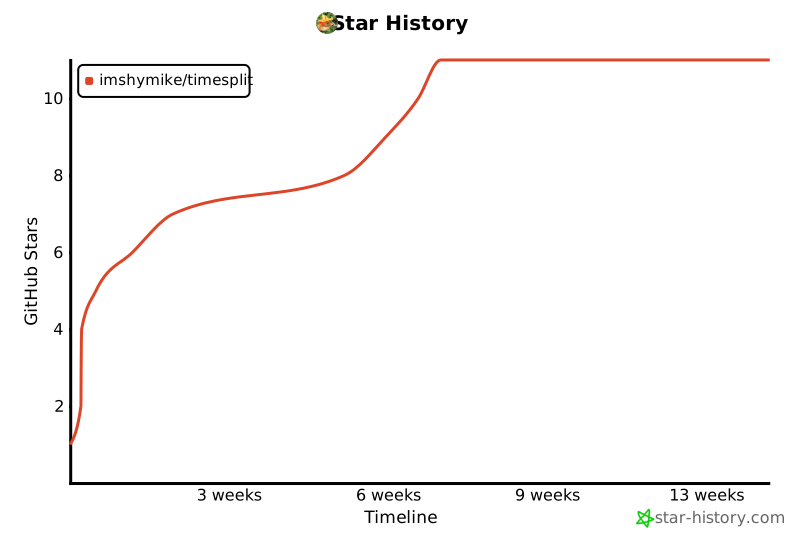
## Star History
[](https://www.star-history.com/#imshymike/timesplit&Timeline)