# Filtering the output
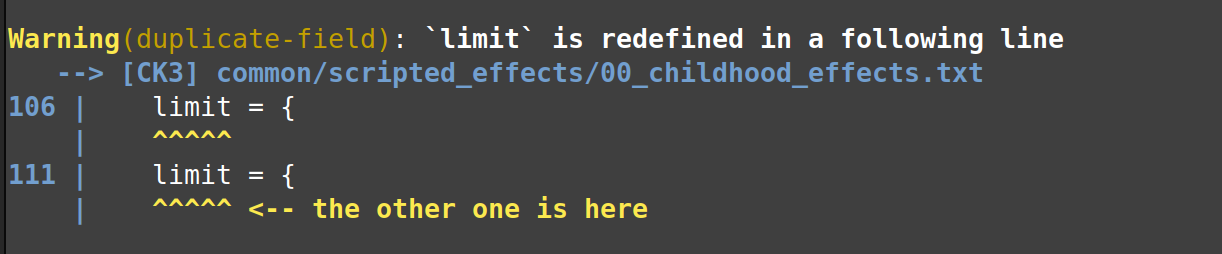
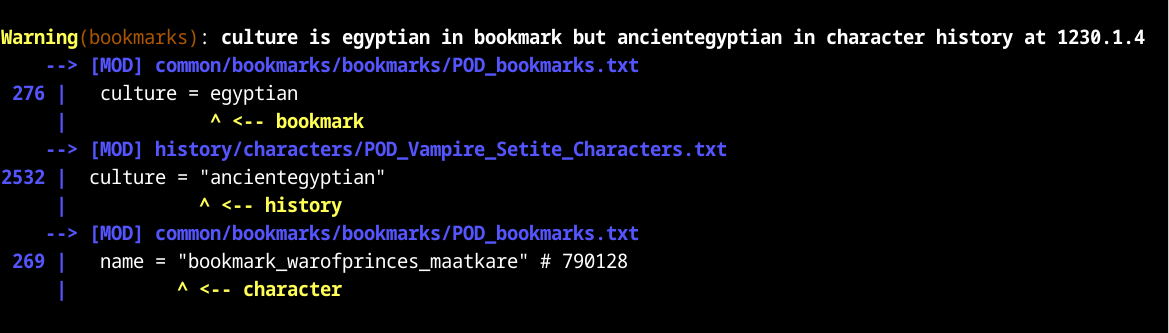
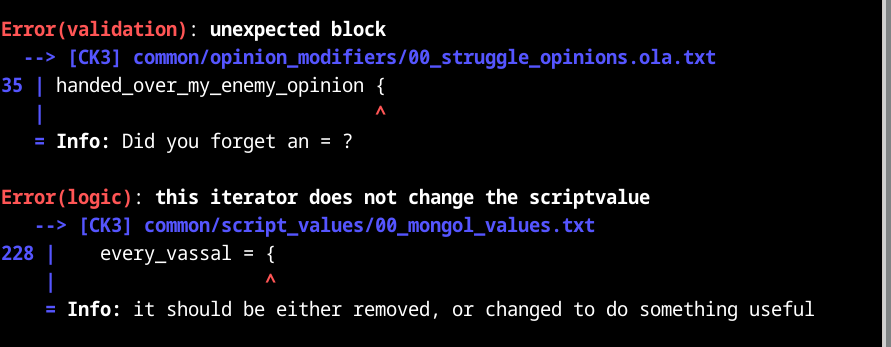
Tiger generates a lot of reports. This guide explains how to use filters to control what reports are printed.
In the `ck3-tiger.conf` file, add a `filter` block. Inside the `filter`, add a `trigger` block.
```
# You can have at most 1 filter block.
filter = {
# Whether to report about problems in vanilla game files.
# Setting this to 'yes' results in a LOT of spam.
# Optional boolean value, defaults to no.
show_vanilla = no
# Whether to report about problems in mods loaded via the load_mod sections.
# Optional boolean value, defaults to no.
show_loaded_mods = no
# You can have at most 1 trigger block. It is an implicit AND trigger, just like in paradox script.
trigger = {
# Read on to see what triggers can be used here.
}
}
```
## Triggers
This is the list of valid triggers that can be used in the `trigger` block.
### always
- `always = yes` matches all reports
- `always = no` matches no reports
### Logic gates
You can use any of the following logic gates.
- `NOT = { <trigger> }`
- True if the trigger is false.
- `AND = { <trigger> <trigger> ... }`
- True if all triggers are true.
- An empty `AND` block is the same as `always = yes`.
- `OR = { <trigger> <trigger> ... }`
- True if at least one trigger is true.
- An empty `OR` block is the same as `always = no`.
- `NAND = { <trigger> <trigger> ... }`
- True unless all triggers are true.
- This is the same as writing `NOT = { AND = { } }`
- `NOR = { <trigger> <trigger> ... }`
- True if all triggers are false.
- This is the same as writing `NOT = { OR = { } }`
### Severity
Severity is a measure of the seriousness of the problem. For example; using the wrong level of indentation is an
extremely minor problem that wouldn't impact the functionality of the mod at all. It is a low severity.
Conversely, a problem that causes the game to crash on start-up is of the highest severity.
These are the severity levels:
- `Tips` These are things that aren't necessarily wrong, but there may be a better, more idiomatic way to do it. This
may also include performance issues.
- `Untidy` This code smells. The player is unlikely to be impacted directly, but developers working on this codebase
will likely experience maintenance headaches.
- `Warning` This will result in glitches that will noticeably impact the player's gaming experience. Missing
translations are an example.
- `Error` This code probably doesn't work as intended. The player may experience bugs.
- `Fatal` This is likely to cause crashes.
You can add the severity trigger like so:
- `severity = Tips` (Only match tips.)
- `severity >= Warning` (Match Warnings or higher.)
- `severity < Error` (Match anything below Error.)
### Confidence
Describes how confident Tiger is that a problem is real and not a false positive. If you are spammed with many false
positives, you may try raising the required confidence level.
These are the current confidence levels. They are subject to change.
- `Weak` Tiger is not very confident about this report, it's quite likely to be a false positive.
- `Reasonable` The default level.
- `Strong` Tiger is very confident that this is a real problem.
You can add the confidence trigger like so:
- `confidence = Weak` (Only match weak.)
- `confidence >= Reasonable` (Match Reasonable or higher.)
- `confidence < Strong` (Match anything below Strong.)
### Key
Every report has a `key`, it describes the type of problem that is being reported about. You can find the key in
parentheses on the first line of the report. For example, in the report below, the key is `missing-localization`:
```
Error(missing-localization): missing english localization key Badlay
--> [CK3] history/characters/afar.txt
```
You can add a key trigger like so:
- `key = missing-localization` This will match reports with the `missing-localization` key.
### File
You can target files and folders. Reports that mention the file will be matched by this trigger.
Example:
- `file = common/` This matches any report that mentions a file inside the `common/` directory.
- `file = history/characters/afar.txt` This matches any report that mentions that specific file.
### Text
You can target specific messages based on their contents.
Reports that contain the text in their main message will be matched by this trigger.
The text matching is case-insensitive.
Example:
- `text = "coat of arms is redefined"`
- `text = "Opening { was never closed"`
### Ignoring keys only in certain files
The below example returns false for reports with key1 or key2 that mention either file1 or file2. You must list at least one key and one file.
```
ignore_keys_in_files = {
keys = {
key1
key2
}
files = {
file1
file2
}
}
```
Note that this is exactly the same as writing:
```
NAND = {
OR = {
key = key1
key = key2
}
OR = {
file = file1
file = file2
}
}
```
# Migrating from `ignore` to `filter`
Filtering was previously done through `ignore` blocks.
Suppose this is our old setup:
```
ignore = {
key = duplicate-field
}
ignore = {
file = events/travel_events/travel_events.txt
}
ignore = {
key = duplicate-item
file = common/decisions/80_major_decisions.txt
file = common/script_values/00_basic_values.txt
file = common/defines/00_defines.txt
}
```
We can replicate this like so:
```
trigger = {
NOR = {
key = duplicate-field
file = events/travel_events/travel_events.txt
}
ignore_keys_in_files = {
keys = { duplicate-item }
files = {
common/decisions/80_major_decisions.txt
common/script_values/00_basic_values.txt
common/defines/00_defines.txt
}
}
}
```
# Examples
## Filter by severity
```
trigger = {
# Only print Warnings or above:
severity >= Warning
# Don't print reports that are likely false positives:
confidence > Weak
}
```
## Whitelist the folder you're working on
```
trigger = {
# Only reports about files inside this folder will be printed.
file = common/traits/
}
```
## Ignore a certain key
```
trigger = {
# I don't care about localization (yet), I'll add the translations later!!!
NOT = { key = missing-localization }
}
```
## All of the above
A more realistic case. You're working on implementing custom traits, and want to see warnings and errors specific to
traits. You're planning on adding translations later, so you temporarily blacklisted that particular key.
```
trigger = {
# Only print warnings and errors:
severity >= Warning
# Don't print reports that are likely false positives:
confidence >= Reasonable
# Only reports about files inside this folder will be printed.
file = common/traits/
# I don't care about localization (yet), I'll add the translations later!!!
NOT = { key = missing-localization }
}
```
## Custom severity level for spammy file
```
trigger = {
# For most files, print warnings and errors:
severity >= Warnings
# For this very spammy file, only print errors:
NAND = {
severity < Error
file = a/very/spammy/file.txt
}
}
```