Output demo.gif

# --- Rendering ---
Set Shell "bash"
Set FontSize 32
Set Width 1200
Set Height 900
Set Padding 50
Set WindowBar Colorful
Set Theme "Catppuccin Mocha"
Set TypingSpeed 75ms

# --- Setup Phase (Hidden from recording) ---
Hide
Type "alias thuli='./target/debug/thuli'"
Enter
Type "clear"
Enter
Show
# --------------------------------------------

# Start the application using the alias
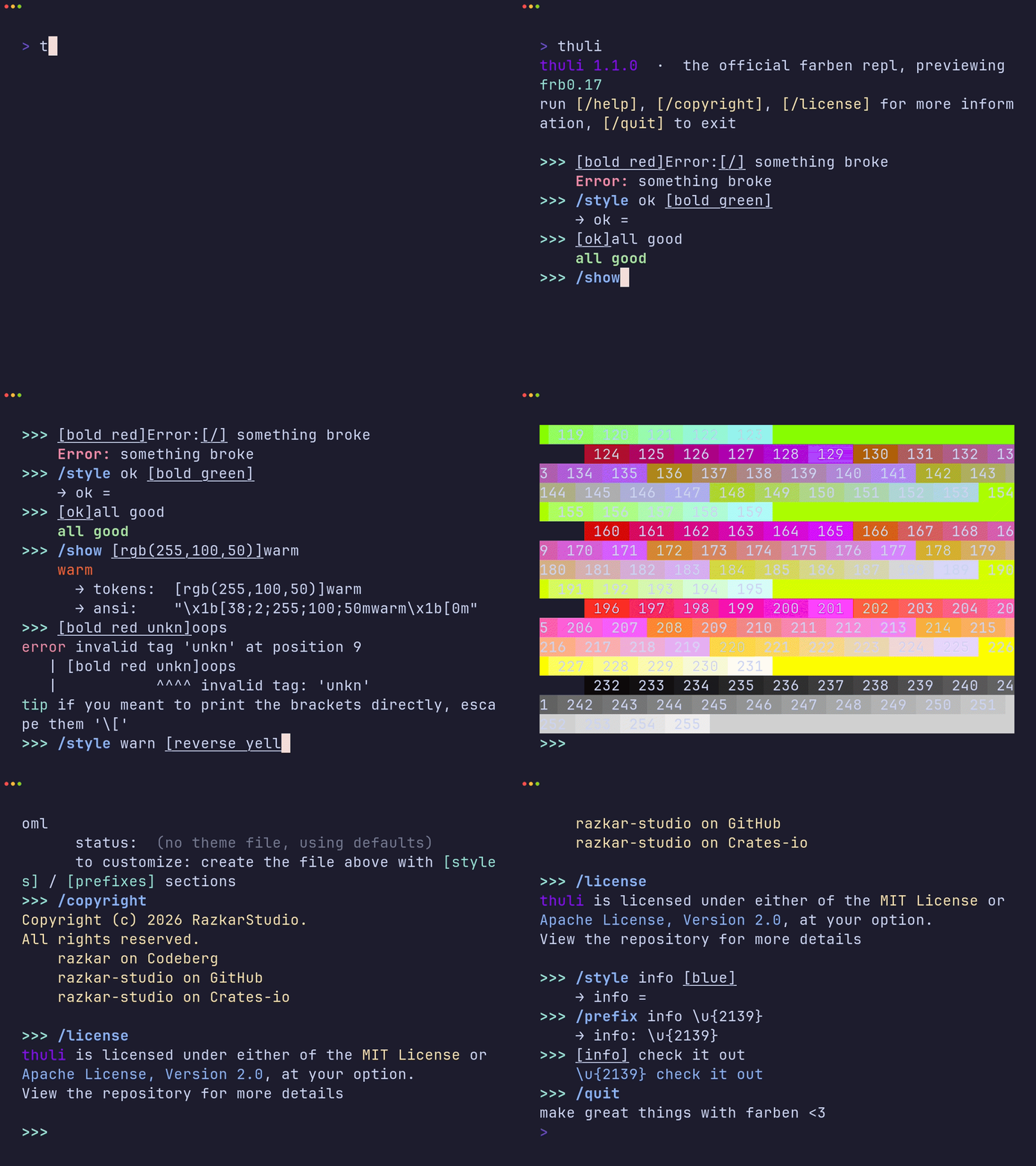
Type "thuli"
Enter
Sleep 1.5s

# 1. Show an error
Type "[bold red]Error:[/] something broke"
Enter
Sleep 1s

# 2. Define a style
Type "/style ok [bold green]"
Enter
Sleep 1s

# 3. Use the new style
Type "[ok]all good"
Enter
Sleep 1s

# 4. Show tokens and ANSI codes
Type "/show [rgb(255,100,50)]warm"
Enter
Sleep 2s

# 5. Demonstrate the syntax error and "tip"
Type "[bold red unkn]oops"
Enter
Sleep 3s

# 6. Define another style with different formatting
Type "/style warn [reverse yellow]"
Enter
Sleep 1s

# 7. Use composite styles
Type "[bold warn]warning![/] [italic ok]all good[/]"
Enter
Sleep 1.5s

# 8. Preview named colors
Type "/colors"
Enter
Sleep 2s

# 9. Preview full ANSI 256 palette
Type "/palette"
Enter
Sleep 2s

# 10. Show all available tags
Type "/tags"
Enter
Sleep 2s

# 11. Help command
Type "/help"
Enter
Sleep 2s

# 12. Theme info
Type "/theme"
Enter
Sleep 1.5s

# 13. Copyright
Type "/copyright"
Enter
Sleep 1.5s

# 14. License
Type "/license"
Enter
Sleep 1.5s

Type "/style info [blue]"
Enter
Sleep 1s

# 15. Prefix modification
Type "/prefix info \u{2139}"
Enter
Sleep 1s

# 16. Use custom prefix
Type "[info] check it out"
Enter
Sleep 1.5s

# 17. Exit
Type "/quit"
Enter
Sleep 1s