# tess2-rust
[](https://crates.io/crates/tess2-rust)
[](https://docs.rs/tess2-rust)
[](LICENSE)
[](https://larsbrubaker.github.io/tess2-rust/)
A pure Rust port of [libtess2](https://github.com/memononen/libtess2) — the SGI tessellation library refactored by Mikko Mononen. This is an exact mathematical 1-to-1 port of the C library, preserving all algorithmic behavior including edge cases. Zero external dependencies. No unsafe code. WASM-compatible.
**[Try the Interactive Demo](https://larsbrubaker.github.io/tess2-rust/)** — 6 interactive pages running entirely in your browser via WebAssembly.
Crate listing: **[tess2-rust on crates.io](https://crates.io/crates/tess2-rust)**.
## Features
- **Polygon Tessellation** — tessellate complex polygons into triangles, quads, or boundary contours
- **Winding Rules** — five rules (Odd, NonZero, Positive, Negative, AbsGeqTwo) for flexible fill control
- **Multiple Output Types** — triangles, connected polygons of configurable size, and boundary contours
- **Self-Intersecting Polygons** — handles self-intersections, overlapping contours, and degenerate geometry
- **No Unsafe Code** — zero `unsafe` blocks in the entire codebase
- **Zero Dependencies** — no external runtime dependencies
- **WASM-Compatible** — compiles to WebAssembly for browser-based usage
## Interactive Demo
All 6 demo pages run in-browser via WebAssembly with no server-side processing:
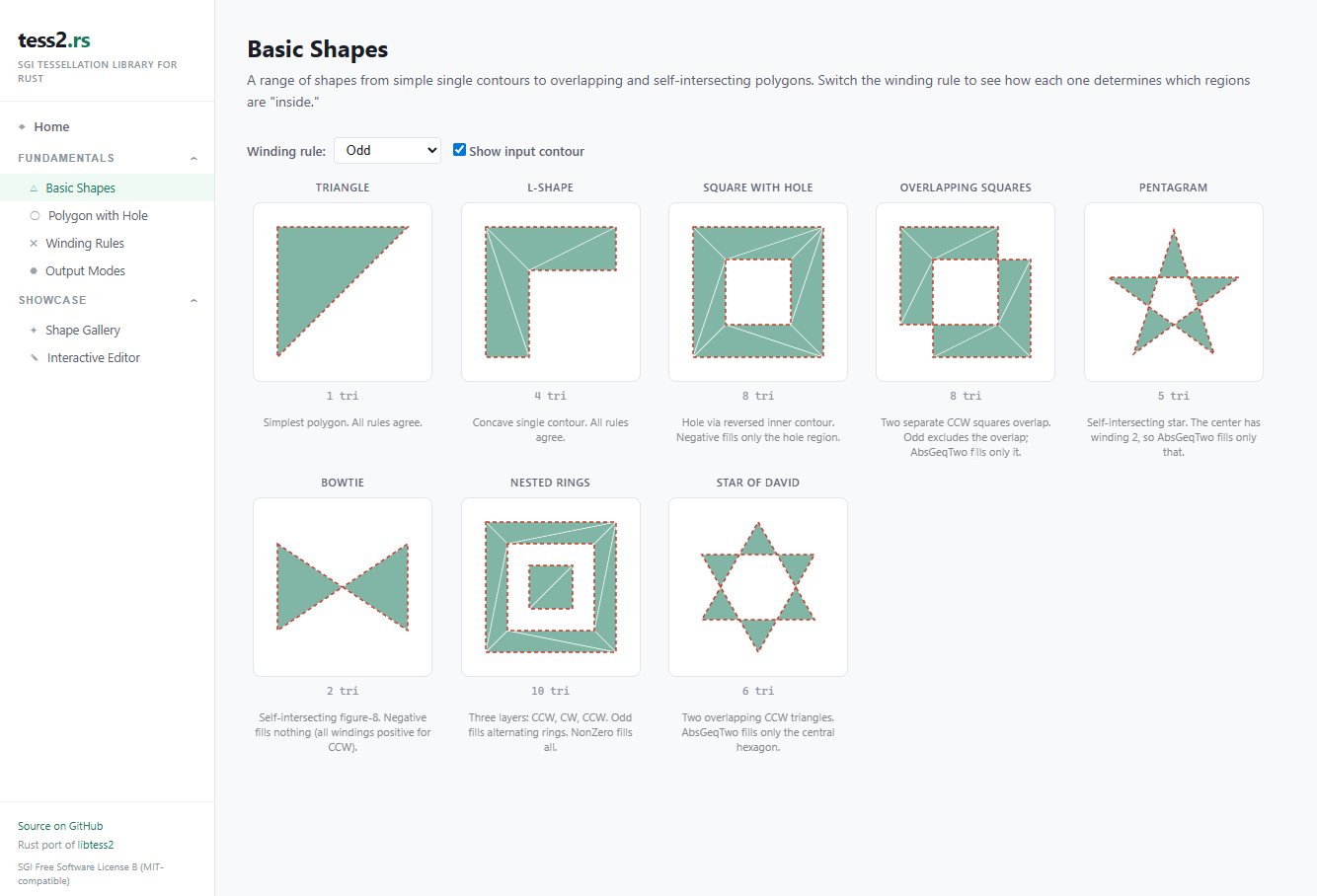
| **Basic Shapes** | Triangles, quads, pentagons, and concave shapes — the building blocks of tessellation |
| **Polygon with Hole** | Outer/inner contour reversal and hole detection |
| **Winding Rules** | All five rules compared on stars, bowties, nested shapes, and overlapping polygons |
| **Output Modes** | Triangles, quads, connected polygons, and boundary contours |
| **Shape Gallery** | Real-world datasets — dude, tank, spaceship, and more from poly2tri and GLU test suites |
| **Interactive Editor** | Draw your own polygons and watch them tessellate in real time |
**[Browse the demos →](https://larsbrubaker.github.io/tess2-rust/)**
## Quick Start
Add this to your `Cargo.toml`:
```toml
[dependencies]
tess2-rust = "1.0"
```
```rust
use tess2_rust::{Tessellator, WindingRule, ElementType};
let mut tess = Tessellator::new();
tess.add_contour(&[0.0, 0.0, 1.0, 0.0, 1.0, 1.0, 0.0, 1.0]);
tess.tessellate(WindingRule::Odd, ElementType::Polygons, 3);
let vertices = tess.vertices();
let elements = tess.elements();
```
## Winding Rules
- `Odd` — Fill regions with odd winding number (like even-odd fill)
- `NonZero` — Fill regions with non-zero winding number
- `Positive` — Fill regions with positive winding number
- `Negative` — Fill regions with negative winding number
- `AbsGeqTwo` — Fill regions with winding number >= 2 in absolute value
## Development
### Building & Testing
```bash
cargo build
cargo test # 138 tests
cargo clippy -- -D warnings
```
### Running the Demo Locally
```bash
cd demo
bun install
bun run dev
```
Then open `http://localhost:3000` in your browser.
## License
SGI Free Software License B (functionally equivalent to MIT). See [LICENSE](LICENSE).
## Acknowledgments
- **Mikko Mononen** — Author of the [libtess2](https://github.com/memononen/libtess2) refactoring of the SGI code
- **SGI** — Original tessellation library from the OpenGL Sample Implementation
- Ported by **Lars Brubaker**, sponsored by **[MatterHackers](https://www.matterhackers.com)**
- Ported using **[Claude](https://claude.ai) by Anthropic**