
terminal_graphics_interactive




Make art, animations, games and drawing tools in your terminal, with the mouse and keyboard, in a few lines of Rust. It works in Windows PowerShell, Linux, macOS and over SSH. Its only dependency is terminal_graphics (re-exported), and almost nothing in it is unsafe.
| A formula becomes an animation | A physics world in five lines |
|---|---|
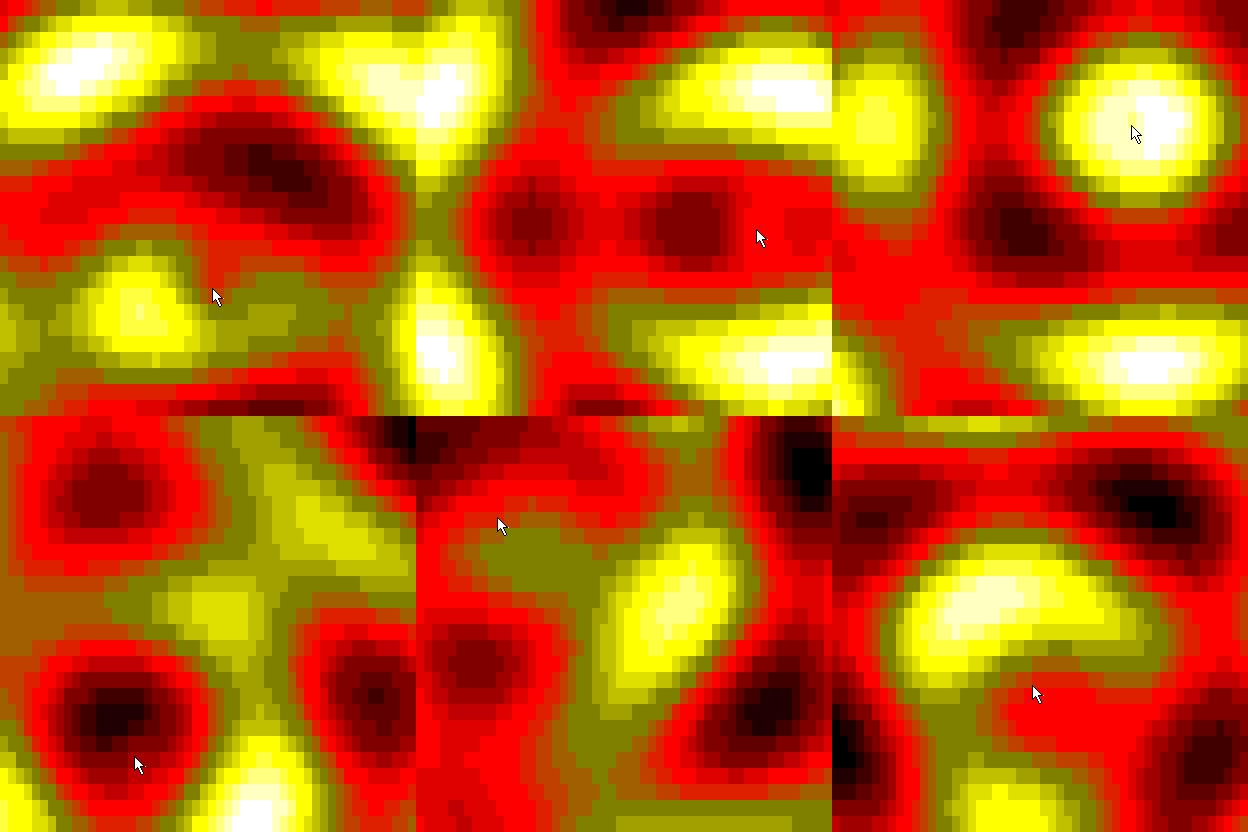 |
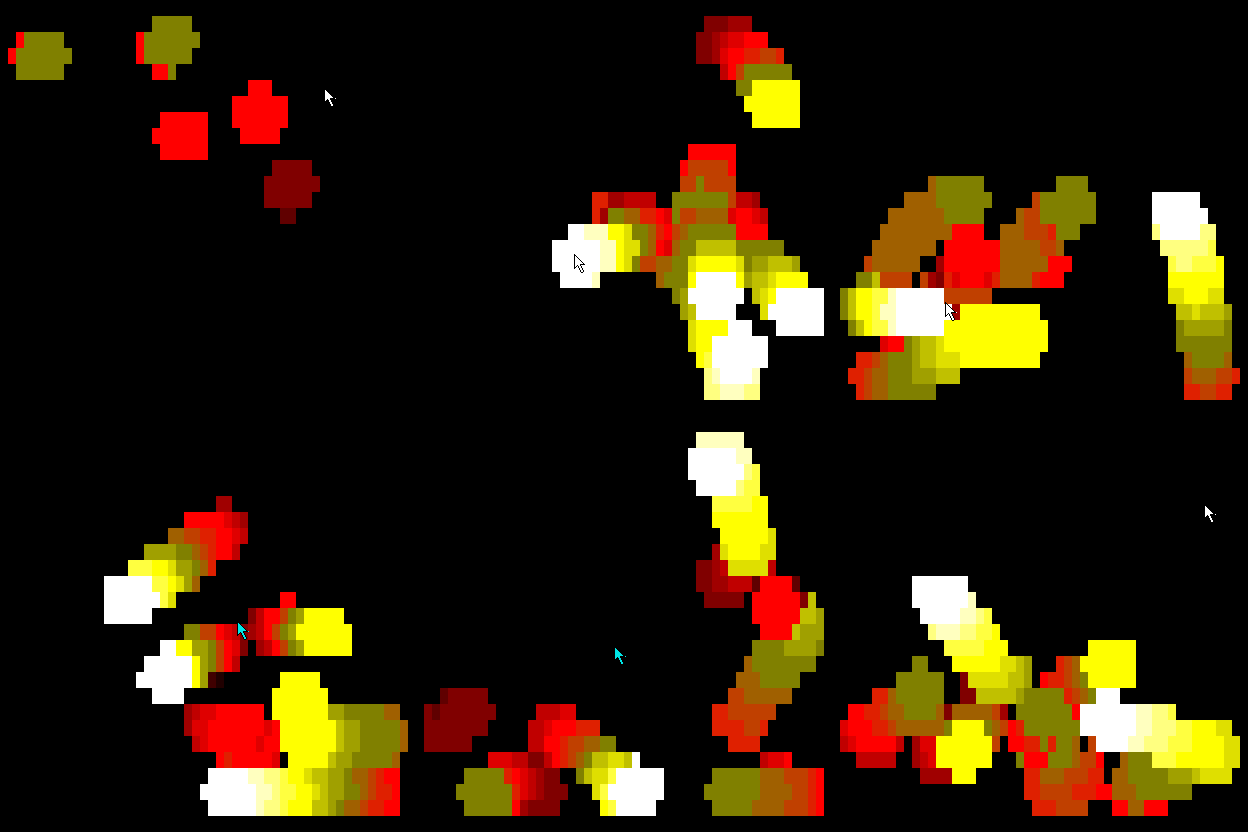 |
| move the mouse to make ripples | the mouse pulls the balls, the right button pushes them, a click adds one |
These are recordings of the real examples below, run against the real library, with a scripted mouse arrow drawn on top (cargo run --release --example make_gifs rebuilds them).
Try it in your browser
Write some Rust in the page, press run, and watch it in a terminal. Nothing to install.
Install
Make art in a few lines
Write the interesting part and nothing else. The library starts the terminal, runs the frame loop, tracks the mouse, quits on q and puts everything back.
A formula becomes an animation. The closure runs for every cell every frame and returns a number from -1 to 1, which is what sin and cos give:
use *;
cell has x, y, t (seconds), the mouse position and button, and the window size. y is stretched so a circle looks round. A terminal has only 16 colours, so numbers between two colours are drawn with shade blocks (░▒▓█) for about four times as many steps. Pick a Palette (ocean, fire, rainbow, mono) or make your own with Palette::new(&[...]).
A physics world in a few settings. Balls bounce off the walls and each other, and a click adds one:
use *;
Terminal Games
Make games in your terminal. A game is a set of screens (a title, a play screen, a pause, a game over). Each one is a Game that updates 60 times a second, reads held keys and the mouse, and draws on a Screen. The crate also brings random numbers, timers, object pools and collision shapes, and Headless runs a game with no terminal, so tests can play it.
Play the examples. sail is the flagship: a sailboat on the open sea, under a sky that turns from dawn to night. Steer left and right to dodge the fireballs that fall from the sky; the farther you sail, the rougher the sea and the more fireballs come.
It makes multiplayer games too. This is sail_together: two players, two boats, one sea. Each machine runs the whole game and they share only their key presses, so it needs almost no bandwidth.
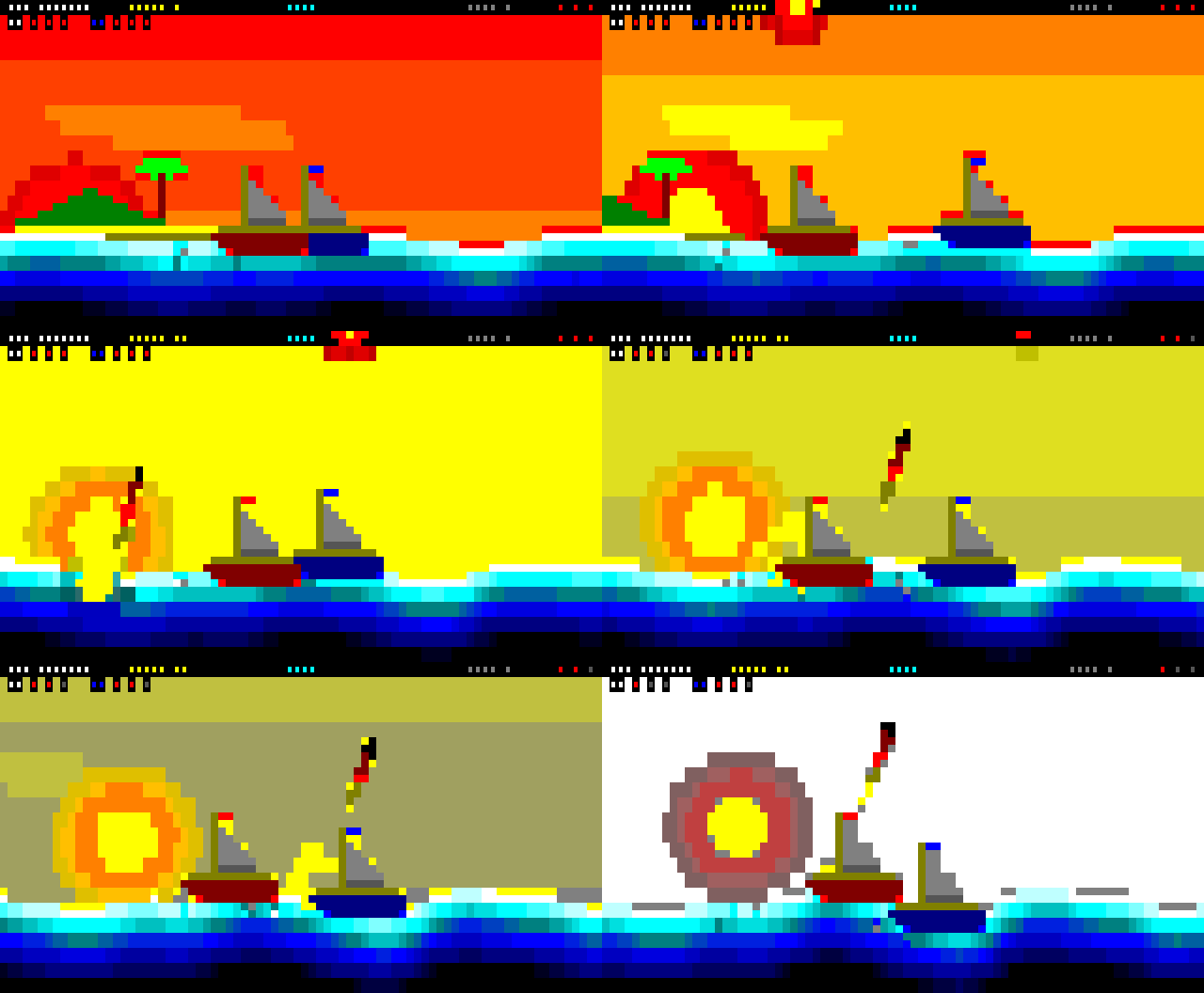
A recording of the real game, from the first player's screen. The two players here are two games joined by an in-process link, so the recording is the same every time; the example itself plays over TCP between computers (cargo run --release --example make_gifs rebuilds it).
This is the shape of quickgame: a title that switches to the play screen on Enter. The rest is in examples/quickgame.rs:
use *;
What is and is not verified. Held keys need key release events, which only some terminals send: kitty, WezTerm, Ghostty, foot, Alacritty, iTerm2 and recent Windows Terminal support the kitty keyboard protocol. Where a terminal does not, a held key is timed instead, so a key stays held for a moment after its last repeat. The glow game runs in a pseudo terminal in our tests on Linux, and quickgame is tested headless. Both games are not yet run by a person on Windows or macOS, and the games also run on the website (/games/, the real games as WebAssembly), which a headless browser check loads but no person has looked at yet. Multiplayer: Sim, Lockstep and the Local and Tcp transports are built and tested (including two machines playing sail_together over real TCP on loopback, and lossy, reordered and dropped messages over a fake link). The game's numbers are checked to be bit-identical across machines only by a recorded state hash that CI runs on Linux, macOS and Windows; a person has played sail_together between two Windows PowerShell windows on one laptop over localhost, and it worked well. It has not yet been played across a real network (a LAN or the internet), or in macOS or Linux terminals, and there is no WebSocket transport for the browser yet. The host listens on all addresses with no password or encryption, so play on a trusted network.
Play between machines is lockstep: every machine runs the same deterministic Sim and they share only each player's input, so a match needs almost no bandwidth and a game that drifts apart is reported with the step it happened at. See examples/sail_together.rs.
To test a game without a terminal, use Headless. It runs the same updates as run: you press keys, step time and read back what was drawn, as tests/game_api.rs and the tests in examples/quickgame.rs do.
Add the mouse and keyboard to anything
Under the art API is Terminal: a full-screen session that gives you key presses, mouse clicks, drags, scrolling and pastes as events, and a window to draw a Display in. poll doubles as the frame timer, and mouse.cell_in(&display) turns a mouse position into a cell:
use Duration;
use ;
Ctrl+C arrives as a key (key.is_ctrl('c')) while a Terminal exists, so check for it and leave your loop. Pasted text arrives as one Event::Paste, so pasting a command can never trigger your key bindings.
More examples
For AI coding agents
llms.txt is a short page written for you: what this crate is, when to use it and when not to, the whole API, the mistakes that are easy to make (Ctrl+C is an event, the display must be one row shorter than the window, use \r\n in raw mode) and complete examples that are checked against the code.
Platforms
| Built and tested | Run in a real terminal by the tests | |
|---|---|---|
| Windows (PowerShell, Windows Terminal) | yes | yes, in a ConPTY pseudo console |
| Linux | yes | yes, in a pty |
| macOS | yes | yes, in a pty |
Over SSH it works when a terminal is allocated (ssh -t host ...). The tests prove that raw mode, key and mouse sequences, pastes and quitting work on each system. They cannot prove that a physical mouse click becomes an escape sequence: that is your terminal emulator's job.
Under the hood
- Almost no
unsafe. Raw mode cannot be done in safe Rust, so the onlyunsafeis a few libc calls on Unix and a fewkernel32calls on Windows (src/raw_mode/), each with a// SAFETY:comment.tests/unsafe_audit.rsfails the build ifunsafeappears anywhere else. - Fast.
cargo benchruns benchmarks that use onlystd. A 200 by 60 plasma costs about 0.8 ms of a 33 ms frame, and parsing input takes tens of nanoseconds per event. - Tested. Unit tests for the parser, the palette and the simulation, and end-to-end tests that run every example in a real pseudo terminal on all three systems.
Rendering cost
Terminal::draw sends only the cells that changed since the last frame (Renderer, also public for any Write). The first frame draws everything. cargo bench --bench render compares it with redrawing the whole frame each time, on the same frames, with std timing:
| Scenario | Size | Full redraw: us per frame | Full redraw: bytes per frame | Changed cells only: us per frame | Changed cells only: bytes per frame |
|---|---|---|---|---|---|
| still (same frame) | 80x24 | 79 to 97 | 17,717 | 2.4 to 3.4 | 0 |
| still | 200x60 | 526 to 564 | 109,145 | 16 to 19 | 0 |
| a 3x3 block moving | 80x24 | 5.4 to 6.6 | 2,597 | 3.2 to 5.5 | 88 |
| a 3x3 block moving | 200x60 | 30 to 33 | 13,673 | 18 to 20 | 89 |
| plasma (every cell changes) | 80x24 | 80 to 91 | 17,717 | 98 to 163 | 17,259 |
| plasma (every cell changes) | 200x60 | 503 to 616 | 109,145 | 597 to 629 | 107,943 |
Machine: Intel Xeon at 2.10 GHz, 4 threads, Linux x86_64. Each time is a median of 15 samples. The ranges are the lowest and highest of the runs made: five for the full redraw (two of them from before the renderer existed) and three for the changed cells only. The byte counts are exact and do not vary between runs. The first full frame is left out of the changed-cells bytes.
- Still and moving pictures send far fewer bytes, which is what matters over a slow SSH link: none at all for a still picture, and under 100 bytes for a small moving block instead of several kilobytes. They also take less time, at 200 by 60 about 19 us against about 31 us for the moving block, and far less for the still picture.
- Plasma, where every cell changes, saves only 2 to 3 per cent of the bytes. Its time is not better: the changed-cells runs were slower than the full redraw in both runs at both sizes, but at 80 by 24 the spread between runs is as large as the difference, so these runs do not show whether it is a real cost.
- At 60 frames a second a frame has about 16.7 ms, and both ways fit easily at these sizes. The gain is in the bytes, not the CPU.
Contributing
Small, friendly pull requests are welcome. CONTRIBUTING.md has short recipes for adding a palette, a World setting or an example, and CLAUDE.md explains the principles and process.
Links
- Website with a live editor and playable games: https://calum.github.io/terminal_graphics_interactive/ (art at
/art/, games at/games/) - crates.io: https://crates.io/crates/terminal_graphics_interactive
- API documentation: https://docs.rs/terminal_graphics_interactive
- The graphics crate it builds on: https://github.com/calum/terminal_graphics_api
Licence
Licensed under either of MIT or Apache-2.0 at your option.