
**High-performance structured logging library with component tracking and visualization**
Telelog is a Rust-first logging library that combines structured logging, performance profiling, and architectural visualization. It provides rich console output and generates Mermaid diagrams to help you understand your application's execution flow.
## Features
- **Performance Profiling** - Automatic timing with RAII guards and context managers
- **Component Tracking** - Track architectural components and their relationships
- **Visualization** - Generate Mermaid flowcharts, timelines, and Gantt charts
- **Context Management** - Add persistent context to all log messages
- **Rich Console Output** - Clean, colored output for development
- **Python Bindings** - Use from Python with Rust-backed performance
- **Type Hints** - Full static type checking support for Python (mypy, pyright)
- **High Performance** - Thread-local buffer pooling reduces allocations (~788ns per log)
- **Async Support** - Bounded async channels with backpressure (requires `async` feature)
## Example Visualizations
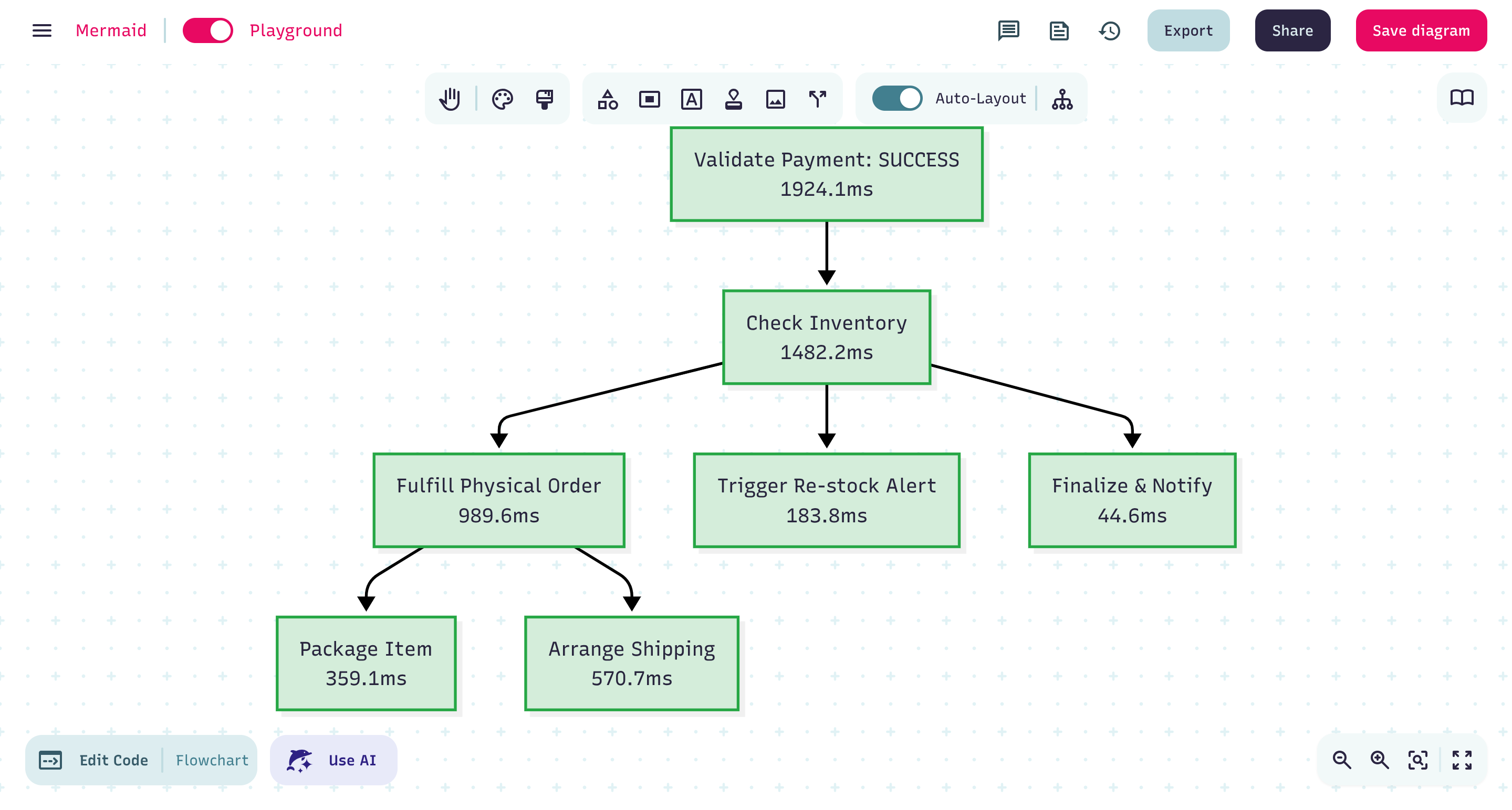


## Quick Start
### Rust
```rust
use telelog::Logger;
let logger = Logger::new("my_app");
// Basic logging
logger.info("Application started");
logger.warning("This is a warning");
// Context management
logger.add_context("user_id", "12345");
logger.info("Processing request"); // Includes context
// Performance profiling
{
let _timer = logger.profile("database_query");
// Your operation here
} // Automatically logs duration
// Component tracking
{
let _component = logger.track_component("web_server");
logger.info("Handling request");
}
```
### Python
```bash
# Install via pip
pip install telelog-python
```
```python
import telelog as tl
logger = tl.Logger("my_app")
# Basic logging with context
logger.add_context("user_id", "12345")
logger.info("Processing request")
# Performance profiling
with logger.profile("database_query"):
# Your operation here
pass
# Component tracking with visualization
with logger.track_component("data_pipeline"):
logger.info("Processing data")
# Generate flowchart
chart = logger.generate_visualization("flowchart")
print(f"Generated chart with {len(chart)} characters")
```
## Visualization
Generate Mermaid diagrams from component tracking:
```rust
use telelog::{Logger, MermaidGenerator, ChartConfig, ChartType};
let logger = Logger::new("app");
// Track nested components
{
let _pipeline = logger.track_component("data_pipeline");
{
let _extract = logger.track_component("extract");
// extraction logic
}
{
let _transform = logger.track_component("transform");
// transformation logic
}
}
// Generate visualization
let tracker = logger.get_component_tracker();
let config = ChartConfig::new().with_chart_type(ChartType::Flowchart);
let generator = MermaidGenerator::new(config);
let diagram = generator.generate_diagram(tracker)?;
```
**Supported chart types:**
- **Flowchart** - Component relationships and dependencies
- **Timeline** - Execution order and timing
- **Gantt** - Component durations and overlaps
View generated diagrams at [mermaid.live](https://mermaid.live/) or in VS Code with the Mermaid extension.
## Documentation
📖 **Comprehensive documentation is available in the [Telelog Wiki](https://github.com/Vedant-Asati03/Telelog/wiki)**
The wiki includes:
- Getting started guides for both Rust and Python
- Detailed feature documentation (profiling, component tracking, visualization)
- Configuration and customization guides
- Cookbook with real-world examples
- Framework integration guides (Flask, FastAPI, Axum, Actix, etc.)
- Complete API references
- Migration guides from other logging libraries
- Troubleshooting and FAQ
## Examples
See the [`examples/`](examples/) directory for comprehensive usage examples in both Rust and Python.
```bash
# Try the examples
cargo run --example 01_basic_logging
cargo run --example 04_component_tracking
cargo run --example 05_visualization
```
## Contributing
Contributions are welcome! Please feel free to submit a Pull Request. See the [examples directory](examples/) for comprehensive usage patterns.
## License
This project is licensed under the MIT License.
---
Built with ❤️ by [Vedant Asati](https://github.com/vedant-asati03)