
tealr
A crate to enhance the APIs provided by the rlua and mlua crates
It aims to do this by improving the following:
- Allow the api to have easily accessible documentation embedded into it
- Allow the documentation to be built to web pages (using tealr_doc_gen )
- To go along with the documentation,
tealralso allow you to be more precise in the types your api works with. Think generic methods and typed lambdas. No moreLua::Value - Allow for the generation of
.d.tlfiles. They allow the API to be used in teal, exposing type errors at compile time.
It does this by adding new traits and replacing/extending the existing ones from rlua and mlua. As a result, the api that tealr exposes is as similar as the api from those 2 crates as possible.
It also contains some macro's to easily generate new types to better express the API type wise and also some macro's to make it easier to embed teal.
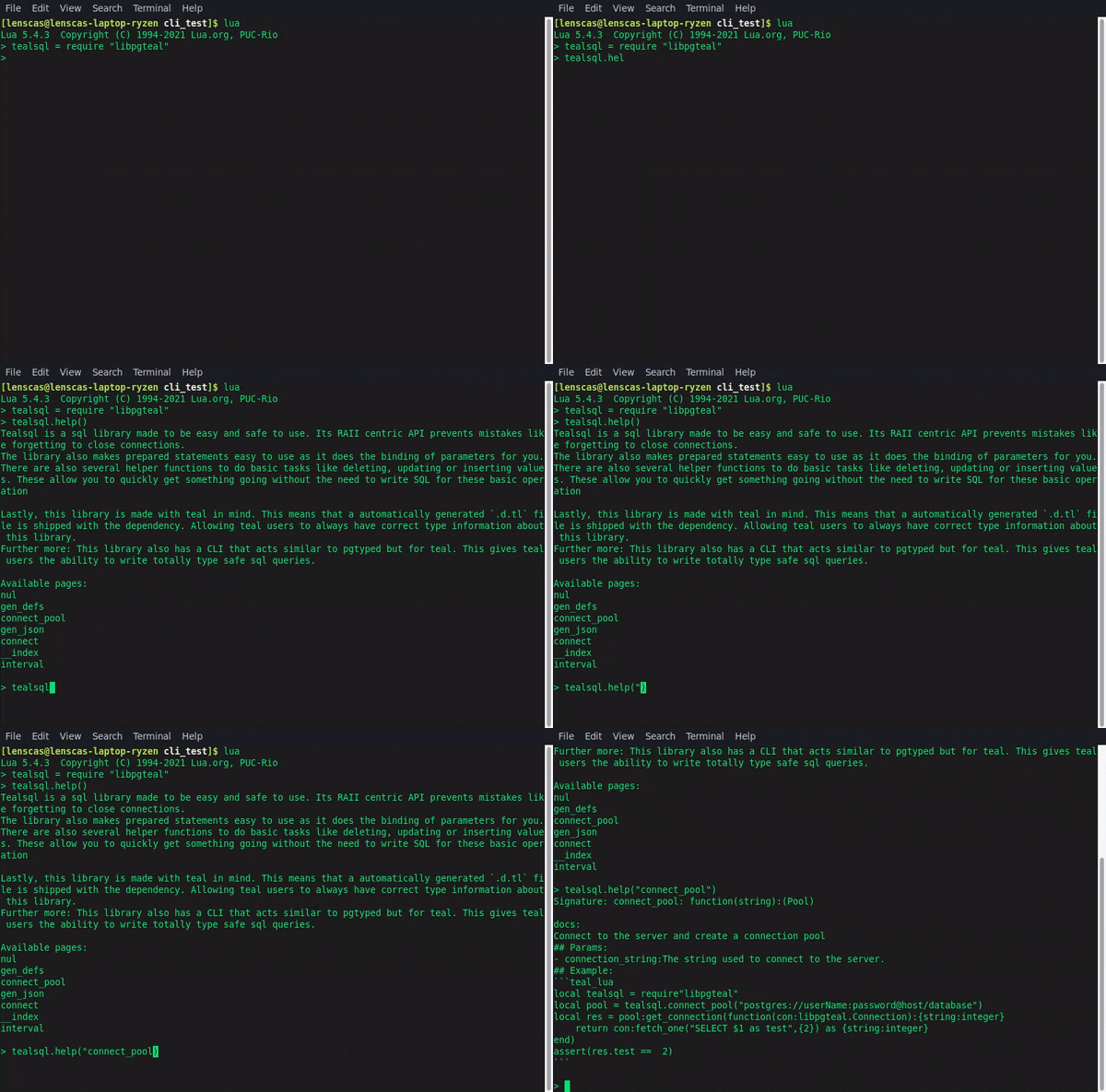
Example of instance.help()
The library shown is https://github.com/lenscas/tealsql
html rendered documentation
Rendered html is also available at https://lenscas.github.io/tealsql/
Note:
Both rlua and mlua are behind the feature flags rlua and mlua.
It also reexports these crates and allows you to set flags through it (the forwarded flags are the same with either the prefix rlua_ or mlua_. For example if you want to enable mlua/async then you need to enable tealr/mlua_async)
Expose a value to lua/teal
Exposing types to lua as userdata is almost the same using tealr as it is using rlua and mlua
Rlua:
use TypeName;
//now, implement rlu::TealData.
//This tells rlua what methods are available and tealr what the types are
Mlua:
use TypeName;
Replacing lua::Value
Though it is perfectly possible to use the lua::Value from rlua and mlua, tealr does offer some alternatives to better document your code.
Simple unions:
These allow you to easily create a type that is only one of the types you give.
use ;
create_union_mlua!Generics
use ToLua;
use ;
create_generic_mlua!;
In this example, the generated signature of generic_function_callback will be function<X>(function(string):X):X. Without generics and using lua::Value instead, the generated signature would have instead become function(function(string):any):any which is a lot less descriptive.
For rlua, all you have to do is replace mlua for rlua
Teal integration
The teal language is basically just a statically typed variant of lua and can even be made to run in the lua vm without compiling to lua first.
As a result of this and tealr's focus on enabling a richer typed api causes the 2 projects to work well together. However, to further help bind the 2 projects, tealr contains some extra helpers for those that want to use teal.
Create a .d.tl file
.d.tl files are type definition files used by the teal compiler so it knows what types a library has that isn't written in teal. Similar to how .d.ts files allow typescript to work with libraries written in JS
tealr allows you to easily create these .d.tl files based on your types.
//set your type up with either rlua or mlua
use ;
use ;
use ;
;
//time to create the type definitions
let file_contents = new
.
.generate_global
.expect;
//write the output to a file
println!
Compile inline teal code into lua
Both rlua and mlua allow you to run lua code embedded in your application.
Similarly, tealr allows you to compile embedded teal code to lua while compiling your application. This can then be executed by rlua and mlua.
This means that you can make use of teal's static type system even for small scripts inside your rust codebase.
use compile_inline_teal;
let code = compile_inline_teal!;
Embed the teal compiler
Teal makes it possible for the lua vm to load teal files as if they are normal lua files.
Tealr makes doing this from withing rust a bit easier, by exposing a macro that can embed the teal compiler in your application and create a function that creates the needed lua code to set the VM up. This function takes a string, which is the file that needs to get required.
use embed_compiler;
let compiler = embed_compiler!;
;
;
Ok::
There are a few sources tealr can use to get the compiler. If no source is specified it defaults to github releases. Other sources can be specified as follows:
//get the teal compiler using the given path
embed_compiler!;
//this uses luarocks to try and discover the location of the compiler
embed_compiler!;
//download the compiler at compile time from github (default)
embed_compiler!;
//download the compiler at compile time from luarocks
embed_compiler!;
You can find longer ones with comments on what each call does here