# Loading and Running a PyTorch Model in Rust
This tutorial follows the steps of the
[Loading a PyTorch Model in C++ tutorial](https://pytorch.org/tutorials/advanced/cpp_export.html).
PyTorch models are commonly written and trained in Python. The trained model can then be
serialized in a [Torch Script](https://pytorch.org/docs/stable/jit.html) file.
The Torch Script file contains a description of the model architecture as well as
trained weights. This file can be loaded from Rust to run inference for the saved
model.
In this tutorial this is illustrated using a ResNet-18 model that has been trained on the
ImageNet dataset. We start by loading and serializing the model using the Python api.
The resulting model file is later loaded from Rust and run on some given image.
## Converting a Python PyTorch Model to Torch Script
There are various ways to create the Torch Script as detailed
in the original [tutorial](https://pytorch.org/tutorials/advanced/cpp_export.html).
Here we will use tracing. The following python script runs the
pre-trained ResNet-18 model on some random image and uses tracing to create
the Torch Script file based on this evaluation.
```python
import torch
import torchvision
model = torchvision.models.resnet18(pretrained=True)
model.eval()
example = torch.rand(1, 3, 224, 224)
traced_script_module = torch.jit.trace(model, example)
traced_script_module.save("model.pt")
```
Note that `model.eval()` is useful to ensure that the saved model is
in testing mode rather than in training mode. This has an impact on the
batch-norm layers.
The last line creates the `model.pt` Torch Script file which includes both the model
architecture and the trained weight values.
## Loading the Torch Script Model from Rust
The `model.pt` file can then be loaded and executed from Rust.
```rust
pub fn main() -> anyhow::Result<()> {
let args: Vec<_> = std::env::args().collect();
let (model_file, image_file) = match args.as_slice() {
[_, m, i] => (m.to_owned(), i.to_owned()),
_ => bail!("usage: main model.pt image.jpg"),
};
let image = imagenet::load_image_and_resize(image_file)?;
let model = tch::CModule::load(model_file)?;
let output = model.forward_ts(&[image.unsqueeze(0)])?.softmax(-1);
for (probability, class) in imagenet::top(&output, 5).iter() {
println!("{:50} {:5.2}%", class, 100.0 * probability)
}
Ok(())
}
```
Let us have a closer look at what this code is doing. The first couple lines
extract the model and image filenames from command line arguments
Then the image is loaded, resized to 224x224, and converted to a tensor
using ImageNet normalization.
```rust
let image = imagenet::load_image_and_resize(image_file)?;
```
The exported model is loaded.
```rust
let model = tch::CModule::load(model_file)?;
```
Now we can run the model on the image tensor. This returns the logits for each
of the ImageNet 1000 classes. A softmax is applied to get the associated
probabilities.
```rust
let output = model.forward_ts(&[image.unsqueeze(0)])?.softmax(-1);
```
Alternatively, one can write the following instead as `tch::CModule` can be
used as any other module via apply when there is only a single input.
```rust
let output = image.unsqueeze(0)].apply(&model).softmax(-1);
```
And finally we print the 5 classes with the highest probabilities.
```rust
for (probability, class) in imagenet::top(&output, 5).iter() {
println!("{:50} {:5.2}%", class, 100.0 * probability)
}
```
Cargo can be used to run this example.
```bash
cargo run --example jit model.pt image.jpg
```
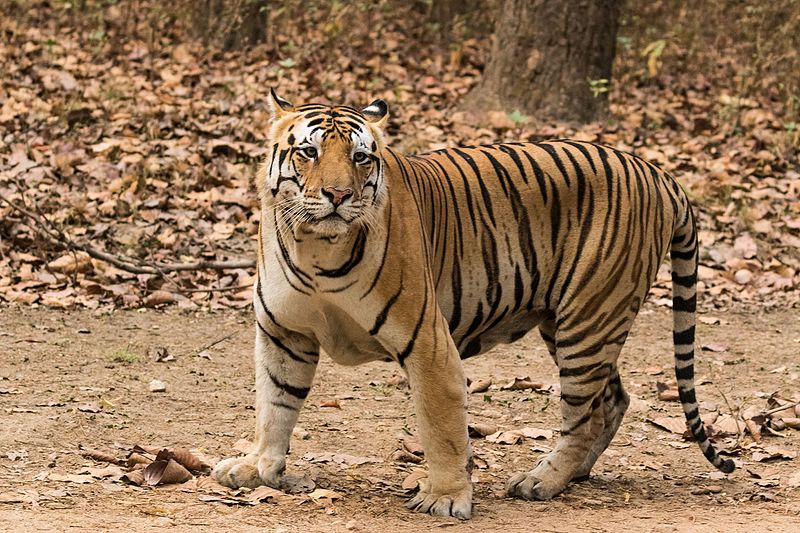
This results in the Rust code printing the top 5 predicted labels
as well as the associated probabilities.
```
tiger, Panthera tigris 96.33%
tiger cat 3.56%
zebra 0.09%
jaguar, panther, Panthera onca, Felis onca 0.01%
tabby, tabby cat 0.01%
```