
Taxy
A reverse proxy server with a user-friendly WebUI.




Overview
- Built with Rust for optimal performance and safety, powered by tokio and hyper
- Supports TCP, TLS, HTTP1, and HTTP2, including HTTP upgrading and WebSocket functionality
- Easily deployable single binary with a built-in WebUI
- Allows live configuration updates via a REST API without restarting the service
- Imports TLS certificates from the GUI or can generate a self-signed certificate
- Provides Let's Encrypt support (ACME v2, HTTP challenge only) for seamless certificate provisioning
- Supports automatic HTTP Brotli compression
Screenshot
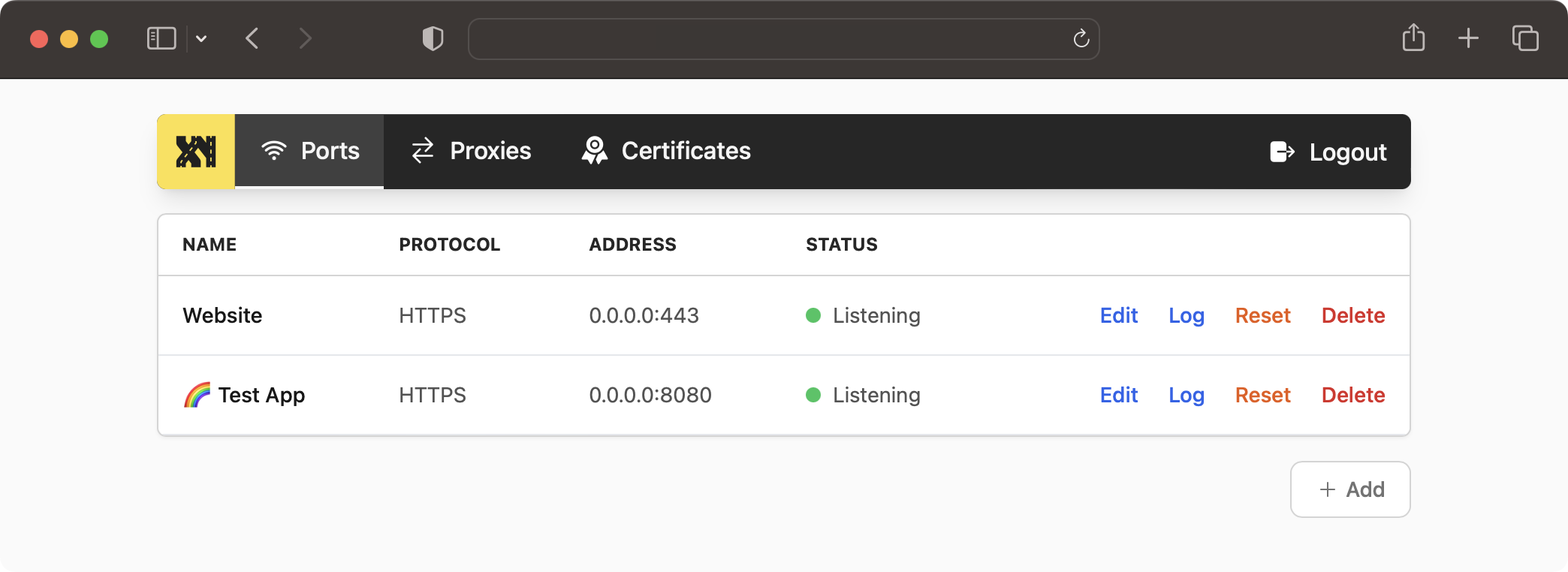
Web UI Demo
Visit https://taxy.onrender.com/. (username: admin, password: admin)
Please note, you can change the configuration freely, but due to the instance being behind a firewall, the configured proxies are not accessible from the outside.
Installation
To build the Taxy binary, ensure that you have the Rust toolchain installed.
Once you have successfully built and started taxy, you can access the admin panel at http://localhost:46492/.
From crates.io
The package on crates.io contains the WebUI as a static asset, so you don't need to build it yourself.
Install "Taxy" using Cargo:
# Create admin user
# Start server
From git
To build the Web UI, make sure you have trunk installed on your system.
Clone the repository and install the package:
Development
To contribute or develop Taxy, follow these steps:
# Clone the repository
# Start the server
# In a separate terminal, start `trunk serve` for the WebUI
FAQ
Why don't changes to the configuration take effect immediately?
Updating the configuration solely impacts new connections. When browsers maintain active TCP streams, subsequent requests will continue to follow the prior configuration.