<p align="center">
<a href="https://systemless.org/">
<img src=".github/assets/systemless-logo.svg" alt="Systemless mascot" width="192" height="192">
</a>
</p>
<h1 align="center">systemless</h1>
<p align="center">
<strong>A high-level runtime for classic Macintosh applications and games.</strong><br>
Run original Mac software without a ROM image, System installation, or hardware emulation.
</p>
<p align="center">
<a href="https://github.com/benletchford/systemless/actions/workflows/ci.yml"><img src="https://github.com/benletchford/systemless/actions/workflows/ci.yml/badge.svg" alt="CI"></a>
<a href="https://crates.io/crates/systemless"><img src="https://img.shields.io/crates/v/systemless.svg" alt="crates.io"></a>
<a href="https://docs.rs/systemless"><img src="https://docs.rs/systemless/badge.svg" alt="Documentation"></a>
<a href="LICENSE"><img src="https://img.shields.io/crates/l/systemless.svg" alt="License"></a>
</p>
<p align="center">
<img src=".github/assets/systemless-launch-macos.gif" alt="Launching Escape Velocity from Finder with native macOS menu and application icon integration">
</p>
Systemless reimplements the classic Mac Toolbox and operating-system APIs in
Rust, allowing original 68K and PowerPC Macintosh software to run without a ROM
image, a System installation, or hardware emulation. On macOS, classic
applications keep their own identity: guest menus appear in the native menu bar,
while the guest application name and icon integrate with the Dock.
## Try it in your browser
| [](https://systemless.org/marathon) | [](https://systemless.org/escape-velocity) |
| [Escape Velocity Nova](https://systemless.org/escape-velocity-nova/) (PPC) | [StarCraft Demo](https://systemless.org/starcraft/) (PPC) |
| [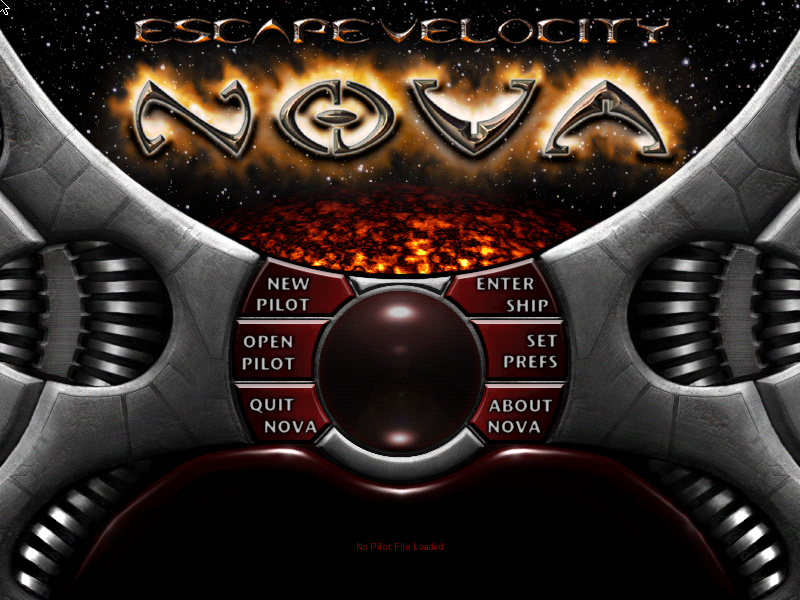](https://systemless.org/escape-velocity-nova/) | [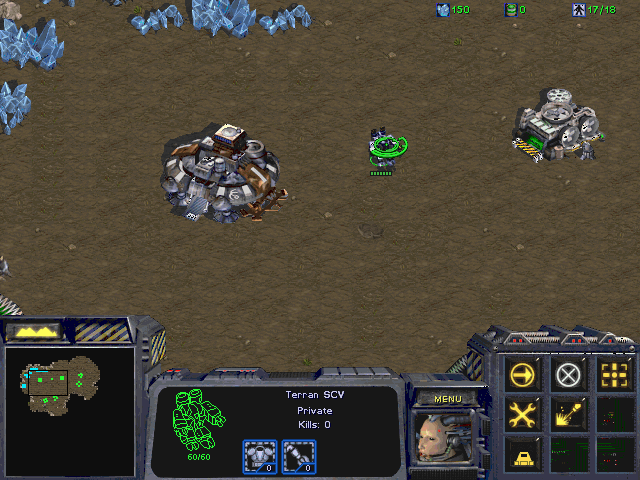](https://systemless.org/starcraft/) |
Architecture labels show each game's default browser launch.
Play these and more classic Macintosh games in your browser at
[systemless.org](https://systemless.org/).
The browser frontend and its community catalogue are developed in this
repository alongside the runtime. Website sources live in [`www/`](www/),
catalogue entries and optional plugin collections live in
[`www/catalogue/`](www/catalogue/), and catalogue maintenance tools live in
[`www/tools/catalogue/`](www/tools/catalogue/). See
[`www/README.md`](www/README.md) for local browser and catalogue workflows.
## Contributing
Start with the [contribution guide](CONTRIBUTING.md). Open a public issue, then
submit a focused pull request that links it. Runtime changes belong in `src/`;
browser, catalogue, and website changes belong in `www/`. Run the relevant
checks for your change.
For games, follow the [catalogue contribution guide](www/README.md#contribute-a-catalogue-entry).
Check redistribution rights for the exact archive and test it before submitting
the entry. Stage small assets in `www/catalogue/incoming/<entry-id>/`; provide
an HTTPS URL, SHA-256, and size for large archives instead of committing them.
Keep `launch_enabled: false` until browser testing is approved.
**You do not need local Cloudflare R2 credentials, configuration, or manual
uploads.** After approval, the incoming CI workflow promotes assets using
repository secrets and writes immutable URLs back to eligible PR branches.
Maintainers handle promotion for fork PRs. The local R2 commands in the website
guide are for maintainer recovery and audits, not normal game contributions.
## Quick Start
Install with Homebrew on macOS:
```sh
brew install benletchford/tap/systemless
systemless path/to/app-or-game.sit
```
Install a prebuilt release with [cargo-binstall](https://github.com/cargo-bins/cargo-binstall):
```sh
cargo binstall systemless
```
Release archives and SHA-256 checksums are available on
[GitHub Releases](https://github.com/benletchford/systemless/releases) for macOS,
Linux (GNU), and Windows (MSVC), each on x86-64 and ARM64. Linux binaries require
glibc 2.35 or newer and the ALSA runtime library (`libasound2` on Ubuntu 22.04).
Or build and install from crates.io:
```sh
cargo install systemless
systemless path/to/app-or-game.sit
```
Systemless accepts StuffIt archives, MacBinary files, and raw/macOS resource forks.
Archives may contain multiple files; Systemless populates the in-memory VFS and
selects an executable resource fork from the archive.
Systemless does not ship applications, games, Mac ROMs, or Apple system software.
Use legally obtained application archives.
For a local checkout, use `cargo run --release -- path/to/app-or-game.sit`.
Fat applications launch their native PowerPC slice by default. Pass
`--prefer-68k` to run the classic slice for compatibility testing;
`--prefer-powerpc` remains accepted for explicit PowerPC selection.
Windows uses D3D11 presentation by default, with automatic software fallback if
GPU initialization or presentation fails. Set `SYSTEMLESS_D3D11=0` before launching
to force software presentation.
The experimental desktop execution owner can be selected with
`SYSTEMLESS_DESKTOP_RUNTIME=thread`. It constructs and runs the guest on a
separate thread while the window consumes complete owned snapshots. Closing the
window requests an asynchronous save flush and runtime shutdown. On macOS,
native Quit also defers termination until that owner has flushed saves and
destroyed the guest; its completion runs in AppKit’s termination modal loop.
Native application identity inspection also runs on the owner while a loading
window remains available; the host relaunches only after that owner finishes.
The desktop suite passes 128 tests, including owner-thread lifetime, stalled
initialization, ordered input, shutdown and save persistence, with debugger
support enabled. An offscreen Metal text/dialog capture also passes. Available
macOS interactive checks cover launch, gameplay, application-menu tracking,
window zoom/resizing and a successful AppKit Quit. A controlled owner stall also
preserved native menu and resize response, with
AppKit Quit completing after owner release. Native pilot save/restart checks
passed; broader input, fullscreen-exit and cross-display/platform coverage
remain limited. The default remains the same-thread
compatibility path; leave the variable unset to use it.
For intermittent desktop stalls, set `SYSTEMLESS_PROFILE_FRAMES=1` when launching.
The terminal reports CPU, compositing, outline rendering and Metal drawable-wait
phases that take at least 50 ms. During normal gameplay, drawable waits on the
presentation worker do not block the guest CPU or input handling.
For distributions below the stall threshold, set `SYSTEMLESS_MEASURE_FRAMES=1`.
This opt-in measurement reports p50/p95/p99 and maximum milliseconds for each
host phase in non-overlapping batches of 600 samples, with bounded storage.
Short runs may not fill a batch. Measurement adds clock and reporting overhead;
use the same setting for both sides of a comparison and record guest progress
separately. These host phase timings do not measure visible input latency.
### Headless replays
`systemless --headless --max-ticks 600 game.sit` runs 600 simulated frontend
ticks (about ten seconds) without opening a window or sleeping in host time.
It uses the GUI runner's retained-wait/callback scheduling, advances audio,
uses the same architecture-specific instruction rate as the GUI, and
composites once per frontend tick. This is also the default headless
mode when neither legacy instruction option is supplied.
Use `--tick-input-script inputs.txt` with `--max-ticks` to replay inputs;
each line is `<elapsed-tick> <action> [args]`, e.g. `120 mousedown 317 491`
and `122 mouseup 317 491` (coordinates are vertical, horizontal). The
frontend clock continues while menu tracking freezes guest TickCount.
Reports include both clocks and actual instruction work. Startup Mac time
is fixed for repeatability; `--headless-start-time SECONDS` overrides it.
Inputs at or beyond the endpoint are rejected. The summary also reports
same-tick frames and frames that exhausted the instruction safety budget;
those counters help detect stalled or unmatched workloads. Use a fresh copy
of the same save files for each comparison (saves live beside the archive).
`--max-instructions` and `--input-script` retain the old instruction-clock
diagnostic mode. Retained modal waits can re-fire repeatedly in that mode,
so its CPU totals are **not a proxy for GUI or gameplay CPU usage**. Tick
scripts and instruction scripts cannot be combined. Time-based headless
results still exclude the host window, compositor, and physical audio device;
compare equal game progress and outputs, and verify windowed CPU separately.
Structured JSON scenarios add bounded visual waits, named screenshots, assertions,
and machine-readable reports through `--play-script`. See the
[headless play guide](.agents/skills/systemless-headless/references/headless-play.md) and the repository
[agent skill](.agents/skills/systemless-headless/SKILL.md).
## How it works
Systemless executes classic 68K code with the
[`m68k`](https://crates.io/crates/m68k) crate and native 32-bit PowerPC code
with the [`ppc`](https://crates.io/crates/ppc) crate. Native builds enable
m68k's Cranelift JIT for eligible hot traces, while WebAssembly uses its
portable trace executor.
Native memory traces can read stable RAM directly while routing stores through
the memory bus to preserve high-resolution text coverage and write protection.
For diagnostic comparisons, setting `SYSTEMLESS_DISABLE_TRACKED_JIT=1` before
launch disables this tracked-memory capability; ordinary raw-memory traces are
unaffected. Omit the variable for normal use.
68K and PowerPC are execution formats, not separate Macintosh platforms. Both
participate in one coherent Macintosh world containing the guest memory map,
system services, processes, tasks, and Toolbox state. Architecture-specific
gateways preserve observable 68K trap and PowerPC CFM behavior before
converging on canonical Macintosh service implementations in Rust.
The runtime is converging on one logical Macintosh process: both CPU adapters
already use one address-routing authority, explicitly identified task-owned
Mixed Mode continuations, and shared authorities for migrated services such as
the process clock, ordinary handle allocation, and Trap Manager. Other Toolbox
managers still contain explicitly tracked compatibility projections while their
two ABI paths are moved onto one semantic operation at a time. The
Trap Manager additionally requires registered system-memory provenance before
either ABI may mutate a protected permanent patch chain; matching bytes in
application memory never grant that capability. The
fat-application Toolbox showcase enforces cross-architecture behavior by
running the same interaction sequence through both slices and requiring
identical semantic state and rendered checkpoints. Mixed Mode transitions must
not copy or reconcile process-visible state, just as original software expects.
```text
APPLICATION
│
┌─────────────┴─────────────┐
│ │
68K CODE PowerPC PEF
│ │
▼ ▼
68K ABI gateway PPC ABI gateway
│ │
└─────────────┬─────────────┘
▼
Execution kernel
UPP / ProcInfo / continuations
│
▼
┌───────────────────┐
│ Macintosh world │
│ guest memory │
│ system services │
│ processes/tasks │
│ Toolbox services │
└─────────┬─────────┘
│
▼
Host presentation
macOS / Web / other hosts
```
### Architecture contract
The runtime is converging on these principles:
- Every guest-visible fact has one semantic authority. Guest structures such
as menu records, windows, PixMaps, handles, low-memory globals, and trap-table
entries remain authoritative in guest memory when original software can
inspect or modify them directly.
- Machine-, process-, task-, CPU-engine-, and host-scoped state are modeled at
their proper lifetimes rather than collected into one monolithic process
object.
- Both CPU engines observe one authoritative guest memory map. Different
memory interfaces and optimized views are allowed, but writes never require
a cross-architecture synchronization pass.
- CPU gateways decode arguments, preserve guest-visible trap or import routing,
and encode results. Architecture-independent Toolbox semantics live in one
Macintosh service implementation.
- Host menus, framebuffers, audio devices, and persistence are derived
presentation or policy layers. They do not become the source of guest truth.
State is deliberately scoped:
| Macintosh world / machine | Guest memory, system mappings, volumes, clock, devices, display, input, and audio environment. |
| Process | Application heap and resources, open sessions, UI objects, and process-specific trap state. |
| Task | Event delivery, Thread Manager state, callbacks, suspended calls, and continuation stacks. |
| CPU engine | Registers, ABI conventions, execution caches, CODE/PEF metadata, and PowerPC TOC state. |
| Host | Native menus and windows, textures, audio output, browser input, and save-storage policy. |
### Mixed Mode and callbacks
Universal Procedure Pointers, RoutineDescriptors, and ProcInfo allow either
architecture to call the other without the caller knowing which ISA implements
the destination. Mixed Mode transitions are task continuations: the execution
kernel suspends one engine, marshals the original Macintosh ABI, runs the target
engine, and resumes the caller with its expected result layout.
Toolbox services may themselves invoke guest procedures. The target service
contract models menu definition procedures, window and control definitions,
event handlers, timers, sound callbacks, and asynchronous completions as
resumable operations. A service releases its runtime state before guest code
runs and continues when the task returns, allowing callbacks to alternate
architectures without making either CPU the permanent host.
The fat-application Toolbox showcase runs the same interaction sequence through
both executable slices and requires matching semantic state and rendered
checkpoints. Focused Mixed Mode tests additionally exercise shared memory,
nested cross-ISA calls, trap patches, and callbacks within one live Macintosh
environment.
## Status
Systemless is focused on real classic Macintosh applications that use the Mac
Toolbox, whether they contain 68K CODE resources or native PowerPC PEF/CFM
fragments. The HLE covers the major runtime surfaces needed by interactive
software:
- Memory Manager handles, pointers, zones, low-memory globals, and common
exception paths.
- Resource Manager, Segment Loader, File Manager calls, and an in-memory
HFS-like VFS with data and resource forks.
- QuickDraw ports, regions, text, shapes, PICT, CopyBits, color tables,
offscreen GWorlds, cursors, and 1bpp/4bpp/8bpp framebuffers.
- Event, Menu, Window, Control, Dialog, TextEdit, Cursor, Process, Sound,
Standard File, SANE, and common Toolbox utility traps.
- Cooperative Thread Manager contexts, yielding, current-thread queries,
critical sections, and thread-entry result delivery.
- Sound Manager playback, channel state, command queues, callbacks, file
playback, and host audio mixing.
It is not a bit-perfect Mac hardware emulator. Hardware-specific services such
as slot interrupts, device queues, removable-media behavior, and multi-process
system integration are modeled only where guest-visible behavior matters.
## Desktop Runner
The installed `systemless` command opens a window, renders the guest framebuffer,
maps keyboard and mouse input, and enables audio when a host backend is
available.
Common runner options:
```sh
systemless --headless --max-instructions 5000000 path/to/app.sit
systemless --arrows-as-numpad path/to/game.sit
systemless --display-scale 2 path/to/game.sit
systemless --ui-theme classic-system7 path/to/game.sit
systemless --fullscreen path/to/game.sit
```
On macOS, desktop windows open at the guest’s logical resolution: an 800×600
guest gets an 800×600-point content area (1600×1200 backing pixels on a 2× Retina
display). Oversized windows shrink to fit the monitor. Other platforms use an
automatic display-sized window. Games keep their aspect ratio, and windows
remain manually resizable. Use `--display-scale` with an
integer from 1 through 8 to override automatic sizing with an exact physical
guest-to-host pixel ratio (`1` selects 1:1). `--fullscreen` starts the guest in a borderless fullscreen space.
On systems where macOS selects direct scan-out for the fullscreen surface this
measurably reduced pointer-to-screen latency in testing (see issue #1050); the
benefit depends on the machine and compositor state and is not guaranteed.
The default `classic-system7` guest chrome uses classic Macintosh presentation,
control geometry, and metrics. The optional Systemless theme remains available
with `--ui-theme systemless-default`.
The desktop runner uses the canonical machine profile automatically. On macOS,
guest menus are mirrored into the native menu bar and the guest's application
name and icon are integrated with the Dock. Other platforms render the classic
menu bar according to the guest application's own visibility state.
Desktop saves are stored next to the launched archive under
`.systemless/saves/<archive-name>/`. For example, launching
`/Games/EV Override 1.0.1.sit` restores and persists saves under
`/Games/.systemless/saves/EV Override 1.0.1/`. The store preserves Mac data and
resource forks and is kept separate from the original archive.
System Folder preferences are persisted with the saves, under
`System Folder/Preferences/` inside the save directory. Pass
`--reset-preferences` to delete them before launch, for example when a game
wrote bad preferences while hitting an emulation bug.
## Library Use
Programmatic loading goes through `MacintoshSession`:
```rust
use systemless::api::InstructionBudget;
use systemless::systems::macintosh::session::MacintoshSession;
let bytes = std::fs::read("game.sit").expect("read game");
let mut session = MacintoshSession::new(true, None);
let app = session.load_bytes(&bytes).expect("load game");
session.initialize(&app);
let result = session.advance(InstructionBudget(100_000));
let frame = session.video_frame();
```
The optional `frame` contains RGBA8 pixels. Use
`systemless::systems::macintosh::display` for specialized rendering.
## Save Persistence
Systemless keeps the guest filesystem in the runner's in-memory VFS. Persistence
is a frontend responsibility: the engine exposes snapshots of VFS files, and a
frontend decides where to store them.
Use the `FixtureRunner` VFS snapshot API for save files:
- `vfs_file_summaries()` lists VFS files with fork sizes, hashes, and metadata.
- `vfs_file_snapshot(path)` exports one file's data fork, resource fork, and
Finder metadata.
- `import_vfs_file(snapshot)` restores a previously exported file into the VFS.
- `remove_vfs_file(path)` removes a file from the VFS.
The expected frontend sequence is:
```text
create runner
load archive into runner
record archive VFS summaries/fingerprints
load stored save snapshots
import_vfs_file(...) for each stored save
init_game(...)
periodically scan vfs_file_summaries()
persist changed user-save snapshots from vfs_file_snapshot(...)
flush one final scan on shutdown
```
Record the archive fingerprints before importing stored saves. That lets the
frontend avoid copying packaged game files into the save store and persist only
new or changed user-save files. Save-file filtering is frontend policy; the
desktop runner excludes temporary items, Trash, and desktop database files, but
keeps System Folder preferences.
The built-in desktop runner uses this API and stores snapshots next to the
launched archive under `.systemless/saves/<archive-name>/`.
## Crate Map
| `game` | Shared app/archive loading, VFS population, and runner initialization. |
| `runner` | Main execution API: CPU stepping, input events, timing, audio, and frame composition. |
| `trap` | Toolbox and OS trap handlers grouped by manager. |
| `memory` | Guest RAM, low-memory globals, heap zones, handles, and pointer operations. |
| `quickdraw` | Public QuickDraw data helpers and font routing. |
| `display` | Host framebuffer and cursor rendering helpers. |
| `sound` | Sound Manager state and PCM mixing engine. |
| `loader` | 68K CODE resource and PowerPC PEF/CFM loading, relocation, and launch setup. |
| `trace` | Runtime trace hook (event/snapshot types + `TraceSink`) for cross-runtime parity comparison. |
### Macintosh ownership and embedding
The implementation modules in this table live under `systems::macintosh`.
The former crate-root paths remain deprecated compatibility modules, so existing
callers can continue using `systemless::runner`, `systemless::game`, and the
other published module paths while migrating to
`systemless::systems::macintosh::<module>`. `FixtureRunner` itself remains
available for specialized operations; the session does not yet replace every
runner method. The CPU engines remain in the separate `m68k` and
`ppc` crates; their Systemless adapters, memory map, Toolbox services, task
state, ABI gateways, and scheduler belong to this one Macintosh world.
`api` contains only small embedding data contracts: an instruction budget,
an advance result, and explicitly formatted video and audio buffers.
`systems::macintosh::session::MacintoshSession` owns the existing
`FixtureRunner`. It loads through `game`, advances through `run_steps`, and
delivers input through the runner's existing event methods. Guest ticks keep
the runner's current instruction cadence; a host frontend remains responsible
for wall-clock pacing. Macintosh key codes and richer configuration stay in
the Macintosh module. The session reports RGBA8 video and unsigned 8-bit mono
PCM at 22,050 Hz. It can expose its runner for existing specialized operations
during incremental frontend migration.
The instruction-budget headless CLI path uses this session end to end. The
desktop, browser, and timed headless paths still use compatibility exports and
their current scheduling. The large PowerPC loader module still contains live
runtime services, and debugger providers still bind to `FixtureRunner`;
splitting those internals requires separate behavioral work. The current
directory layout makes ownership explicit without claiming those service
boundaries are already extracted.
## Build And Test
```sh
cargo build --release
cargo test --lib
cargo test --lib --features test-support # also covers scripted_traces
cargo check --no-default-features
cargo package
```
The off-by-default `test-support` feature exposes `scripted_traces`, the
deterministic trap-replay test scaffolding. It is kept out of the published
public API; enable it only when running tests.
The default `gui` feature enables the desktop runner dependencies: `winit`,
`softbuffer`, and `cpal`. Disable default features for headless library builds.
On Linux, the default GUI/audio build also needs ALSA development files for
`cpal`'s ALSA backend. Install `pkg-config` plus your distribution's ALSA dev
package before running `cargo build --release`; for example:
```sh
sudo apt install pkg-config libasound2-dev # Debian/Ubuntu
sudo dnf install pkgconf-pkg-config alsa-lib-devel # Fedora/RHEL
sudo pacman -S pkgconf alsa-lib # Arch
```
## Font Data
Systemless uses bundled URW Core 35 TrueType fonts by default. Skrifa hints
outlines at the requested point size and Zeno rasterizes them, without relying
on fonts installed on the host. Noto Sans Symbols 2 supplies missing menu symbols.
For unresolved Application and Geneva requests at 9 points,
[Coppet](src/quickdraw/fonts/coppet/README.md), an Inter-derived substitute tuned
primarily for 9 pt text, supplies printable-ASCII artwork while a
[compatibility table](src/quickdraw/fonts/compatibility/README.md) supplies the
classic advances. Larger sizes and extended characters retain URW; further
optical-size refinements are future work. Guest FONT/NFNT/sfnt resources and
explicit local bitmap overrides take precedence.
The old hand-drawn font catalogue has been removed. Classic family names remain
compatibility identifiers; except for the documented Geneva 9 ASCII advances,
the substitutes have their own metrics, so text widths and wrapping can differ
from Apple's fonts. See the
[family mapping and URW provenance](src/quickdraw/fonts/urw/README.md) and
[Noto provenance](src/quickdraw/fonts/noto/README.md).
QuickDraw retains binary glyph masks for guest framebuffer operations. The
[Toolbox Showcase gallery](tests/toolbox-showcase/outline-fonts/README.md)
exercises a separate 2×–4× outline presentation surface, preserving guest pixels.
The desktop uses 4× presentation for 68k 8-bit screens by default. Other screen
depths and native PowerPC drawing use the logical font raster.
### Font licences
The bundled fonts are distributed under the SIL Open Font License 1.1;
their original licence and copyright notices are included beside each font.
The emulator code remains GPL-3.0-or-later. Systemless is not affiliated with
Apple Inc.; classic font names identify compatibility requests only.
## Useful Environment Variables
| `SYSTEMLESS_LOAD_EXECUTABLE` | Selects an executable from a multi-app archive by substring. |
| `SYSTEMLESS_ORIGINAL_FONTS_DIR` | Loads optional runtime font override blobs. |
| `SYSTEMLESS_TRACE_LOAD` | Logs archive, VFS, resource, and startup loading diagnostics. |
| `SYSTEMLESS_TRACE_LOADSEG` | Logs Segment Loader jump-table patching. |
| `SYSTEMLESS_TRACE_TRAP_COUNTS` | Prints trap dispatch frequency summaries. |
| `SYSTEMLESS_SOFTWARE_CURSOR` | Restores the composited guest cursor overlay instead of the hardware pointer (macOS). |
## References & Documentation Conventions
Systemless reimplements guest-visible Toolbox / OS behavior, favoring what an
application observes over cycle- or hardware-level fidelity. That behavior is a
contract, so non-obvious decisions are documented **at the code that implements
them** and cite the source that justifies them — a reader should be able to
check the reasoning without leaving the file.
**When to cite.** Add a citation whenever the "why" is not obvious from the
code: trap semantics and edge cases, magic constants and error codes, on-disk or
in-heap struct layouts, and any deliberate deviation from the books. Put it in
the `///` doc comment of the trap/function, or an inline `//` comment on the
exact line it explains.
**Inside Macintosh** is the primary source. Cite the volume, year, and page,
using `p.` for a page and `pp.` for a range:
- Old series — roman-numeral volumes; the page carries the volume prefix:
`Inside Macintosh Volume I (1985), p. I-115`
- New series — named volumes; the page is chapter-page:
`Inside Macintosh: Devices (1994), pp. 2-70`
A short form without the year is fine for a repeated reference in the same area
(`Inside Macintosh Volume I, I-189`). Multiple sources can back one line:
`Inside Macintosh: Files (1992), p. 2-236; Technical Note #108`.
**Other sources**, cited the same way (inline, next to the code):
- **BasiliskII** / **Executor** — when the books are silent or ambiguous, cite
the observed behavior of an existing emulator that a matching guest relies on;
name the file/function where it helps (e.g. `BasiliskII's fpu_ieee.cpp`).
- **Apple Technical Notes** — by number, e.g. `Technical Note #108`.
Cite only the source, never the test that checks it: comments should not name
tests, fixtures, or tooling that live outside this crate.
Prefer the narrowest source that settles the question, and always note when
Systemless intentionally diverges from it, and why.
## License
The open-source Systemless emulator/runtime is licensed under
GPL-3.0-or-later.
Some components have additional component-specific licensing, including bundled
fonts and [Geneva 9 compatibility advances](src/quickdraw/fonts/compatibility/README.md)
under the SIL Open Font License 1.1.
See [LICENSING.md](./LICENSING.md), [LICENSE](./LICENSE), and the
[component OFL notice](src/quickdraw/fonts/compatibility/OFL.txt) for details.