
st7565
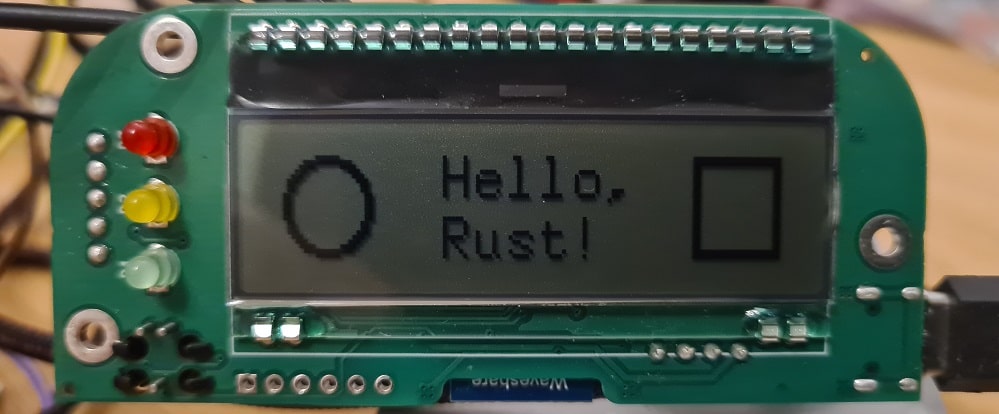





This crate aims to provide an embedded-graphics compatible driver for displays based on the ST7565 chipset.
Example
The following example is intended for the DOGM132W-5 display connected to an nRF52840 microcontroller.
Note the MODE_3 of the SPI. The DOGM132W-5 display expects the clock to be configured
with CPOL=1 and CPHA=1, which is also called SPI Mode 3.
// Create DOGM132W-5 spi bus
let spi_bus = new;
let disp_spidevice = new_no_delay.unwrap;
let disp_interface = new;
// Create DOGM132W-5 display driver
let mut page_buffer = new;
let mut disp = ST7565new.into_graphics_mode;
disp.reset.unwrap;
disp.flush.unwrap;
disp.set_display_on.unwrap;
// Draw on it using the embedded_graphics library
new
.into_styled
.draw
.unwrap;
disp.flush.unwrap;
Note the DOGM132W5 object. This is the display specification that contains all the display specific configuration options that need to be applied to the ST7565 chip.
Further note the into_graphics_mode() call, which switches the driver from its initial
mode to the embedded-graphics driver mode.
The disp object can then be used as a DrawTarget in embedded-graphics calls.
After drawing something, a flush() call has to be issued to actually
send the modified data to the display.
Adding support for new ST7565 based displays
The example above uses the DOGM132W5 struct in the [ST7565::new()] call.
To initialize the ST7565 driver struct with a different display, a new display
specification has to be created. This can be done by creating an empty struct that
implements the [DisplaySpecs] trait.
For example, the definition of the DOGM132W5 struct looks like this:
;
The exact values for the respective display have to be taken from the display's manual.
If you created a specification for a new display, please open a pull request on https://github.com/Finomnis/st7565/pulls to make it available to the public.