# spine2d
Experimental, pure Rust runtime for Spine 4.3 (unofficial).
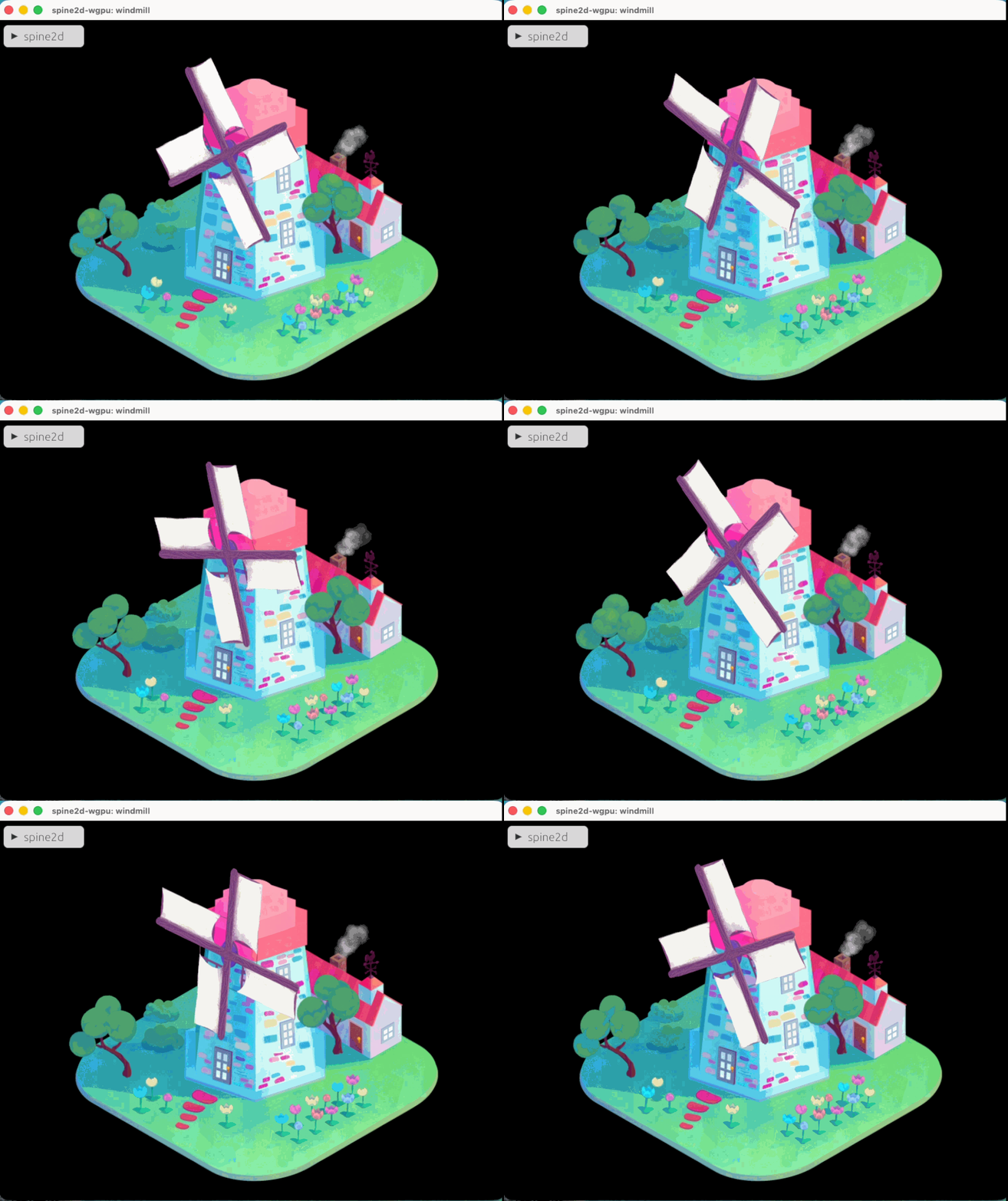
## Important notice
- This project is **unofficial** and is **not affiliated with Esoteric Software**.
- This is a **pure Rust runtime**, not an FFI binding to the official `spine-c` / `spine-cpp` runtimes. Compatibility and behavioural parity are an explicit goal, but you should treat this as an experimental implementation and manage the integration risk accordingly.
- If you need “official runtime parity + support” today, use the official runtimes (or a binding to them).
## Goals
- Pure Rust implementation (no C/C++ toolchain).
- Works on `wasm32-unknown-unknown` (web) and native targets.
- Core crate is renderer-agnostic; rendering integrations live in separate crates.
- Drive parity via oracles and upstream tests (not “approximate compatibility”).
## Non-goals (for now)
- FFI bindings to the official runtimes (`spine-c`, `spine-cpp`).
- Guaranteeing perfect behavioural parity with official runtimes from day one (we are iterating toward it, with an oracle-based workflow).
## Project layout
- `spine2d`: core runtime + parsing + renderer-agnostic render output.
- `spine2d-wgpu`: wgpu renderer integration built on top of `spine2d`.
- `spine2d-bevy`: Bevy `Material2d` backend built on top of the core runtime.
- `spine2d-web`: Trunk + wgpu web demo/viewer (`wasm32-unknown-unknown`).
## Assets / redistribution
- This repository does **not** ship official Spine example exports by default.
- Local dev scripts can download `spine-runtimes` and import example exports into `assets/` for testing/demos. Make sure you comply with the Spine license terms for your usage and redistribution.
- Import examples locally: `python3 ./scripts/prepare_spine_runtimes_web_assets.py --scope tests`
## Optional upstream smoke tests (local data)
Some smoke tests can parse official exported example JSON files from the upstream `spine-runtimes` repository. These files are not committed here by default.
- Fetch + import: `python3 ./scripts/fetch_spine_runtimes_examples.py --mode json --scope tests`
- Import from an existing checkout: `./scripts/import_spine_runtimes_examples.zsh --mode json --scope tests`
- Run tests: `cargo test -p spine2d --features json,upstream-smoke`
- Run tests (including `.skel` parsing): `cargo test -p spine2d --features json,binary,upstream-smoke`
## Demo
### wgpu demo (native)
- Minimal UV test window: `cargo run -p spine2d-wgpu --example basic --features json`
- Render upstream example skeletons (requires importing `--mode export`): `python3 ./scripts/fetch_spine_runtimes_examples.py --mode export --scope tests`; `cargo run -p spine2d-wgpu --example spine_runtimes --features json -- spineboy run --speed 1.0`
- Note: the demo resets the skeleton to setup pose each frame before `AnimationState::apply` to avoid accumulated constraint drift.
- Tip: the demo has an egui top bar to switch example/animation/skin and adjust speed/margin.
### Web demo (wasm + Trunk)
- Install target: `rustup target add wasm32-unknown-unknown`
- Install Trunk: `cargo install trunk --locked`
- Run dev server: `cd spine2d-web && trunk serve`
- Note: the viewer can load local official exports if `assets/spine-runtimes/web_manifest.json` exists (generated by script; not committed).
- Note: the web demo tracks `devicePixelRatio` and reconfigures the surface on resize.
- Note: the demo auto-fits the initial bounds to the viewport (camera fit is computed once from the first frame).
- Controls: Play/Pause, Restart, Fit, Speed, Animation, Skin.
### Using official example exports locally
- Prepare assets + web manifest: `python3 ./scripts/prepare_spine_runtimes_web_assets.py --scope tests`
- Then run: `cd spine2d-web && trunk serve`
- The demo will auto-detect `assets/spine-runtimes/web_manifest.json` and populate the Example dropdown.
- Optional URL params: `?example=spineboy&anim=run`
### Bevy backend
The Bevy integration is published as the `spine2d-bevy` crate and tracks `bevy 0.19`. Install it with `cargo add spine2d-bevy`.
The Bevy examples can run with bundled demo assets, but the interactive viewer needs local Spine example exports for the full example/animation/skin switcher. Prepare those assets first when you want to test with real upstream data:
```sh
python3 ./scripts/prepare_spine_runtimes_web_assets.py --scope tests
```
The script writes ignored files under `assets/spine-runtimes/`, including `assets/spine-runtimes/web_manifest.json`. Without that manifest, the viewer falls back to the bundled `demo` assets.
Run the built-in Bevy examples:
- `cargo run -p spine2d-bevy --example basic`
- `cargo run -p spine2d-bevy --example metadata`
- `cargo run -p spine2d-bevy --example bounds`
- `cargo run -p spine2d-bevy --example multi_spine`
- `cargo run -p spine2d-bevy --example mixing`
- `cargo run -p spine2d-bevy --example mixing_inspector`
- `cargo run -p spine2d-bevy --example runtime_controls`
- `cargo run -p spine2d-bevy --example viewer`
The viewer reads `assets/spine-runtimes/web_manifest.json` and lets you switch examples, animations, skins, playback state, speed, and camera fit from the keyboard.
The `mixing` example auto-runs gameplay-style presets for idle, walk, run, one-shot actions, queued recovery, and empty-animation fades without manual setup.
The `mixing_inspector` example provides an egui tuning panel for default mix, pair mix, entry mix duration, queue mix duration, empty mix duration, alpha, additive, and reverse settings.
The Bevy integration is centered on a public `Spine` component plus optional runtime control components:
```rust
use bevy::prelude::*;
use spine2d_bevy::{Spine, Spine2dPlugin};
fn main() {
App::new()
.add_plugins(DefaultPlugins)
.add_plugins(Spine2dPlugin)
.add_systems(Startup, setup)
.run();
}
fn setup(mut commands: Commands, asset_server: Res<AssetServer>) {
commands.spawn(
Spine::new(
asset_server.load("demo.json"),
asset_server.load("demo.atlas"),
)
.with_animation_name("spin", true),
);
}
```
Add `SpineAnimation` or `SpineSkin` only when you want component-driven runtime control after spawn. Add `SpineAnimationStateConfig` when you want to configure `AnimationStateData` mix settings at spawn time or update them later through component changes:
```rust
use spine2d_bevy::{Spine, SpineAnimationStateConfig};
commands.spawn((
Spine::new(
asset_server.load("character.json"),
asset_server.load("character.atlas"),
)
.with_animation_name("idle", true),
SpineAnimationStateConfig::new()
.with_default_mix(0.2)
.with_mix("run", "walk", 0.1),
));
```
Use `SpineSkeletonControl` for durable skeleton-level controls such as physics mode, wind, gravity, and skeleton time. Gameplay systems can also write `SpineAnimationCommand` messages to set, queue, clear, mix out, or configure track animations, and `SpineSkeletonCommand` messages for one-shot skeleton operations such as setup-pose reset. Track-entry options are carried by `SpineTrackEntrySettings` and applied immediately to the entry returned by the runtime:
```rust
use spine2d_bevy::{SpineAnimationCommand, SpineTrackEntrySettings};
animation_commands.write(
SpineAnimationCommand::set_animation(entity, 0, "run", true).with_entry_settings(
SpineTrackEntrySettings::new()
.with_mix_duration(0.2)
.with_alpha(0.85),
),
);
```
Use the public `SpineReady` marker or `SpineLifecycleEvent` messages to observe when an entity has an active runtime instance. `SpineLifecycleEvent` also reports when that instance is released because the component was removed, the entity was despawned, or a skeleton/atlas asset reload invalidated the runtime. The backend maintains public `SpineBounds` and `SpineRuntimeState` components with the current Bevy local-space bounds, active tracks, skeleton time, physics mode, wind, and gravity for camera fitting, hit areas, and gameplay queries.
Use `SpineFlipY(true)` when your project uses a Y-down space and you want the backend to mirror Spine geometry for you.
Coordinate note: `spine2d-bevy` forwards Spine-local positions into Bevy without an implicit Y flip by default. Bevy world space is also Y-up, so the backend stays convention-neutral unless you opt in to `SpineFlipY(true)`. If a project uses Y-down or screen-space coordinates, attach `SpineFlipY(true)` to the entity or apply that conversion in the game's own transform/camera layer.
## License
Dual-licensed under `MIT OR Apache-2.0`. See `LICENSE-MIT` and `LICENSE-APACHE`.
## Spine license notice
Spine is developed by Esoteric Software. This project is not affiliated with them.
Using Spine runtimes and Spine data generally requires a Spine Editor license.
See the official license terms: https://esotericsoftware.com/spine-editor-license