# Sockudo
A high-performance, scalable WebSocket server implementing the Pusher protocol in Rust.
[](https://github.com/Sockudo/sockudo)
[](https://github.com/rustnsparks/sockudo/actions)
[](LICENSE)
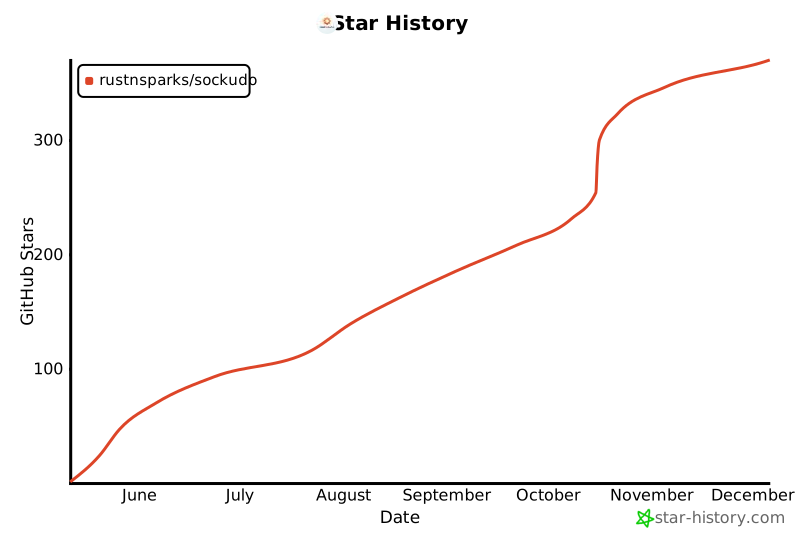
## Star History
[](https://star-history.com/#Sockudo/sockudo&Date)
## Features
- **🚀 High Performance** - Handle 100K+ concurrent connections
- **🔄 Pusher Compatible** - Drop-in replacement for Pusher services
- **🏗️ Scalable Architecture** - Redis, Redis Cluster, NATS adapters
- **🛡️ Production Ready** - Rate limiting, SSL/TLS, metrics
- **⚡ Async Cleanup** - Non-blocking disconnect handling
- **📊 Real-time Metrics** - Prometheus integration
## Quick Start
### Docker (Recommended)
```bash
# Clone and start with Docker Compose
git clone https://github.com/RustNSparks/sockudo.git
cd sockudo
make up
# Server runs on http://localhost:6001
# Metrics on http://localhost:9601/metrics
```
### From Source
```bash
# Install Rust (if not already installed)
# Build and run
git clone https://github.com/RustNSparks/sockudo.git
cd sockudo
# Fast local development build (default - no external dependencies)
cargo run --release
# Production build with all features
cargo run --release --features full
```
### Feature Flags
Sockudo supports optional compilation of backends to speed up local development:
```bash
# Local development (fastest - default)
cargo build # ~30-50% faster compile
# With specific backends
cargo build --features "redis,postgres" # Redis + PostgreSQL
cargo build --features "redis-cluster,mysql" # Redis Cluster + MySQL
# Full production build
cargo build --release --features full # All backends
```
**Available Features:**
- `local` (default) - In-memory implementations only
- `redis` - Redis adapter, cache, queue, rate limiter
- `redis-cluster` - Redis Cluster support
- `nats` - NATS adapter
- `mysql` / `postgres` / `dynamodb` - Database backends
- `sqs` / `lambda` - AWS integrations
- `full` - All features enabled
## Basic Usage
Connect using any Pusher-compatible client:
```javascript
import Pusher from 'pusher-js';
const pusher = new Pusher('app-key', {
wsHost: 'localhost',
wsPort: 6001,
cluster: '',
forceTLS: false
});
const channel = pusher.subscribe('my-channel');
channel.bind('my-event', (data) => {
console.log('Received:', data);
});
```
## Configuration
### Environment Variables
```bash
# Basic settings
PORT=6001
HOST=0.0.0.0
DEBUG=false
# Default app credentials
SOCKUDO_DEFAULT_APP_ID=app-id
SOCKUDO_DEFAULT_APP_KEY=app-key
SOCKUDO_DEFAULT_APP_SECRET=app-secret
# Scaling drivers
ADAPTER_DRIVER=redis # local, redis, redis-cluster, nats
CACHE_DRIVER=redis # memory, redis, redis-cluster, none
QUEUE_DRIVER=redis # memory, redis, redis-cluster, sqs, none
```
### Performance Tuning
```bash
# Connection limits
SOCKUDO_DEFAULT_APP_MAX_CONNECTIONS=100000
SOCKUDO_DEFAULT_APP_MAX_CLIENT_EVENTS_PER_SECOND=10000
# Cleanup performance (for handling mass disconnects)
CLEANUP_QUEUE_BUFFER_SIZE=50000
CLEANUP_BATCH_SIZE=25
CLEANUP_WORKER_THREADS=auto
# CPU scaling
ADAPTER_BUFFER_MULTIPLIER_PER_CPU=128
```
### Database Pooling
- Global defaults (apply to all SQL DBs unless overridden):
```bash
DATABASE_POOLING_ENABLED=true
DATABASE_POOL_MIN=2
DATABASE_POOL_MAX=10
# Legacy cap if pooling disabled
DATABASE_CONNECTION_POOL_SIZE=10
```
- Per‑database overrides (take precedence over global when set):
```bash
# MySQL
DATABASE_MYSQL_POOL_MIN=4
DATABASE_MYSQL_POOL_MAX=32
# PostgreSQL
DATABASE_POSTGRES_POOL_MIN=2
DATABASE_POSTGRES_POOL_MAX=16
```
- config/config.json keys:
```json
{
"database_pooling": { "enabled": true, "min": 2, "max": 10 },
"database": {
"mysql": { "pool_min": 2, "pool_max": 10, "connection_pool_size": 10 },
"postgres": { "pool_min": 2, "pool_max": 10, "connection_pool_size": 10 }
}
}
```
Behavior:
- When `database_pooling.enabled` is true, managers use per‑DB `pool_min/pool_max` if provided; otherwise they fall back to the global `database_pooling.min/max`.
- When disabled, managers use `connection_pool_size` as the max connections for backward compatibility.
## Deployment Scenarios
| **Development** | 1vCPU/1GB | local | memory | memory | 1K |
| **Small Production** | 2vCPU/2GB | redis | redis | redis | 10K |
| **High Traffic** | 4vCPU/4GB+ | redis | redis | redis | 50K+ |
| **Multi-Region** | 8vCPU/8GB+ | redis-cluster | redis-cluster | redis-cluster | 100K+ |
## Architecture
```
┌─────────────────┐ ┌─────────────────┐ ┌─────────────────┐
│ Load Balancer │────│ Sockudo Node │────│ Redis Cluster │
│ (Nginx) │ │ (Rust/Tokio) │ │ (State Store) │
└─────────────────┘ └─────────────────┘ └─────────────────┘
│ │ │
│ ┌─────────────────┐ │
└──────────────│ Sockudo Node │─────────────┘
│ (Rust/Tokio) │
└─────────────────┘
```
## Documentation
- **[Full Documentation](docs/)** - Complete setup and configuration guide
- **[Performance Tuning](docs/QUEUE_CONFIG.md)** - Optimize for your workload
- **[Docker Deployment](docker-compose.yml)** - Production-ready containers
- **[API Reference](docs/API.md)** - WebSocket and HTTP API details
## Testing
```bash
# Run all tests
make test
# Interactive WebSocket testing
cd test/interactive && npm install && npm start
# Open http://localhost:3000
# Load testing
make benchmark
```
## Contributing
1. Fork the repository
2. Create a feature branch (`git checkout -b feature/amazing-feature`)
3. Commit your changes (`git commit -m 'Add amazing feature'`)
4. Push to the branch (`git push origin feature/amazing-feature`)
5. Open a Pull Request
## License
Licensed under the [MIT License](LICENSE).
## Support
- **Issues**: [GitHub Issues](https://github.com/RustNSparks/sockudo/issues)
- **Discussions**: [GitHub Discussions](https://github.com/RustNSparks/sockudo/discussions)
- **Documentation**: [sockudo.app](https://sockudo.app)
- **Discord**: [Join our Discord](https://discord.gg/ySfNxfh2gZ)
- **X**: [@sockudorealtime](https://x.com/sockudorealtime)
- **Email**: [sockudorealtime](mailto:sockudorealtime@gmail.com)