
sluuz (slu)
git, but it sleuths - a git superset with cross-repo search, secret scanning, and multi-repo management
Install
No cargo yet? Rust installs the same way on every distro: rustup.rs.
It is still git
Anything git understands is forwarded verbatim, with your editor, pager, prompts, colors and exit codes intact:
-C <path> works as git's does, for slu's own commands too (slu -C ~/src repos).
Then come the parts it does not. Each one below is an interactive tool and the plain command that prints the same answer, for scripts and pipes.
Every repo at once, and a way into them

Legend: ✚ uncommitted · ↑ unpushed commits · ↓ unpulled commits
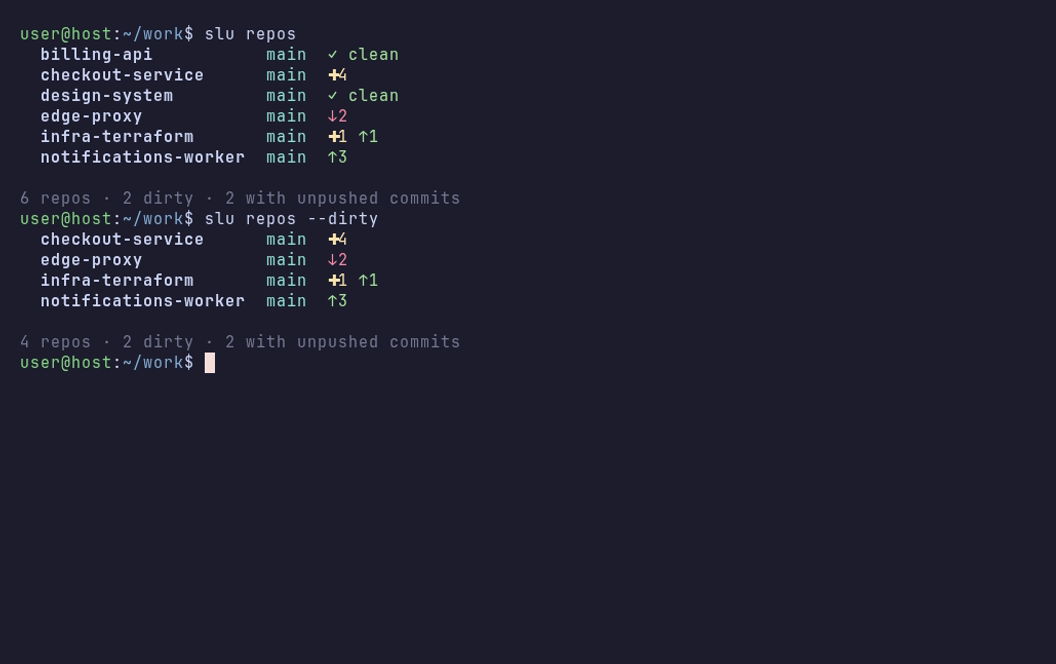
The same app opens at the branches, tags, commits or stashes of the repo you
are in with slu ibranch, slu itag, slu ilog and slu istash.
Find a leaked string in every repo's history

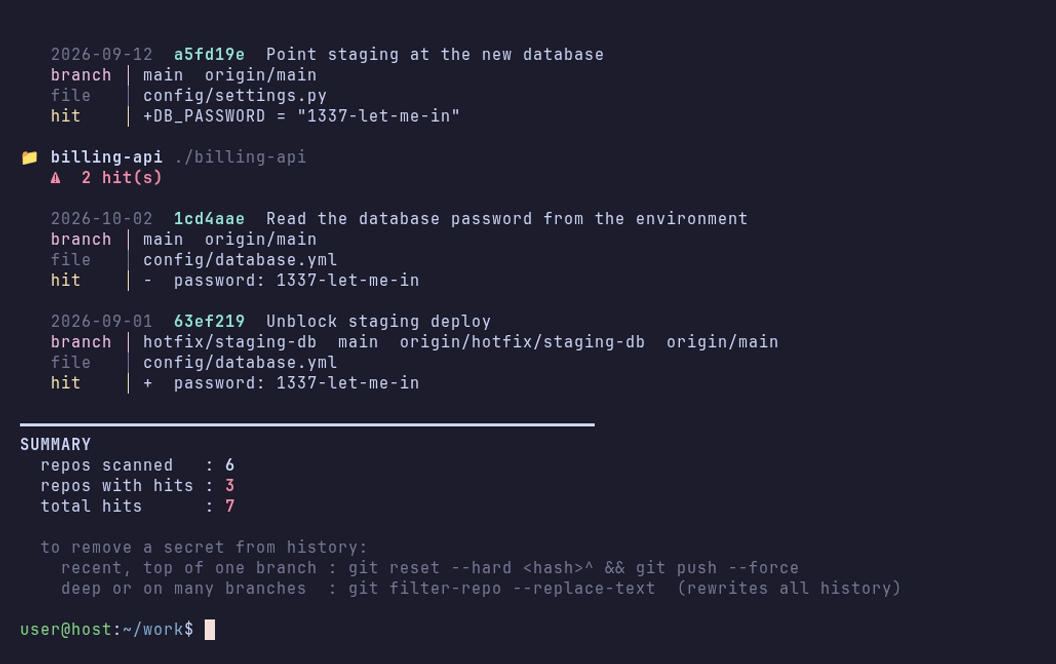
notifications-worker is the case a file listing cannot find: .env was
untracked afterwards, so the secret survives only in history, and the origin/
refs say it survives on the server too.
Read history in a real diff view

Legend: ↑ unpushed commits · ↓ unpulled commits, which only the upstream has
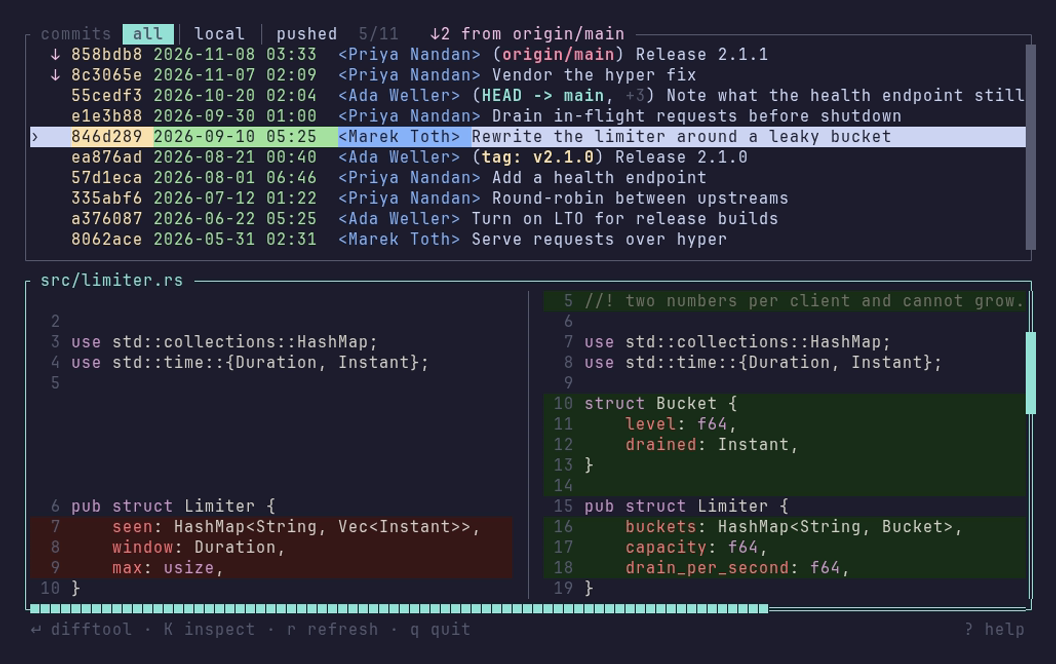
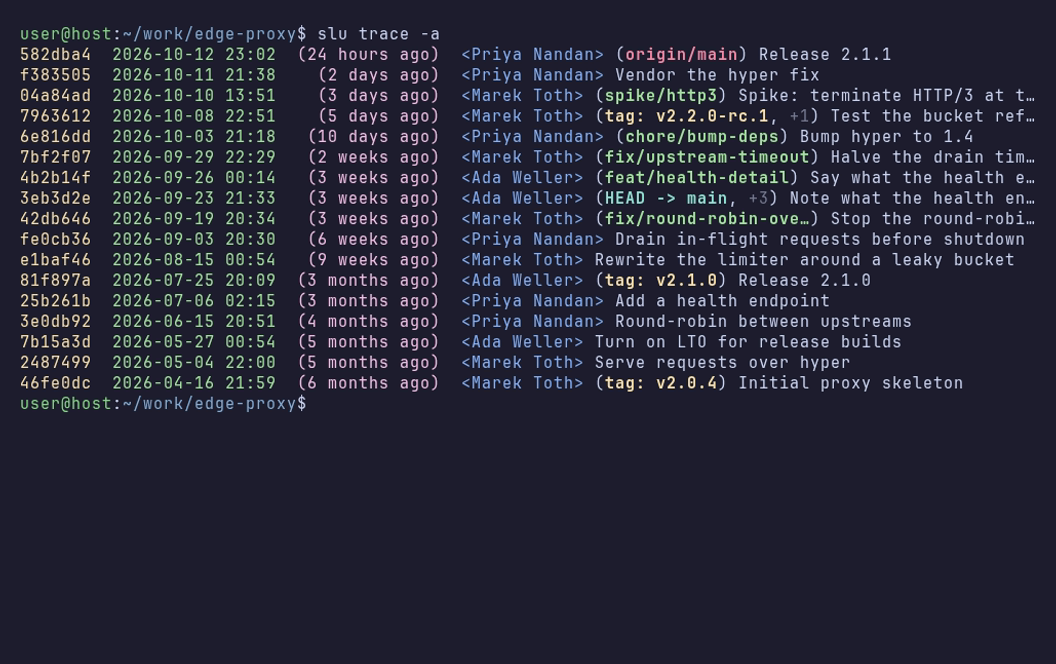
Highlighted in pure Rust, so no external diff tool is needed, though Enter
hands the file to yours if you want it.
Stage and review in one place

Legend: left column staged (green) · right column unstaged (red) · MM both · ?? untracked
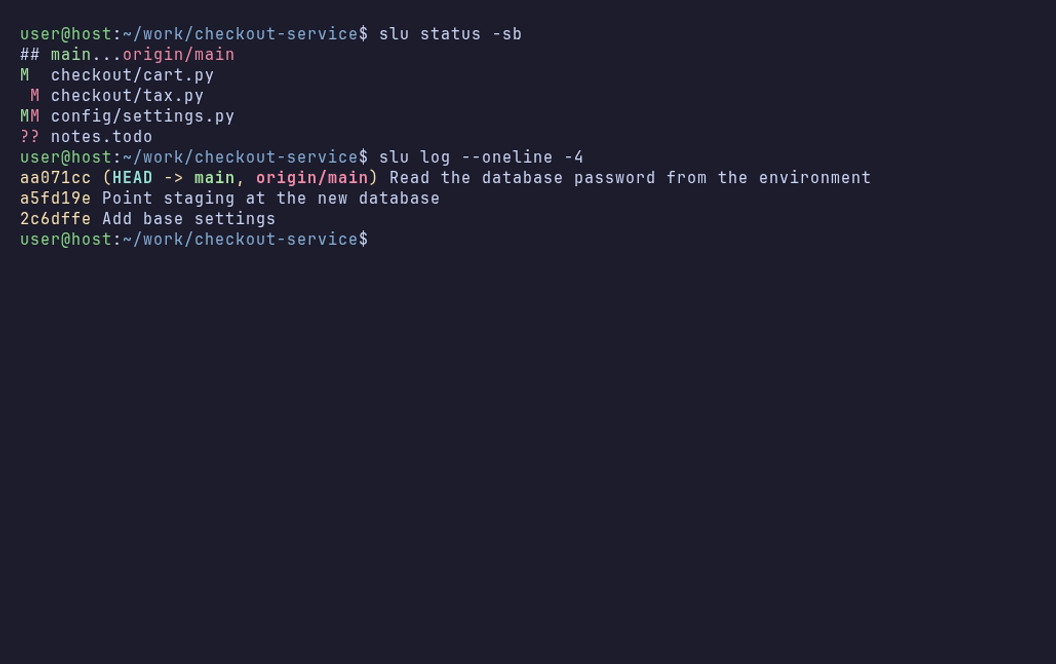
git status you can act on, in git's own two-column code: s stages, u
unstages, and S and U do it to every file the list shows. c commits
what is staged, and d throws a file's changes away once you type its name.
See what a stash holds

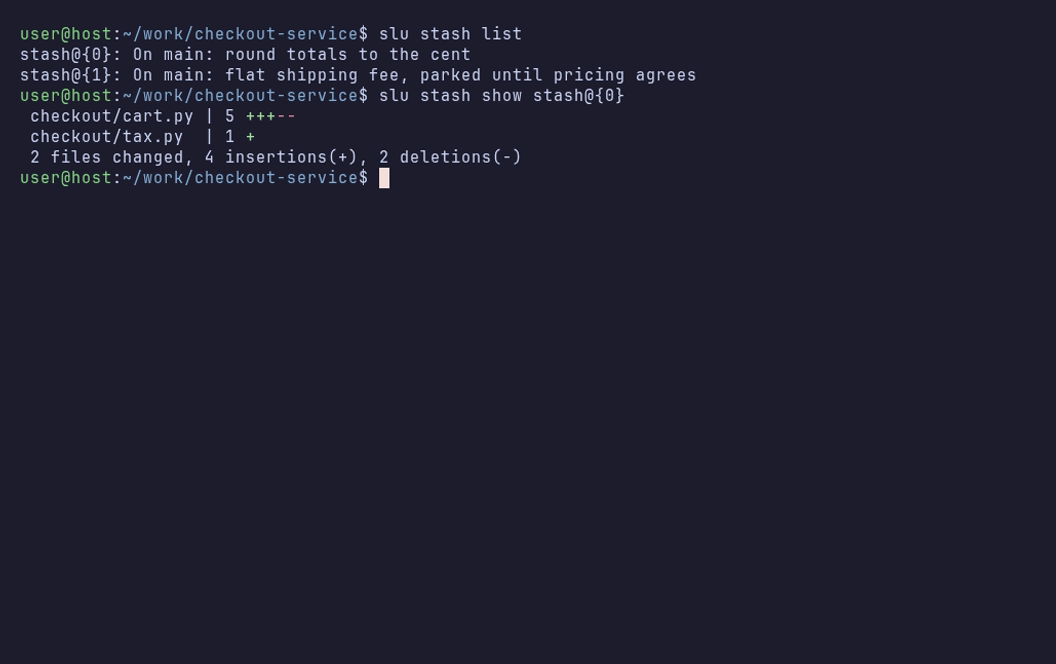
No more git stash show -p stash@{2} to find out what you parked. a applies,
p pops and d drops, asking for the stash's name first, since its changes are
kept nowhere else.
Know what you have not pushed, and delete what is finished

Legend: ↑N ahead of upstream · no remote never pushed · ⚑ gone upstream was deleted · synced in step
# -r opens on the remote's, -g on the finished ones (upstream gone)
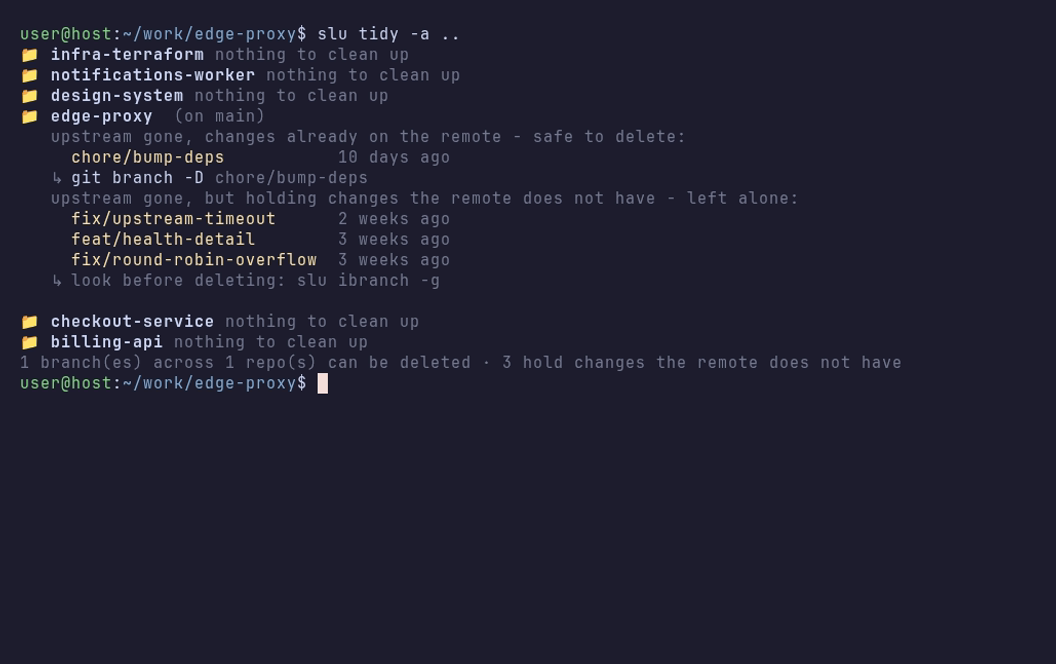
"Finished" means upstream gone, not "merged", so a branch still alive on the remote is never suggested, and one holding work the remote does not have is listed apart for you to look at.
Know which tags the remote has

Legend: ↑ not pushed · ⚑ the remote's tag is not the same as yours · ↓ only the remote has it
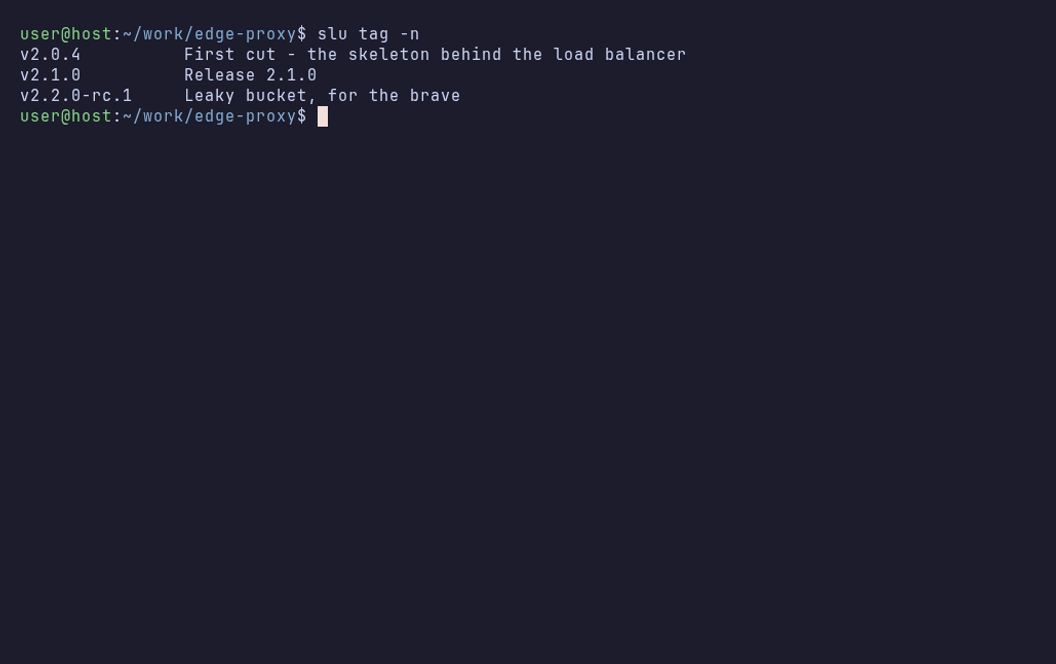
git keeps no record of a remote's tags, so slu itag asks the remote once the
list is up and never stops for a password. t adds one fetch rule so git keeps
a copy of them, and the marks then show at once.
See where every remote stands
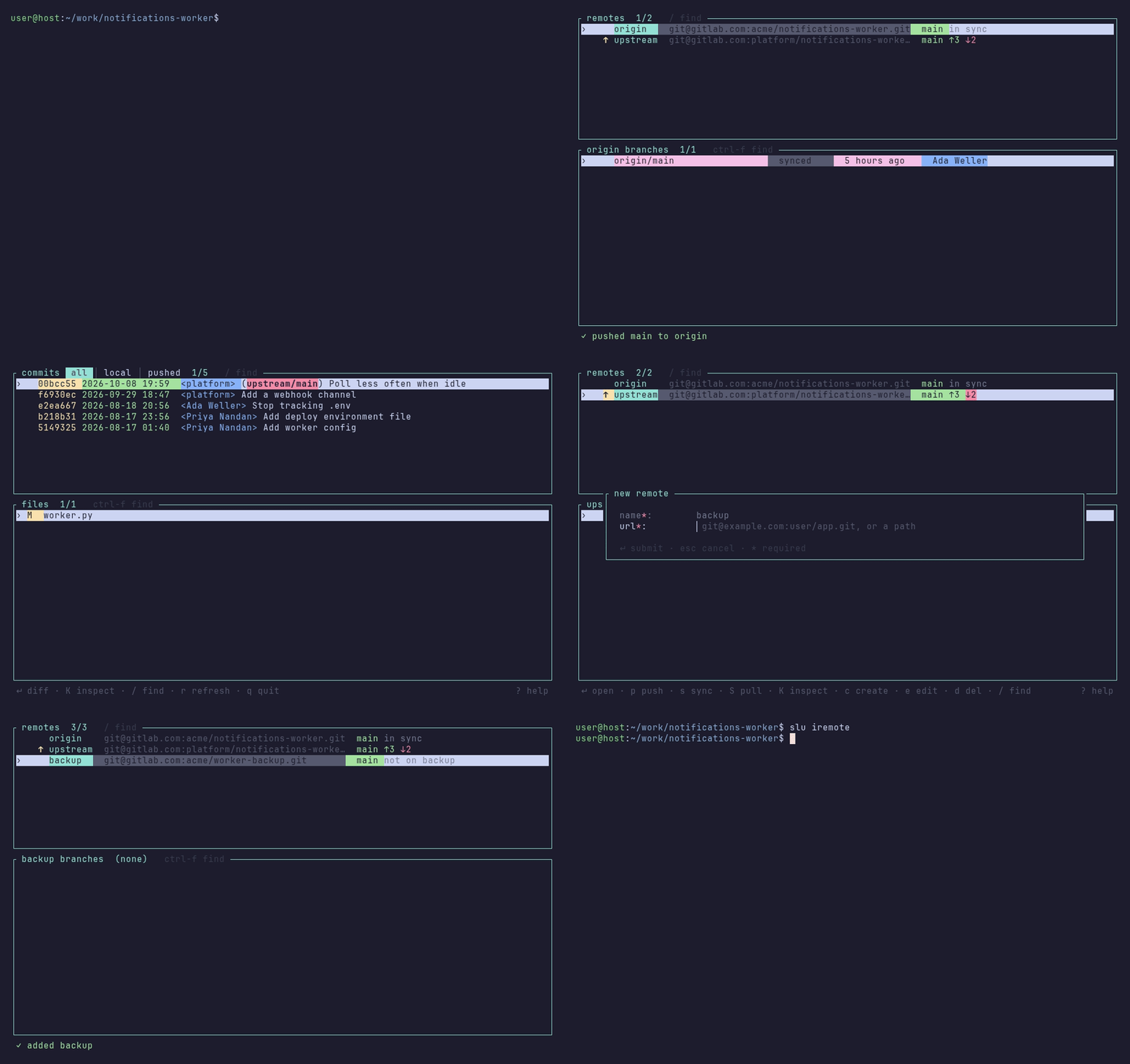
Legend: ↑N commits that remote lacks · ↓N commits only it has · · no local branch tracks it
p never forces and sets an upstream only on a branch that has none, so pushing
a fork's work to upstream never changes where it pulls from.
Commands
Multi-repo commands take a path (default .) and -d N (default 3),
slu <command> --help has every flag, and ? in any screen lists every key.
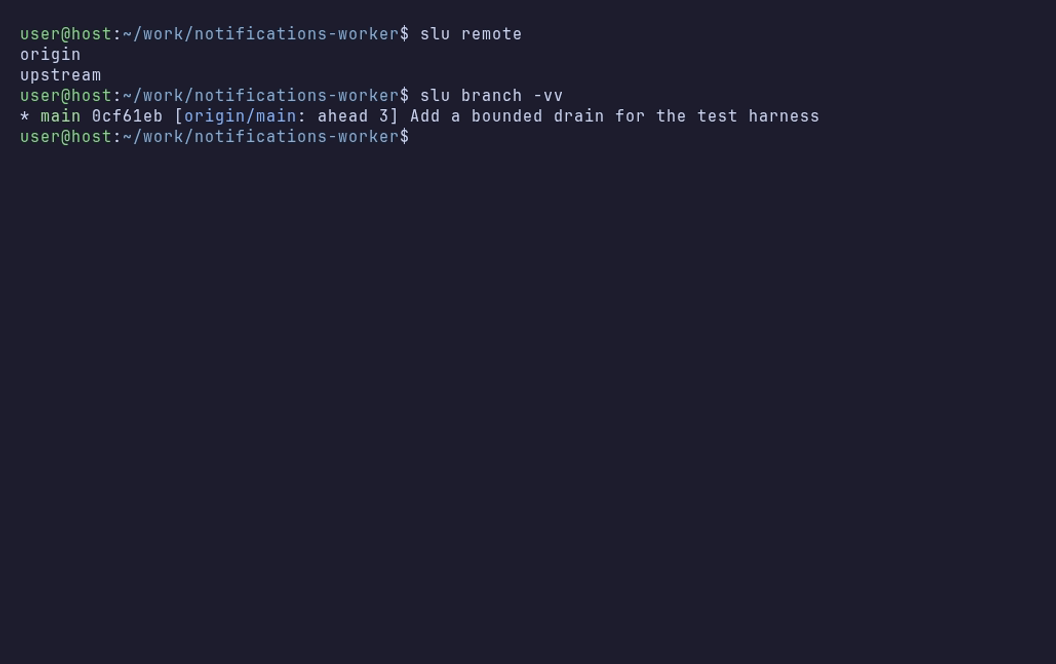
Every interactive tool has a plain command that prints the same answer for scripts and pipes, and anything passed through keeps git's own output and exit code.
Tab completion
Completion reuses git's own, so slu branch v<Tab> completes a real branch name
and every git subcommand, alias and flag behaves exactly like git.
Restart your shell afterwards; without --add it just prints the script. Works
in Git Bash and WSL too.
What it edits
.git/config          one fetch rule for the remote's tags, when you press t in slu itag
refs/remote-tags/    git's copy of the remote's tags, kept apart from branches
Notes
scanterms are case-insensitive and default topassword,secret,token,api_key,passwd,credentials, and being pickaxe-based they also read binary and encrypted blobs.- Git marks a branch gone only once its remote-tracking ref is pruned, so on a repo that never prunes
tidycan miss branches and says so;tidy -porsinibranchprunes first, andgit config --global fetch.prune truefixes it for good. - A stash's diff is against the commit it was made on, as
git stash show -pprints it, and untracked files stashed with-uare not listed. - In Windows PowerShell 5.1, once the
Microsoft.PowerShell.LocalAccountsmodule loads (runningGet-LocalUserloads it),sluis its alias forSet-LocalUser: typeslu.exethere.
Compatibility
Linux, macOS and Windows. Everything is passed through to your own git, so
anywhere git runs, slu runs.
License
AGPL-3.0-only