
# simkube
A collection of tools for simulating Kubernetes scheduling and autoscaling behaviour
## Overview
This package provides the following components:
- `skctl`: a CLI utility for interacting with various other SimKube components
- `sk-ctrl`: a Kubernetes Controller that watches for Simulation custom resources and runs a simulation based on the
provided trace file.
- `sk-driver`: the actual runner for a specific simulation, created as a Kubernetes Job by `sk-ctrl`
- `sk-tracer`: a watcher for Kubernetes pod creation and deletion events, saves these events in a replayable trace
format.
### Architecture Diagram

### Demo
[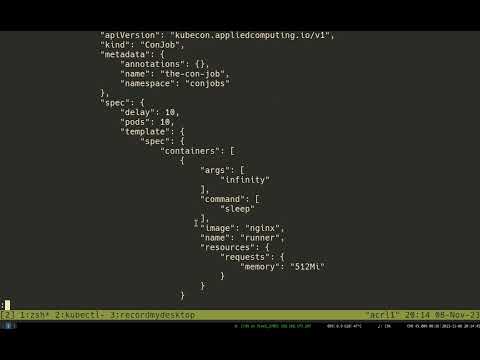](https://www.youtube.com/watch?v=Q1XpH1H4It8)
## Installation
`kubectl apply -k k8s/kustomize`
## Documentation
Full [documentation for SimKube](https://appliedcomputing.io/simkube/) is available on Applied
Computing's website. Here are some quick links to select topics:
- [Installation](https://appliedcomputing.io/simkube/docs/intro/installation/)
- [Autoscaling](http://appliedcomputing.io/simkube/docs/adv/autoscaling/)
- [Metrics Collection](http://appliedcomputing.io/simkube/docs/adv/metrics/)
- [Component Reference](http://appliedcomputing.io/simkube/docs/components/skctl/)
- [Developing SimKube](http://appliedcomputing.io/simkube/docs/dev/contributing/)
## Community
We have a [channel](https://kubernetes.slack.com/archives/C07LTUB823Z) on the Kubernetes Slack instance! Come chat with
us there. (You can [sign up](https://communityinviter.com/apps/kubernetes/community) for the Kubernetes Slack instance
for free)
## Contributing
We welcome any and all contributions to the SimKube project! Please open a pull request.
If you have a feature request, please start a [discussion](https://github.com/acrlabs/simkube/discussions). Members of
the SimKube team will determine whether the feature should become planned work and how it will be prioritized.
If you've found a bug or are working on a planned improvement, please [open an
issue](https://github.com/acrlabs/simkube/issues)!
### Code of Conduct
Applied Computing Research Labs has a strict code of conduct we expect all contributors to adhere to. Please read the
[full text](https://github.com/acrlabs/simkube/blob/master/CODE_OF_CONDUCT.md) so that you understand the expectations
upon you as a contributor.
### Copyright and Licensing
SimKube is licensed under the [MIT License](https://github.com/acrlabs/simkube/blob/master/LICENSE). Contributors to
this project agree that they own the copyrights to all contributed material, and agree to license your contributions
under the same terms. This is "inbound=outbound", and is the [GitHub
default](https://docs.github.com/en/site-policy/github-terms/github-terms-of-service#6-contributions-under-repository-license).
> [!WARNING]
> Due to the uncertain nature of copyright and IP law, this repository does not accept contributions that have been all
> or partially generated with GitHub Copilot or other LLM-based code generation tools. Please disable any such tools
> before authoring changes to this project.
## Related Reading
- [Announcing SimKube 1.0](https://blog.appliedcomputing.io/p/announcing-simkube-v10)
- [Why do we need a simulator?](https://blog.appliedcomputing.io/p/simkube-part-1-why-do-we-need-a-simulator)