# ShellQL
> **ShellQL is a database manager TUI for developers.**
>
> It is Vim- and tmux-inspired, built for ergonomic SQL workflows and database management from the terminal.
> If you know Vim and SQL, you will feel right at home.
---
## Beta status
ShellQL is currently in **beta**.
It is already usable for daily development workflows, but features and keybindings are still evolving. Expect frequent updates, UX refinements, and expansion of database support.
---
## What ShellQL is
ShellQL is a keyboard-first terminal app for working with databases without leaving your shell.
It focuses on:
- fast navigation
- modal editing
- composable layouts (tabs + panes + views)
- practical data operations (filter, sort, edit, delete, insert, query)
ShellQL is intentionally **not beginner-first**. The payoff for learning the keybindings is high: once the workflow clicks, you can move very quickly.
---
## Philosophy: tabs, panes, and views
ShellQL is designed like a dashboard you build yourself:
- **Tabs**: separate work contexts (e.g. staging vs prod, or schema work vs query work)
- **Panes**: split your current tab into focused working areas
- **Views**: choose what each pane does (`tables`, `table`, `schema`, `editor`, `results`)
A common setup:
- left pane: table list
- top-right pane: table view
- bottom-right pane: SQL editor/results
This makes it easy to inspect data, write SQL, and validate outcomes side-by-side.
---
## Core capabilities
- Connection management in TUI and CLI
- Supported engines: **Postgres, MySQL, SQLite**
- Vim-like SQL editor (normal/insert/visual, operators, motions, yank/paste)
- Context-aware autocomplete (commands + editor SQL/table completion)
- Table view workflows: browse, filter, sort, edit, delete, staged inserts
- Schema exploration per table
- Query execution + multi-result view
- Multi-tab, multi-pane workspace
---
## Installation
### Homebrew (custom tap)
```bash
brew tap amaduswaray/tap
brew install shellql
```
> Homebrew setup details: [docs/homebrew.md](./docs/homebrew.md)
### Cargo
```bash
cargo install shellql
```
### Build from source
```bash
git clone https://github.com/amaduswaray/ShellQL.git
cd shellql
cargo build --release
./target/release/shql
```
---
## Quick start
Launch TUI:
```bash
shql
```
CLI examples:
```bash
# Add a saved connection
shql db add --name dev --engine postgres --url 'postgres://user:pass@localhost:5432/mydb'
# List saved connections
shql db list
# Delete a saved connection
shql db delete --name dev
# Interactive connect flow
shql connect --interactive
```
---
## Demos
> Recorded terminal demos from `docs/demos/`.
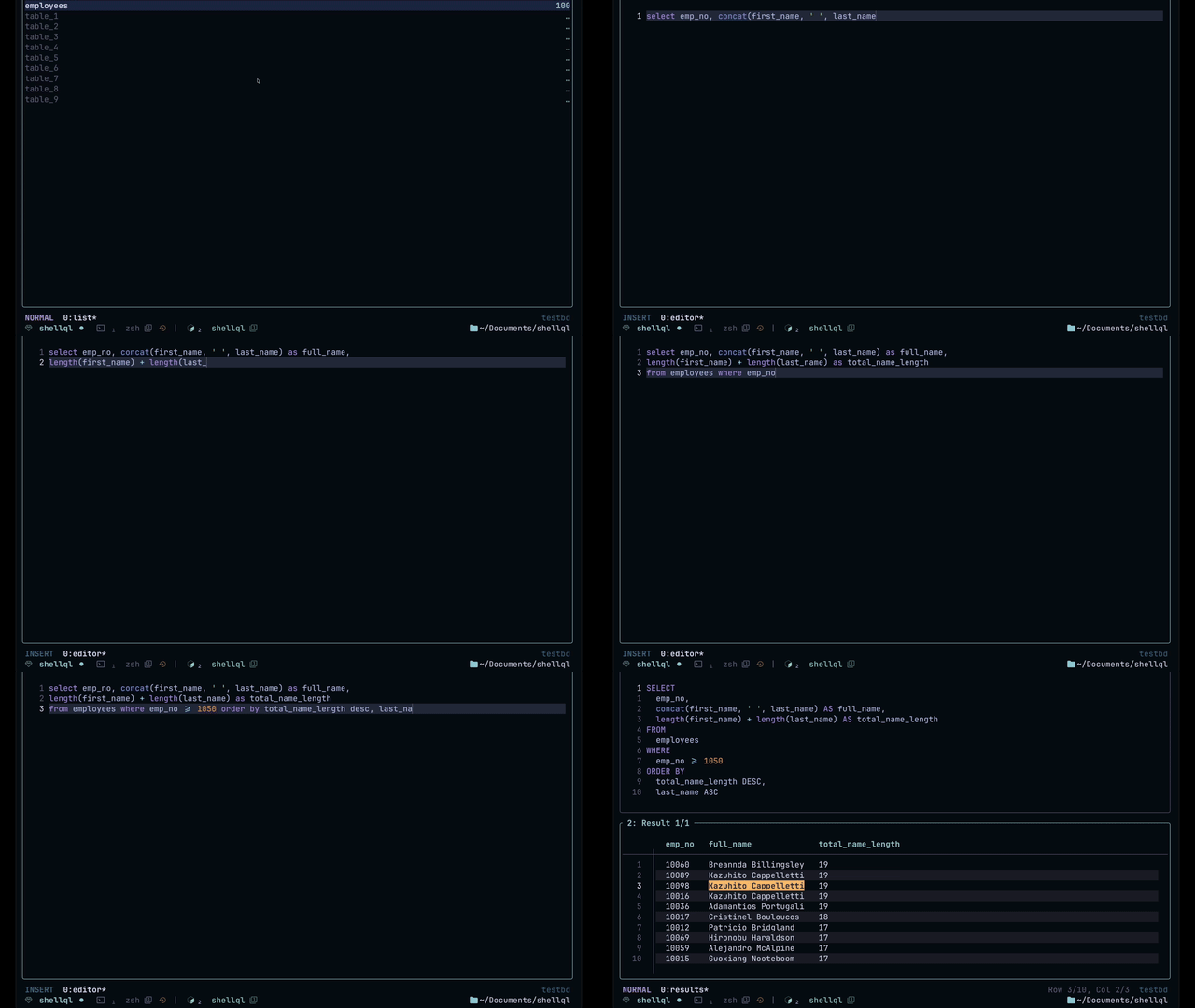
### 1) ShellQL overview
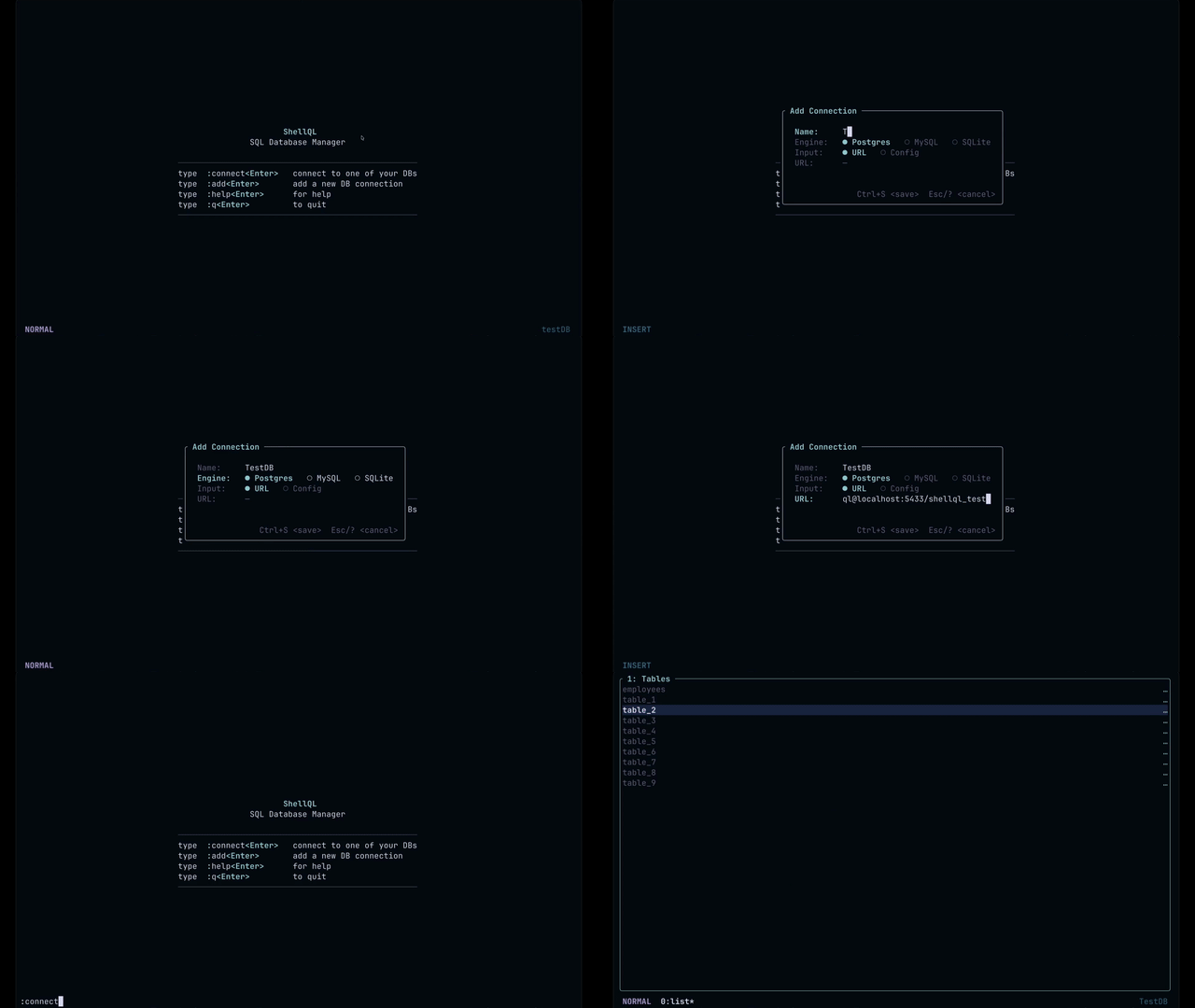
### 2) Add connection flow
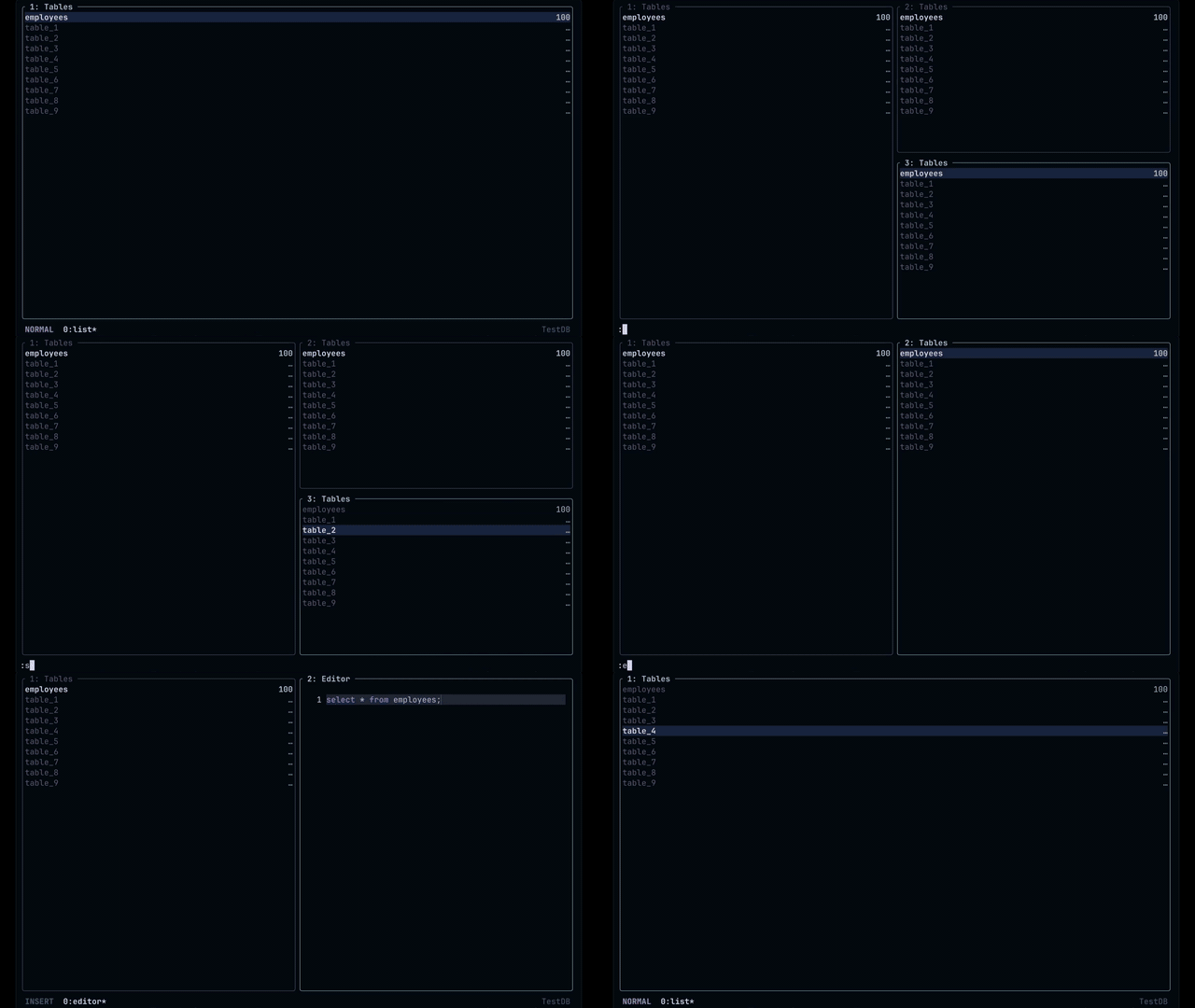
### 3) Pane workflows (split + navigate)
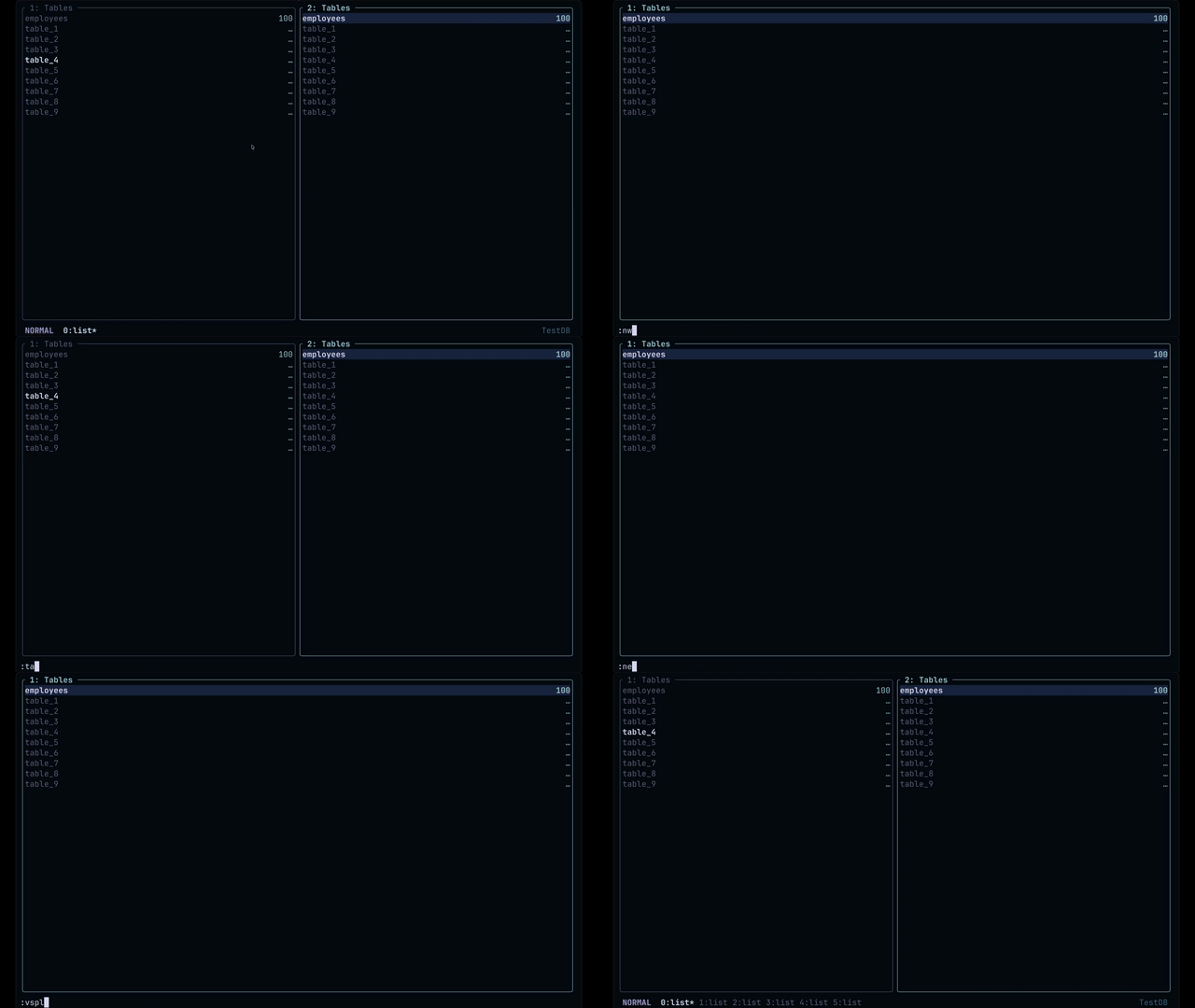
### 4) Tab workflows
### 5) Column search

### 6) Filter rows with `:where`
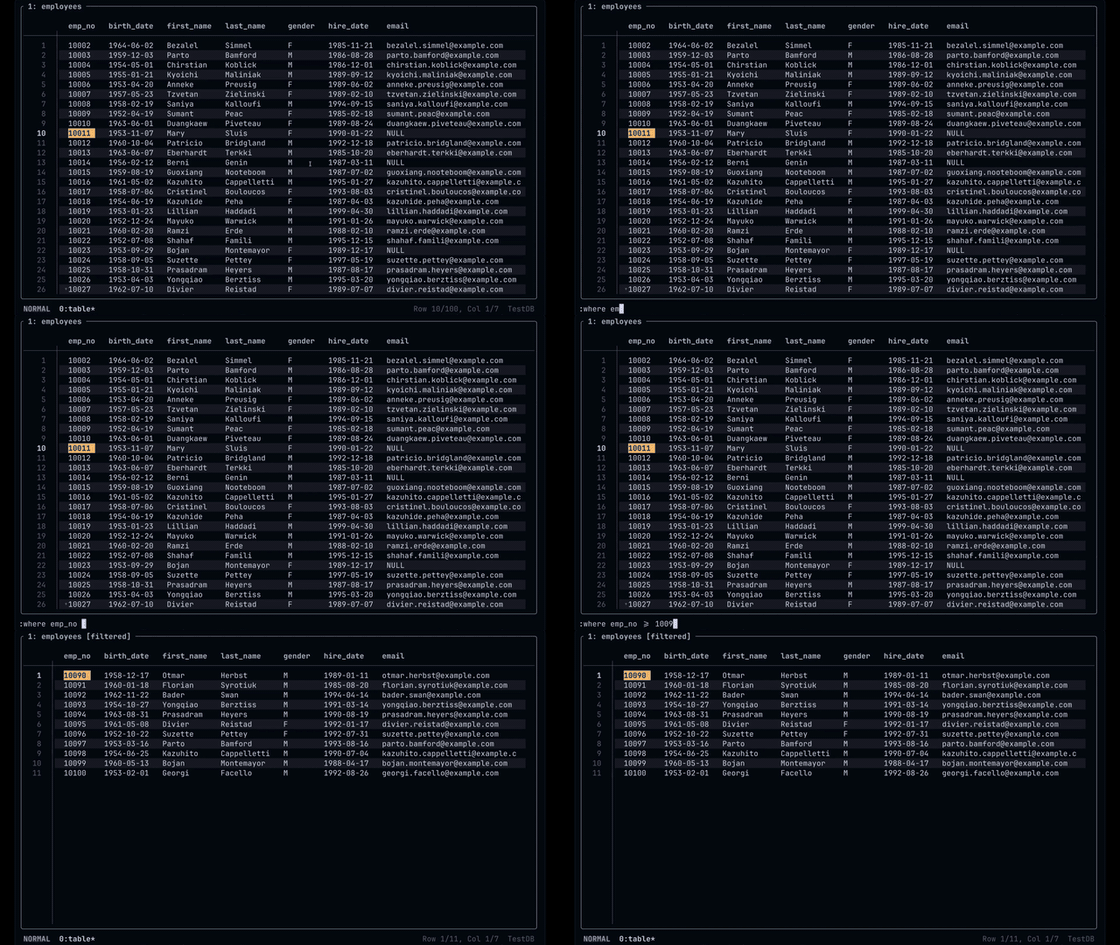
### 7) Sort rows with `:order`

### 8) Column projection with `:select`
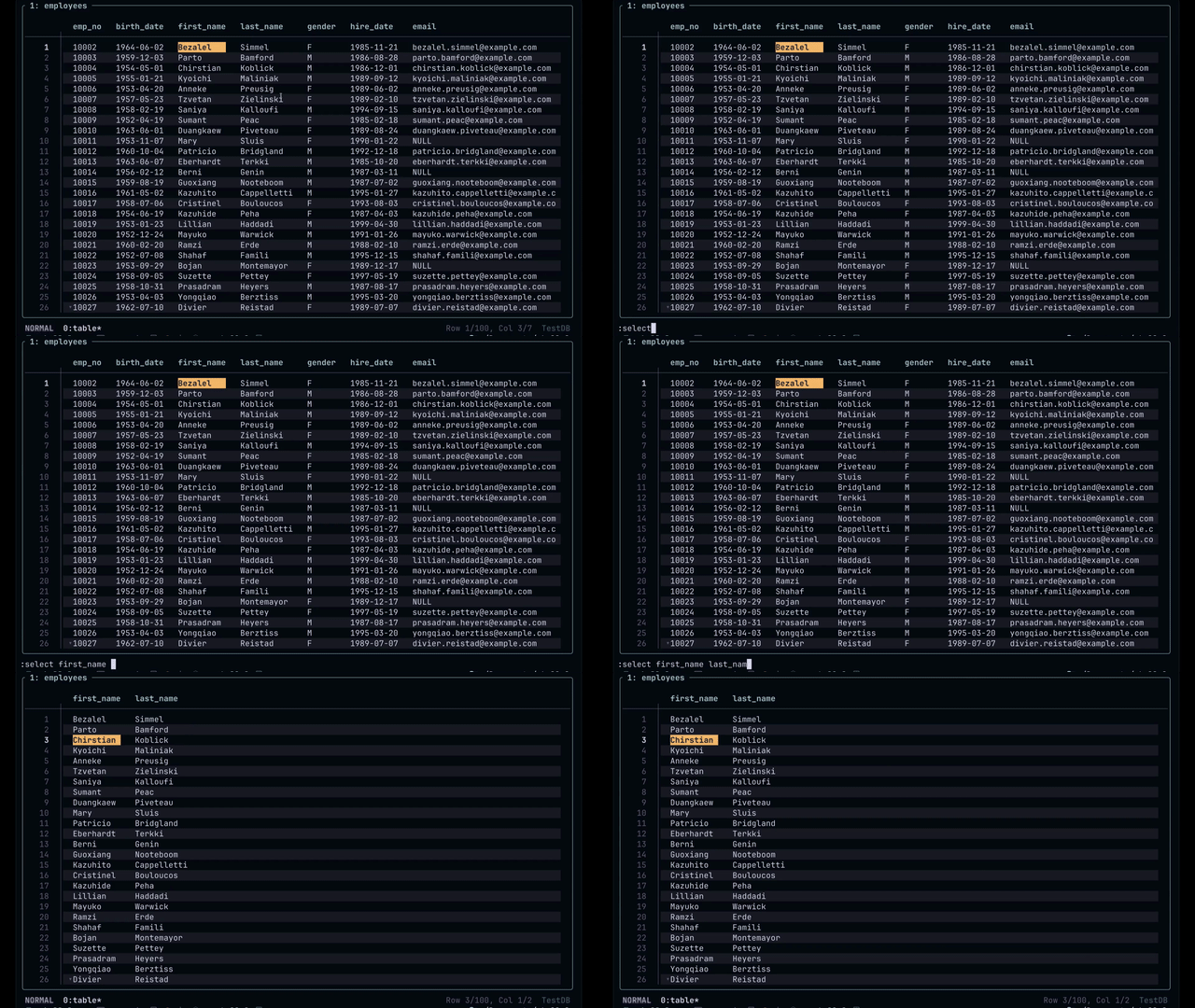
### 9) Query editor: multiple SELECTs
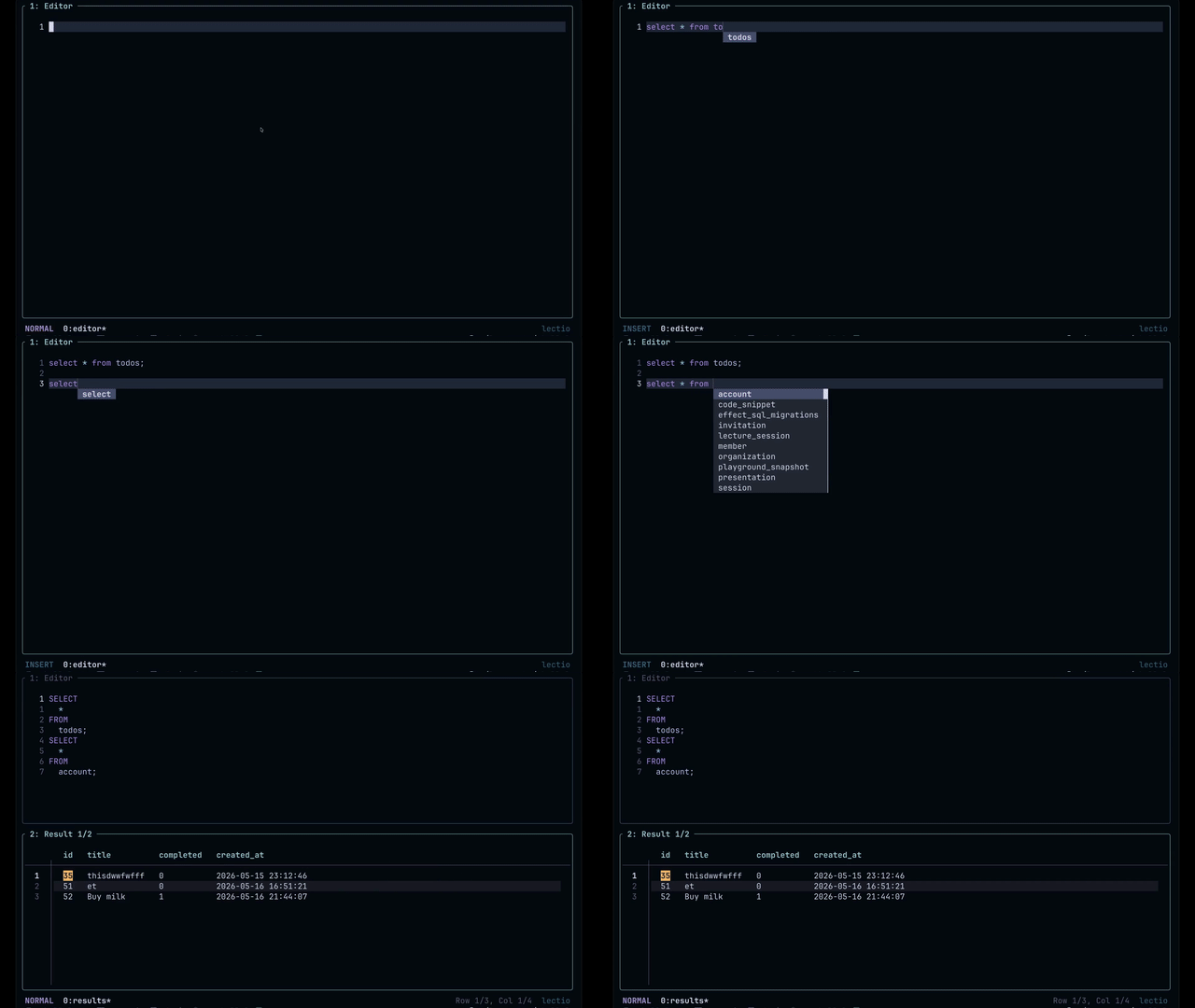
### 10) Cmdline SQL execution (`:!`)
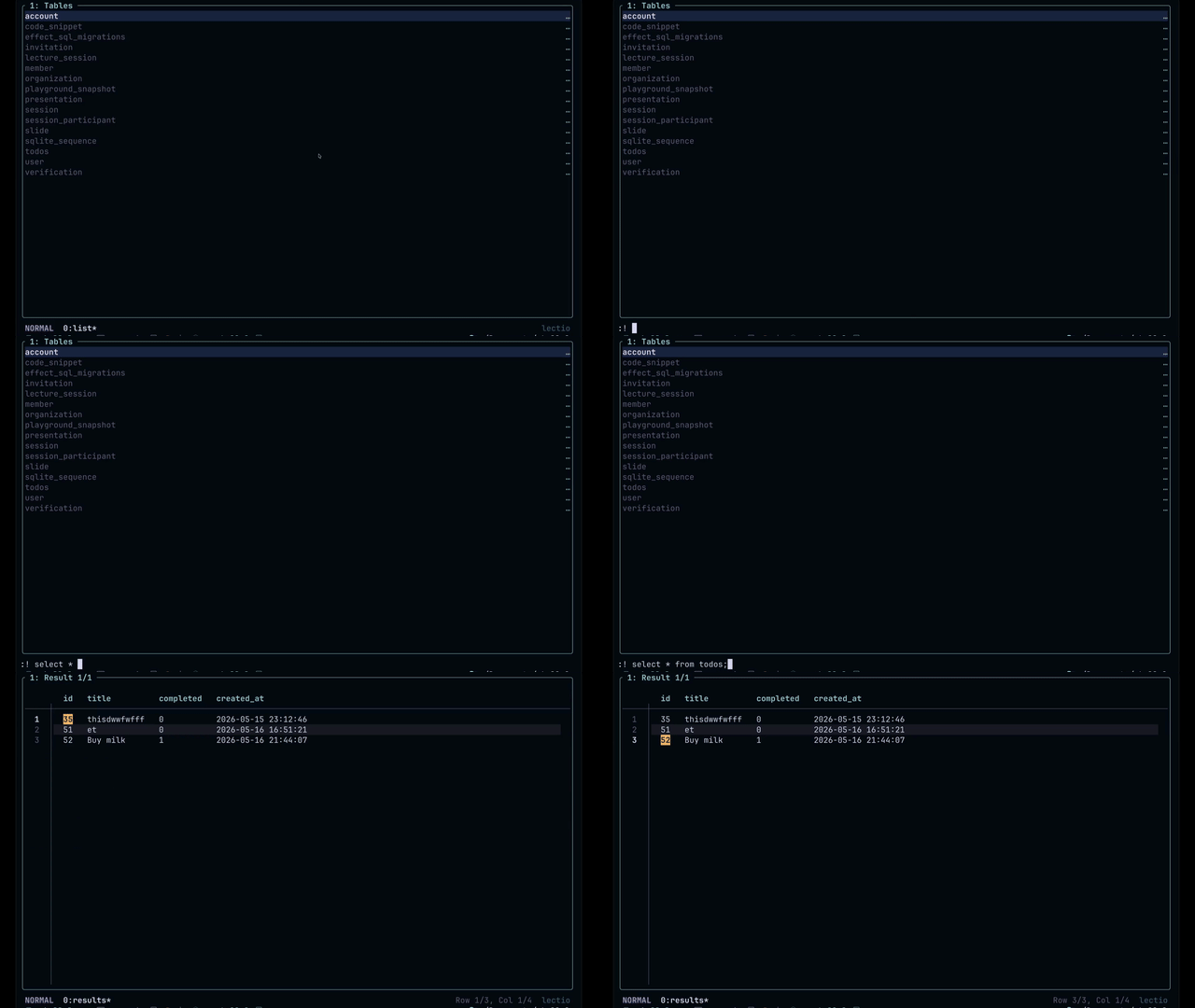
---
## Keybindings (quick guide)
### Home
- `j / k` or `↓ / ↑` — move
- `Enter` — connect
- `a` — add connection
- `d` — delete connection (with confirm)
- `:` — open command line
- `?` — help
- `q` — quit
### Dashboard
- `h j k l` or arrows — navigate
- `Ctrl+h/j/k/l` — move pane focus
- `:` — command line
- `/` and `?` — search forward/backward
- `n` / `N` — next/prev match
- `i` — edit cell (TableView) / insert mode (Editor)
- `v` / `V` / `Ctrl+v` — visual selections
- `dd` — stage row delete (TableView)
- `o` / `O` — stage insert row below/above
- `u` — undo staged change
- `:w` — commit staged changes
- `Tab` / `Shift+Tab` — next/previous result set (Results view)
### Query editor (Vim-inspired)
- Normal/Insert/Visual behavior
- Motions, operators, text objects, yank/delete/change
- Examples: `dd`, `dw`, `dG`, `dgg`, `yy`, `yG`, `ygg`, `p`, `P`
- SQL and table-name autocomplete while typing
---
## Cmdline commands (quick reference)
General navigation/layout:
- `:new tab`
- `:new pane [tables|table|schema|editor|results]`
- `:split`, `:vsplit`, `:hsplit`
- `:tab <id|next|prev|close>`
- `:q`, `:close`, `:full`
View switching:
- `:tables`
- `:table <name>`
- `:schema [table]`
- `:editor`
- `:results`
Data actions (TableView only):
- `:where <expr>`
- `:order [by] <col> [asc|desc]`
- `:select <cols>`
- `:insert [above|below]`
- `:reset`
- `:w`
Other:
- `:! <sql>`
- `:connect`
- `:disconnect`
- `:back`, `:forward`
- `:resize <direction> <amount>`
- `:noh`
> Full docs: see [docs/documentation.md](./docs/documentation.md)
---
## Use cases
- Quickly inspect rows in a production-like environment from SSH sessions
- Triaging data issues while coding (no context switch to heavy GUI tools)
- Running one-off SQL updates with immediate side-by-side validation
- Keyboard-only data workflows for Vim/tmux users
---
## Inspiration
ShellQL draws inspiration from terminal-native tools and SQL TUIs, including:
- **sqlit**
- **lazydb / lazysql** style workflows
- the broader **Vim + tmux** ecosystem
Respect to the maintainers and communities behind these projects.
---
## Documentation
For a more complete guide (views, workflows, keybindings, commands), see:
- [docs/documentation.md](./docs/documentation.md)
- [docs/homebrew.md](./docs/homebrew.md)
---
## Versioning & releases
ShellQL release tags follow GitHub-recommended `v` prefixes.
Current beta track:
- **`v0.1.x-beta`**
- Increase `x` for each new beta release (`v0.1.0-beta`, `v0.1.1-beta`, `v0.1.2-beta`, ...)
Version sync rule:
- `Cargo.toml` version should match the tag without the `v` prefix.
- Example: tag `v0.1.2-beta` ↔ `version = "0.1.2-beta"`
Release flow:
- **Merges/pushes to `main` automatically create a new beta release.**
- The workflow bumps `0.1.x-beta` → `0.1.(x+1)-beta`
- Commits `Cargo.toml` + `Cargo.lock`
- Creates and pushes tag `v0.1.(x+1)-beta`
- Builds binaries and publishes a GitHub pre-release
Manual options are still available:
```bash
# trigger release by pushing a tag yourself
git tag -a v0.1.2-beta -m "Release v0.1.2-beta"
git push origin v0.1.2-beta
```
Or use **Actions → Release → Run workflow** and pass a tag.
Tags containing `-beta` are automatically marked as **pre-releases**.
---
## Contributing
Contributions are welcome.
- See [CONTRIBUTING.md](./CONTRIBUTING.md) for setup, checks, and PR guidelines.
---
## License
MIT