
Shellcaster
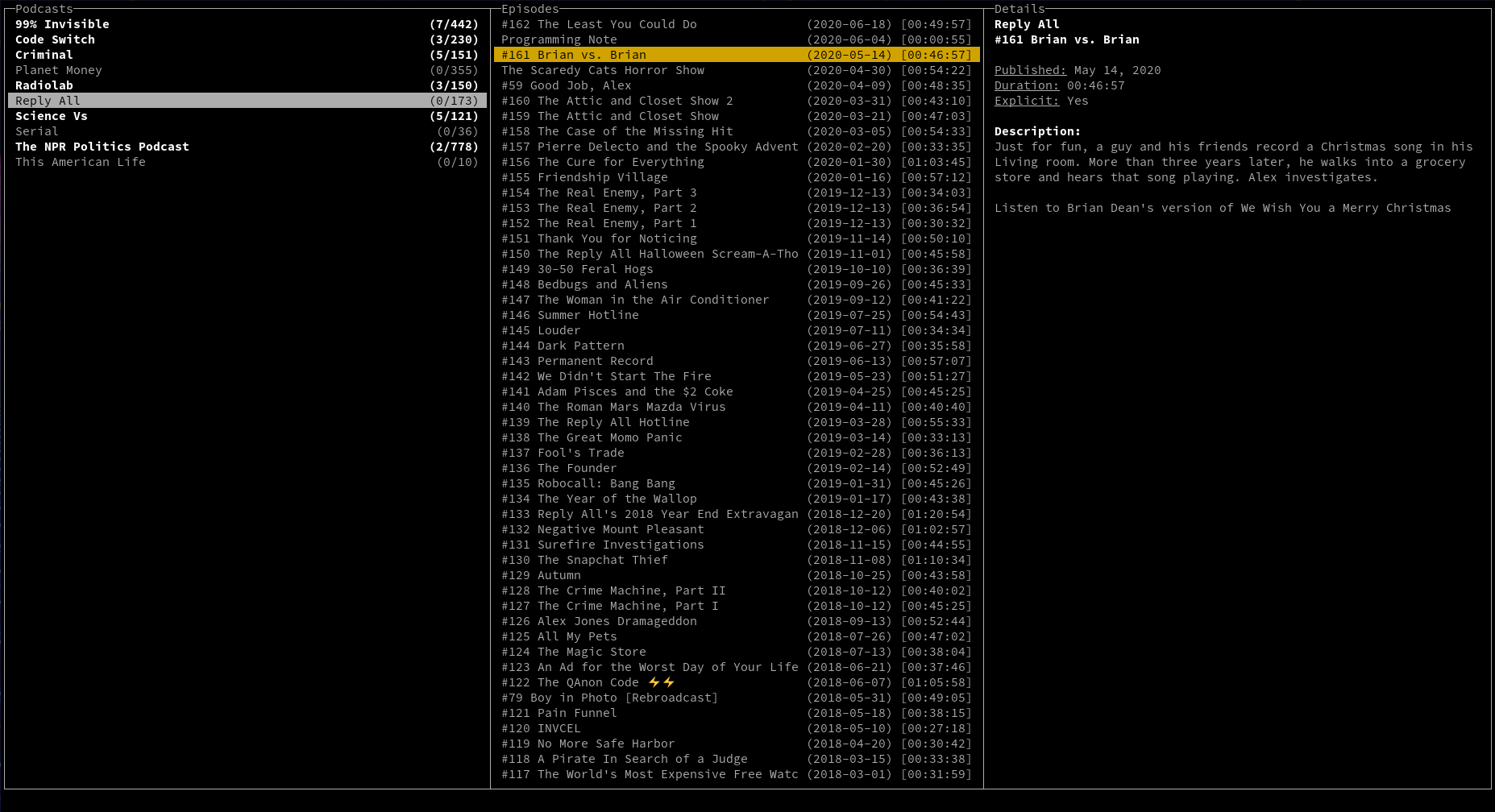
Shellcaster is a terminal-based podcast manager, built in Rust. It provides a terminal UI (i.e., ncurses) to allow users to subscribe to podcast feeds, and sync feeds to check for new episodes. Episodes may be downloaded locally, played (with an external media player, at least for now), and marked as played/unplayed. Keybindings and other options are configurable via a config file.
Note that shellcaster is not yet in stable format, and is still in active development. However, the basic functionality is present, and it should generally be usable (with some bugs and irritations still to be worked out!).
Installing shellcaster
There are currently a few ways to install shellcaster.
- If you are running Linux or MacOS on x86_64 (i.e., 64-bit), you can find binaries for the latest release on the Releases page. Download the
.tar.gzfile appropriate for your system, and install it with the following commands in your terminal:
Replacing OS_NAME with the filename you downloaded.
- If you have Rust + cargo installed, you can install the latest version of the binary directly from crates.io with one command:
- If you have Rust + cargo installed, you can also clone the Github repo and compile it yourself:
If you want to change configuration settings:
# on Linux
# on MacOS
(If you installed directly with cargo, the sample config.toml file can be copied from here. Place it in the same location as noted above.)
Or you can put config.toml in a place of your choosing, and specify the location at runtime:
Note: Packages for various Linux distros are on their way -- stay tuned!
Platform support
Shellcaster has currently only been tested extensively on Linux x86_64. Earlier versions were tested on MacOS, but not extensively. Unix systems in general, on x86_64 (64-bit), i686 (32-bit), and ARM, will be the primary targets for support for the app.
Shellcaster is not currently supported on Windows, although some work has been done to try to get it working. Unicode support is weak, however, and there are issues when resizing the screen. You might have better luck using the new Windows Terminal and building with the win32a feature enabled, but this has not been tested. If you are a Windows user and want to help work out the bugs, pull requests are more than welcome!
Default keybindings
| Key | Action |
|---|---|
| Arrow keys / h,j,k,l | Navigate menus |
| a | Add new feed |
| q | Quit program |
| s | Synchronize selected feed |
| Shift+S | Synchronize all feeds |
| Enter / p | Play selected episode |
| m | Mark selected episode as played/unplayed |
| Shift+M | Mark all episodes as played/unplayed |
| d | Download selected episode |
| Shift+D | Download all episodes |
| x | Delete downloaded file |
| Shift+X | Delete all downloaded files |
| r | Remove selected feed/episode from list |
| Shift+R | Remove all feeds/episodes from list |
Keybindings can be modified in the config.toml file. Actions can be mapped to more than one key, but a single key may not do more than one action.
Contributing
Contributions from others are welcome! If you wish to contribute, feel free to clone the repo and submit pull requests. Please ensure you are on the develop branch when making your edits, as this is where the continued development of the app is taking place. Pull requests will only be merged to the develop branch, so you can help to avoid merge conflicts by doing your work on that branch in the first place.
Why "shellcaster"?
I was trying to come up with a play on the word "podcast", and I liked the use of the word "shell" for several reasons. "Shell" is a synonym for the word "pod". The terminal is also referred to as a shell (and shellcaster is a terminal-based program). In addition, the program is built on Rust, whose mascot is Ferris the crab. Finally, I just personally enjoy that "shellcaster" sounds a lot like "spellcaster", so you can feel like a wizard when you use the program...