# Authenticating a Pull Request
Relying on maintainers to run `sq-git` is a sure way to ensure that it
won't happen. The Sequoia project provides OCI images for ease of use
inside of CI pipelines.
## Gitlab
To authenticate commits from a Gitlab CI pipeline, there is a script
included in the project's repository at [`scripts/gitlab.sh`]. You
can run it as a job inside a project's `.gitlab-ci.yml` manifest like
so:
[`scripts/gitlab.sh`]: https://gitlab.com/sequoia-pgp/sequoia-git/-/blob/main/scripts/gitlab.sh
```
authenticate-commits:
stage: test
image: registry.gitlab.com/sequoia-pgp/sequoia-git:latest
before_script: []
script:
- sq-git policy describe
- /usr/sbin/gitlab.sh # Script baked-in to image
after_script: []
rules:
# TODO: We currently only authenticate the changes on non-merged
# branches where we use the default branch as the trust root. For
# the default branch, the project needs to set an explicit trust
# root.
- if: '$CI_COMMIT_BRANCH != $CI_DEFAULT_BRANCH'
```
### GitHub
To use `sq-git` to authenticate a pull request on GitHub, you can use
the [`sequoia-pgp/authenticate-commits`
Action](https://github.com/sequoia-pgp/authenticate-commits). This
GitHub action checks that the commits are authorized by the last
commit of the merge base. [This
video](https://www.youtube.com/watch?v=KdDbU9u5X-Q) shows a
demonstration of the action.
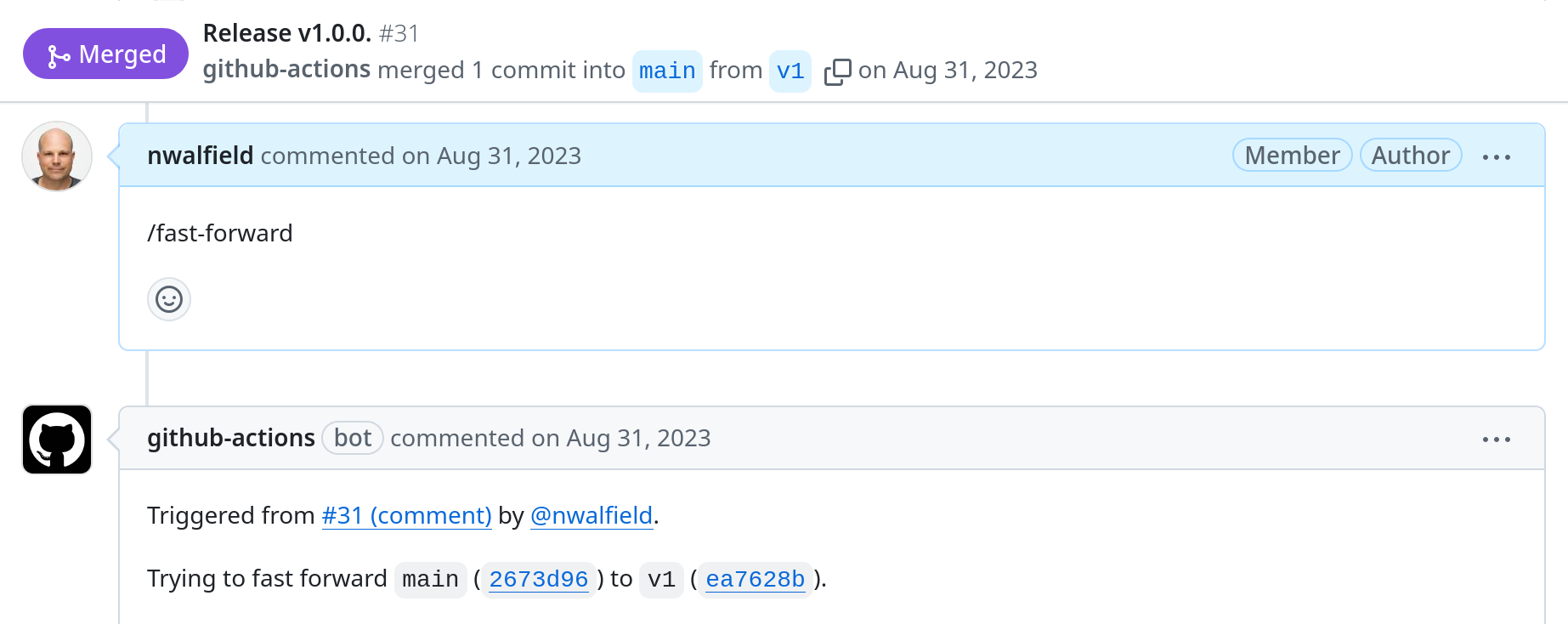
Note: GitHub's interface for merging pull requests offers three merge
strategies, but unfortunately none of them are appropriate for use
with `sq-git`, because they all modify the commits. When using
`sq-git`, it is necessary to either manually rebase and fast forward
the change, or to add a signed merge commit. It is possible to use
the [`sequoia-pgp/fast-forward`
action](https://github.com/sequoia-pgp/fast-forward) to fast forward
pull requests. When enabled for a repository, an authorized user can
add a comment containing `/fast-forward` to the pull request, and the
action will fast forward the merge base without modifying the commits.