# rv
**rv** is a non-invasive AI code review for any type of workflow.
It works as a CLI tool easy to use and integrate, allowing to review the code that you are currently writing or code from other commits, branches or pull requests.
## Features
- **Unix philosophy** <br> *rv* follows the Unix philosophy by providing a minimalstic tool (~1.5k LoC) that does one thing well.
- **Cheap and low-latency** <br> *rv* is optimized to use cheap and low-latency models in order to allow for reviews that takes less than 10 seconds and cost about $0.002 (on average, tested with Qwen3-32B)
- **Fully customizable** <br> *rv* is designed to give full freedom with its configuration file, allowing for different providers, LLMs and prompts
- **Semplicity of code** <br> *rv* is designed to be written using clean, understandable and safe (as in no `unsafe` instructions used) Rust code
- **Open source and non-monetized** <br> *rv* is released under the GPL license and we will never sell subscriptions, cloud credits or other form of monetized services to our end users
## How To Install
### From crates.io
Just run `cargo install rv-tool` in order to install the last version (the specified version is only needed on testing releases); then, follow the "From the source" guide from the third step.
### From the source
Clone the repository and compile using `cargo install --path .`
### Finish configuration
1. Run for the first time (just `rv`) in order to generate the configuration file
2. Edit the `~/.config/rv/config.toml` file setting up provider, model and API key (if you don't want to use ENV variables)
3. *rv* is now installed and ready! Run `rv` while you have staged edits (aka after `git add`) in order to get a code review of your current progress
NOTE: *rv* has been only tested on Linux; if possible try it on MacOS and Windows and open an issue with the results.
## How to setup APIs
We reccomend using [OpenRouter](https://openrouter.ai) as it allows to use different models, connect to different APIs (such as Azure, Anthropic, Cloudflare, Google and Mistral), and access some free models.
Here are the links for [creating an account](https://openrouter.ai/), [managing API keys](https://openrouter.ai/settings/keys), [connecting other provider](https://openrouter.ai/settings/integrations) and [viewing all free models](https://openrouter.ai/models?max_price=0).
Once you have the API key, you can insert it in your configuration file (on Linux, `~/.config/rv/config.toml`).
## How to use
For reviewing staged changes or the last commit: `rv`
For reviewing a specific commit: `rv -c [commit]`
For reviewing a specific branch: `rv -b [branch]`
For reviewing a Github PR: `rv -p [pr-id]` (Requires `gh` to be installed)
For switching to a different LLM profile: `rv -l [llm]`
For reviewing files without the Git integration: `rv --raw`
NOTE: If you want to use the output for shell pipes or for writing to a file, use the `-P`/`--pipe` flag.
## Model profiles
The current suggested models is `qwen/qwen3-235b-a22b-2507` (for the `default` profile) and `deepseek/deepseek-v3.2` (for the `think` profile) for more intensive tasks.
You can switch between different profiles using the `-l` CLI flag and you can add or remove profiles from `~/.config/rv/config.toml`.
## Future work
Milestones planned for the future:
- make Action Menu configurable
- **allow for referencing files outside of the current review (full project context)**
- support for larger reviews by splitting into file-by-file review (requires full project context implementation)
- **ability to add context sources from the chat tool or from project files**
- ability to use regex rules (with `$any[]`, `$all[]` and `$none[]`) inside of project files and custom prompts
- ability to load PDF files and images as context sources (useful for documentation, specifications, etc)
- ***fix tool* for producing and applying fixes directly from the review**
- integration with git hooks
- integration with language-specific CLI tools (ex. `cargo check`)
- support for MCP servers
- *text mode* for reviewing content and style of natural language documents (ex. essays), with support for TXT, MarkDown, LaTex.
- markdown rendering with external tools (ex. [glow](https://github.com/charmbracelet/glow))
- support for other local and cloud LLM providers
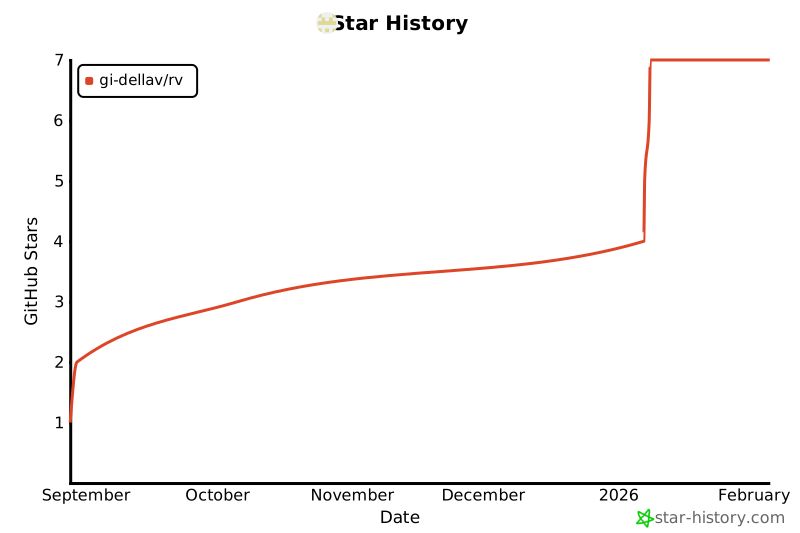
## Star History
[](https://www.star-history.com/#gi-dellav/rv&Date)