# RustyWatch

 

  



[](https://asciinema.org/a/677470)
## Live Reloading Built with Rust
Inspired by [Go Air](https://github.com/air-verse/air), RustyWatch provides powerful live reloading capabilities designed for developers working across various programming languages.
## Features
- Universal Live Reloading: Seamlessly supports live reloading for any programming language.
- Real-time Binary Reloading: Automatically reloads your binaries in real-time.
- Monorepo Development Support: Effortlessly manage monorepo projects with built-in support.
- Multi-Project Execution: Run multiple projects concurrently with a single command.
- Optimized Build Process: Efficient and highly optimized for faster builds and reloading.
- Automatic Directory Monitoring: Detects and tracks new directories without manual intervention.
- Enhanced Logging: Enjoy colorful and detailed log outputs for easier debugging and monitoring.
## Install
> curl --proto '=https' --tlsv1.2 -sSf https://sh.rustup.rs | sh
```shell
cargo install rustywatch
```
## Usage
To start the project, ensure you have a `rustywatch.yaml` configuration file in the root directory of your project. Then, run the CLI from the root directory to launch RustyWatch.
## Configuration
The default configuration file is named `rustywatch.yaml`, and it must be located in your project's root directory. For a reference configuration, please see the example below:
```yaml
# define workspaces, rustywatch can be handled multi project at the same time.
workspaces:
# first project binary apps
- dir: 'golang-project' # define path directory
cmd: # define command to build binary
- cp ./golang-project/.env .env
- |
cd ./golang-project;
go build main.go
bin_path: './golang-projec/main' # define path for binary location
bin_arg: # define arguments
- server
ignore:
- '.git'
# second project binary apps
- dir: 'rust-project'
cmd:
- |
cd ./rust-project;
cargo build
bin_path: './rust-project/target/debug/rust-project'
# third project non binary apps
- dir: 'nodejs-project'
cmd: 'cd nodejs-project;npm run dev'
# more ...
```
```shell
# list directories
ls
.
└── your-project/
├── go-project/
│ ├── go.mod
│ ├── go.sum
│ └── main.go
├── rust-project/
│ ├── src/
│ │ └── main.rs
│ ├── Cargo.toml
│ └── Cargo.lock
├── nodejs-project/
│ ├── index.js
│ ├── package.json
│ └── package-lock.json
└── rustywatch.yaml (config here)
```
### Run the project
```shell
rustywatch
```
## Help
```
rustywatch --help
```
## Update version
```shell
cargo install rustywatch
```
## Support languages
- NodeJS
- Go
- Rust
- Javascript
- (more)
## Star History
[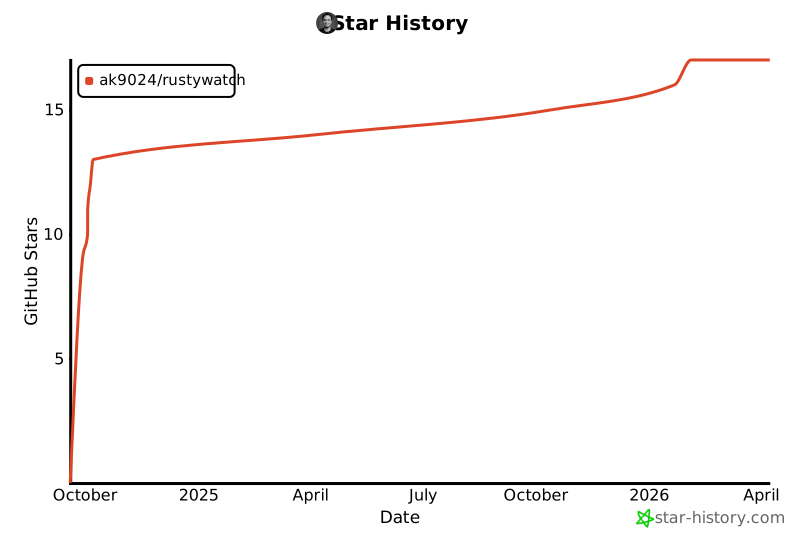](https://star-history.com/#ak9024/rustywatch&Date)
## License
MIT & Apache-2.0