# rustylink
<img src="docs/RustyLinkIcon.png" width="100">
This crate parses Simulink `slx` files into a JSON representation and optionally provides code to display or analyze the model.
**Important note:** At the moment, we only support the R2025a+ file format. At the moment, there are no plans to support older formats, but contributions are welcome.
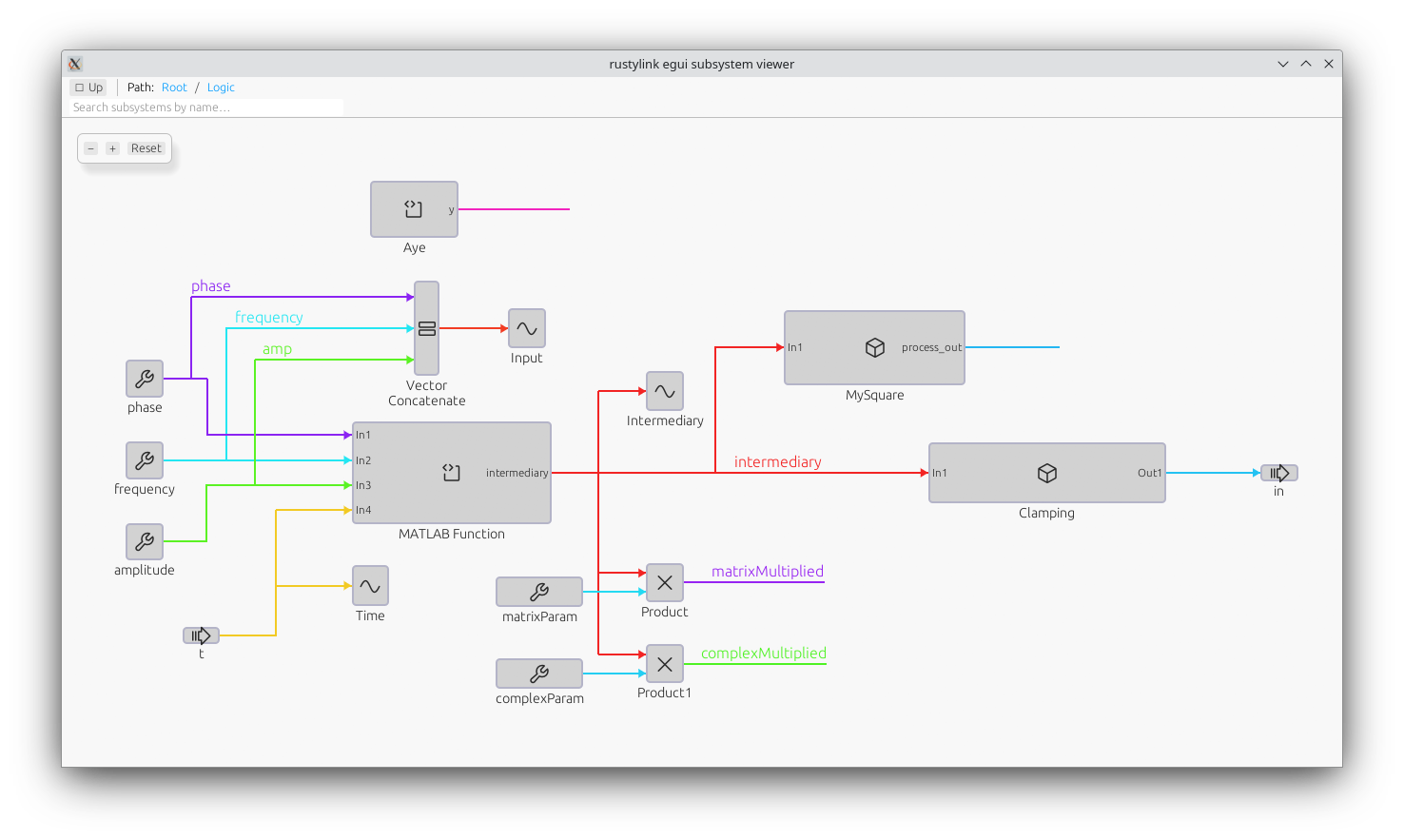
This viewer is intended to be a starting point for building your own tools around Simulink models. While it does not intend to be a complete Simulink viewer (many features are unsupported), it is still useful for automation tasks.
**You don't need a MATLAB or Simulink license or installation to use this tool.**. This tool is explicitly NOT an official MathWorks product and is not affiliated with MathWorks in any way.
## Quick start
- Build:
```sh
cargo build
```
- Run against your workspace root system:
```sh
cargo run --features egui,highlight --example egui_viewer -- MyModel.slx
```
## Non-GUI examples
Print an ASCII tree of SubSystems in a model (works with `.slx` or individual XML):
```sh
cargo run --example tree -- ASXTest.slx
```
Or point to an XML system file:
```sh
cargo run --example tree -- simulink/systems/system_root.xml
```
Analyze which libraries a model uses and where they are located. Outputs human-readable text by default or JSON with `--json`.
```sh
# human readable
cargo run --example analyze_libraries -- MyModel.slx
# JSON output and custom library search paths
cargo run --example analyze_libraries -- MyModel.slx --json -L /opt/matlab/toolbox -L ./libs
```
Example JSON output (abridged):
```json
{
"libraries": {
"Regler": {
"found_at": "/opt/matlab/toolbox/Regler.slx",
"blocks": [ { "Path": "$bdroot/...", "Reference": "Regler/SomeBlock", "SID": "245501", "Type": "LIBRARY_BLOCK" }, ... ]
},
"simulink": { "found_at": "", "blocks": [ ... ] }
}
}
```
## Library usage
```rust
use rustylink::parser::SimulinkParser;
use camino::Utf8PathBuf;
let parser = SimulinkParser::new(".");
let system = parser.parse_system_file(Utf8PathBuf::from("simulink/systems/system_root.xml"))?;
println!("{}", serde_json::to_string_pretty(&system)?);
```
## Binary Serialization
You can save parsed models to a binary format for faster loading in subsequent runs. This is significantly faster than parsing the XML/SLX files.
```rust
use rustylink::model::SystemDoc;
// Save to binary
let doc = SystemDoc { system };
doc.save_to_binary("model.bin")?;
// Load from binary
let loaded_doc = SystemDoc::load_from_binary("model.bin")?;
```
To benchmark the performance difference:
```sh
cargo run --example binary_benchmark -- MyModel.slx
```
Example output for a small model
```
Benchmarking file: SmallModel.slx
Initial parsing time: 9.644268ms
Serialization time: 517.692µs
Binary file size: 21815 bytes
Deserialization time: 1.460571ms
```
## Notes
- The data model is intentionally generic (maps for properties) to accommodate varying Simulink versions.
- Extend `model.rs` to add more explicit types for blocks you care about.
## Optional Features
- `egui`: Interactive viewer UI.
- `highlight`: Syntax highlighting support inside viewer.
- `mask`: (Experimental) Simple mask display evaluation. When enabled, blocks with a mask whose `<Display>` is of the form `disp(var{param})` and whose `<Initialization>` defines `var={'A','B',...};` plus a popup `<MaskParameter Name="param">` with a numeric leading index in its `<Value>` will render the selected entry text inside the block instead of the default icon. This is a tiny custom parser – no MATLAB engine required.
Example mask snippet supported:
```xml
<Mask>
<Display>disp(mytab{control})</Display>
<Initialization>mytab={'Position','Zero Torque','OFF'};</Initialization>
<MaskParameter Name="control" Type="popup">
<Value>1. Position Control</Value>
</MaskParameter>
</Mask>
```
Enable via:
```sh
cargo run --features egui,mask --example egui_viewer -- MyModel.slx
```