
rustodoro 🦀🍅



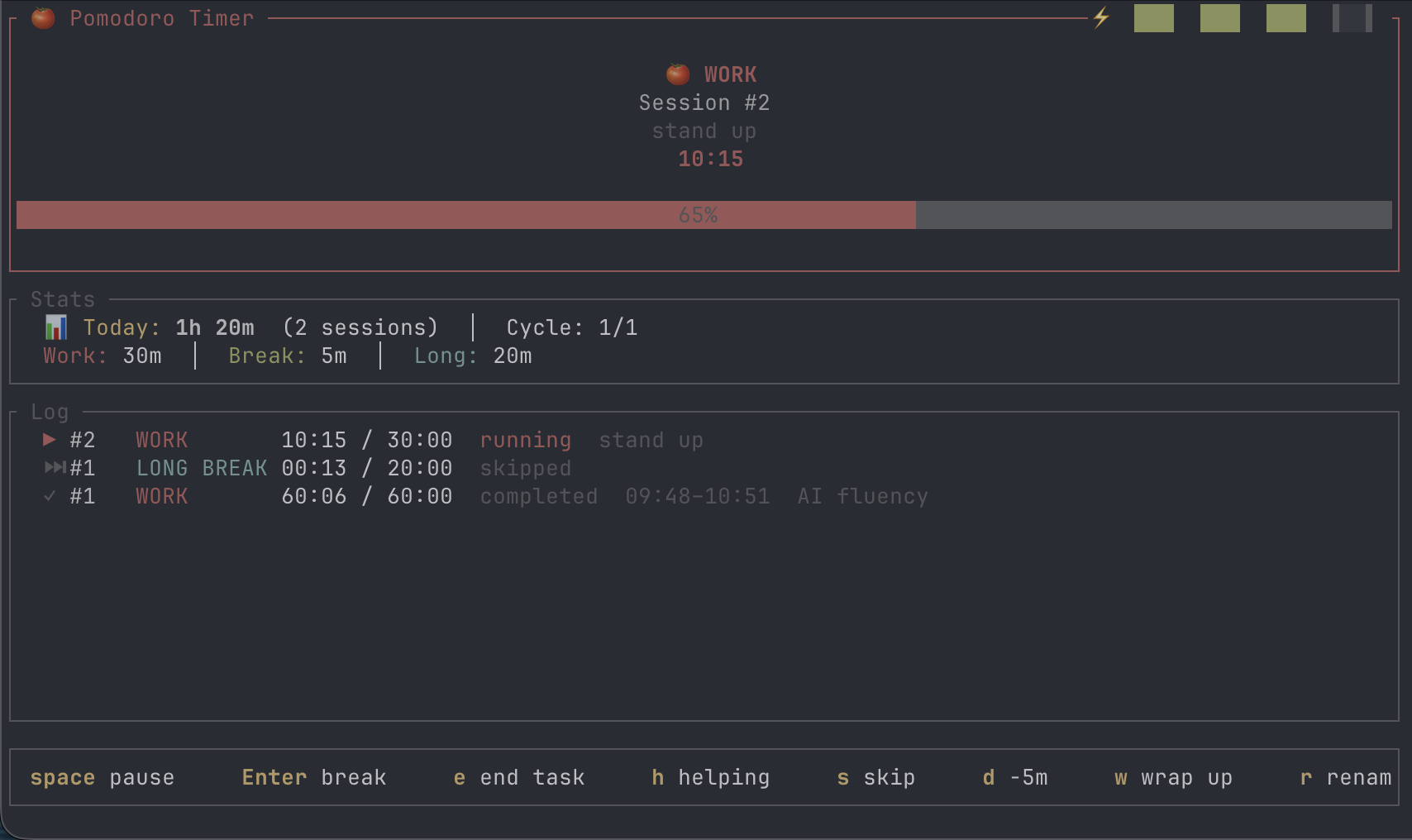
A terminal Pomodoro timer written in Rust. Keep focus without leaving the terminal — with automatic daily logs, a todo list, and native desktop notifications.
Features
- Pomodoro timer with configurable work, short break, and long break durations
- Task tracking — pick from a todo list or type a custom task
- Todo list — add, edit, delete, and check off tasks in-app
- Daily logs — sessions appended to quarterly markdown files (
YYYY-Q?.md) - Sleep-aware — detects when your machine sleeps mid-session
- Manual breaks — take an open-ended break between sessions
- Helping mode — track time spent helping others separately
- Distraction button (
d) — add 5 minutes of paused time - Early end with notes (
e) — end a session early and record what you did - Desktop notifications on macOS (via
terminal-notifier) - Energy bar showing hours logged today
Installation
From crates.io
Homebrew (macOS)
Ships as a pre-built binary — no Rust toolchain required.
Or tap once, then install:
From source
Requires Rust 1.85+ (2024 edition).
Optional: desktop notifications
macOS:
Linux: uses notify-send from libnotify, pre-installed on most desktops. Install with your distro's package manager if missing:
# Debian / Ubuntu
# Fedora
# Arch
Without a notifier, the timer still works — you just won't get system notifications.
First run
On first launch you'll see an onboarding screen asking where to save your daily logs. The default is ~/Documents/Notes/daily-logs. Press Enter to accept or type a different path. ~ expands to your home directory, and missing directories are created automatically.
Your choice is saved to ~/.config/rustodoro/config (respects $XDG_CONFIG_HOME).
Usage
The app opens on your todo list. Pick a task with Enter, or press n for a custom task. Adjust work/break durations on the setup screen, then Enter to start the timer.
Keyboard shortcuts
Arrow keys and hjkl are both supported for navigation.
Onboarding
| Key | Action |
|---|---|
Enter |
Confirm log directory |
Ctrl+R |
Reset to default |
Esc |
Quit |
Todo list
| Key | Action |
|---|---|
↑↓ / jk |
Move cursor |
Enter |
Start timer (picker) / toggle done (manager) |
Space |
Toggle done |
a |
Add todo |
e |
Edit todo |
d |
Delete todo |
n |
Enter a custom task |
l |
Open daily log |
b |
Start manual break |
Esc |
Quit / back |
Setup screen
| Key | Action |
|---|---|
↑↓ / jk |
Navigate fields |
←→ / hl |
Decrease / increase by 1 |
Enter |
Start session |
Esc |
Back |
Timer (work)
| Key | Action |
|---|---|
Space |
Pause / resume |
Enter |
End work, start break |
e |
End session early (notes) |
h |
End as "helping others" (notes) |
s / n |
Skip phase |
d |
Distraction — add 5 min |
w |
Wrap up — shorten by 5 min |
r |
Rename current task |
t |
Open todo manager |
l |
Open daily log |
q / Esc |
Quit |
Timer (break / manual break)
| Key | Action |
|---|---|
Space |
Pause / resume |
Enter |
End break (manual) |
l |
Open daily log |
q / Esc |
Quit |
Daily log
| Key | Action |
|---|---|
↑↓ / jk |
Navigate past days |
Enter |
Expand / collapse |
Esc / Backspace |
Back |
Daily log format
Sessions are appended to quarterly markdown files (e.g. 2026-Q2.md):
- --Marks: [x] completed, [h] helping, [ ] skipped.
Configuration
Config file: ~/.config/rustodoro/config (or $XDG_CONFIG_HOME/rustodoro/config).
work_secs=1500
break_secs=300
long_break_secs=900
sessions_before_long=4
log_dir=/Users/you/Documents/Notes/daily-logs
Data storage
| What | Where |
|---|---|
| Config | ~/.config/rustodoro/config |
| Daily logs | <log_dir>/YYYY-Qn.md |
| Todo list | <log_dir>/.pomodoro_todos |
Nothing leaves your machine. No telemetry, no network calls.
Building
Roadmap
-
--reconfigureCLI flag - Weekly / monthly summaries
- Export to CSV / JSON
Contributing
PRs welcome. Run cargo test && cargo clippy && cargo fmt before submitting.
License
MIT © Alvis Felix