
Please check the build logs for more information.
See Builds for ideas on how to fix a failed build, or Metadata for how to configure docs.rs builds.
If you believe this is docs.rs' fault, open an issue.
RustDiff


Semantic JSON, XML & SQL diff tool with a native GTK4 + Libadwaita desktop UI.
Language: English | Espanol
Features
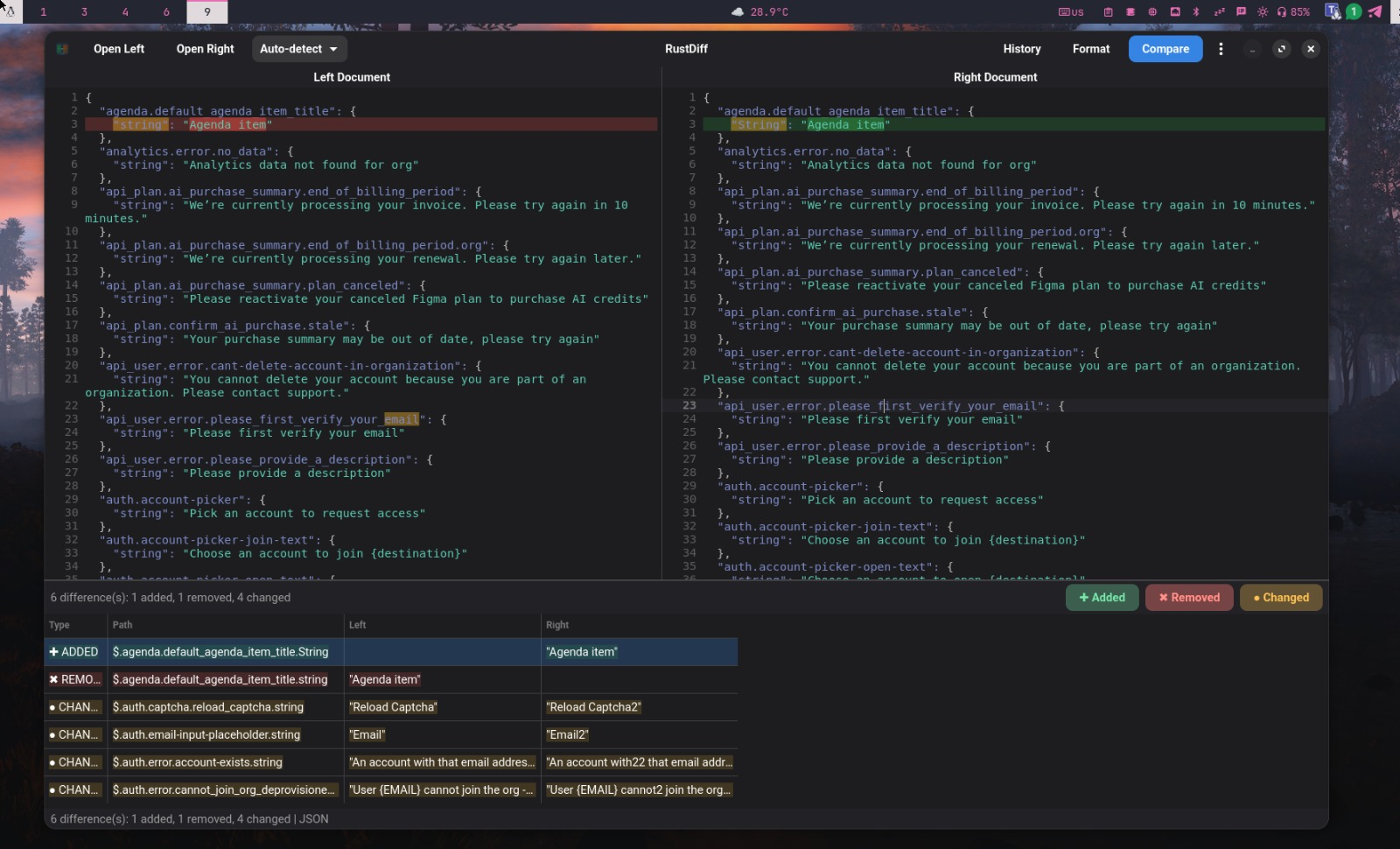
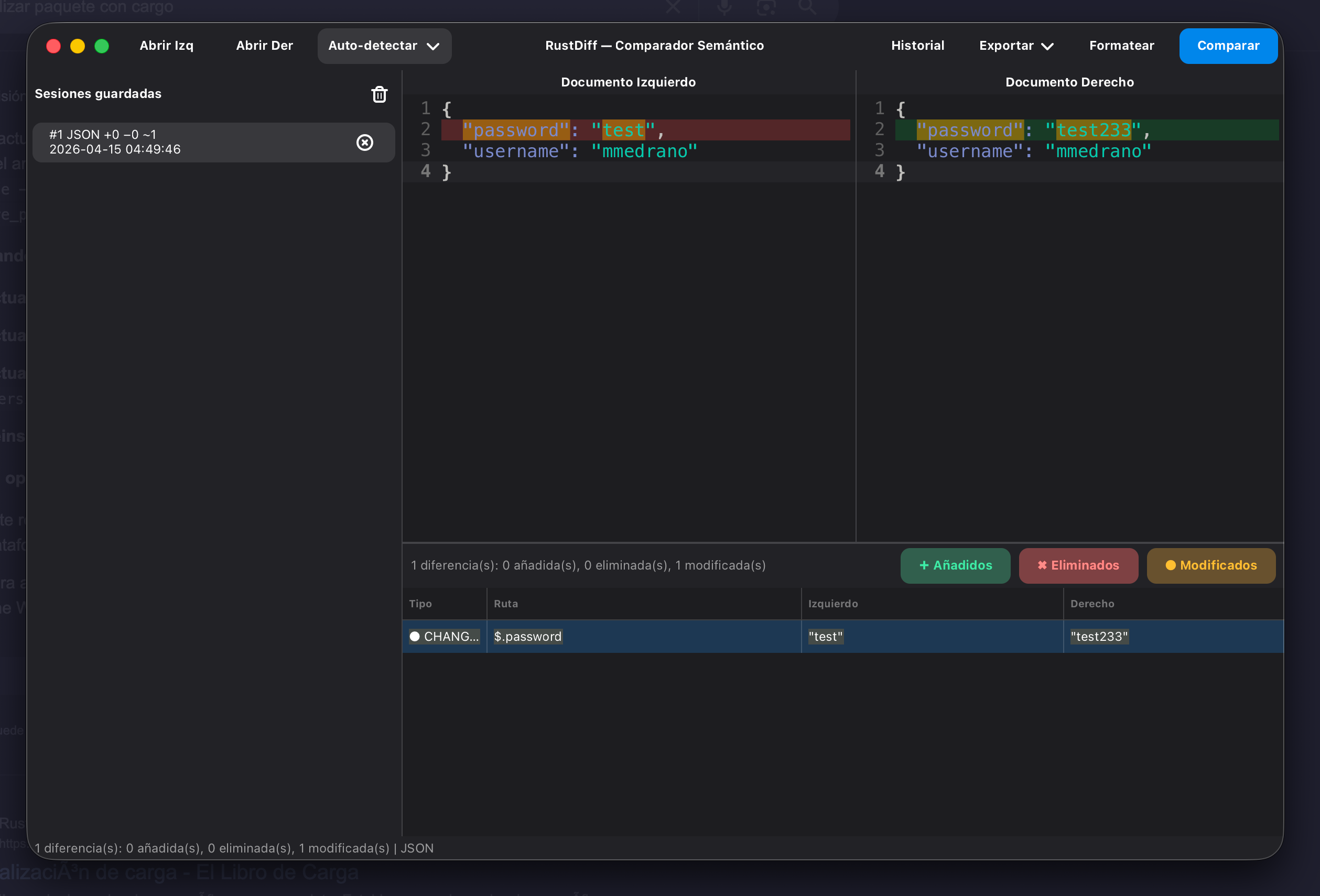
- Semantic JSON, XML & SQL diff (objects, arrays, XML nodes, attributes, text, and SQL statements)
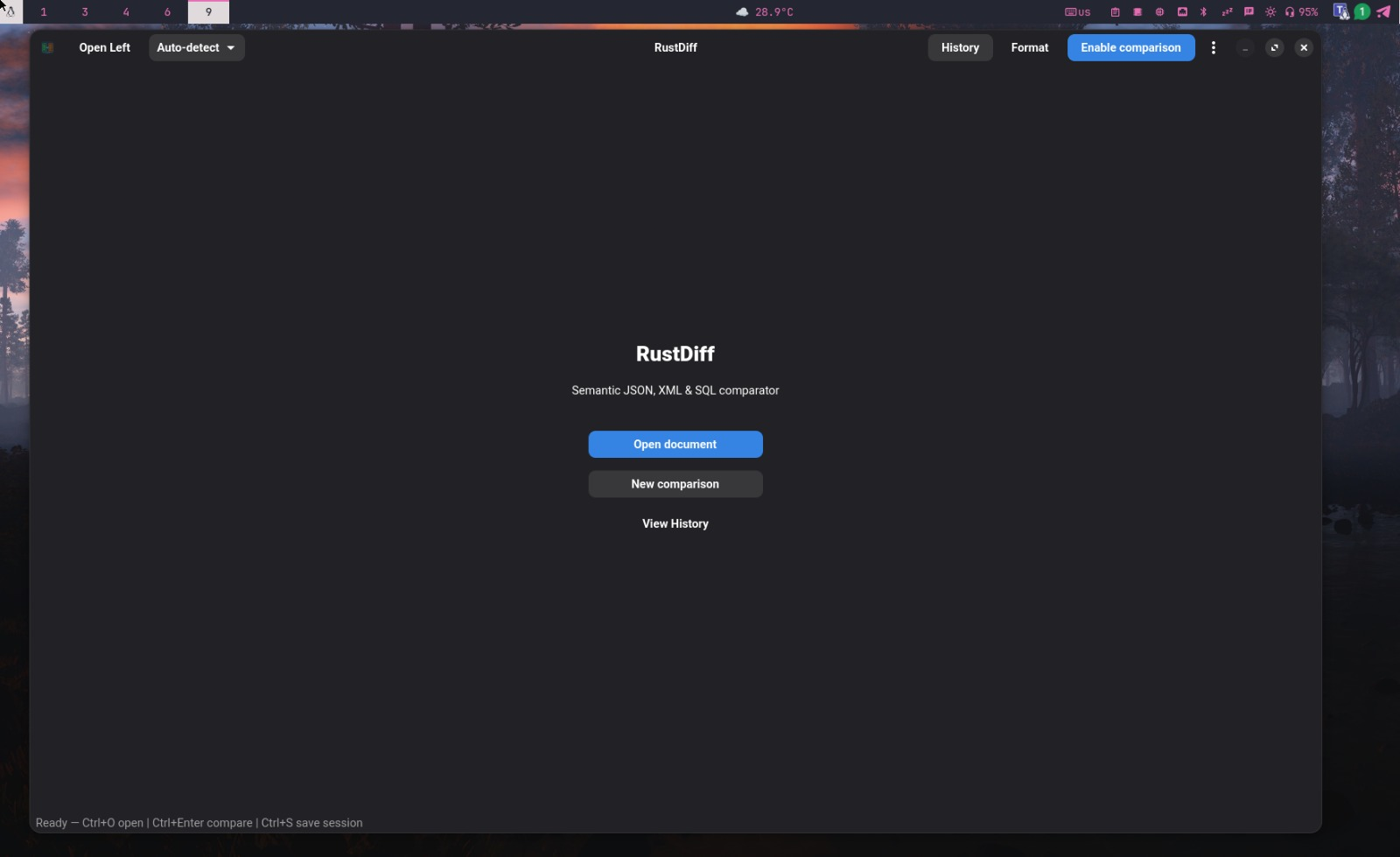
- Welcome screen with guided comparison flow (single editor initially)
- Side-by-side editors with syntax highlighting
- Busqueda en editores (
Ctrl+F) con navegacion siguiente/anterior y wrap-around - Auto compare while typing (debounced) + manual compare
- Difference table with filters and click-to-jump navigation, collapsible with
Ctrl+D - Graph view (
Ctrl+G): the left document as an interactive node graph, JSON Crack style - Export to
.txtand styled.html - Session history stored in SQLite (paginated, searchable)
Screenshots
Installation
1) Flatpak + Flathub (recommended for desktop users)
Install Flatpak:
# Arch / Manjaro
# Fedora
# Ubuntu / Debian
&&
# openSUSE
Enable Flathub:
Install and run RustDiff from Flathub:
Update or remove:
Notes:
- If software centers do not show Flathub apps immediately, log out and back in.
- If
com.digitalgex.RustDiffis not available yet, build the Flatpak locally from this repo (seecom.digitalgex.RustDiff.yaml).
2) One-command installer (Cargo + system deps)
|
3) Cargo install (from crates.io)
4) Debian package (.deb) and APT repository (PPA-style)
Install from a downloaded .deb (from GitHub Releases):
Install from the GitHub-hosted APT repository:
|
|
APT repository builds are published for amd64 and arm64 (e.g. Raspberry Pi 5, ARM servers).
Minimum OS version: the
.debis built against the GTK4/libadwaita stack shipped by the CI runner (currently Ubuntu 24.04), so it requires Ubuntu 24.04+ or a Debian-based distro with libadwaita ≥ 1.5 and GTK4 ≥ 4.12 (e.g. Debian 13/trixie). On older releases (Ubuntu 22.04, Debian 12, etc.)apt installwill fail with unmet dependencies — use the Flatpak package instead, which bundles its own runtime and works regardless of the host's GTK version.
Remove the package and repository:
5) macOS (experimental)
Option A — Prebuilt binary (recommended)
Every release ships a self-contained .dmg per architecture (Apple Silicon
arm64 and Intel x86_64): no Homebrew required, nothing to compile.
With Homebrew Cask (picks the right architecture automatically):
Or manually: download RustDiff-<version>-macos-<arch>.dmg from
Releases, open it and drag
RustDiff.app into Applications.
The app is ad-hoc signed (no Apple Developer certificate). If macOS blocks the first launch: right-click the app → Open, or run
xattr -cr /Applications/RustDiff.app. (On older Homebrew versionsbrew install --cask --no-quarantineskips this step; the flag was removed in recent Homebrew releases.)
Upgrade / uninstall:
Option B — Homebrew building from source
- The first command builds RustDiff from source; the GTK4 stack (
gtk4,libadwaita,gtksourceview5) is installed automatically as dependencies. The first install takes a few minutes while everything compiles. After it,rustdiffis available from the terminal. - The second command copies the
RustDiff.appbundle so the app shows up in Launchpad and Spotlight. You only need to do it once: the bundle launches the brew-managed binary, so it keeps working after everybrew upgrade rustdiffwithout copying it again.
Upgrade:
&&
Uninstall:
Note: GTK4 on macOS is functional but considered experimental upstream. Both options can be installed side by side (the cask installs into
/Applications, the formula into the brew prefix).
System requirements (source/Cargo builds)
Rust
Rust 1.85+ (edition 2024):
Native libraries
RustDiff uses native GTK libraries. You need a C toolchain (gcc/clang, make, pkg-config) and GTK development packages.
# Arch / CachyOS / Manjaro
# Fedora
# Ubuntu / Debian (24.04+)
# openSUSE
# macOS (experimental)
Verify required libs:
&& ||
&& ||
&& ||
Build and run
# Development
# Open with two files
# Optimized release binary
Binary output:
target/release/rustdiff
Install local checkout:
Usage
# Open empty window
# Open two JSON files
# Open two XML files
Keyboard shortcuts
| Shortcut | Action |
|---|---|
Ctrl+O |
Open file in left panel |
Ctrl+Shift+O |
Open file in right panel |
Ctrl+Enter |
Force compare |
Ctrl+S |
Save session to history |
Ctrl+E |
Export result as .txt |
Ctrl+Shift+F |
Pretty-print both panels |
Ctrl+H |
Toggle history panel |
Ctrl+F |
Search inside the editors |
Ctrl+G |
Toggle graph view |
Ctrl+D |
Toggle differences panel |
Ctrl+? |
Show all shortcuts |
Data, config, and outputs
- History DB:
~/.local/share/rustdiff/history.db - UI settings:
~/.config/rustdiff/settings.json - Export formats: plain text (
.txt) and HTML (.html)
Tests
# Full test suite
# Integration tests
Flathub and packaging documentation
- Flatpak manifest for local builds:
com.digitalgex.RustDiff.yaml - Flathub submission files:
flathub/com.digitalgex.RustDiff.yaml,flathub/cargo-sources.json - Flathub submission workflow:
flathub/README.md - Screenshot requirements (AppStream/Flathub):
data/screenshots/README.md - Debian/APT packaging and GitHub Actions setup:
docs/DEBIAN_APT.md - Release checklist and what a
v*tag publishes:docs/RELEASING.md - Release notes:
docs/RELEASE_NOTES_0.4.0.md - Bundled symbolic icons (sources and licenses):
data/icons/symbolic/README.md
Useful external references:
- Flathub setup guide: https://flathub.org/setup
- Flatpak documentation: https://docs.flatpak.org/
License
GPL-3.0-or-later