# tree
[](https://github.com/peteretelej/tree/releases)
[](crate)
[](https://github.com/peteretelej/tree/actions/workflows/rust_test.yml)
[](LICENSE)
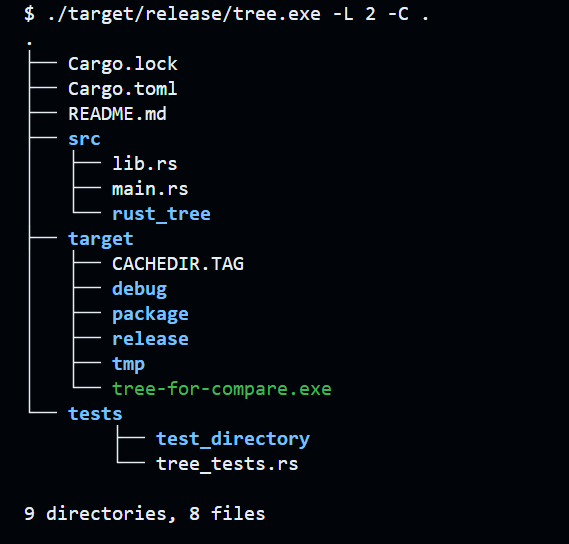
`tree` is a command-line utility that recursively displays the directory structure of a given path in a tree-like format, inspired by the Unix `tree` command. It is implemented in Rust and aims to provide a fast and efficient alternative with additional features.
## Features
- [x] Display directory structure in a tree-like format
- [x] Control the depth of recursion with the `-L` flag
- [x] Show full path with the `-f` flag
- [x] No indentation with the `-i` flag
- [x] Display hidden files with the `-a` flag
- [x] Include specific files matching patterns with the `-P` flag
- [x] Display the size of each file with the `-s` flag
- [x] Display the total size of each directory with the `-h` flagS
- [x] Colorize output with the `-C` flag
- [x] Turn Colorization off with the `-n` flag
- [ ] Exclude specific files matching patterns with the `-I` flag
- [ ] Send output to filename with `-o` flag
- [ ] Do not descend directories that contain more a more than # entries with `--filelimit` flag
- [ ] List directories first before files with `dirsfirst` flag
### Disclaimer
Using this project to learn Rust, so it's not production ready. Feel free to PR for any improvements.
## Installation
### Download Binaries
Binaries for various platforms are available on the [Releases Page](https://github.com/peteretelej/tree/releases) (Windows, MacOS, Linux).
### Build from Source
If you have Rust and Cargo installed, you can build the project by running:
```sh
git clone https://github.com/peteretelej/tree.git
cd tree
cargo build --release
./target/release/tree -L 2 .
# copy tree binary to a PATH directory
```
The resulting binary will be located at ./target/release/tree.
## Usage
```sh
./tree [FLAGS] [OPTIONS] [PATH]
```
For example
```sh
./tree -L 2 .
# -L 2: displays upto 2 levels of recursion
```
### Using as Rust Crate
```rust
use rust_tree::tree::{list_directory, options::TreeOptions};
fn main() {
let path = ".";
let options = TreeOptions {
full_path: true,
no_indent: true,
..Default::default()
};
list_directory(path, &options).unwrap();
}
```
Using the `bytes_to_human_readable` function to print human readable file sizes
```rust
use rust_tree::utils::bytes_to_human_readable;
use std::fs;
fn main() {
let metadata = fs::metadata("my_file.txt").unwrap();
let size = metadata.len();
let size_str = bytes_to_human_readable(size);
println!("File size: {}", size_str);
}
```
## Contributing
Contributions are welcome! If you have any suggestions, feature requests, or bug reports, please feel free to open an issue or submit a pull request on the [GitHub repository](https://github.com/peteretelej/tree).
## License
MIT
