

RunGlass
Run one command. Get a receipt for what it actually did.
RunGlass wraps a command, watches it run, and produces a local receipt you can inspect, export, share, and in many file-change cases revert. It is built for the commands where terminal history is not enough: AI agents, install scripts, package managers, Docker Compose, deploy scripts, and anything else you want an audit trail for.
What You Get
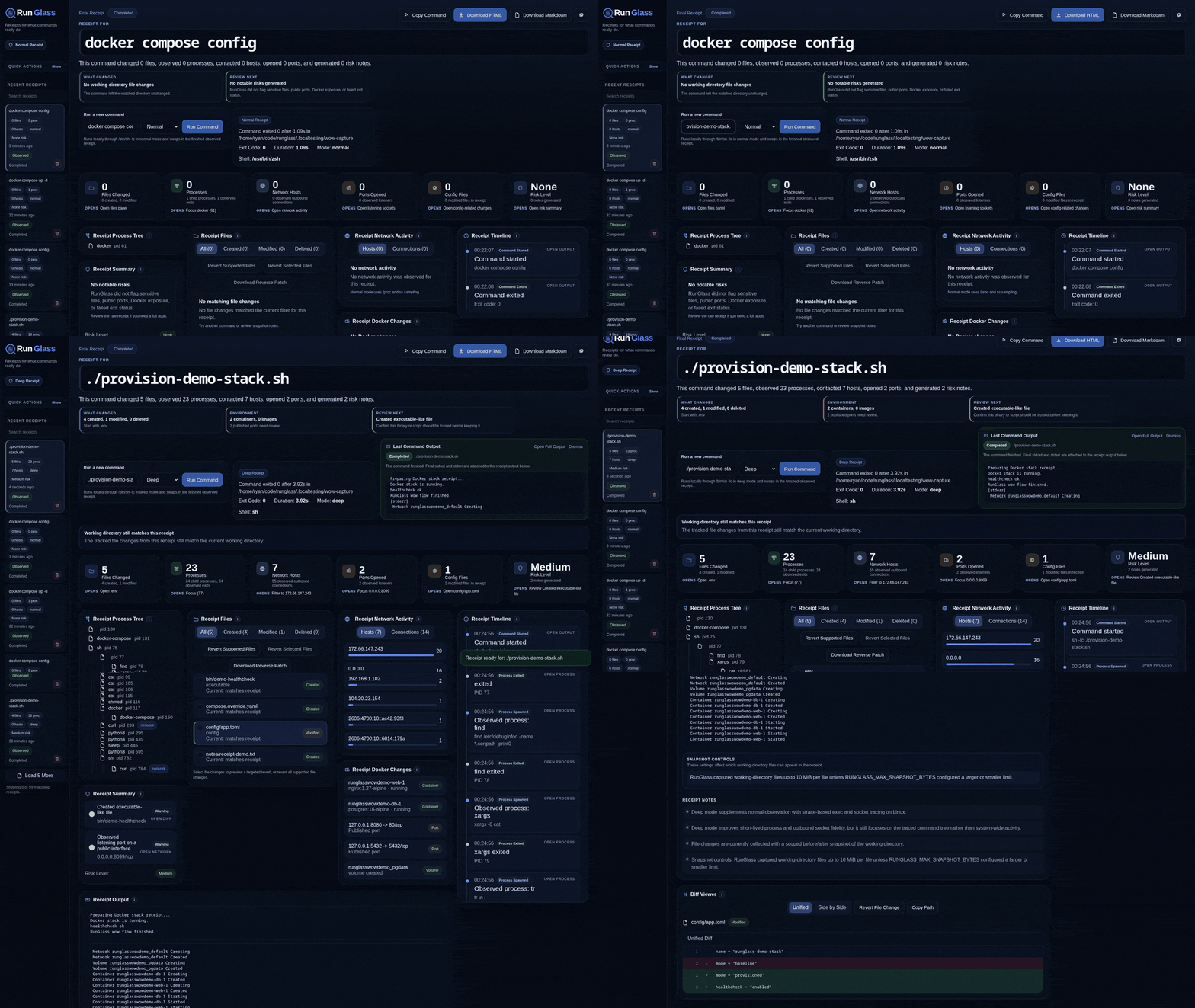
RunGlass turns one command into a receipt with:
- stdout, stderr, exit code, duration, and timeline
- working-directory file changes with text diffs
- process tree and observed child processes
- best-effort network hosts and listening ports
- Docker containers, images, volumes, networks, and published ports
- risk notes for things worth reviewing
- HTML, Markdown, JSON, bundle, and reverse-patch exports
- file revert previews and apply flow for supported receipts
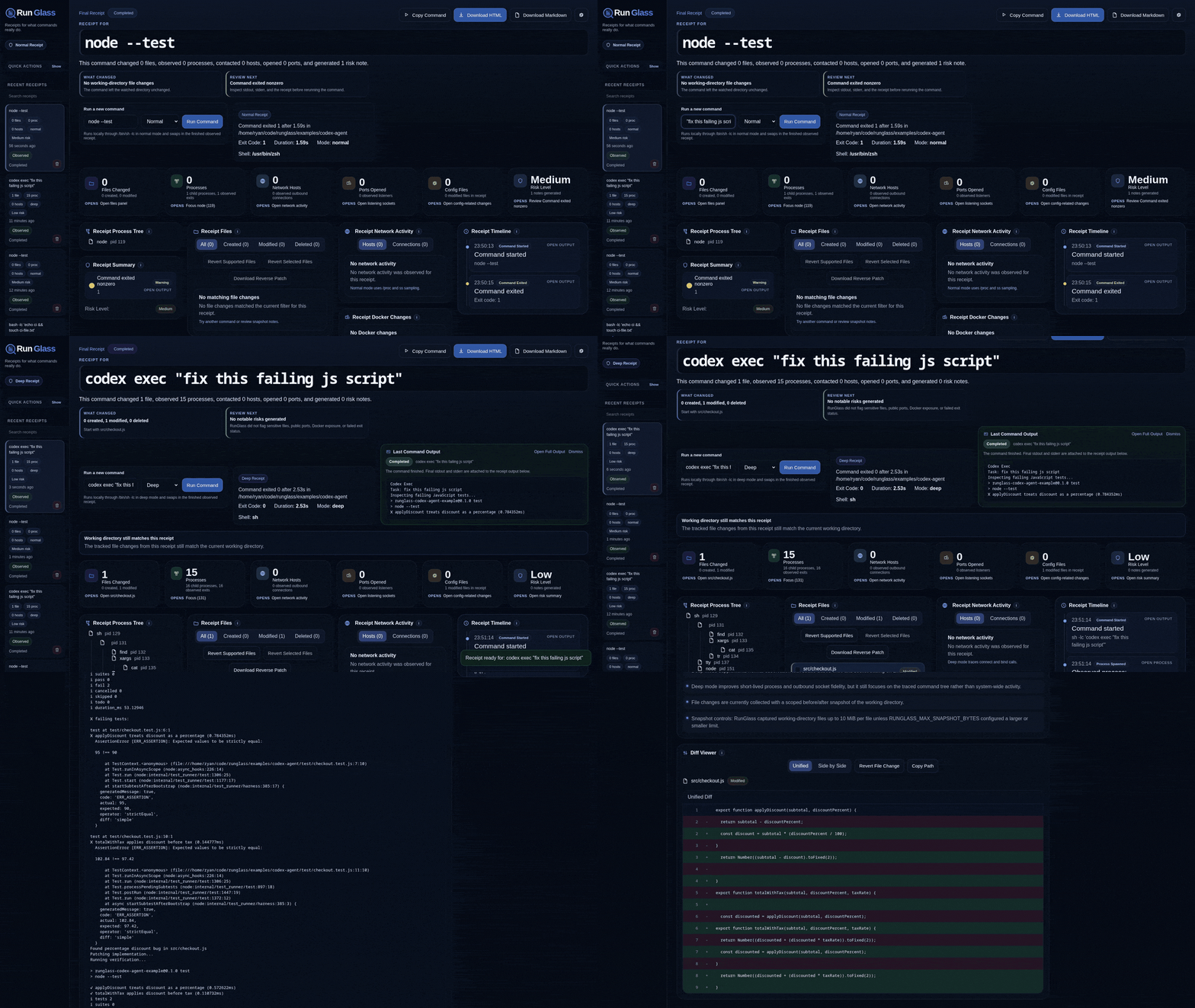
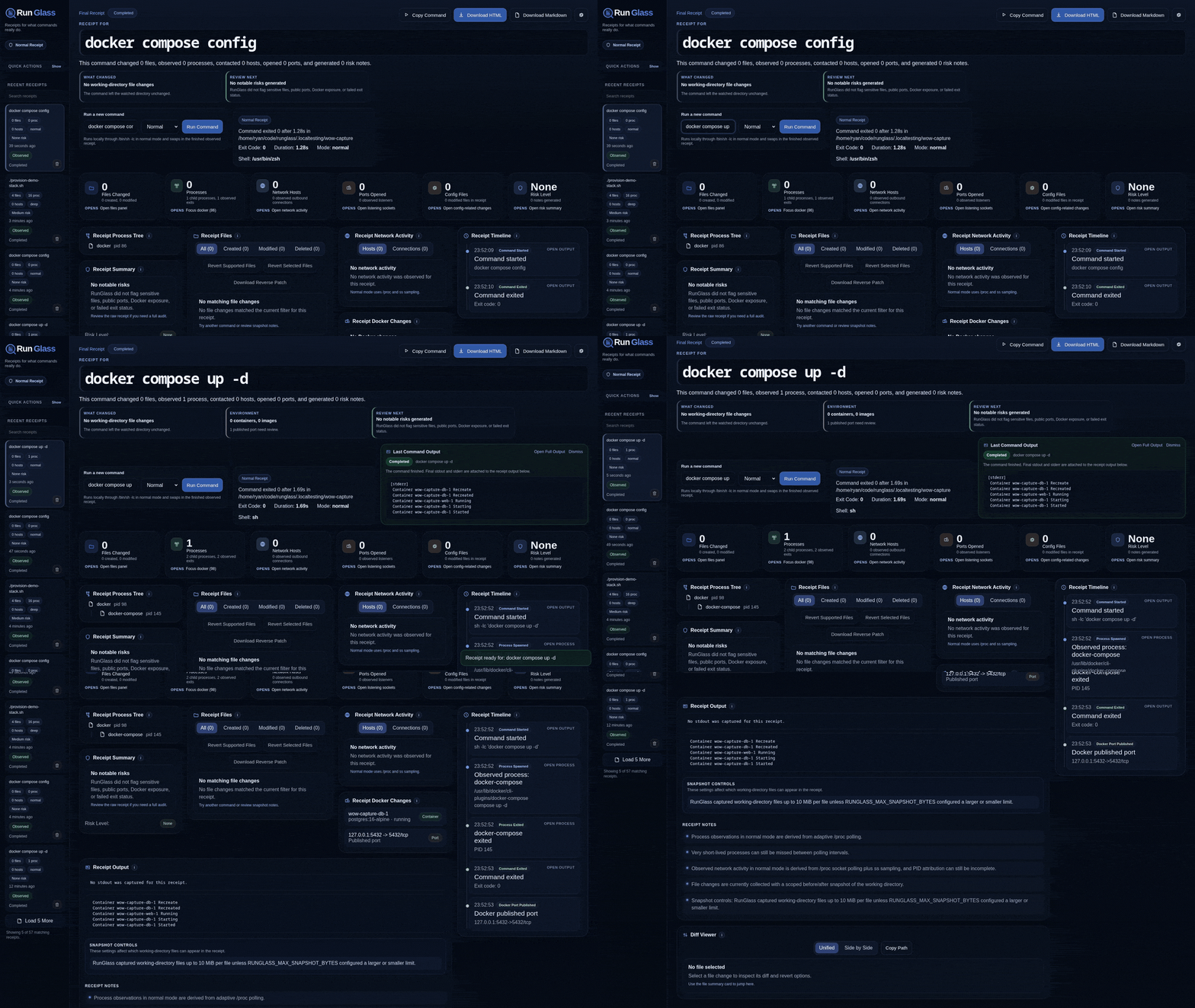
Example receipts:
Install
RunGlass is Linux-first in this release. normal mode uses Linux process and socket sources, and deep mode uses strace when available. macOS and Windows support are not the target for v0.1.0.
Build locally:
Install the CLI into your Cargo bin directory:
normal mode is a single-binary experience. The embedded web UI, local server, collectors, exports, and revert flow ship inside the Rust runglass binary.
deep mode is still the same binary, but on Linux it uses strace when available for better short-lived process and socket visibility.
Quick Start
Run a command:
Open the receipt:
Use deep mode when you want stronger process and network fidelity:
Wrap an AI agent command:
Why It Exists
Terminal history shows what you ran.
RunGlass shows what happened.
That matters when a command can create files, edit config, pull images, open ports, phone home, spawn child processes, or leave behind state that is easy to miss.
Common Workflows
RunGlass is strongest when one command has one clear boundary:
runglass run -- codex exec "fix this failing test"runglass run -- docker compose up -drunglass run -- npm installrunglass run -- ./install.shrunglass run -- ./deploy-preview.sh
The repository includes repeatable workloads under examples, but they are support material. RunGlass itself is meant to wrap your real commands.
Revert And Export
Export the latest receipt:
Inspect and revert file changes:
The web UI can preview file reverts, warn when files changed after the receipt ended, and apply supported reversions.
Observation Modes
RunGlass currently supports two Linux observation modes:
normal: adaptive/procpolling plussssampling. Fast, lightweight, and dependency-light.deep: normal mode plusstrace-based exec and socket tracing for better short-lived process and outbound network visibility.
Docker changes are captured from Docker Engine before/after state. File changes are captured from a scoped working-directory snapshot and diff.
Snapshot Controls
RunGlass defaults to a 10 MiB per-file snapshot cap so one large artifact does not turn a receipt into a heavy crawl.
Override the cap:
RUNGLASS_MAX_SNAPSHOT_BYTES=26214400
Ignore local paths with .runglassignore:
dist/
node_modules/
*.sqlite
tmp/
secret.env
See .runglassignore.example and .env.example for starter settings.
CLI Helpers
Scope
RunGlass is for one command, one boundary, one receipt.
It is not trying to be:
- a full terminal replacement
- a multi-command shell session recorder
- perfect system-wide tracing for every event on the machine
It is a pragmatic local receipt for commands you want to understand before you trust.