rumatui_tui/lib.rs
1//! [tui](https://github.com/fdehau/tui-rs) is a library used to build rich
2//! terminal users interfaces and dashboards.
3//!
4//! 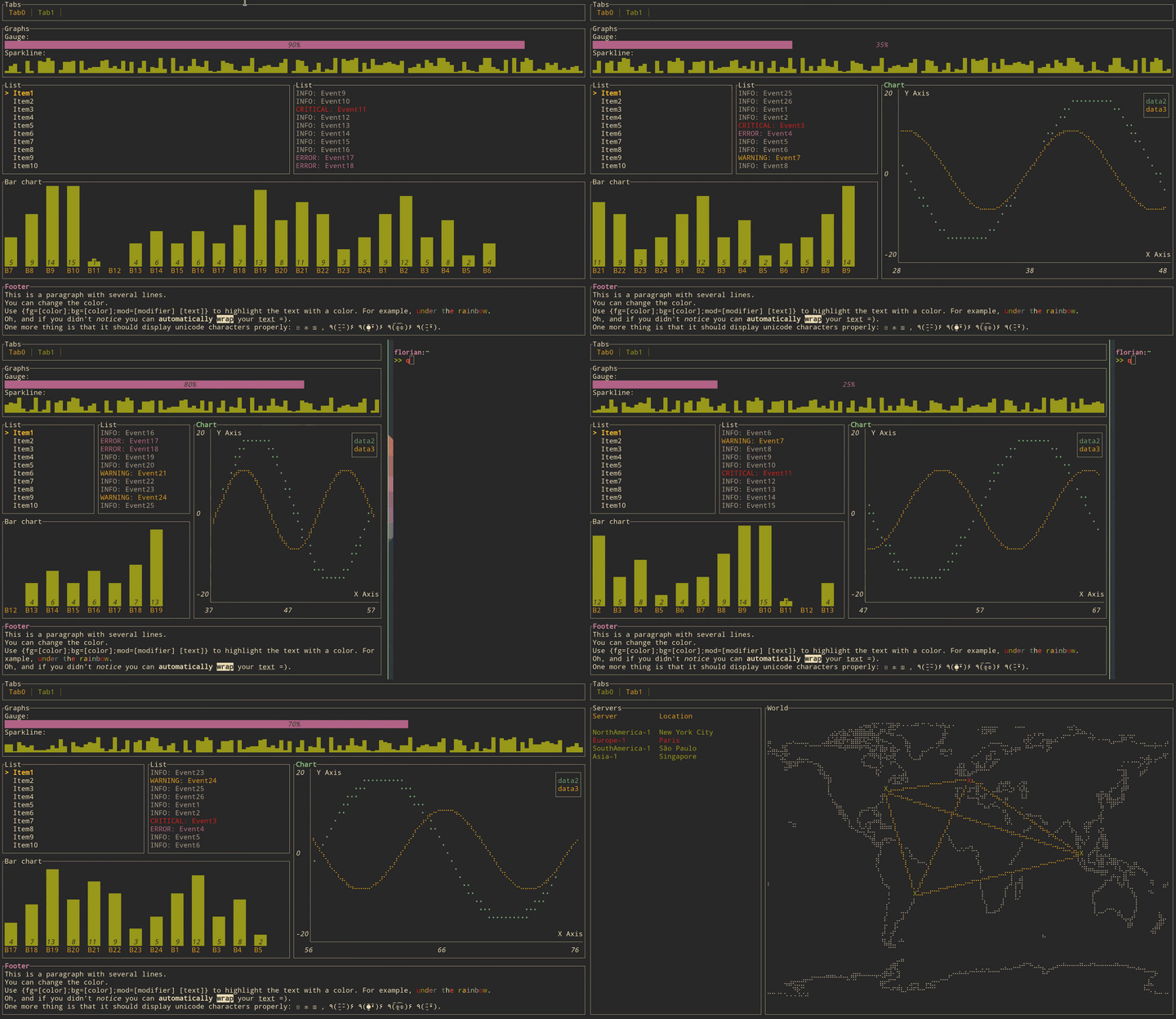
5//!
6//! # Get started
7//!
8//! ## Adding `tui` as a dependency
9//!
10//! ```toml
11//! [dependencies]
12//! tui = "0.8"
13//! termion = "1.5"
14//! ```
15//!
16//! The crate is using the `termion` backend by default but if for example you want your
17//! application to work on Windows, you might want to use the `crossterm` backend instead. This can
18//! be done by changing your dependencies specification to the following:
19//!
20//! ```toml
21//! [dependencies]
22//! crossterm = "0.14"
23//! tui = { version = "0.8", default-features = false, features = ['crossterm'] }
24//! ```
25//!
26//! The same logic applies for all other available backends.
27//!
28//! ## Creating a `Terminal`
29//!
30//! Every application using `tui` should start by instantiating a `Terminal`. It is a light
31//! abstraction over available backends that provides basic functionalities such as clearing the
32//! screen, hiding the cursor, etc.
33//!
34//! ```rust,no_run
35//! use std::io;
36//! use rumatui_tui::Terminal;
37//! use rumatui_tui::backend::TermionBackend;
38//! use termion::raw::IntoRawMode;
39//!
40//! fn main() -> Result<(), io::Error> {
41//! let stdout = io::stdout().into_raw_mode()?;
42//! let backend = TermionBackend::new(stdout);
43//! let mut terminal = Terminal::new(backend)?;
44//! Ok(())
45//! }
46//! ```
47//!
48//! If you had previously chosen `rustbox` as a backend, the terminal can be created in a similar
49//! way:
50//!
51//! ```rust,ignore
52//! use rumatui_tui::Terminal;
53//! use rumatui_tui::backend::RustboxBackend;
54//!
55//! fn main() -> Result<(), io::Error> {
56//! let backend = RustboxBackend::new()?;
57//! let mut terminal = Terminal::new(backend);
58//! Ok(())
59//! }
60//! ```
61//!
62//! You may also refer to the examples to find out how to create a `Terminal` for each available
63//! backend.
64//!
65//! ## Building a User Interface (UI)
66//!
67//! Every component of your interface will be implementing the `Widget` trait. The library comes
68//! with a predefined set of widgets that should meet most of your use cases. You are also free to
69//! implement your own.
70//!
71//! Each widget follows a builder pattern API providing a default configuration along with methods
72//! to customize them. The widget is then registered using its `render` method that take a `Frame`
73//! instance and an area to draw to.
74//!
75//! The following example renders a block of the size of the terminal:
76//!
77//! ```rust,no_run
78//! use std::io;
79//! use termion::raw::IntoRawMode;
80//! use rumatui_tui::Terminal;
81//! use rumatui_tui::backend::TermionBackend;
82//! use rumatui_tui::widgets::{Widget, Block, Borders};
83//! use rumatui_tui::layout::{Layout, Constraint, Direction};
84//!
85//! fn main() -> Result<(), io::Error> {
86//! let stdout = io::stdout().into_raw_mode()?;
87//! let backend = TermionBackend::new(stdout);
88//! let mut terminal = Terminal::new(backend)?;
89//! terminal.draw(|mut f| {
90//! let size = f.size();
91//! let block = Block::default()
92//! .title("Block")
93//! .borders(Borders::ALL);
94//! f.render_widget(block, size);
95//! })
96//! }
97//! ```
98//!
99//! ## Layout
100//!
101//! The library comes with a basic yet useful layout management object called `Layout`. As you may
102//! see below and in the examples, the library makes heavy use of the builder pattern to provide
103//! full customization. And `Layout` is no exception:
104//!
105//! ```rust,no_run
106//! use std::io;
107//! use termion::raw::IntoRawMode;
108//! use rumatui_tui::Terminal;
109//! use rumatui_tui::backend::TermionBackend;
110//! use rumatui_tui::widgets::{Widget, Block, Borders};
111//! use rumatui_tui::layout::{Layout, Constraint, Direction};
112//!
113//! fn main() -> Result<(), io::Error> {
114//! let stdout = io::stdout().into_raw_mode()?;
115//! let backend = TermionBackend::new(stdout);
116//! let mut terminal = Terminal::new(backend)?;
117//! terminal.draw(|mut f| {
118//! let chunks = Layout::default()
119//! .direction(Direction::Vertical)
120//! .margin(1)
121//! .constraints(
122//! [
123//! Constraint::Percentage(10),
124//! Constraint::Percentage(80),
125//! Constraint::Percentage(10)
126//! ].as_ref()
127//! )
128//! .split(f.size());
129//! let block = Block::default()
130//! .title("Block")
131//! .borders(Borders::ALL);
132//! f.render_widget(block, chunks[0]);
133//! let block = Block::default()
134//! .title("Block 2")
135//! .borders(Borders::ALL);
136//! f.render_widget(block, chunks[1]);
137//! })
138//! }
139//! ```
140//!
141//! This let you describe responsive terminal UI by nesting layouts. You should note that by
142//! default the computed layout tries to fill the available space completely. So if for any reason
143//! you might need a blank space somewhere, try to pass an additional constraint and don't use the
144//! corresponding area.
145
146#![deny(warnings)]
147
148pub mod backend;
149pub mod buffer;
150pub mod layout;
151pub mod style;
152pub mod symbols;
153pub mod terminal;
154pub mod widgets;
155
156pub use self::terminal::{Frame, Terminal};