## Transfer diagrams
This diagrams show the typical flow for sending/receiving an asset between two
rgb-lib wallets. Sending assets can be done in two ways. See the sections for
the [default](#2.-asset-transfer-(non-donation)) and
[donation](#3.-asset-transfer-(donation)) ways below for details.
These examples use RGB20 (fungible) assets but the same applies to RGB121
(non-fungible) assets as well.
You might also want to have a look at the similar [flow for RGB protocol in
general](rgb-docs-wallets)
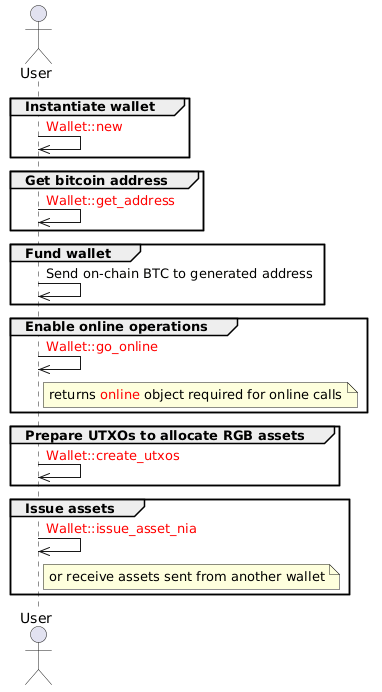
### 1. preparation
Both ways to send assets share some initial steps, which are summarized in this
diagram.This includes having some assets available for sending on the sender
wallet. These can be issued by the wallet itself or received from another one.
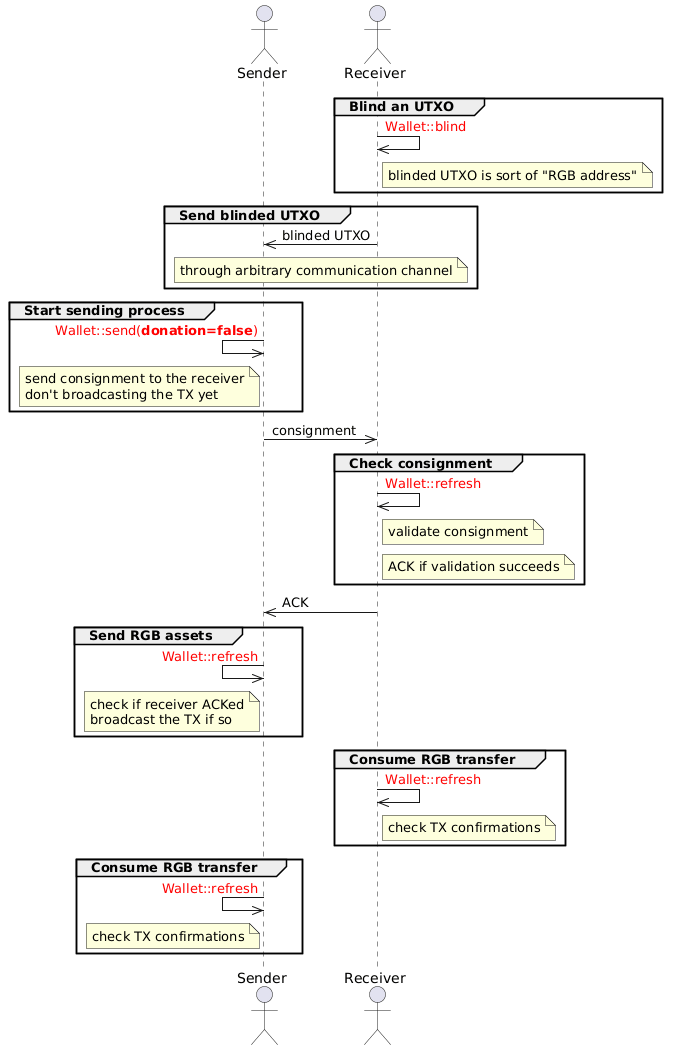
### 2. asset transfer (non-donation)
The first way to send assets (donation=false) requires confirmation (ACK) from
the receiver before the actual transfer happens. This is the default mode.
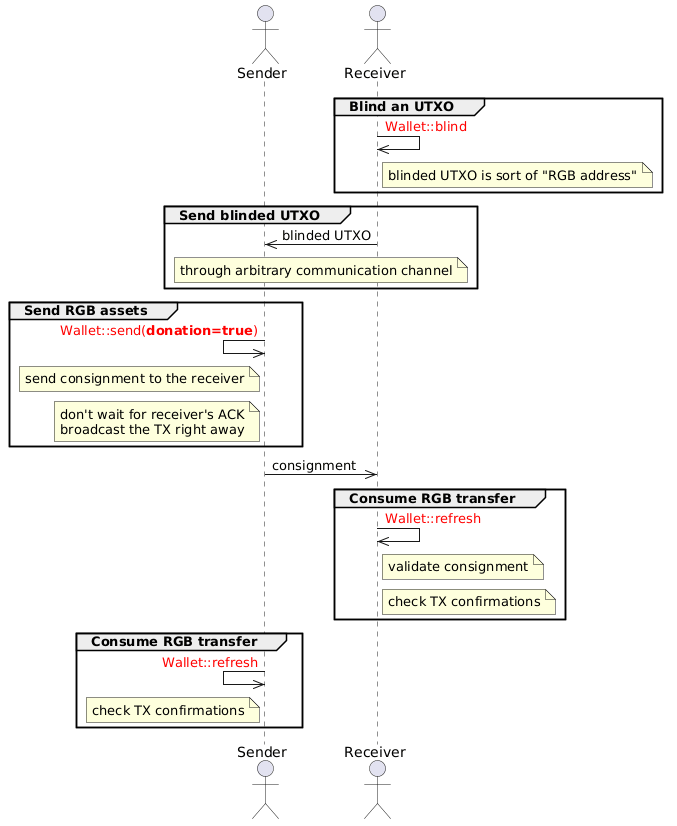
### 3. asset transfer (donation)
The second way to send assets (donation=true) is shorter and doesn't require
the receiver's confirmation (ACK) but instead transfers the assets right away.
[rgb-docs-wallet]: https://docs.rgb.info/wallets-and-payments