# C++ quick start
## Installing the Rerun Viewer
The Rerun C++ SDK works by connecting to an awaiting Rerun Viewer over gRPC.
If you need to install the viewer, follow the [installation guide](https://www.rerun.io/docs/overview/installing-rerun/viewer). Two of the more common ways to install the Rerun are:
* Via cargo: `cargo install rerun-cli --locked --features nasm` (see note below)
* Via pip: `pip install rerun-sdk`
**Note**: the `nasm` Cargo feature requires the [`nasm`](https://github.com/netwide-assembler/nasm) CLI to be installed and available in your path.
Alternatively, you may skip enabling this feature, but this may result in inferior video decoding performance.
After you have installed it, you should be able to type `rerun` in your terminal to start the viewer.
## Using the Rerun C++ SDK with CMake
```cmake
include(FetchContent)
FetchContent_Declare(rerun_sdk URL
https://github.com/rerun-io/rerun/releases/latest/download/rerun_cpp_sdk.zip)
FetchContent_MakeAvailable(rerun_sdk)
```
This will download a bundle with pre-built Rerun C static libraries for most desktop platforms,
all Rerun C++ sources and headers, as well as CMake build instructions for them.
By default this will in turn download & build [Apache Arrow](https://arrow.apache.org/)'s C++ library which is required to build the Rerun C++.
To learn more about how Rerun's CMake script can be configured, see [CMake Setup in Detail](https://ref.rerun.io/docs/cpp/stable/md__2home_2runner_2work_2rerun_2rerun_2rerun__cpp_2cmake__setup__in__detail.html) in the C++ reference documentation.
Make sure you link with `rerun_sdk`:
```cmake
target_link_libraries(your_executable PRIVATE rerun_sdk)
```
### Logging your own data
Put the following code to your `main.cpp`:
```cpp
${EXAMPLE_CODE_CPP_CONNECT}
```
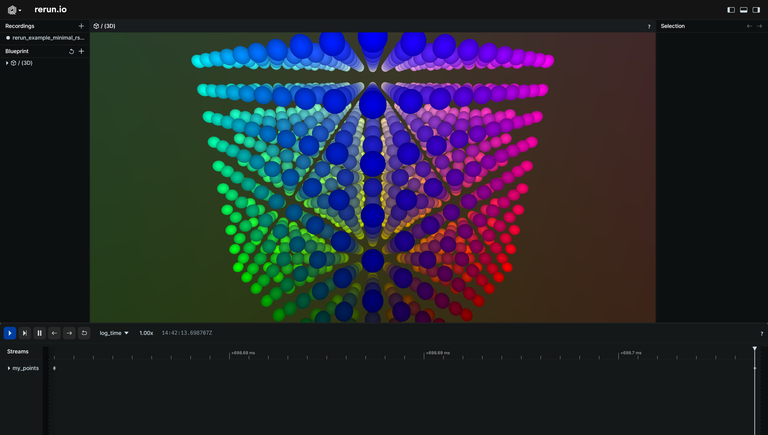
Start the Rerun Viewer (`rerun`) and then build and run your C++ program.
You should see the points in this viewer:
${HOW_DOES_IT_WORK}