# Rust Quick Start
## Installing Rerun
After you have [installed the viewer](https://www.rerun.io/docs/getting-started/installing-viewer) you can simply add [the rerun crate](https://crates.io/crates/rerun) to your project with `cargo add rerun`.
Let's try it out in a brand-new Rust project:
```sh
cargo init cube && cd cube && cargo add rerun
```
Note that the Rerun SDK requires a working installation of Rust 1.74+.
## Logging your own data
Add the following code to your `main.rs` file:
```rust
${EXAMPLE_CODE}
```
You can now run your application:
```shell
cargo run
```
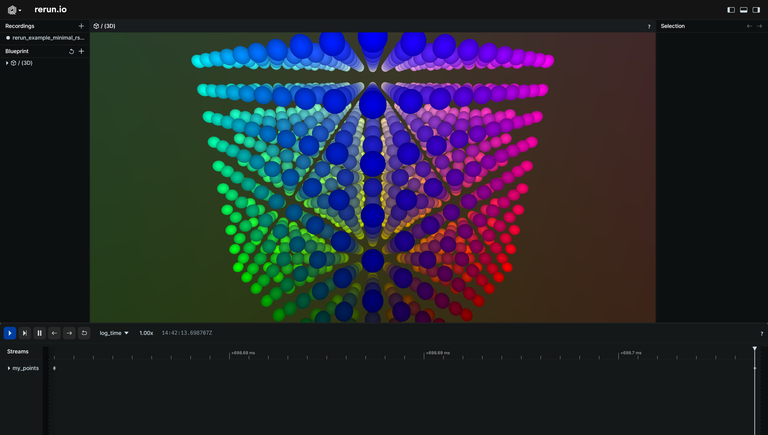
Once everything finishes compiling, a new viewer will start displaying these points:
${HOW_DOES_IT_WORK}