# ratatui-explorer
[ratatui-explorer](https://crates.io/crates/ratatui-explorer) is a simple library for creating file explorers for [ratatui](https://github.com/ratatui-org/ratatui).
Features:
- File explorer functionality.
- Input handling (from [crossterm](https://docs.rs/crossterm/latest/crossterm/), [termion](https://docs.rs/termion/latest/termion/), [termwiz](https://docs.rs/termwiz/latest/termwiz/) and your own backend).
- Customizable widget theming.
# Examples
Run `cargo run --example` to try the different example available.
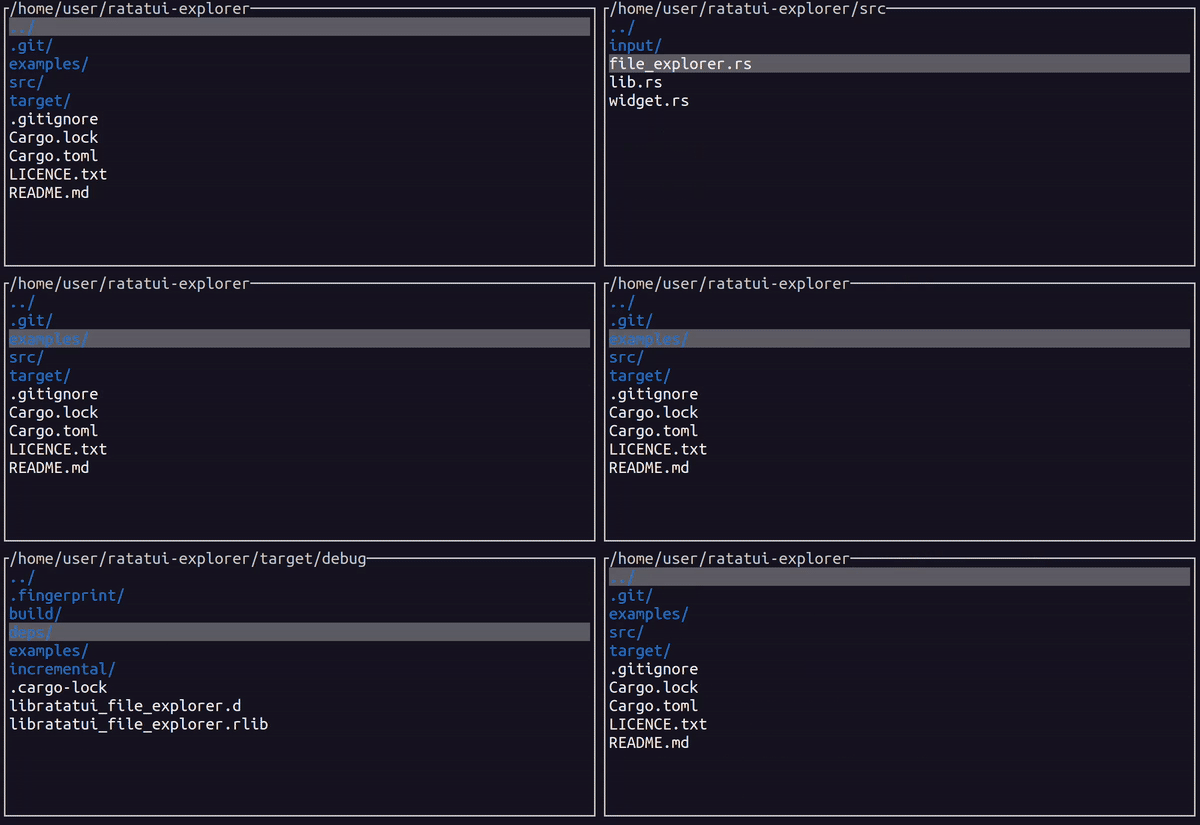
## [Basic usage](examples/basic.rs)
The simplest use of [ratatui-explorer](https://crates.io/crates/ratatui-explorer) with the [crossterm](https://docs.rs/crossterm/latest/crossterm/) backend.
```shell
cargo run --example basic
```
---
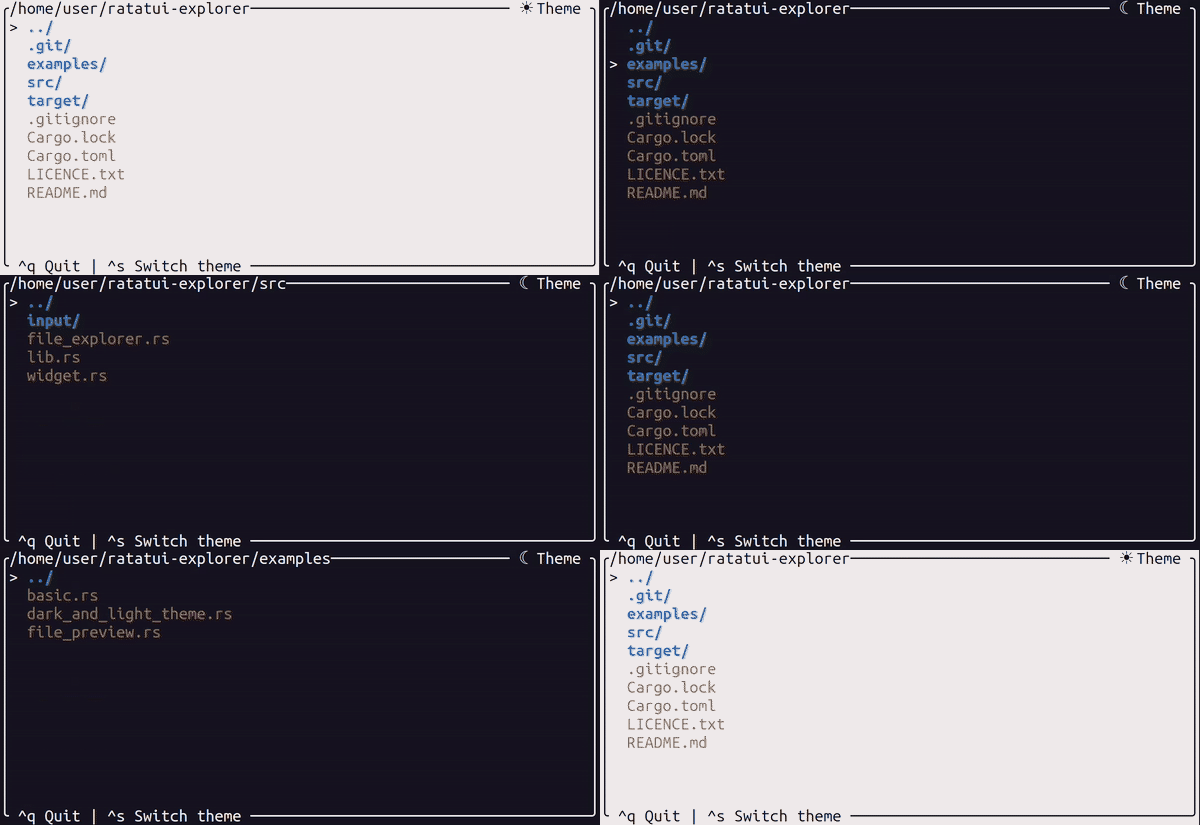
## [Light and dark theme](examples/light_and_dark_theme.rs)
Switching custom themes while running.
```shell
cargo run --example light_and_dark_theme
```
---
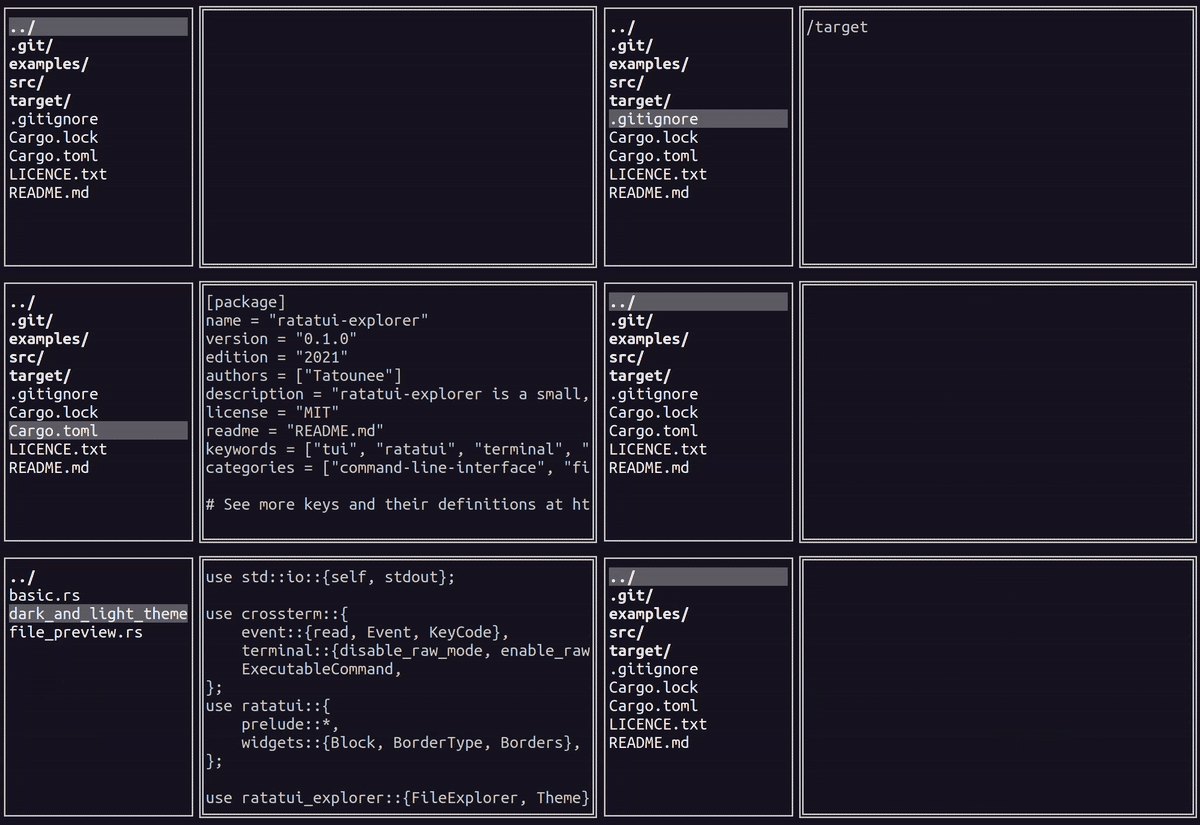
## [File preview](examples/file_preview.rs)
Adapt the interface depending on the selected file.
```shell
cargo run --example file_preview
```
# Basic usage
Install the libraries in your `Cargo.toml` file:
```plaintext
cargo add ratatui ratatui-explorer crossterm
```
Then inside your `main.rs` file:
```rust no_run
use std::io::{self, stdout};
use crossterm::{
event::{read, Event, KeyCode},
terminal::{disable_raw_mode, enable_raw_mode, EnterAlternateScreen, LeaveAlternateScreen},
ExecutableCommand,
};
use ratatui::prelude::*;
use ratatui_explorer::{FileExplorer, Theme};
fn main() -> io::Result<()> {
enable_raw_mode()?;
stdout().execute(EnterAlternateScreen)?;
let mut terminal = Terminal::new(CrosstermBackend::new(stdout()))?;
// Create a new file explorer with the default theme and title.
let theme = Theme::default().add_default_title();
let mut file_explorer = FileExplorer::with_theme(theme)?;
loop {
// Render the file explorer widget.
terminal.draw(|f| {
f.render_widget(&file_explorer.widget(), f.area());
})?;
// Read the next event from the terminal.
let event = read()?;
if let Event::Key(key) = event {
if key.code == KeyCode::Char('q') {
break;
}
}
// Handle the event in the file explorer.
file_explorer.handle(&event)?;
}
disable_raw_mode()?;
stdout().execute(LeaveAlternateScreen)?;
Ok(())
}
```
## Customizing the theme
You can customize the theme of the file explorer widget by using the `Theme` struct.
```rust
use ratatui::{prelude::*, widgets::*};
use ratatui_explorer::Theme;
let theme = Theme::default()
.add_default_title()
.with_title_bottom(|fe| format!("[{} files]", fe.files().len()).into())
.with_block(Block::default().borders(Borders::ALL).border_type(BorderType::Rounded))
.with_highlight_item_style(Style::default().fg(Color::Yellow).add_modifier(Modifier::BOLD))
.with_highlight_dir_style(Style::default().fg(Color::Red).add_modifier(Modifier::BOLD))
.with_highlight_symbol("> ".into());
```
# Bindings
The following bindings are used by default for [crossterm](https://docs.rs/crossterm/latest/crossterm/),
[termion](https://docs.rs/termion/latest/termion/) and [termwiz](https://docs.rs/termwiz/latest/termwiz/).
| `j`, `<DownArrow>` | Move the selection down |
| `k`, `<UpArrow>` | Move the selection up |
| `h`, `<LeftArrow>`, `<Backspace>` | Go to the parent directory |
| `l`, `<RightArrow>`, `<Enter>` | Go to the child directory* |
| `Home` | Select the first entry |
| `End` | Select the last entry |
| `PageUp` | Scroll the selection up |
| `PageDown` | Scroll the selection down |
_*if the selected item is a directory_