# Rallo - Rust Allocator
[](https://github.com/oramasearch/rallo/actions/workflows/ci.yml)
This crate provides a custom allocator for Rust, useful to track where memories are allocated.
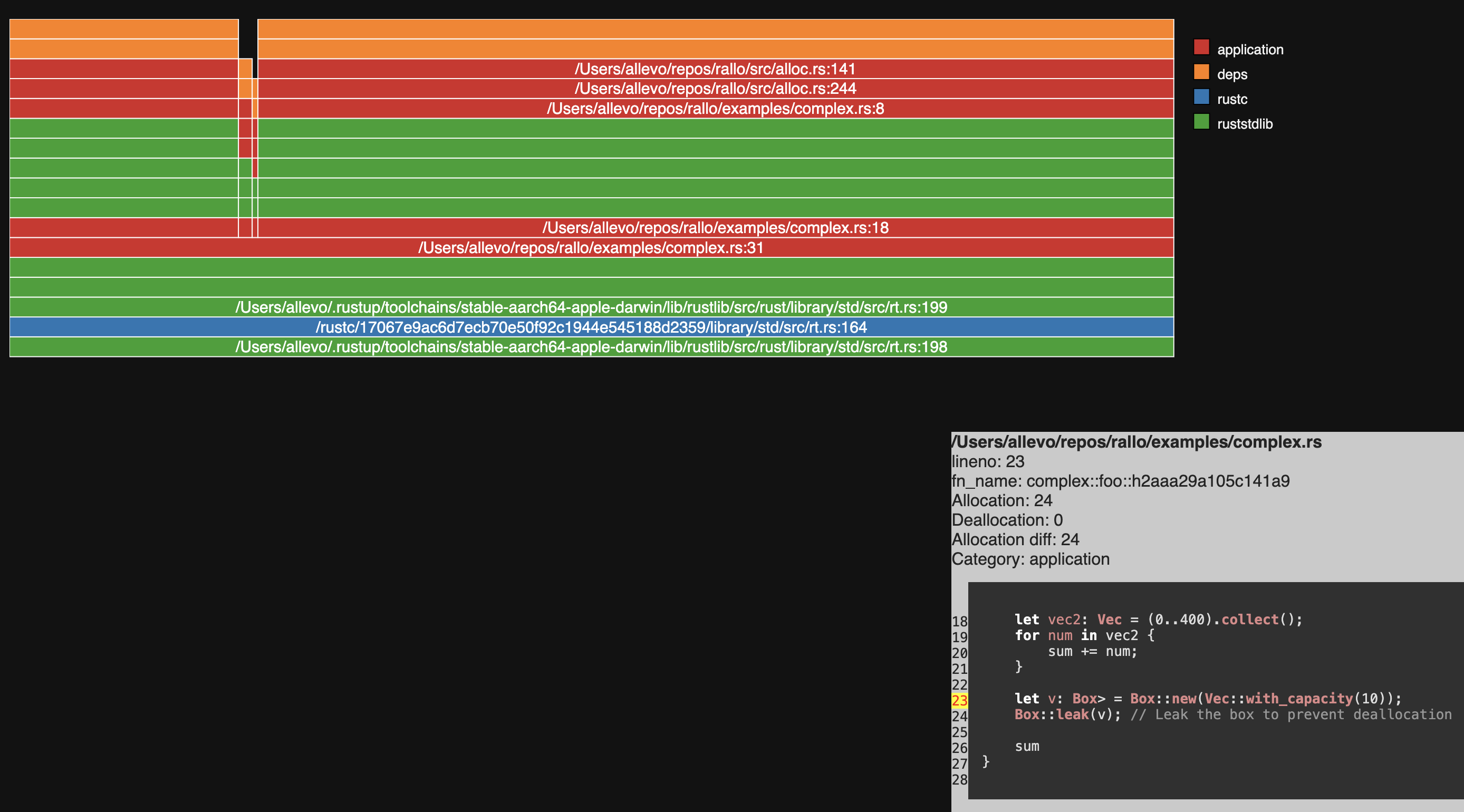
You can use it to find where a function or method allocates memory, and how much memory is allocated. At the end, you can create a flamegraph like html page to visualize the memory allocation.
## Usage
To use this crate, add the following to your `Cargo.toml`:
```toml
[dev-dependencies]
rallo = "*"
```
Then, create a new file in your `tests` directory, for example `tests/rallo.rs`, and add the following code:
```rust
use rallo::RalloAllocator;
// This is the maximum length of a frame
const MAX_FRAME_LENGTH: usize = 128;
// Maximum number of allocations to keep
const MAX_LOG_COUNT: usize = 1_024 * 10;
#[global_allocator]
static ALLOCATOR: RalloAllocator<MAX_FRAME_LENGTH, MAX_LOG_COUNT> = RalloAllocator::new();
fn foo() {
let _ = String::with_capacity(1024);
}
#[test]
fn test_rallo() {
// Safety: the program is single-threaded
unsafe { ALLOCATOR.start_track() };
foo();
ALLOCATOR.stop_track();
// Safety: it is called after `stop_track`
let stats = unsafe { ALLOCATOR.calculate_stats() };
let tree = stats.into_tree().unwrap();
let file_name = "simple-memory-flamegraph.html";
let path = std::env::current_dir().unwrap().join(file_name);
tree.print_flamegraph(&path);
println!("Flamegraph saved to {}", path.display());
}
```
The generated HTML file will be like this: