# Radio Code Calculator Online & SDK for Rust
**[Radio Code Calculator](https://www.pelock.com/products/radio-code-calculator)** is an online service along with [Web API & SDK](https://www.pelock.com/products/radio-code-calculator/sdk) for generating car radio unlock codes for popular vehicle brands.
Following a breakdown or a disconnection of the car battery, most of the vehicle radio & navigation units will ask for an unlocking code. It's standard anti-theft protection.
Our car Radio Code Calculator allows you to generate **100% valid** radio codes to unlock car radios & navigation without the need to use the expensive service of authorized dealers.
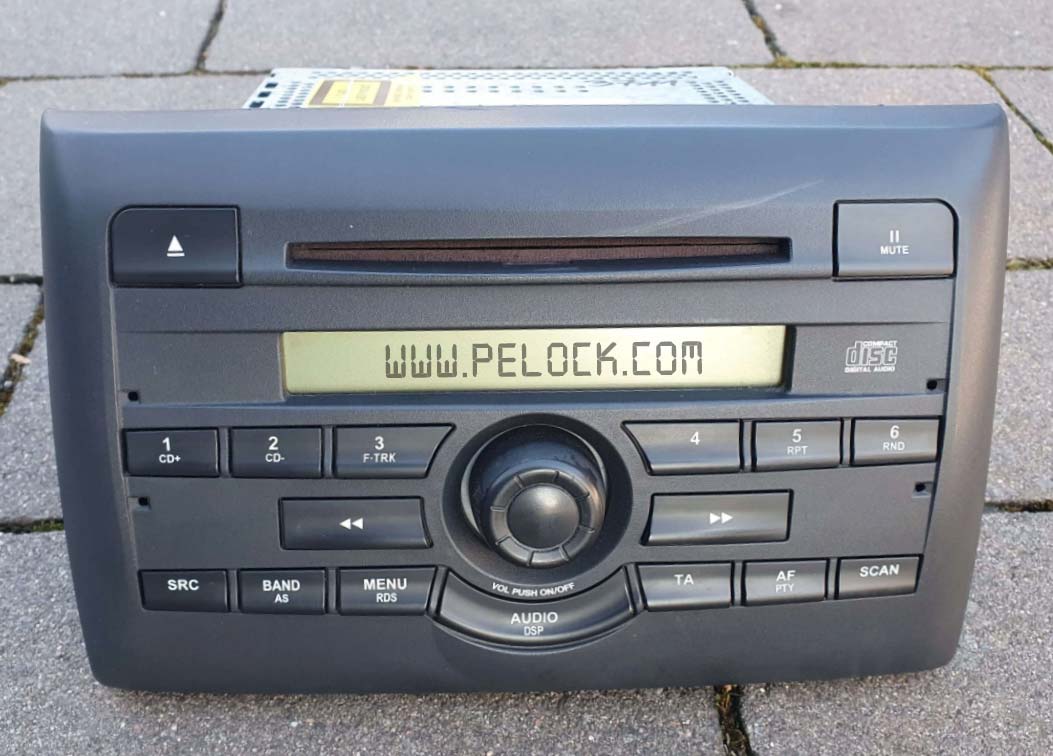
The service is available through a simple online interface and `Web API`, with multiple `SDK` development libraries for popular programming languages.
Thanks to our solution, you can create, for instance, mobile or web applications that allow for easy generation of radio codes.
## Supported car models and radios
Our service is being continuously developed and new algorithms are gradually added for new car models and their radios.
If a new algorithm is added, you will get automatic and free access to it as part of your current license.
Individual calculators are available on our site as a paid service for end customers. You can verify them and see lists of supported radios on the relevant subpages:
* [Renault & Dacia](https://www.pelock.com/products/renault-and-dacia-car-radio-code-calculator-generator)
* [Toyota ERC](https://www.pelock.com/products/toyota-erc-calculator-radio-unlock-code-generator)
* [Jeep Cherokee](https://www.pelock.com/products/jeep-cherokee-radio-unlock-code-calculator-generator)
* [Ford M Serial](https://www.pelock.com/products/ford-radio-code-m-serial-calculator-generator)
* [Ford V Serial](https://www.pelock.com/products/ford-radio-code-v-serial-calculator-generator)
* [Ford TravelPilot EX, FX & NX](https://www.pelock.com/products/ford-travelpilot-ex-fx-nx-radio-code-generator-calculator)
* [Chrysler Panasonic TM9](https://www.pelock.com/products/chrysler-panasonic-tm9-car-radio-code-calculator-generator)
* [Chrysler Dodge Ram VP2](https://www.pelock.com/products/chrysler-dodge-ram-uconnect-harman-kardon-radio-code)
* [Fiat Stilo & Bravo Visteon](https://www.pelock.com/products/fiat-stilo-bravo-visteon-radio-code-calculator-generator)
* [Fiat DAIICHI MOPAR](https://www.pelock.com/products/fiat-daiichi-radio-code-calculator-generator)
* [Fiat Continental 250 & 500 VP1/VP2](https://www.pelock.com/products/fiat-250-500-vp1-vp2-radio-code-calculator-generator)
* [Nissan Glove Box Immobiliser PIN](https://www.pelock.com/products/nissan-glove-box-pin-code-calculator)
* [Eclipse ESN Unlock Code Calculator](https://www.pelock.com/products/eclipse-esn-unlock-code-calculator)
* [Jaguar Alpine](https://www.pelock.com/products/jaguar-alpine-car-radio-unlock-code-calculator)
## Use of radio code calculator
Where and who can use the radio code generation service and make money from code generation?
###  App developers
The main audience for our software is clearly developers and programmers, either of mobile or desktop applications.
###  Online stores
If you run an online e-commerce store, you can sell radio codes through it using our software solutions.
###  Auto repair shops
We also encourage car repair shops whose customers often use car radio unlocking services.
###  Private individuals
 will also profit from our solution by generating codes and selling them on car forums or auction sites such as eBay, Craigslist.
### No limits!
You can generate codes **without limitation** with your purchased one-year license.
Set your own price for generating a single code and start earning by using **tried and tested** algorithms from a programming language you know.
If you are not a programmer - don't worry. Just use our [online calculator](https://www.pelock.com/products/radio-code-calculator/online).
## Installation
The preferred way to add the Web API client is with [Cargo](https://doc.rust-lang.org/cargo/):
```text
cargo add radio-code-calculator
```
Or add to your `Cargo.toml`:
```toml
[dependencies]
radio-code-calculator = "1.0.0"
```
Examples in this repository use [Tokio](https://tokio.rs/) as the async runtime (`#[tokio::main]`). Add Tokio to your binary crate:
```toml
[dependencies]
radio-code-calculator = "1.0.0"
tokio = { version = "1", features = ["rt-multi-thread", "macros"] }
```
Run an example:
```text
cargo run --example RadioCodeCalculatorSimple
```
### Integration tests
Live API tests in `tests/test_radio_code_calculator.rs` require an active Web API license. Set `RADIO_CODE_CALCULATOR_API_KEY` and run ignored tests:
```text
set RADIO_CODE_CALCULATOR_API_KEY=your-key-here
cargo test -- --ignored
```
The default `cargo test` run executes only checks that do not depend on a valid license (for example, invalid key handling).
## Packages for other programming languages
The installation packages have been uploaded to repositories for several popular programming languages and their source codes have been published on GitHub:
|  | PHP | Add the following line to `require` section of your `composer.json` file `"pelock/radio-code-calculator": "*"` | [Packagist](https://packagist.org/packages/pelock/radio-code-calculator) | [Sources](https://github.com/PELock/Radio-Code-Calculator-PHP)
|  | Python | Run `pip install radio-code-calculator` | [PyPi](https://pypi.org/project/radio-code-calculator/) | [Sources](https://github.com/PELock/Radio-Code-Calculator-Python)
|  | JavaScript, TypeScript | Run `npm i radio-code-calculator` or add the following to `dependencies` section of your `package.json` file `"dependencies": { "radio-code-calculator": "latest" },` | [NPM](https://www.npmjs.com/package/radio-code-calculator) | [Sources](https://github.com/PELock/Radio-Code-Calculator-JavaScript)
|  | Rust | Run `cargo add radio-code-calculator` or add `radio-code-calculator = "1.0.0"` to `[dependencies]` in `Cargo.toml` | [crates.io](https://crates.io/crates/radio-code-calculator) | [Sources](https://github.com/PELock/Radio-Code-Calculator-Rust)
## Usage examples
### Radio code generation
This example demonstrates code generation for a selected radio model. All input parameter validation is done on the server side and if the radio serial number has an invalid length or pattern - the service will return an error.
```rust
/******************************************************************************
*
* Radio Code Calculator API - WebApi interface usage example
*
* In this example, we will demonstrate how to generate a code for a specific
* type of car radio.
*
* Version : v1.0.0
* Rust : 2021
* Dependencies : radio-code-calculator
* Author : Bartosz Wójcik (support@pelock.com)
* Project : https://www.pelock.com/products/radio-code-calculator
* Homepage : https://www.pelock.com
*
* @link https://www.pelock.com/products/radio-code-calculator
* @copyright Copyright (c) 2021-2026 PELock LLC
* @license Apache-2.0
*
*****************************************************************************/
//
// include Radio Code Calculator API module
//
use radio_code_calculator::{RadioCodeCalculator, RadioCodeCalculatorError, RadioErrors, RadioModels};
#[tokio::main]
async fn main() {
//
// create Radio Code Calculator API class instance (we are using our activation key)
//
let my_radio_code_calculator =
RadioCodeCalculator::new(Some("ABCD-ABCD-ABCD-ABCD".to_string()));
//
// generate radio code (using Web API)
//
match my_radio_code_calculator
.calc(&*RadioModels::FORD_M_SERIES, "123456", "")
.await
{
Ok(result) => {
println!("Radio code is {}", result["code"]);
}
Err(e) => match e {
RadioCodeCalculatorError::ApiError(ref v) => match v["error"].as_i64().unwrap_or(-1) as i32 {
RadioErrors::INVALID_RADIO_MODEL => {
println!("Invalid radio model (not supported)");
}
RadioErrors::INVALID_SERIAL_LENGTH => println!(
"Invalid serial number length (expected {} characters)",
v["serialMaxLen"]
),
RadioErrors::INVALID_SERIAL_PATTERN => println!(
"Invalid serial number regular expression pattern (expected {} regex pattern)",
v["serialRegexPattern"]["php"]
),
RadioErrors::INVALID_SERIAL_NOT_SUPPORTED => {
println!("This serial number is not supported");
}
RadioErrors::INVALID_EXTRA_LENGTH => println!(
"Invalid extra data length (expected {} characters)",
v["extraMaxLen"]
),
RadioErrors::INVALID_EXTRA_PATTERN => println!(
"Invalid extra data regular expression pattern (expected {} regex pattern",
v["extraRegexPattern"]["php"]
),
RadioErrors::INVALID_INPUT => println!("Invalid input data"),
RadioErrors::INVALID_COMMAND => {
println!("Invalid command sent to the Web API interface");
}
RadioErrors::INVALID_LICENSE => println!("Invalid license key!"),
_ => println!("Something unexpected happen while trying to login to the service (error code {v:?})."),
},
RadioCodeCalculatorError::InvalidLicense => println!("Invalid license key!"),
RadioCodeCalculatorError::Transport(msg) => {
println!("Connection error: {msg}");
}
},
}
}
```
### Radio code generation with additional offline validation
Radio codes are generated based on input parameters such as the **radio's serial number**, among others.
Radio serial numbers are different for different radios, they have different lengths and different patterns, some may consist of just digits e.g. `1234`, while others may consist of digits and letters e.g. `AB1234XYZ`.
Validation of this data is done on the server side. However, to make things more efficient, we can use the information about available limits and patterns of particular serial numbers to, for example, set these limits in controls in our own applications without unnecessary calls to the `Web API`.
```rust
/******************************************************************************
*
* Radio Code Calculator API - WebApi interface usage example
*
* In this example, we will demonstrate how to generate a code for a specific
* type of car radio. This example shows how to use an extended offline
* validation.
*
* Version : v1.0.0
* Rust : 2021
* Dependencies : radio-code-calculator
* Author : Bartosz Wójcik (support@pelock.com)
* Project : https://www.pelock.com/products/radio-code-calculator
* Homepage : https://www.pelock.com
*
* @link https://www.pelock.com/products/radio-code-calculator
* @copyright Copyright (c) 2021-2026 PELock LLC
* @license Apache-2.0
*
*****************************************************************************/
//
// include Radio Code Calculator API module
//
use radio_code_calculator::{RadioCodeCalculator, RadioCodeCalculatorError, RadioErrors, RadioModels};
#[tokio::main]
async fn main() {
//
// create Radio Code Calculator API class instance (we are using our activation key)
//
let my_radio_code_calculator =
RadioCodeCalculator::new(Some("ABCD-ABCD-ABCD-ABCD".to_string()));
//
// generate a single radio unlocking code
//
let serial = "123456";
let extra = "";
//
// select a radio model
//
let radio_model = &*RadioModels::FORD_M_SERIES;
//
// display radio model information, you can use it to set limits in your controls e.g.
//
// textFieldRadioSerial.maxLength = radioModel.serial_max_len
// textFieldRadioSerial.regEx = radioModel.serial_regex_pattern()
//
// (if allowed by your controls)
//
println!(
"Radio model {} expects a serial number of {} length and {} regex pattern<br>",
radio_model.name,
radio_model.serial_max_len,
radio_model.serial_regex_pattern()
);
// additional information
if radio_model.extra_max_len > 0 {
println!(
"Additionally an extra field is required with {} and {:?} regex pattern<br>",
radio_model.extra_max_len,
radio_model.extra_regex_pattern()
);
}
//
// validate the serial number (offline) before sending the Web API request
//
let error = radio_model.validate(serial, Some(extra));
if error != RadioErrors::SUCCESS {
if error == RadioErrors::INVALID_SERIAL_LENGTH {
println!(
"Invalid serial number length (expected {} characters<br>",
radio_model.serial_max_len
);
} else if error == RadioErrors::INVALID_SERIAL_PATTERN {
println!(
"Invalid serial number regular expression pattern (expected {} regex pattern)<br>",
radio_model.serial_regex_pattern()
);
} else if error == RadioErrors::INVALID_SERIAL_NOT_SUPPORTED {
println!("This serial number is not supported");
} else if error == RadioErrors::INVALID_EXTRA_LENGTH {
println!(
"Invalid extra data length (expected {} characters)<br>",
radio_model.extra_max_len
);
} else if error == RadioErrors::INVALID_EXTRA_PATTERN {
println!(
"Invalid extra data regular expression pattern (expected {:?} regex pattern)<br>",
radio_model.extra_regex_pattern()
);
}
std::process::exit(1);
}
//
// generate radio code (using Web API)
//
match my_radio_code_calculator
.calc(radio_model, serial, extra)
.await
{
Ok(result) => println!("Radio code is {}", result["code"]),
Err(e) => match e {
RadioCodeCalculatorError::ApiError(ref v) => match v["error"].as_i64().unwrap_or(-1) as i32 {
RadioErrors::INVALID_RADIO_MODEL => {
println!("Invalid radio model (not supported)");
}
RadioErrors::INVALID_SERIAL_LENGTH => println!(
"Invalid serial number length (expected {} characters)",
v["serialMaxLen"]
),
RadioErrors::INVALID_SERIAL_PATTERN => println!(
"Invalid serial number regular expression pattern (expected {} regex pattern)",
v["serialRegexPattern"]["php"]
),
RadioErrors::INVALID_SERIAL_NOT_SUPPORTED => {
println!("This serial number is not supported");
}
RadioErrors::INVALID_EXTRA_LENGTH => println!(
"Invalid extra data length (expected {} characters)",
v["extraMaxLen"]
),
RadioErrors::INVALID_EXTRA_PATTERN => println!(
"Invalid extra data regular expression pattern (expected {} regex pattern)",
v["extraRegexPattern"]["php"]
),
RadioErrors::INVALID_INPUT => println!("Invalid input data"),
RadioErrors::INVALID_COMMAND => {
println!("Invalid command sent to the Web API interface");
}
RadioErrors::INVALID_LICENSE => println!("Invalid license key!"),
_ => println!("Something unexpected happen while trying to login to the service (error code {v:?})."),
},
RadioCodeCalculatorError::InvalidLicense => println!("Invalid license key!"),
RadioCodeCalculatorError::Transport(msg) => println!("Connection error: {msg}"),
},
}
}
```
### Download list of supported radio code calculators
If you would like to download information about all supported radio models and their parameters such as serial number length and pattern - you can do so.
```rust
/******************************************************************************
*
* Radio Code Calculator API - WebApi interface usage example
*
* In this example we will list all the available calculators and, their
* parameters like name, maximum length of the radio serial number and its
* regex pattern.
*
* Version : v1.0.0
* Rust : 2021
* Dependencies : radio-code-calculator
* Author : Bartosz Wójcik (support@pelock.com)
* Project : https://www.pelock.com/products/radio-code-calculator
* Homepage : https://www.pelock.com
*
* @link https://www.pelock.com/products/radio-code-calculator
* @copyright Copyright (c) 2021-2026 PELock LLC
* @license Apache-2.0
*
*****************************************************************************/
//
// include Radio Code Calculator API module
//
use radio_code_calculator::{RadioCodeCalculator, RadioCodeCalculatorError, RadioErrors};
#[tokio::main]
async fn main() {
//
// create Radio Code Calculator API class instance (we are using our activation key)
//
let my_radio_code_calculator =
RadioCodeCalculator::new(Some("ABCD-ABCD-ABCD-ABCD".to_string()));
//
// get the list of the supported radio calculators and their parameters (max. length, regex pattern)
//
match my_radio_code_calculator.list().await {
Ok(list) => {
let radio_models = &list.radio_models;
println!("Supported radio models {}<br>", radio_models.len());
for radio_model in radio_models {
println!("Radio model name - {}<br>", radio_model.name);
println!(
"Max. length of the radio serial number - {}<br>",
radio_model.serial_max_len
);
println!(
"Regex pattern for the radio serial number - {}<br>",
radio_model.serial_regex_pattern()
);
// is extra field specified?
if radio_model.extra_max_len > 0 {
println!(
"Max. length of the radio extra data - {}<br>",
radio_model.extra_max_len
);
println!(
"Regex pattern for the radio extra data - {:?}<br>",
radio_model.extra_regex_pattern()
);
println!("<br>");
}
}
}
Err(e) => match e {
RadioCodeCalculatorError::ApiError(ref v) => {
if v["error"].as_i64() == Some(RadioErrors::INVALID_LICENSE as i64) {
println!("Invalid license key!");
} else {
println!("Something unexpected happen while trying to login to the service (error code {v:?}).");
}
}
RadioCodeCalculatorError::InvalidLicense => println!("Invalid license key!"),
RadioCodeCalculatorError::Transport(msg) => println!("Connection error: {msg}"),
},
}
}
```
### Downloading the parameters of the selected radio calculator
You can download the parameters of the selected calculator.
```rust
/******************************************************************************
*
* Radio Code Calculator API - WebApi interface usage example
*
* In this example, we will demonstrate how to get information about the
* specific radio calculator and its parameters (max. length & regex pattern).
*
* Version : v1.0.0
* Rust : 2021
* Dependencies : radio-code-calculator
* Author : Bartosz Wójcik (support@pelock.com)
* Project : https://www.pelock.com/products/radio-code-calculator
* Homepage : https://www.pelock.com
*
* @link https://www.pelock.com/products/radio-code-calculator
* @copyright Copyright (c) 2021-2026 PELock LLC
* @license Apache-2.0
*
*****************************************************************************/
//
// include Radio Code Calculator API module
//
use radio_code_calculator::{RadioCodeCalculator, RadioCodeCalculatorError, RadioErrors};
#[tokio::main]
async fn main() {
//
// create Radio Code Calculator API class instance (we are using our activation key)
//
let my_radio_code_calculator =
RadioCodeCalculator::new(Some("ABCD-ABCD-ABCD-ABCD".to_string()));
//
// query information about the radio model
//
match my_radio_code_calculator.info("ford-m-series").await {
Ok(info) => {
let radio_model = &info.radio_model;
println!("Radio model name - {}<br>", radio_model.name);
println!(
"Max. length of the radio serial number - {}<br>",
radio_model.serial_max_len
);
println!(
"Regex pattern for the radio serial number - {}<br>",
radio_model.serial_regex_pattern()
);
// is extra field specified?
if radio_model.extra_max_len > 0 {
println!(
"Max. length of the radio extra data - {}<br>",
radio_model.extra_max_len
);
println!(
"Regex pattern for the radio extra data - {:?}<br>",
radio_model.extra_regex_pattern()
);
println!("<br>");
}
}
Err(e) => match e {
RadioCodeCalculatorError::ApiError(v) => {
if v["error"].as_i64() == Some(RadioErrors::INVALID_LICENSE as i64) {
println!("Invalid license key!");
} else {
println!(
"Something unexpected happen while trying to login to the service (error code {:?}).",
v["error"]
);
}
}
RadioCodeCalculatorError::InvalidLicense => println!("Invalid license key!"),
RadioCodeCalculatorError::Transport(msg) => println!("Connection error: {msg}"),
},
}
}
```
### Checking activation key
By checking the activation key status, we will get information about the license owner, license type and license expiration date.
```rust
/******************************************************************************
*
* Radio Code Calculator API - WebApi interface usage example
*
* In this example we will verify our activation key status.
*
* Version : v1.0.0
* Rust : 2021
* Dependencies : radio-code-calculator
* Author : Bartosz Wójcik (support@pelock.com)
* Project : https://www.pelock.com/products/radio-code-calculator
* Homepage : https://www.pelock.com
*
* @link https://www.pelock.com/products/radio-code-calculator
* @copyright Copyright (c) 2021-2026 PELock LLC
* @license Apache-2.0
*
*****************************************************************************/
//
// include Radio Code Calculator API module
//
use radio_code_calculator::{RadioCodeCalculator, RadioCodeCalculatorError, RadioErrors};
#[tokio::main]
async fn main() {
//
// create Radio Code Calculator API class instance (we are using our activation key)
//
let my_radio_code_calculator =
RadioCodeCalculator::new(Some("ABCD-ABCD-ABCD-ABCD".to_string()));
//
// login to the service
//
match my_radio_code_calculator.login().await {
Ok(result) => {
//
// result[] array holds the information about the license
//
// result["license"]["activationStatus"] - True if license is active, False on invalid/expired keys
// result["license"]["userName"] - user name/company name of the license owner
// result["license"]["type"] - license type (0 - Personal License, 1 - Company License)
// result["license"]["expirationDate"] - license expiration date (in YYYY-MM-DD format)
//
let license = &result["license"];
println!(
"License activation status - {}<br>",
if license["activationStatus"].as_bool().unwrap_or(false) {
"True"
} else {
"False"
}
);
println!("License owner - {}", license["userName"]);
println!(
"License type - {}<br>",
if license["type"].as_i64() == Some(0) {
"Personal"
} else {
"Company"
}
);
println!(
"Expiration date - {}<br>",
license["expirationDate"]
);
}
Err(e) => match e {
RadioCodeCalculatorError::ApiError(ref v) => {
if v["error"].as_i64() == Some(RadioErrors::INVALID_LICENSE as i64) {
println!("Invalid license key!");
} else {
println!("Something unexpected happen while trying to login to the service (error code {v:?}).");
}
}
RadioCodeCalculatorError::InvalidLicense => println!("Invalid license key!"),
RadioCodeCalculatorError::Transport(msg) => println!("Connection error: {msg}"),
},
}
}
```
## Got questions?
If you are interested in the Radio Code Calculator Web API or have any questions regarding radio code generator SDK packages, technical or legal issues, or if something is not clear, [please contact me](https://www.pelock.com/contact). I'll be happy to answer all of your questions.
Bartosz Wójcik
* Visit my site at — https://www.pelock.com
* X — https://x.com/PELock
* GitHub — https://github.com/PELock