# PyApp
| CI/CD | [{ loading=lazy .off-glb }](https://github.com/ofek/pyapp/actions/workflows/test.yml) [{ loading=lazy .off-glb }](https://github.com/ofek/pyapp/actions/workflows/publish.yml) |
| Docs | [{ loading=lazy .off-glb }](https://github.com/ofek/pyapp/actions/workflows/docs-latest.yml) [{ loading=lazy .off-glb }](https://github.com/ofek/pyapp/actions/workflows/docs-dev.yml) |
| Project | [{ loading=lazy .off-glb }](https://crates.io/crates/pyapp) [{ loading=lazy .off-glb }](https://crates.io/crates/pyapp) [{ loading=lazy .off-glb }](https://github.com/ofek/pyapp/releases) |
| Meta | [{ loading=lazy .off-glb }](https://github.com/pypa/hatch) [{ loading=lazy .off-glb }](https://spdx.org/licenses/) [{ loading=lazy .off-glb }](https://github.com/sponsors/ofek) |
-----
PyApp is a wrapper for Python applications that bootstrap themselves at runtime.
<div align="center" markdown>
| { loading=lazy role="img" } |
| 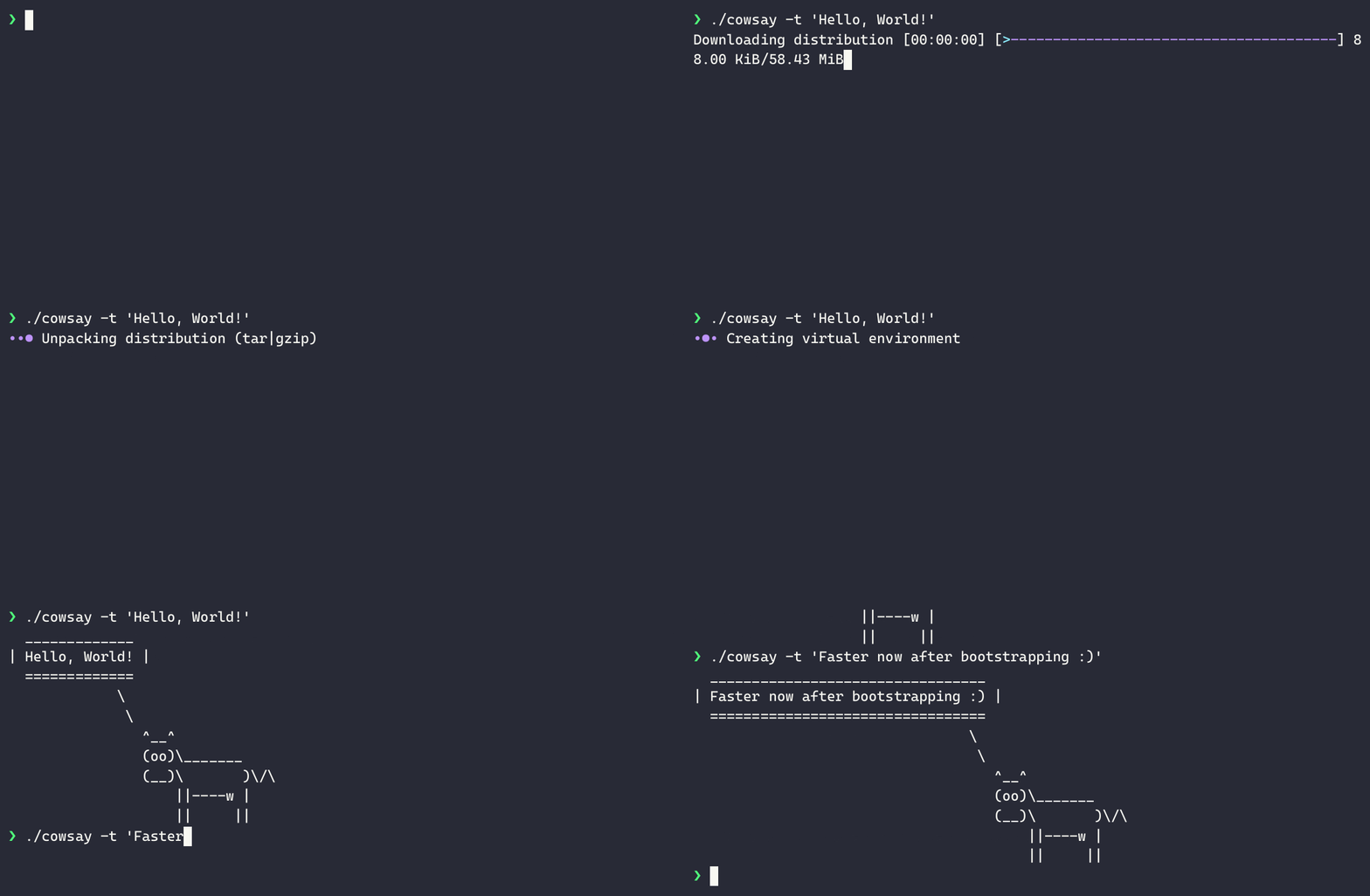{ loading=lazy role="img" } |
</div>
See the [how-to](how-to.md) for a detailed example walkthrough.
## Features
- Easily build standalone binaries for every platform
- Optional management commands providing functionality such as self updates
- Extremely configurable runtime behavior allowing for targeting of different end users
## License
PyApp is distributed under the terms of any of the following licenses:
- [Apache-2.0](https://spdx.org/licenses/Apache-2.0.html)
- [MIT](https://spdx.org/licenses/MIT.html)
## Navigation
Documentation for specific versions can be chosen by using the dropdown on the top of every page. The `dev` version reflects changes that have not yet been released.
Desktop readers can use special keyboard shortcuts:
| <ul><li><kbd>,</kbd> (comma)</li><li><kbd>p</kbd></li></ul> | Navigate to the "previous" page |
| <ul><li><kbd>.</kbd> (period)</li><li><kbd>n</kbd></li></ul> | Navigate to the "next" page |
| <ul><li><kbd>/</kbd></li><li><kbd>s</kbd></li></ul> | Display the search modal |