# px2ansi
A high-performance Rust port of [px2ansi](https://github.com/Nellousan/px2ansi).
**px2ansi** converts pixel art images into ANSI escape codes for display in
modern terminals. It uses 24-bit truecolor and unicode half-block characters
(`▀` / `▄`) to render images with precision.
It is significantly faster than the original Python implementation and ships as
a single, static binary.
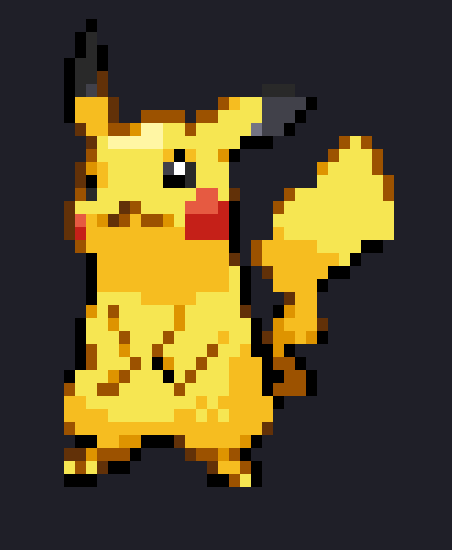
(Before)

(After)
## Features
- 🚀 **Fast**: Written in Rust, optimized for speed (~25x faster than Python).
- 🎨 **Truecolor**: Supports full 24-bit RGB colors.
- 📐 Smart Resizing: Automatically detects terminal width and resizes large
images to fit.
- 🖼️ Flexible Filtering: Choose between sharp pixel art (nearest) or smooth
high-res downscaling (lanczos3).
- 🧩 Transparency: Correctly handles alpha channels (rendering transparent
pixels as terminal background).
- 📦 Simple: Single binary, no dependencies required at runtime.
## Installation
### From Source
```bash
git clone https://github.com/saylesss88/px2ansi-rs
cd px2ansi-rs
cargo install --path .
```
`crates.io`
```bash
cargo install px2ansi-rs
```
## Usage
**Basic**
Convert an image and print to stdout (auto-resizes to fit your terminal):
```bash
px2ansi-rs image.png
```
**Advanced Options**
Resize filters:
Use `--filter` to control how the image is downscaled.
- Pixel Art (Pikachu, sprites): Use `nearest` to keep sharp edges.
```bash
px2ansi-rs sprite.png --filter nearest
```
- Photos / Logos: Default (Lanczos3) works best.
```bash
px2ansi-rs photo.jpg
```
Manual Sizing(WIP):
```bash
px2ansi-rs huge_screenshot.png --width 100
px2ansi-rs pikachu.png --filter=nearest --width 50
```
Save output to a file:
```bash
px2ansi-rs image.png -o art.txt
```
Try it out!
You can test it right now with the included `test.png` (a small pixel art
example if you cloned the repo):
```bash
px2ansi-rs tests/test.png
```