# 🚀 Pushapp CLI 🏋🏻♂️
⚡ Ultra fast dependencies updater for Node.js written in Rust! ⚡
[![Latest Version]][crates.io]  
[Latest Version]: https://img.shields.io/crates/v/pushapp-cli.svg
[crates.io]: https://crates.io/crates/pushapp-cli
## Features
- [x] Ultra fast
- [x] Support for npm, pnpm, yarn and bun
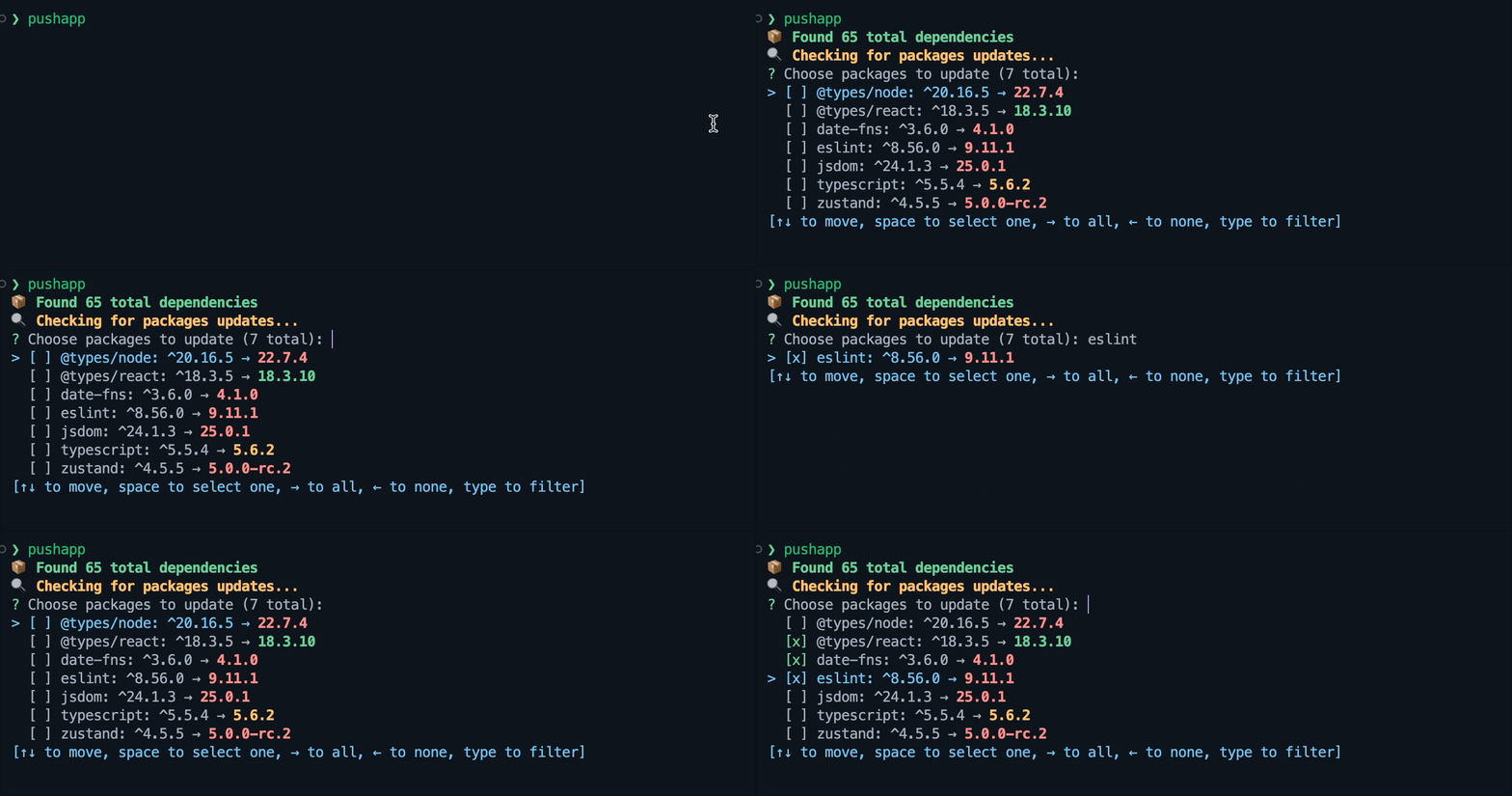
- [x] Interactive mode
- [x] Autocomplete
- [x] Colored updatable packages based on semver diff
- [x] CLI utility flags
- [x] Check global packages
## Roadmap
- [ ] Monorepo support ⚠️
- [ ] Single packages update with filters ⚠️
- [ ] Non-interactive mode with different display formatting and infos (publish time, semver grouping ) ⚠️
- [ ] Tarball and git url dependencies support ⚠️
- [ ] Private packages support ⚠️
## Installation
```bash
cargo install pushapp-cli
```
## Usage
Run the following command in your Node.js project directory:
```bash
pushapp
```
## Flag options
| `-t`, `--target` | Determines the version to upgrade to |
| `-g`, `--global` | Check global packages |
| `-D`, `--development` | Check only `devDependencies` |
| `-P`, `--production` | Check only `dependencies and optionalDependencies` |
| `-h`, `--help` | Display help information |
| `-V`, `--version` | Display version information |
## How dependencies updates are determined
- Direct dependencies are updated to the latest stable version:
- `1.0.0` → `1.2.0`
- Prerelease versions are ignored by default.
- Use `--target pre` to include the highest pre-release versions (e.g. `alpha`, `beta`, `rc`)
- Choose what level to upgrade to:
- With `--target semver`, update according to your specified [semver](https://semver.org/) version ranges:
- `^1.1.0` → `^1.9.99`
- With `--target major`, strictly update the major version:
- `1.0.0` → `2.0.0`
- With `--target minor`, strictly update the patch and minor versions (including major version zero):
- `0.1.0` → `0.2.1`
- With `--target patch`, strictly update the patch version (including major version zero):
- `0.1.0` → `0.1.2`
- With `--target [tag]`, update to the version published on the specified tag:
- Example: `0.1.0` -> `0.1.1-canary.1`
- The available target tags are `next`, `canary`, `rc`, `beta`, `alpha`. The default is `latest`.
## License
This project is licensed under the MIT License - see the [LICENSE](LICENSE) file for details.
## Author
Flavio Delgrosso
