# promkit
[](https://github.com/ynqa/promkit/actions/workflows/ci.yml)
[](https://docs.rs/promkit)
A toolkit for building your own interactive prompt in Rust.
## Getting Started
Put the package in your `Cargo.toml`.
```toml
[dependencies]
promkit = "0.8.0"
```
## Features
- Support cross-platform both UNIX and Windows owing to
[crossterm](https://github.com/crossterm-rs/crossterm)
- Various building methods
- Preset; Support for quickly setting up a UI by providing simple parameters
- [Readline](#readline)
- [Confirm](#confirm)
- [Password](#password)
- [Form](#form)
- [Listbox](#listbox)
- [QuerySelector](#queryselector)
- [Checkbox](#checkbox)
- [Tree](#tree)
- [JSON](#json)
- Combining various UI components
- They are provided with the same interface, allowing users to choose and
assemble them according to their preferences
- (Upcoming) Stronger support to display yor own data structures
- Versatile customization capabilities
- Theme for designing the appearance of the prompt
- e.g. cursor, text and prompt string
- Validation for user input and error message construction
- Customizable key mappings
- Mouse support (partially)
- Allows scrolling through lists with the mouse wheel
## Projects using *promkit*
- [ynqa/jnv](https://github.com/ynqa/jnv)
- [ynqa/logu](https://github.com/ynqa/logu)
- [ynqa/sig](https://github.com/ynqa/sig)
## Examples/Demos
*promkit* provides presets so that users can try prompts immediately without
having to build complex components for specific use cases.
Show you commands, code, and actual demo screens for examples
that can be executed immediately below.
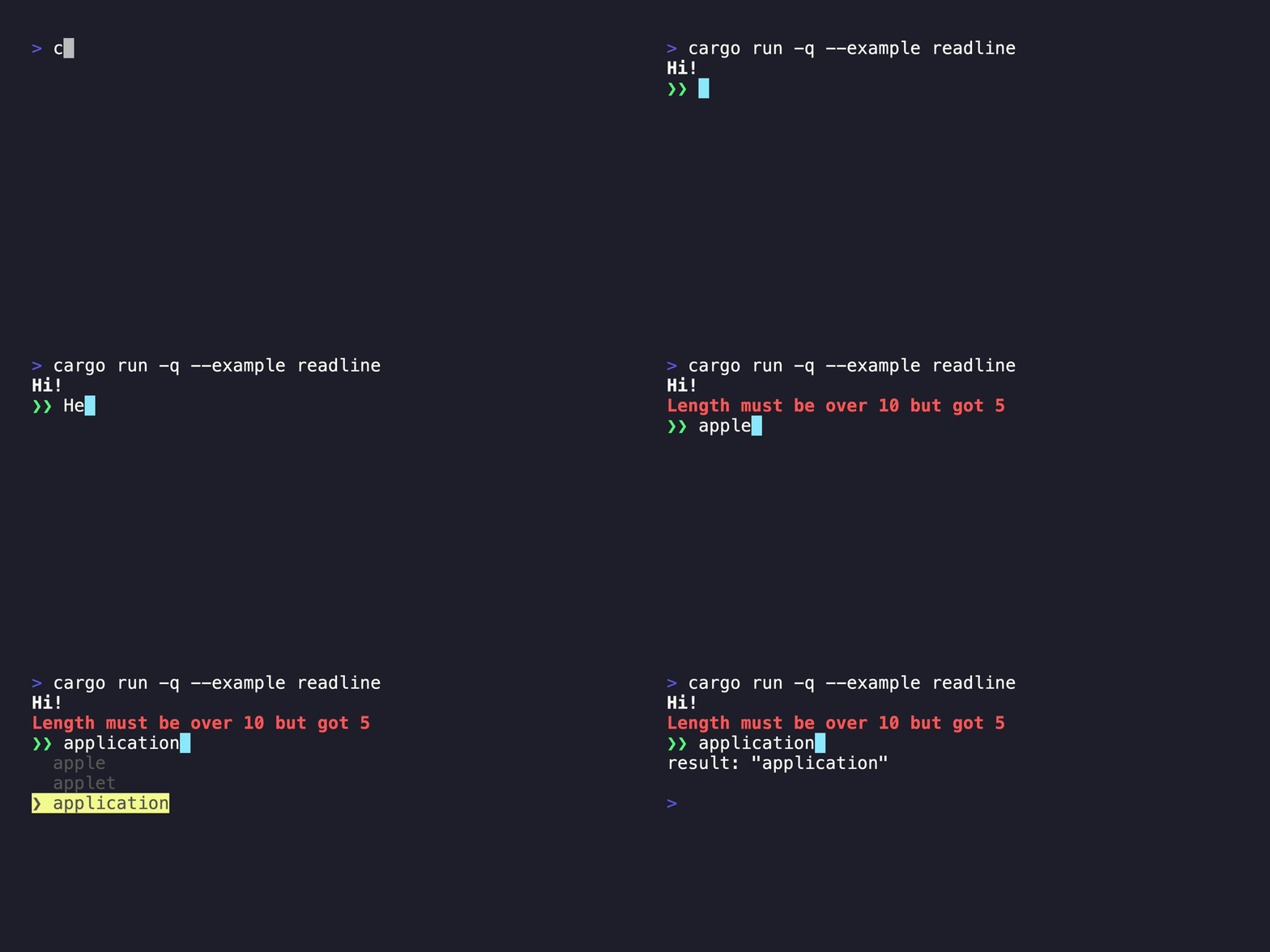
### Readline
<details>
<summary>Command</summary>
```bash
cargo run --example readline
```
</details>
<details>
<summary>Code</summary>
```rust
use promkit::{preset::readline::Readline, suggest::Suggest, Result};
fn main() -> Result {
let mut p = Readline::default()
.title("Hi!")
.enable_suggest(Suggest::from_iter([
"apple",
"applet",
"application",
"banana",
]))
.validator(
|text| text.len() > 10,
|text| format!("Length must be over 10 but got {}", text.len()),
)
.prompt()?;
println!("result: {:?}", p.run()?);
Ok(())
}
```
</details>
### Confirm
<details>
<summary>Command</summary>
```bash
cargo run --example confirm
```
</details>
<details>
<summary>Code</summary>
```rust
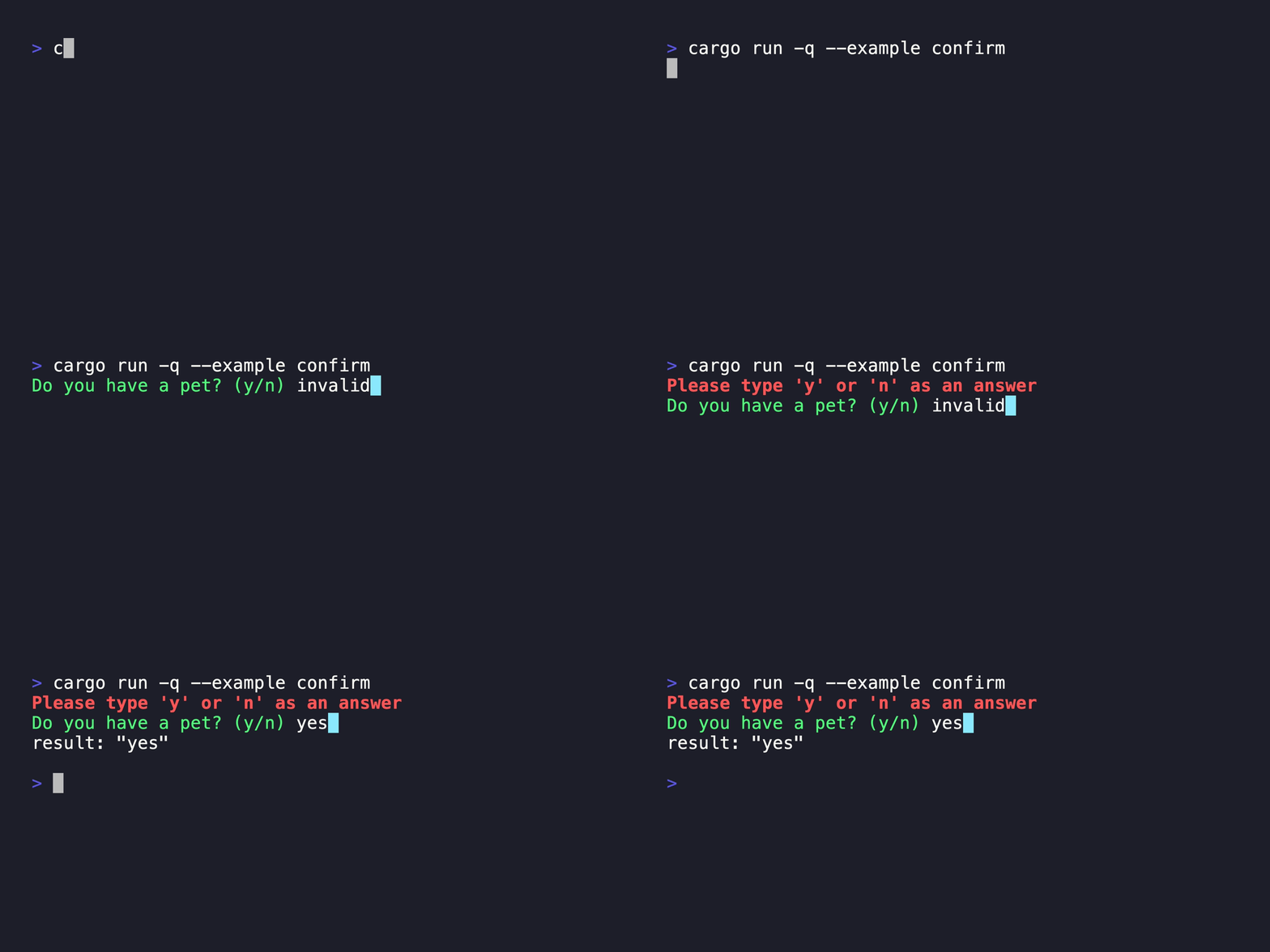
use promkit::{preset::confirm::Confirm, Result};
fn main() -> Result {
let mut p = Confirm::new("Do you have a pet?").prompt()?;
println!("result: {:?}", p.run()?);
Ok(())
}
```
</details>
### Password
<details>
<summary>Command</summary>
```bash
cargo run --example password
```
</details>
<details>
<summary>Code</summary>
```rust
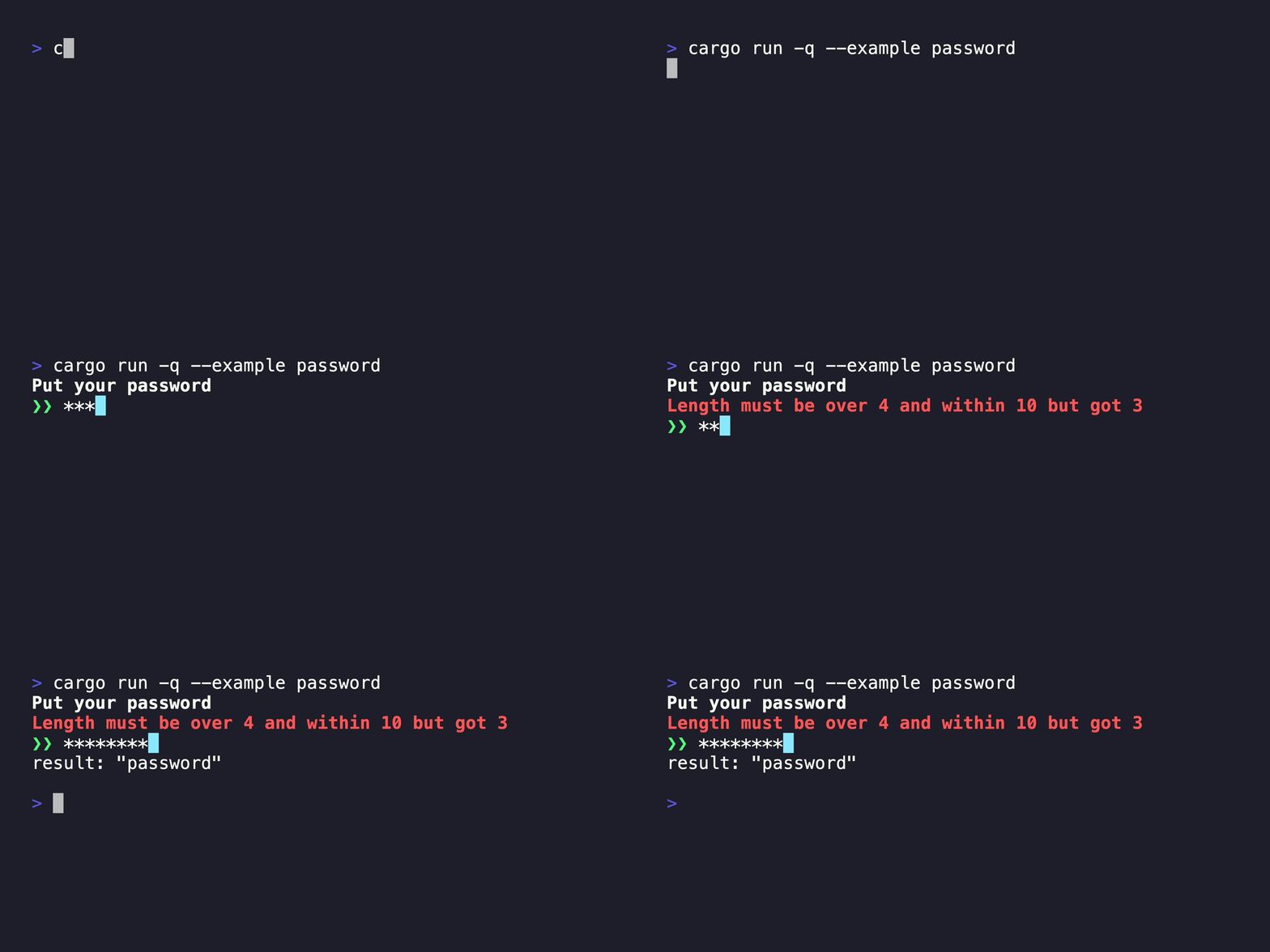
use promkit::{preset::password::Password, Result};
fn main() -> Result {
let mut p = Password::default()
.title("Put your password")
.validator(
|text| 4 < text.len() && text.len() < 10,
|text| format!("Length must be over 4 and within 10 but got {}", text.len()),
)
.prompt()?;
println!("result: {:?}", p.run()?);
Ok(())
}
```
</details>
### Form
<details>
<summary>Command</summary>
```bash
cargo run --example form
```
</details>
<details>
<summary>Code</summary>
```rust
use promkit::{crossterm::style::Color, preset::form::Form, style::StyleBuilder, text_editor};
fn main() -> anyhow::Result<()> {
let mut p = Form::new([
text_editor::State {
texteditor: Default::default(),
history: Default::default(),
prefix: String::from("❯❯ "),
mask: Default::default(),
prefix_style: StyleBuilder::new().fgc(Color::DarkRed).build(),
active_char_style: StyleBuilder::new().bgc(Color::DarkCyan).build(),
inactive_char_style: StyleBuilder::new().build(),
edit_mode: Default::default(),
word_break_chars: Default::default(),
lines: Default::default(),
},
text_editor::State {
texteditor: Default::default(),
history: Default::default(),
prefix: String::from("❯❯ "),
mask: Default::default(),
prefix_style: StyleBuilder::new().fgc(Color::DarkGreen).build(),
active_char_style: StyleBuilder::new().bgc(Color::DarkCyan).build(),
inactive_char_style: StyleBuilder::new().build(),
edit_mode: Default::default(),
word_break_chars: Default::default(),
lines: Default::default(),
},
text_editor::State {
texteditor: Default::default(),
history: Default::default(),
prefix: String::from("❯❯ "),
mask: Default::default(),
prefix_style: StyleBuilder::new().fgc(Color::DarkBlue).build(),
active_char_style: StyleBuilder::new().bgc(Color::DarkCyan).build(),
inactive_char_style: StyleBuilder::new().build(),
edit_mode: Default::default(),
word_break_chars: Default::default(),
lines: Default::default(),
},
])
.prompt()?;
println!("result: {:?}", p.run()?);
Ok(())
}
```
</details>

### Listbox
<details>
<summary>Command</summary>
```bash
cargo run --example listbox
```
</details>
<details>
<summary>Code</summary>
```rust
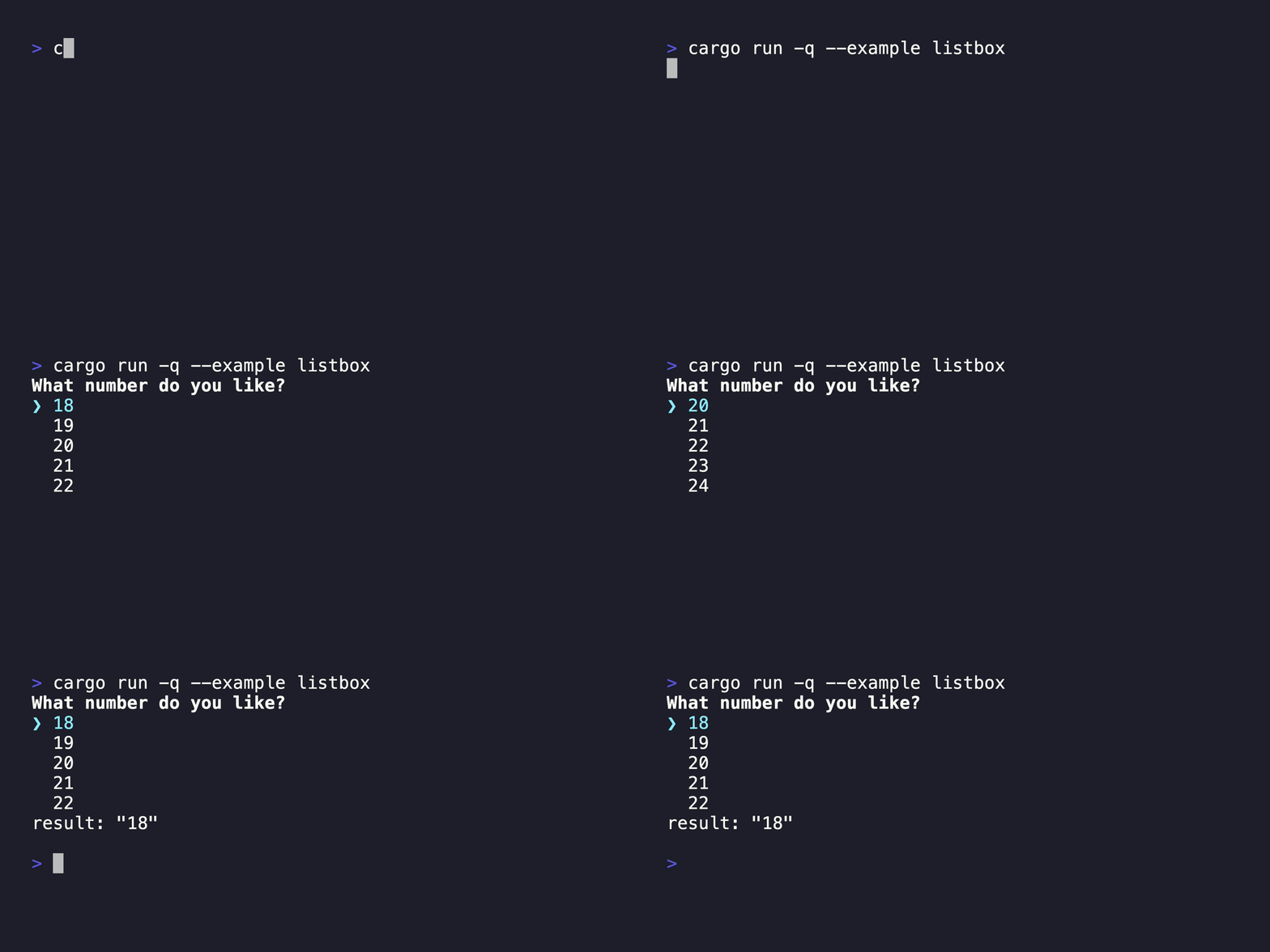
use promkit::{preset::listbox::Listbox, Result};
fn main() -> Result {
let mut p = Listbox::new(0..100)
.title("What number do you like?")
.listbox_lines(5)
.prompt()?;
println!("result: {:?}", p.run()?);
Ok(())
}
```
</details>
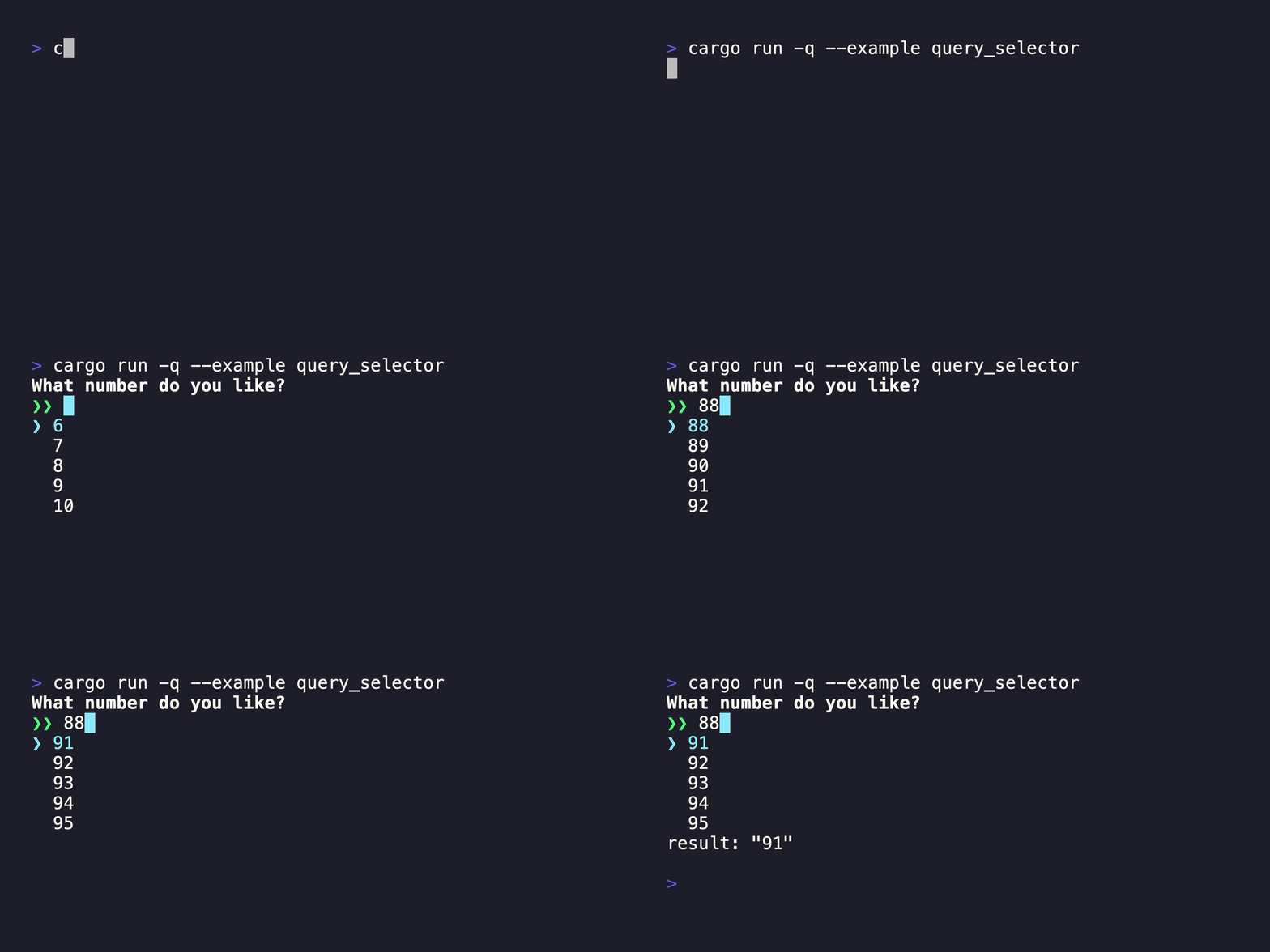
### QuerySelector
<details>
<summary>Command</summary>
```bash
cargo run --example query_selector
```
</details>
<details>
<summary>Code</summary>
```rust
use promkit::{preset::query_selector::QuerySelector, Result};
fn main() -> Result {
let mut p = QuerySelector::new(0..100, |text, items| -> Vec<String> {
text.parse::<usize>()
.map(|query| {
items
.iter()
.filter(|num| query <= num.parse::<usize>().unwrap_or_default())
.map(|num| num.to_string())
.collect::<Vec<String>>()
})
.unwrap_or(items.clone())
})
.title("What number do you like?")
.listbox_lines(5)
.prompt()?;
println!("result: {:?}", p.run()?);
Ok(())
}
```
</details>
### Checkbox
<details>
<summary>Command</summary>
```bash
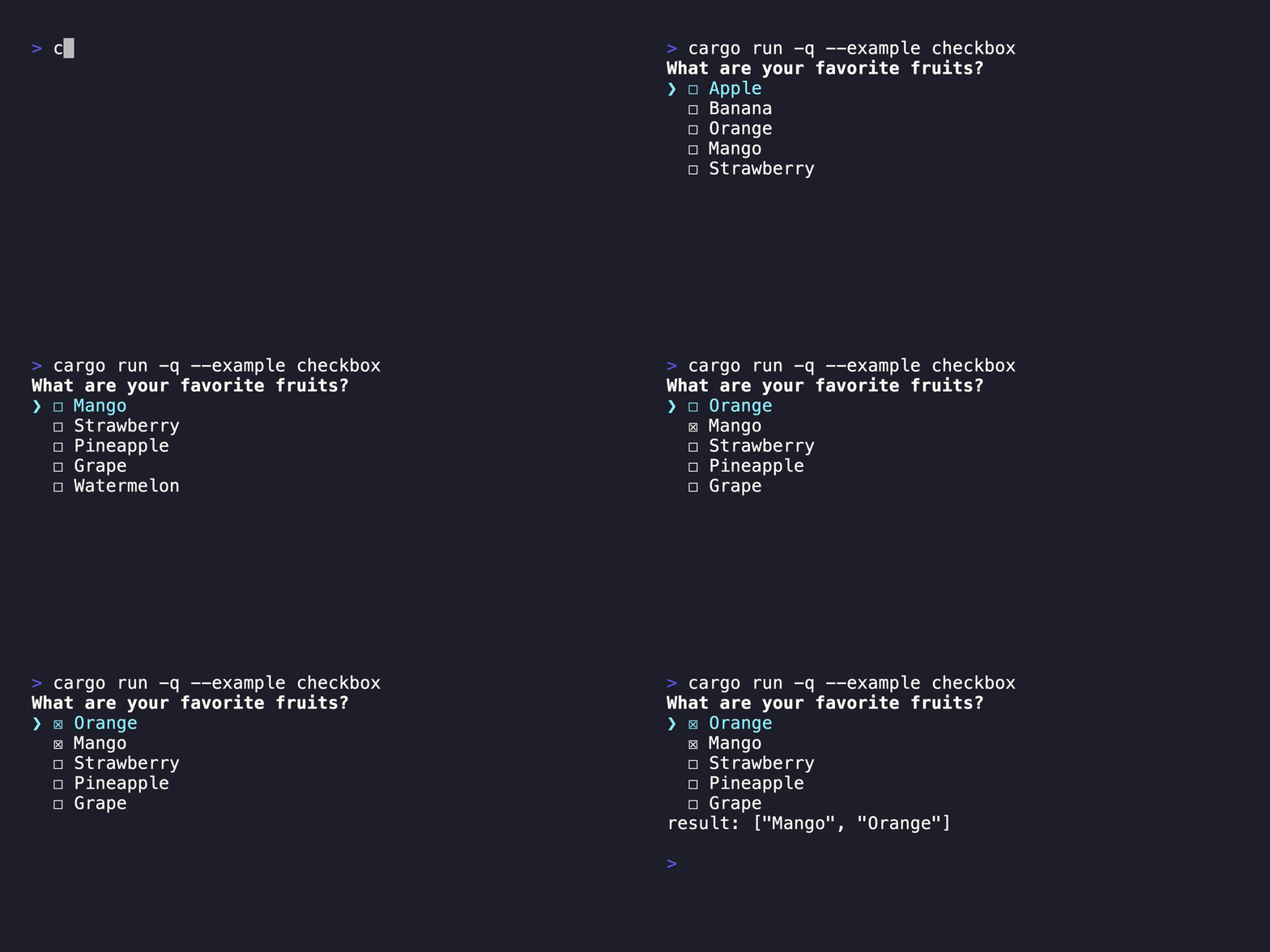
cargo run --example checkbox
```
</details>
<details>
<summary>Code</summary>
```rust
use promkit::{preset::checkbox::Checkbox, Result};
fn main() -> Result {
let mut p = Checkbox::new(vec![
"Apple",
"Banana",
"Orange",
"Mango",
"Strawberry",
"Pineapple",
"Grape",
"Watermelon",
"Kiwi",
"Pear",
])
.title("What are your favorite fruits?")
.checkbox_lines(5)
.prompt()?;
println!("result: {:?}", p.run()?);
Ok(())
}
```
</details>
### Tree
<details>
<summary>Command</summary>
```bash
cargo run --example tree
```
</details>
<details>
<summary>Code</summary>
```rust
use promkit::{preset::tree::Tree, tree::Node, Result};
fn main() -> Result {
let mut p = Tree::new(Node::try_from(&std::env::current_dir()?.join("src"))?)
.title("Select a directory or file")
.tree_lines(10)
.prompt()?;
println!("result: {:?}", p.run()?);
Ok(())
}
```
</details>

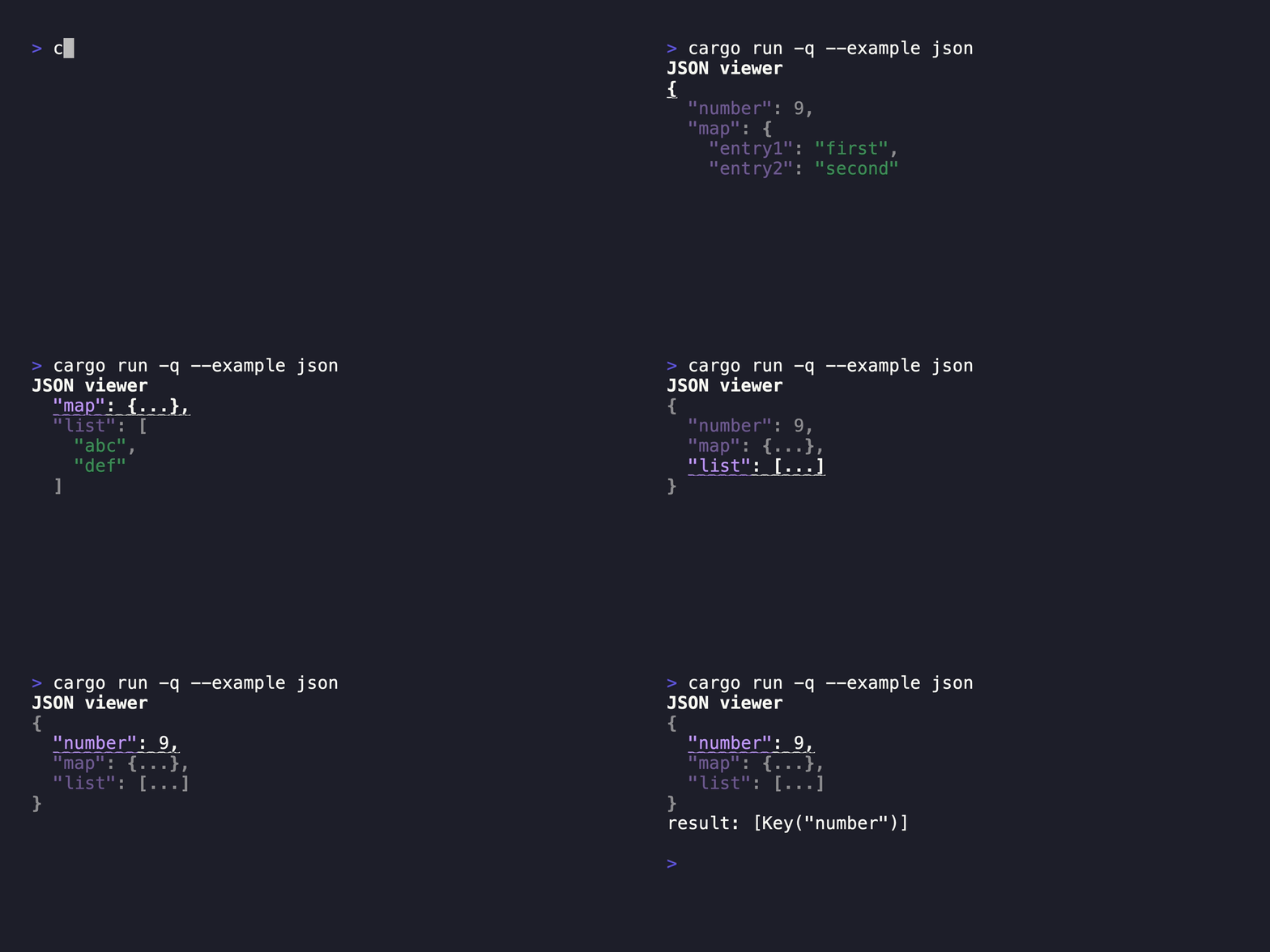
### JSON
<details>
<summary>Command</summary>
```bash
cargo run --example json
```
</details>
<details>
<summary>Code</summary>
```rust
use promkit::{json::JsonStream, preset::json::Json, serde_json::Deserializer, Result};
fn main() -> Result {
let stream = JsonStream::new(
Deserializer::from_str(
r#"{
"number": 9,
"map": {
"entry1": "first",
"entry2": "second"
},
"list": [
"abc",
"def"
]
}"#,
)
.into_iter::<serde_json::Value>()
.filter_map(serde_json::Result::ok),
None,
);
let mut p = Json::new(stream)
.title("JSON viewer")
.json_lines(5)
.prompt()?;
println!("result: {:?}", p.run()?);
Ok(())
}
```
</details>
## Why *promkit*?
Related libraries in this category include the following:
- [console-rs/dialoguer](https://github.com/console-rs/dialoguer)
- [mikaelmello/inquire](https://github.com/mikaelmello/inquire/tree/main/inquire)
*promkit* offers several advantages over these libraries:
### Unified interface approach for UI components
*promkit* takes a unified approach by having all of its components inherit the
same `Renderer` trait. This design choice enables users to seamlessly support
their custom data structures for display, similar to the relationships seen in
TUI projects like [ratatui-org/ratatui](https://github.com/ratatui-org/ratatui)
and
[EdJoPaTo/tui-rs-tree-widget](https://github.com/EdJoPaTo/tui-rs-tree-widget).
In other words, it's straightforward for anyone to display their own data
structures using widgets within promkit.
In contrast, other libraries tend to treat each prompt as a mostly independent
entity. If you want to display a new data structure, you often have to build the
UI from scratch, which can be a time-consuming and less flexible process.
```rust
pub trait Renderer: AsAny + Finalizer {
/// Creates a collection of panes based on the specified width.
///
/// This method is responsible for generating the layout of the UI components
/// that will be displayed in the prompt. The width parameter allows the layout
/// to adapt to the current terminal width.
///
/// # Parameters
///
/// * `width`: The width of the terminal in characters.
///
/// # Returns
///
/// Returns a vector of `Pane` objects that represent the layout of the UI components.
fn create_panes(&self, width: u16) -> Vec<Pane>;
/// Evaluates an event and determines the next action for the prompt.
///
/// This method is called whenever an event occurs (e.g., user input). It allows
/// the renderer to react to the event and decide whether the prompt should continue
/// running or quit.
///
/// # Parameters
///
/// * `event`: A reference to the event that occurred.
///
/// # Returns
///
/// Returns a `Result` containing a `PromptSignal`. `PromptSignal::Continue` indicates
/// that the prompt should continue running, while `PromptSignal::Quit` indicates that
/// the prompt should terminate its execution.
fn evaluate(&mut self, event: &Event) -> anyhow::Result<PromptSignal>;
}
```
### Variety of Pre-built UI Preset Components
One of the compelling reasons to choose *promkit* is its extensive range of pre-built UI preset components.
These presets allow developers to quickly implement various interactive prompts without the need to design and
build each component from scratch. The availability of these presets not only speeds up the development process
but also ensures consistency and reliability across different applications.
Here are some of the preset components available, see [Examples](#examplesdemos)
### Resilience to terminal resizing
Performing operations that involve executing a command in one pane while
simultaneously opening a new pane is a common occurrence. During such operations,
if UI corruption is caused by resizing the terminal size, it may adversely affect
the user experience.
Other libraries can struggle when the terminal is resized, making typing and
interaction difficult or impossible. For example:
- [(console-rs/dialoguer) Automatic re-render on terminal window resize](https://github.com/console-rs/dialoguer/issues/178)
*promkit* introduces a step to align data with the screen size before rendering.
This approach ensures consistency in UI elements even when
the terminal size changes, providing a smoother user experience.
## License
This project is licensed under the MIT License.
See the [LICENSE](https://github.com/ynqa/promkit/blob/main/LICENSE)
file for details.
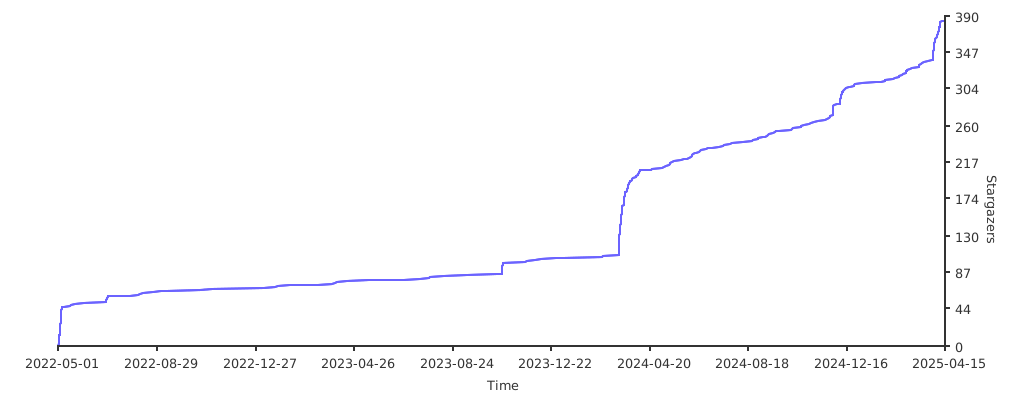
## Stargazers over time
[](https://starchart.cc/ynqa/promkit)