promkit


A toolkit for building your own interactive prompt in Rust.
Getting Started
Put the package in your Cargo.toml.
[]
= "0.12.0"
Features
- Cross-platform support for both UNIX and Windows utilizing crossterm
- Modularized architecture
- promkit-core
- Core functionality for terminal rendering and keyed grapheme chunk management
- promkit-widgets
- Various UI components (text, listbox, tree, etc.)
- promkit
- High-level presets and user interfaces
- promkit-derive
- A Derive macro that simplifies interactive form input
- promkit-core
- Rich preset components
- Readline - Text input with auto-completion
- Confirm - Yes/no confirmation prompt
- Password - Password input with masking and validation
- Form - Manage multiple text input fields
- Listbox - Single selection interface from a list
- QuerySelector - Searchable selection interface
- Checkbox - Multiple selection checkbox interface
- Tree - Tree display for hierarchical data like file systems
- JSON - Parse and interactively display JSON data
- Text - Static text display
Concept
See here.
Projects using promkit
Examples/Demos
promkit provides presets so that users can try prompts immediately without having to build complex components for specific use cases.
Show you commands, code, and actual demo screens for examples that can be executed immediately below.
Readline
Confirm
Password
Form
Listbox
QuerySelector
Checkbox
Tree
JSON
Text
License
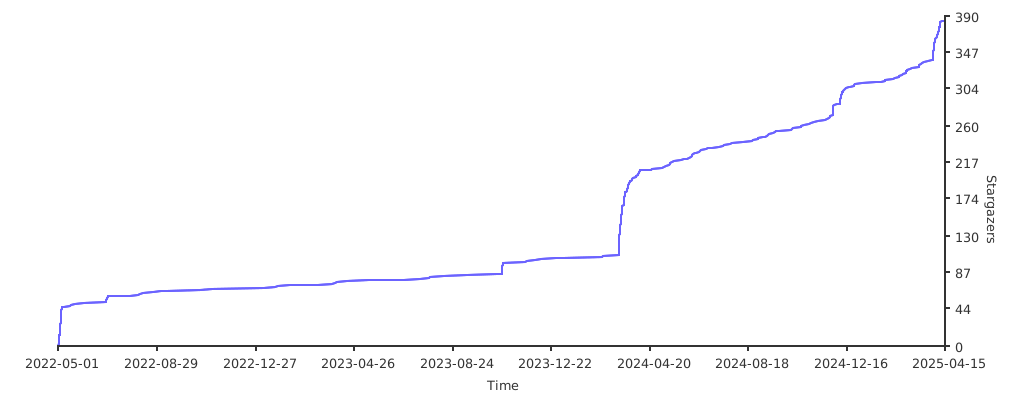
Stargazers over time