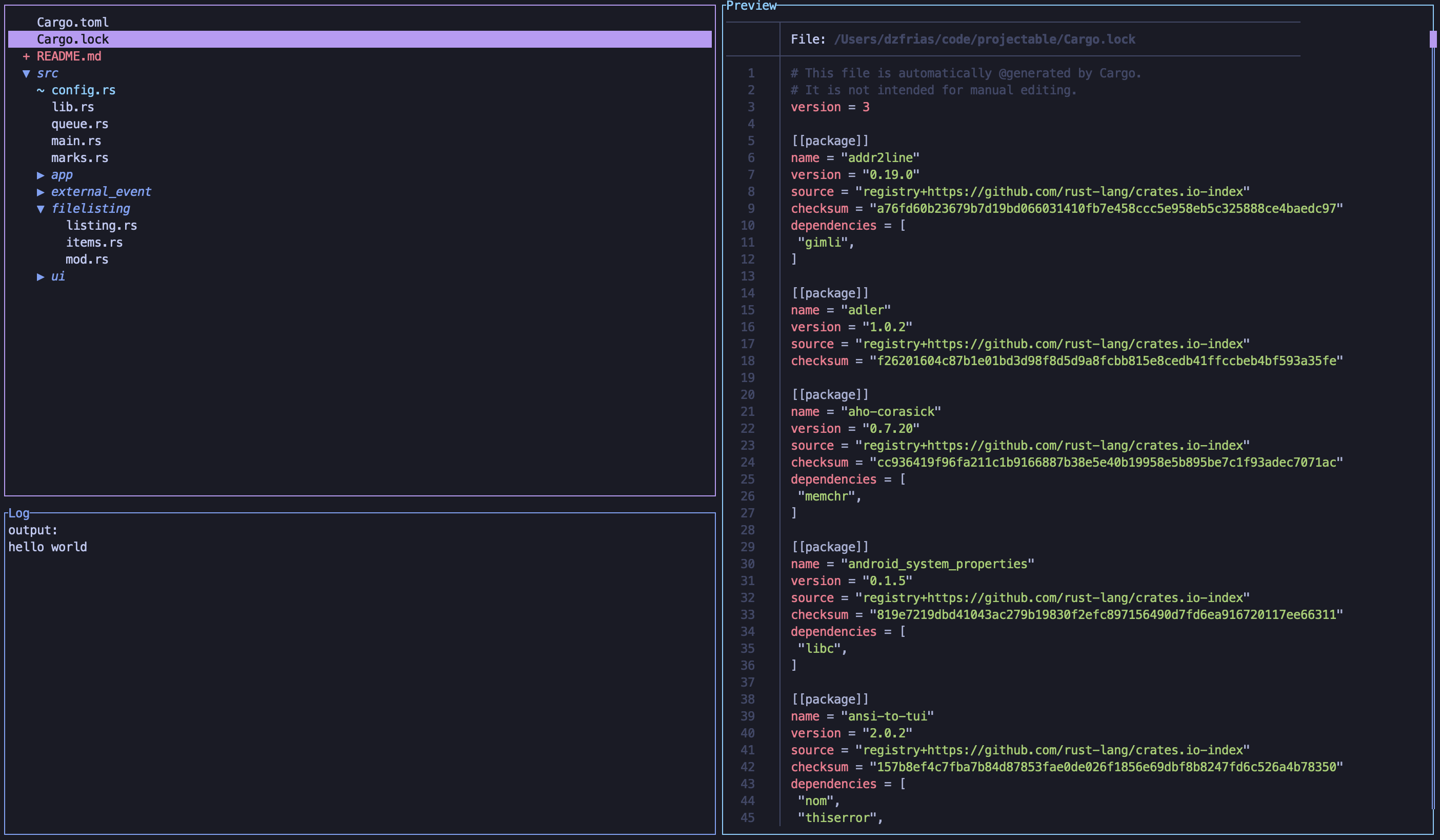
# Configuring projectable

Almost every behavior of projectable can be custommized through a simple `toml`
file.

To get started, run `prj --make-config` to create a new config file. Then, run
`prj --config` to get the location of your config file. Go to that directory,
and edit the TOML file.

Additionally, you can create _project local_ configurations. Just create a
`.projectable.toml` file anywhere, and it'll be merged with your global
configuration. This allows you to have specific commands depending on your
build system, programming language, and more!

## Commands

To create a new command, bound to a key, use the `commands` key of the
configuration. This will be a key-value pair.

Here's an example:

```toml
[commands]
"ctrl-e" = "echo Hello, World!"
```

You can use [the command syntax](../README.md#command-syntax) for more dynamic
commands!

### Special Commands

In projectable, you may also define commands that change on a per-file basis.
By default, this is bound to `v`, but can be [changed](#keys).

For example, here's a possible configuration for a `Cargo.toml` file:

```toml
[special_commands]
"Cargo.toml" = ["cargo add {...}", "cargo remove {...}", "cargo build"]
```

When you press `v` while selecting a `Cargo.toml` file, projectable will prompt
you to run one of these commands!

The key part of the configuration accepts globs, so you could generalize this
to run with `Cargo.*` if you'd like this prompt to appear in lock file as well.

## Keys

Many of the default keybinds can be changed in projectable.

For example, if you'd like to change the default up/down selection keys and
still keep the defaults, you could do so with:

```toml
up = ["k", "up"]
down = ["j", "down"]
```

Changing the new file key could look like this:

```toml
[filetree]
new_file = "alt-n"
```

alt and ctrl are the only currently supported modifiers.

For the rest of the possible keybinds, see
[the entire configuration](#all-configuration-options).

## Colors

Like everything else, projectable's colorscheme can be completely user-defined!
"Colors" is a bit of a misnomer; projectable also allows you to control the
text style too, giving you the options of bold or italic text.

Here's an example of a possible color change:

```toml
selected = { color = "rgb(0, 0, 0)", bg = "#FFFFFF", mods = ["italic"] }

[filetree]
border_color = { color = "yellow" }
```

RGB and hex are both supported, along with a list of modifiers. Currently, only
italic and bold are available.

To see all possible color options, see
[the entire configuration reference](#all-configuration-options).

## External Preview Command

The projectable previewer uses two default pagers:

1. `cat` for Unix
2. `type` for Windows

This can be changed! For example, if you want to use
[bat](https://github.com/sharkdp/bat):

```toml
[preview]
preview_cmd = "bat --force-colorization --line-range 0:1000 {}"
```

The `--line-range` is not strictly necessary, but it helps to avoid slowdowns
on massive files.

### Git Pager

You can also modify the `git diff` pager. If you want to use
[delta](https://github.com/dandavison/delta), you can put this into your config:

```toml
[preview]
git_pager = "delta"
```

Your git preview command will become `git diff | delta`!

## All Configuration Options

These are the default configuration options for projectable. You can override
them as you wish! You can check out
[my configuration](../src/config_defaults/_my_config.toml), too.

Generally, the file is split up based on pane. For example, the pane that shows
all of your files corresponds to the `[filetree]` section of the file.

```toml
# General settings
project_roots = [".git"]
# Items of the form: `GLOB = [COMMAND]`
special_commands = {}
# Items of the form `KEY = COMMAND`
commands = {}
esc_to_close = true
# Defaults to ["$SHELL",  "-c"]
# exec_cmd = ["zsh", "-ci"]

# Keys
up = ["k", "up"]
down = ["j", "down"]
quit = "q"
help = "?"
all_up = "g"
all_down = "G"
open = "enter"
# Kill processes started by projectable
kill_processes = "ctrl-c"
# Defaults to $EDITOR
# editor_cmd = "nvim"

# General styles
selected = { color = "black", bg = "magenta" }
popup_border_style = { color = "white" }
help_key_style = { color = "lightcyan", mods = ["bold"] }

[preview]
# For unix, uses `type` for windows
preview_cmd = "cat {}"
# Optional git pager
# git_pager = "delta"
down_key = "ctrl-d"
up_key = "ctrl-u"
scroll_amount = 10

border_color = { color = "cyan" }
scroll_bar_color = { color = "magenta" }
# Unreached part of the scroll bar
unreached_bar_color = { color = "blue" }

[filetree]
# Whether to show git diffs
use_git = true
# Ignore certain globs
ignore = []
use_gitignore = true
refresh_time = 1000
# Display directories before files
dirs_first = false
show_hidden_by_default = false
# Whether to show special commads in a fuzzy style. Alternative is a list-like
# view
special_commands_fuzzy = true

# Keys
special_command = "v"
down_three = "ctrl-n"
up_three = "ctrl-p"
exec_cmd = "e"
delete = "d"
search = "/"
# Full refresh of tree
clear = '\'
new_file = "n"
new_dir = "N"
rename = "r"
move_path = "R"
git_filter = "T"
diff_mode = "t"
open_all = "o"
close_all = "O"
mark_selected = "m"
open_under = "l"
close_under = "h"
show_dotfiles = "."
focus = "f"

# Colors
dir_style = { color = "blue", mods = ["italic"] }
filtered_out_message = { color = "yellow" }
border_color = { color = "magenta" }
# Color of git added files
git_added_style = { color = "green" }
git_new_style = { color = "red" }
git_modified_style = { color = "cyan" }
# Color of marked files
marks_style = { color = "yellow" }

[log]
border_color = { color = "blue" }

info = { color = "white" }
error = { color = "red" }
warn = { color = "yellow" }

# Only shown when run with the --debug option
debug = { color = "green" }
trace = { color = "magenta" }

[marks]
# Whether to show marks as relative paths or not
relative = true
open = "M"
delete = "d"

# Color of marks in marks window, NOT in filetree
mark_style = { color = "white" }
```