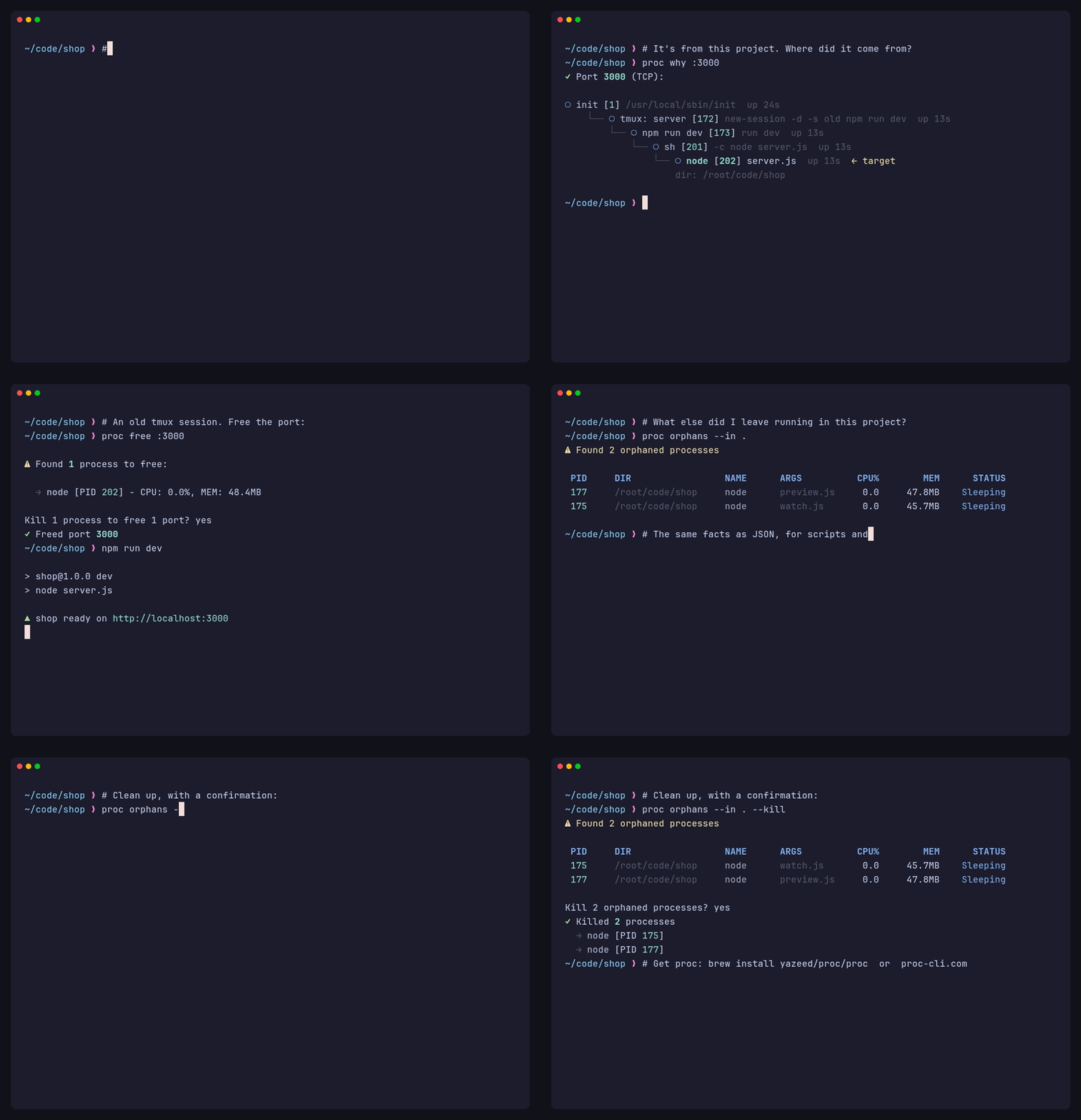
# Records the README demo (demo.gif) and the website video (docs/assets/demo.mp4)
# in a clean container, so no real machine's processes appear. From the repo root:
#
#   docker build -f demo.Dockerfile -t proc-demo .
#   docker run --rm -v "$PWD":/vhs proc-demo
#
# The recording script is demo.tape; the staged project and its leftovers are in demo/.

# Stage 1: build proc from this checkout, so the demo shows the current code
FROM rust:1-bookworm AS builder
ENV CARGO_BUILD_JOBS=4
WORKDIR /build
COPY Cargo.toml Cargo.lock ./
COPY src/ src/
RUN cargo build --release

# Stage 2: VHS plus the tools the story uses (iproute2 provides `ss` for port lookups)
FROM ghcr.io/charmbracelet/vhs:latest
RUN apt-get update && \
    apt-get install -y --no-install-recommends nodejs npm jq iproute2 procps tmux && \
    rm -rf /var/lib/apt/lists/*
COPY --from=builder /build/target/release/proc /usr/local/bin/proc

# UTF-8, or bash miscounts the prompt's ❯ and wraps long lines in the wrong place
ENV LANG=C.UTF-8 LC_ALL=C.UTF-8
ENV NO_UPDATE_NOTIFIER=1 npm_config_update_notifier=false npm_config_fund=false npm_config_audit=false

COPY demo/shop /root/code/shop
COPY demo/bashrc /root/.bashrc
# PID 1: the "forgotten" processes are reparented here, so `proc why` shows `init`
COPY demo/init /usr/local/sbin/init
WORKDIR /root/code/shop
ENTRYPOINT ["/usr/local/sbin/init"]